PowerParallel



Dial from the tools you use.
Work from your supported CRM or sales engagement platform. Power dial one contact at a time, or call several at once with parallel dialing.
Explore calling modesAI dialing and live coaching
Power dial one prospect at a time, or call several numbers at once. Get live AI coaching during the conversation.
Add to ChromeIn the daily workflow of sales teams at








Why teams choose Trellus
Work from your supported CRM or sales engagement platform. Power dial one contact at a time, or call several at once with parallel dialing.
Explore calling modesMPMorgan PatelFieldworkUp next
JLJordan LeeNorthstar02
ACAlex ChenDaybreak03
Hot Numbers ranks eligible contacts by estimated pickup likelihood.
Explore pickup prediction(415) XXX-0186Healthy
(312) XXX-0142Healthy
(646) XXX-0173Spam flag
Check number health, review spam flags and manage caller-ID rotation.
Watch number managementCustomer experiences
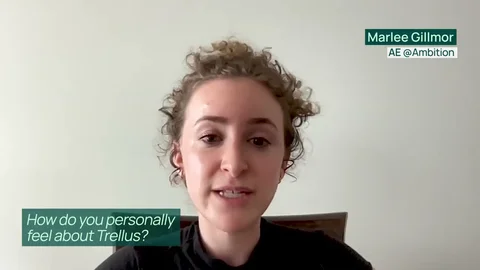
“It was a no-brainer — Trellus integrated with our existing tools, doubled our dialing volume, and made a huge difference in efficiency without burning our reps out.”
“The product is so easy and it gives us exactly what we need. It just works — no issues, no drama. That’s rare.”
Before, during and after the call
Live coaching
Get suggested replies to questions and objections during the call. Review the transcript afterward.
Explore live coachingCall insights
Compare call volume, outcomes and rep performance. Open a call to review its recording, transcript and notes.
See team featuresVirtual salesfloor
Call in a shared room. See who is dialing and listen to live conversations to coach reps as they happen.
Explore the salesfloorPractice bots
Build AI practice bots for your sales scenarios. Rehearse openers and objections, review feedback and try again before speaking with a prospect.
See AI sales roleplayAnalytics through MCP
Ask your AI assistant for call counts, talk time and rep breakdowns. Open a call and its transcript to investigate.
Solutions by industry
For B2B SaaS teams
Work a focused outbound list, capture the buying context, and hand the AE a useful conversation record.
Explore B2B SaaS workflowsFor insurance teams
Build a call block around quote requests, renewal reviews, or promised callbacks in your supported CRM.
Explore insurance workflowsFor real estate teams
Keep an inquiry, the last conversation, and your next step connected as you work through your calling list.
Explore real estate workflowsBefore your first call
Check platform support, calling modes and what your team needs to get started.
All frequently asked questionsTrellus brings power and parallel dialing, live AI coaching, and call review into supported CRMs and sales platforms. Start with a contact list in your platform, use Trellus to work through the calls, and review the conversations with your team.
Explore the dialerCheck the integration page for your exact platform. Trellus supports a range of CRMs and sales engagement tools, but calling surfaces, available dialing modes, and how results are saved can differ by platform.
Find your integrationInstall the Trellus Chrome extension, sign in to Trellus, and follow the setup guide for your supported platform. Before your first call block, check your microphone and headset and make a test call to confirm your audio and calling setup.
Watch the setup guidesYes. The interactive product tour lets you explore dialing, coaching, call notes, salesfloor, practice bots, and team insights with sample data. It does not place real calls or change your CRM.
Try the interactive tourPower dialing works through contacts one at a time. Parallel dialing places multiple calls at once to find a live conversation. Choose a mode that fits your platform, plan, and calling requirements.
See the calling workflowReal-time coaching provides guidance during a supported call, including prompts for objection handling and talking points. It complements reviewing the call afterward, so the rep can use the guidance while the conversation is still happening.
Explore real-time coachingA demo built around your team
Bring your CRM, team size and calling goals. Walk through the dialing modes, number-health tools and coaching your reps would use. Choose your meeting time right after submitting.