
Outreach Dialer: Native Sequential vs. Trellus Parallel Calling
Choose a calling workflow for your Outreach tasks, then verify the saved call, sequence step and promised callback.

Trellus adds power and parallel dialing inside the CRM your team already uses. See pricing Book a demo
On this page
Outreach offers native sequential dialing for call tasks. The Trellus Outreach dialer adds power and parallel calling to supported task views. Start with how your reps should work the queue: one attempt after another, or several attempts while waiting for a live conversation.
Then check the result. A saved call, a completed sequence task and a callback with the right owner are separate things to inspect. Keep native Outreach calling if it already handles the pace and follow-up your team needs.
Watch the Trellus Outreach integration guide to see Trellus in Outreach. Then use the checklist with your own task view and account settings.
Start with native Outreach sequential dialing
Native sequential dialing can suit a team that wants to work Outreach call tasks without manually starting every attempt. Use it when your task queue, calling pace and saved outcomes already cover the work.
Outreach’s sequential-dialing guide describes the required Voice setup, profile permission and call-task selection. It works through the available numbers for a Prospect, pauses for a live answer and provides different ways to log or continue. Ask your administrator to confirm those settings before a pilot.
If your reps need several simultaneous attempts instead, compare a parallel workflow on the same kind of task list. Bring the same logging and callback requirements to both evaluations.
Compare calling modes and saved results
| Native Outreach sequential dialing | Trellus in Outreach |
|---|---|
| Starting work | |
| Selected Outreach call tasks. | A supported Outreach call-task view, retaining Prospect, sequence and task context. |
| Calling pattern | |
| Attempts progress sequentially. | Power dialing for one attempt at a time, or parallel dialing on an eligible plan. |
| After an answer | |
| Review the native logging and continuation options. | Review the notes and configured outcome, then choose the intended logging or completion action. |
| Saved outcome | |
| Inspect the native call log, disposition and task state. | Inspect the call record, disposition, available purpose, notes and associated task. |
| Follow-up | |
| Confirm the next task and sequence behavior in your setup. | Check the Prospect-linked callback, due date and assigned owner. |
Trellus publishes this guide using Outreach’s public documentation and its own integration documentation. The checklist below lets your team compare both workflows against the same task requirements.
Keep the Prospect, sequence and task together
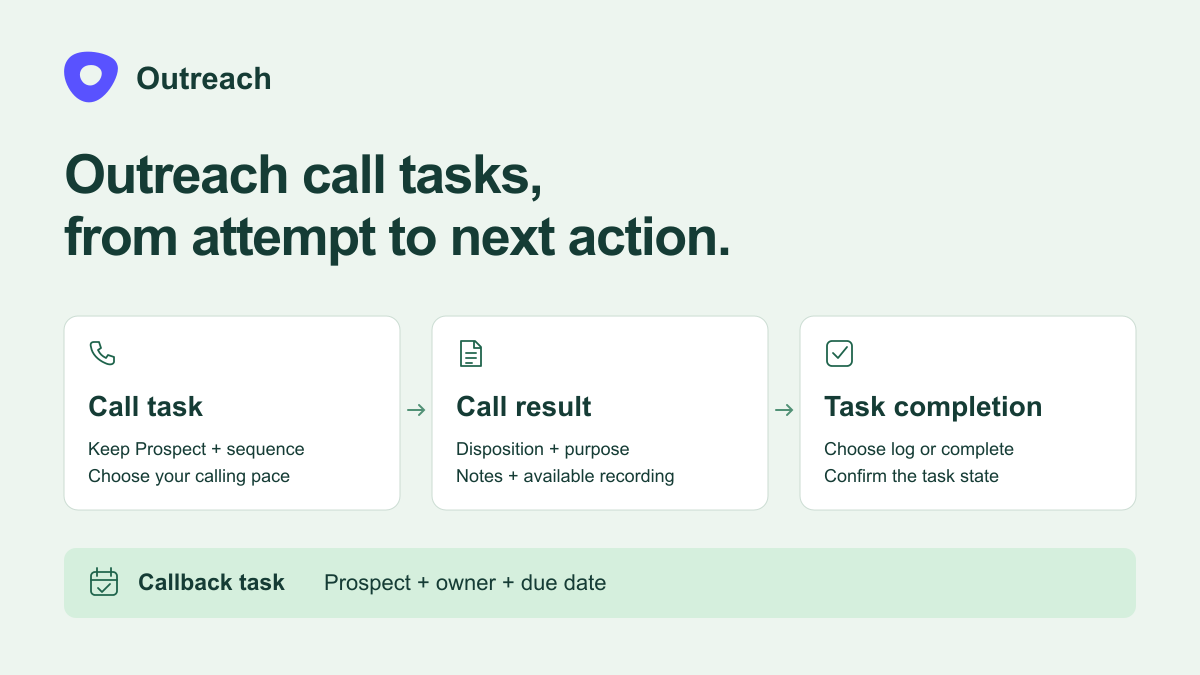
A call task carries the reason a Prospect is due for a call. Before dialing, confirm the owner, sequence step, available numbers and previous notes. Afterward, check that the activity belongs to that same Prospect and task.
Trellus uses its Chrome extension in supported Outreach call-task views. Open the worklist your rep intends to call, choose power or eligible parallel mode, and keep the Prospect’s context with the session. The Outreach integration guide describes the supported starting view and saved fields.
For example, use a trial-follow-up queue whose contacts share a reason for calling. Prepare the opener, then check the responding Prospect before continuing the conversation. For a promised callback with detailed history, a one-at-a-time workflow may leave more room to prepare.
Separate disposition, purpose and task completion
Disposition records the outcome; purpose records why the call was made. A trial follow-up can be the purpose even when the outcome is no answer. A callback agreed during a conversation needs its next action recorded too.
Outreach admins configure these fields. Its disposition and purpose documentation explains how outcome mappings affect sequence behavior. Review the configured choices with your administrator rather than assuming matching labels behave alike.
Saving notes alone does not establish that the call task is complete. With Trellus, choosing to log and complete requests completion of the associated call task. A valid disposition is required; if the outcome or completion cannot be saved, Trellus flags the issue for review.
Reopen the task after the call. Confirm its status and the Prospect’s next sequence action. When you intend to leave work pending, check that the selected action preserves that state.
Check the recording and callback
An available recording or transcript link helps the next teammate review the conversation. Trellus can return a permitted recording URL with the call and include an available transcript link in the note. The available link depends on the recording for that call and your organization’s settings. Confirm who can open it.
For a promised follow-up, schedule an Outreach call task for the Prospect. Trellus needs the Prospect, an assigned owner and the workspace’s call-task settings. Check the due date and available summary, then ask the rep to find the callback in their normal worklist.
Keep the earlier call record and future task distinct. The note explains what happened; the task tells someone what to do next. If you also rely on a downstream CRM, inspect that record separately under your organization’s synchronization settings.
Check a call from start to follow-up
Use a test Prospect and phone number your team controls before evaluating a live call block. Agree on the intended result first, then inspect it in Outreach:
- Audience: the correct task list, owner, Prospect and sequence step are in view.
- Mode: the calling pace and pause controls fit the work; parallel mode uses the line count available in the account.
- Record: the call is associated with the intended Prospect, with the right numbers and available notes.
- Outcome: disposition and purpose match the conversation and the team’s configuration.
- Completion: the task finishes only when that is the selected action, and the next sequence state is correct.
- Follow-up: the callback has the agreed due date, owner and enough context to act.
- Review: the intended teammate can open any recording or transcript link that should be available.
Use the call-list comparison worksheet when comparing sessions. Keep attempts, human conversations and meetings separate. Outreach’s native call-logging guide notes that its Success status can include voicemail, so that label alone does not establish a conversation with the intended buyer.
Questions before adding a dialer to Outreach
Does Outreach already automate dialing?
Yes. Native sequential dialing automates progress through supported call tasks when the required setup and permissions are in place. Evaluate it before adding another product solely to reduce manual call starts.
What does Trellus add?
Trellus offers power or eligible parallel dialing in supported Outreach task views, with live AI coaching and call notes. Confirm the modes and features available in your Trellus plan.
Does logging a call complete the task?
The action matters. A call can be logged while work remains pending. Choose log and complete when you intend to finish the associated task, then verify the saved outcome and task state.
Choose the workflow your reps can finish
Use native Outreach calling when its queue, pace and follow-up cover the work. Evaluate Trellus when you want parallel attempts or its coaching workflow while keeping Outreach task context. Bring one representative sequence and the checklist to a demo.
Official Outreach documentation checked October 21, 2026. Use the linked guides for native configuration details and confirm the available controls in your account.