
Sales Call Log Template for Excel and Google Sheets
Download a free sales call log workbook and CSV. Use the filled example to record each attempt, conversation outcome, follow-up owner and due time.

Trellus adds power and parallel dialing inside the CRM your team already uses. See pricing Book a demo
On this page
A sales call log records each attempt, what happened, and who owns the next step. Use the free workbook below for a manual calling list, a small team's shared log, or a review of the records your CRM already keeps.
Download Excel workbook Download CSV
The workbook includes a blank Call log, a Filled example, and a Field guide. No email is required. The CSV has the same column headings and a blank row; it does not include formatting, dropdowns or the example sheets.
Start with one row per call attempt
Keep unanswered calls in the log. If you call the same contact tomorrow, add a new row rather than replacing today's result. A contact record tells you who someone is; an attempt log tells you what happened each time you tried to reach them.
The workbook has 50 blank rows, filters, and a frozen header. Dates use editable date/time cells. Phone numbers, record references and UTC offsets use text formatting to preserve their characters. Add your own contact links in Source record; the download does not connect to a CRM.
See a filled call-log example
These fictional examples show three different handoffs. The workbook keeps the full fields, phone numbers and notes beside them.
| Contact | Phone result | Conversation outcome | Next action |
|---|---|---|---|
| Max Bennett / Harbor Demo | No answer | Blank: no conversation | No new action from this attempt. Keep the team's existing cadence separate. |
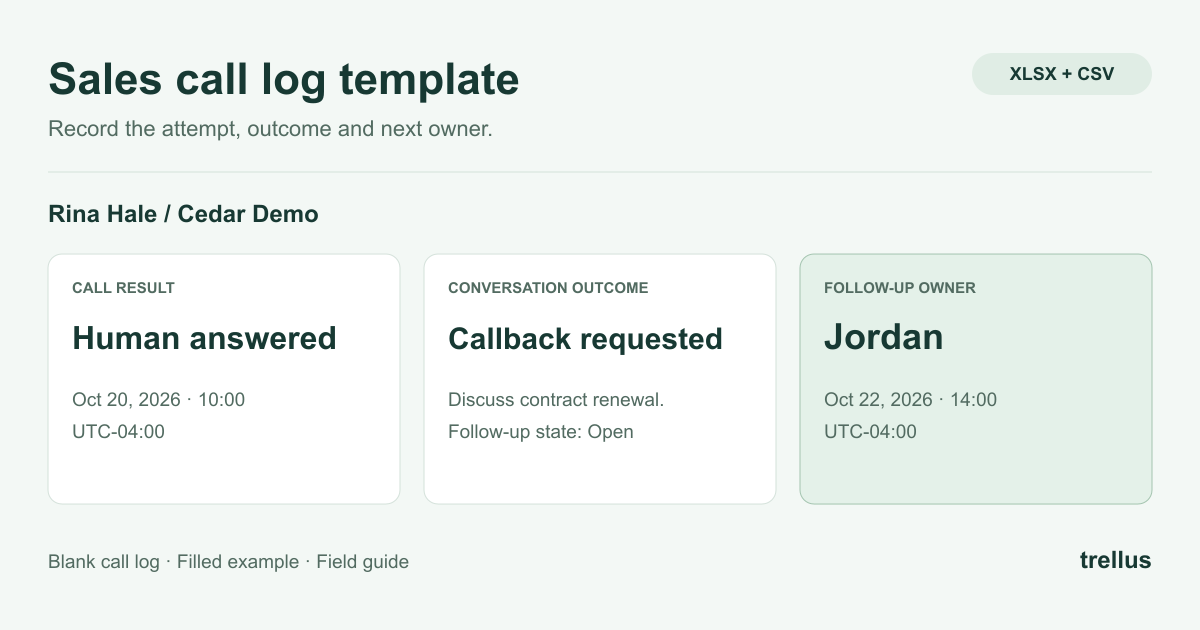
| Rina Hale / Cedar Demo | Human answered | Callback requested | Jordan calls about renewal on October 22, 2026 at 14:00, UTC−04:00. |
| Ellis Lane / North Demo | Human answered | Wrong number | Avery verifies and corrects the phone record before another attempt. |
Rina's note records the reason for the callback and the agreed time. Ellis's row records a data problem. Neither should become a booked meeting or a positive sales outcome just because someone answered.
Set up your copy
- Save a working copy. Open the XLSX in Excel, or use File → Import in Google Sheets on a computer. Google's file-import instructions cover Excel and CSV formats. Check the imported phone values, dates and dropdowns before entering your own records.
- Agree on the labels. The workbook's Call result and Follow-up state dropdowns are starter choices. Keep your team's existing definitions where they are clear. Conversation outcome is free text; the call disposition template helps define that separate field.
- Keep the time zone with each time. Enter the local date and time, then its UTC offset. In the example, 10:00 with −04:00 means 14:00 UTC. Follow-up due has its own offset because daylight saving time can change between the call and the callback.
- Record the next owner. The rep who called and the person responsible for following up can differ. Write the action, owner and agreed due time before handing the record over.
With the blank CSV, format phone, reference and offset columns as text before entering values. CSV files cannot preserve those settings. Extend the workbook's table when you need more rows, copying the last blank row's formats, dropdowns and callback check.
Keep three fields separate
Call result describes the phone attempt: no answer, voicemail, a human answer, a failed attempt, or an unknown result. Call duration alone does not tell you which person answered.
Conversation outcome records what you learned. A callback request, a wrong number and a declined offer need different actions. Leave this field blank when no conversation established an outcome; do not turn missing information into “not interested.”
Next action says what happens after the call. “Call Rina about renewal Thursday at 2 p.m. Eastern; Jordan owns it” is actionable. “Follow up” leaves the next rep to reconstruct the commitment.
The workbook highlights missing owner or timing details for an open Callback requested row. Confirm the missing information instead of inventing a date. If no time was agreed, record that fact and the actual review trigger in the note. Renaming that outcome also requires updating its conditional-format rule.
Mark a follow-up Done when the action was performed. A promise to call, an assigned task, an invitation sent and a confirmed meeting are different events. Selecting a label in a sheet does not complete the work in another system.
Choose a sheet or your CRM as the working record
A sheet is useful when one person manages a small manual list, the team needs a portable review file, or you are agreeing on fields before configuring software. Keep one working copy so reps do not follow different versions.
Use your CRM's task and activity records when the next owner needs assignment, access controls, reminders or the call's recording. A separate sheet can still help review a sample, but maintaining two daily logs creates another reconciliation job.
For Trellus calling workflows, check the specific saved destination:
- HubSpot: the saved call activity and a linked callback call task are separate records. Completion of the originating task applies to the supported task workflow.
- GoHighLevel: inspect the contact note, any configured result tag, and the contact-linked callback task. A note or tag is not proof that a Manual Actions item completed.
- Google Sheets: inspect the designated result and callback columns on the original mapped row. Row-based follow-up is different from a CRM task; this generic template is not a Trellus column-mapping file.
Before relying on a new workflow, open one saved result and the intended owner's next-action list. The CRM save-check guide shows how to verify the record rather than assuming a success message means every step finished.
Bring your worklist, current outcome labels and one follow-up example to a demo. Review where the call starts, where its result appears, and how the next rep finds the agreed action.