Our Top Picks


Companies running HubSpot at the core of their stack often see massive efficiency gains, sometimes quoted as high as 505 percent ROI over three years. But here is the part most people miss. That outcome is not just about HubSpot itself. It is about what you connect to it.
Your HubSpot outbound calling tool can either unlock serious pipeline velocity or quietly drag your team down.
If you are still manually dialing numbers, you are not just losing time. You are losing momentum, energy, and eventually deals.
That frustration you described, calling 30 people to reach 3, is exactly the problem a HubSpot power dialer 2026 setup is meant to solve.
Before getting into the tools, it helps to understand why this shift matters more than ever.
Key Takeaways
- Boosts Real Productivity: A strong HubSpot power dialer 2026 setup removes idle time and increases live conversations, which directly improves pipeline and rep performance.
- The Choice Depends on Your Sales Motion: Some tools focus on volume, others on control or multi-channel outreach. The right software is usually the one that fits how your team sells.
- Integration Matters Most: A reliable HubSpot call tracking system and smooth telephony integration. HubSpot experience matters more than extra features. If it feels clunky, it slows everything down.
Why Manual Dialing Is Quietly Destroying Your Pipeline
There is a pattern that almost every SDR or AE falls into.
You start the day motivated. You open your contact list. You dial.
Busy tone. Voicemail. No answer. Wrong number.
Repeat that cycle 40 times, and something changes mentally. You slow down. Your tone drops. Your confidence dips. By the time you finally reach a real prospect, you are already drained.
This is not just a productivity issue. It is a performance issue.
A HubSpot sales dialer changes that entire rhythm.
A proper HubSpot auto dialer or CRM dialer software removes the dead time. You are not sitting there waiting for calls to connect. You are placed directly into live conversations. That one shift alone transforms your daily output.
It is the difference between “making calls” and “having conversations.”
And that is where deals come from.
What Does a HubSpot Power Dialer Fix?
When people search for a best HubSpot dialer, they often think it is just about speed. That is only part of the story.
A strong HubSpot call automation setup touches multiple layers of your workflow.
Call Flow Becomes Continuous
A HubSpot outbound dialer ensures you are always moving from one live conversation to the next. No idle time, no manual redialing, no tab switching chaos.
Normally, it creates a situation around what top teams call “flow state” during outbound sessions. Once you hit it, your talk time increases naturally without forcing volume.
CRM Updates Stop Slowing You Down
With proper telephony integration HubSpot, every call, note, outcome, and follow up is logged automatically.
You are no longer thinking:
“I need to update this later.”
That mental overhead disappears, and your focus stays where it should be, on the conversation.
Lead Prioritization Gets Smarter
A good HubSpot lead dialer pulls segmented lists directly from your CRM. That means your outbound call management becomes more intentional.
You are not just dialing more people. You are dialing the right people at the right time.
Coaching and Performance Improve Naturally
Modern tools layer in sales call automation, AI scoring, and analytics.
Managers can review call patterns, identify gaps, and coach based on real data. Reps improve faster without feeling micromanaged.
Is HubSpot Power Dialer Worth It?

Short answer, yes, but only if you choose the right one.
The wrong tool creates a different kind of frustration. Poor syncing, clunky UI, missed callbacks, or weak integration can cancel out all the benefits.
That is why the difference between tools matters so much.
Some platforms are built for high volume SDR teams chasing aggressive quotas. Others are better suited for smaller teams focused on high quality conversations.
Some excel at lead calling automation, others at analytics, others at simplicity.
And this is where your choice becomes strategic.
#1 Trellus — The Most Balanced HubSpot Power Dialer Right Now
Best for Balanced Power and Flexibility
There is a reason we have Trellus in the first position.
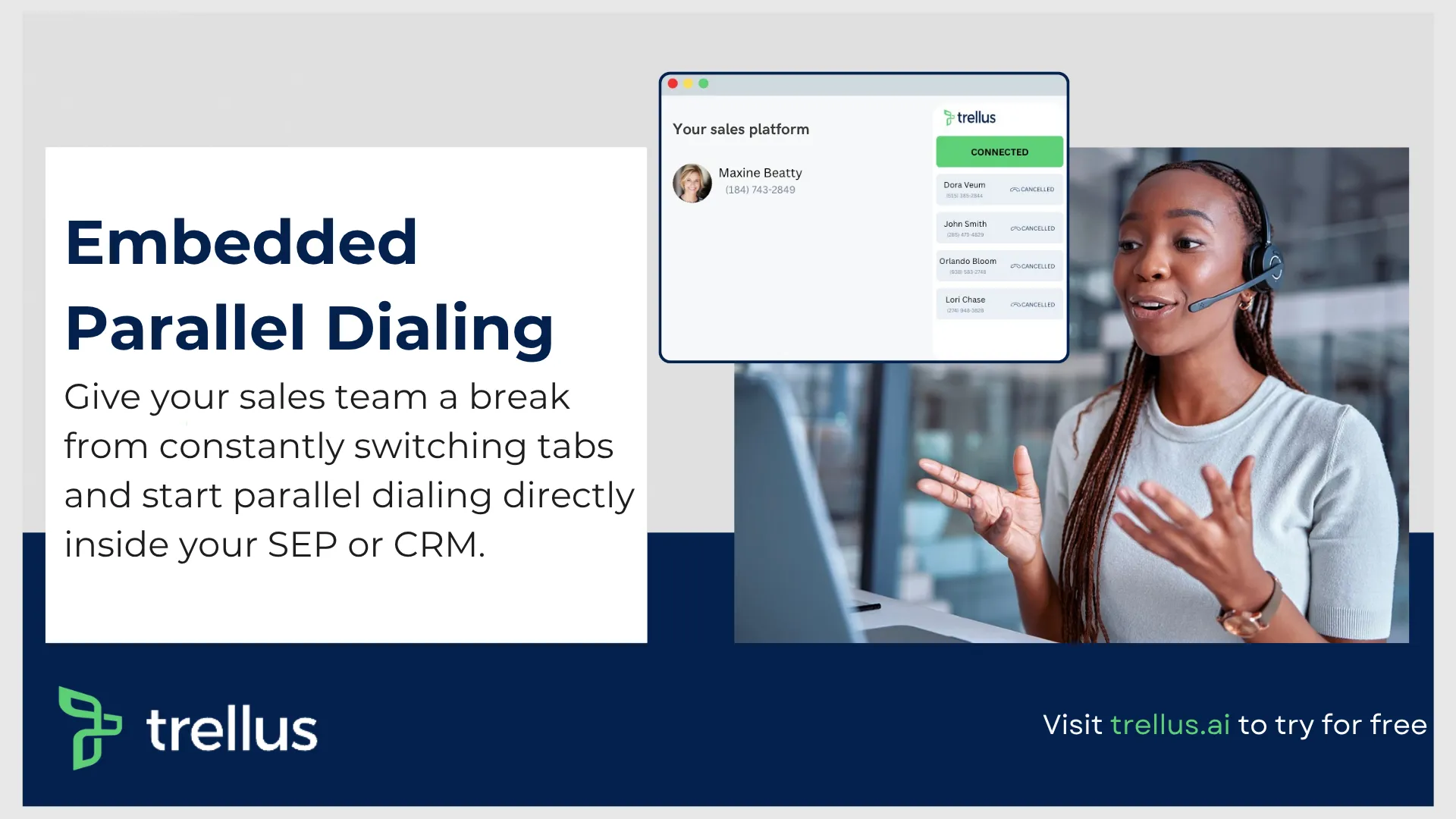
Most tools force you to choose between power dialing and parallel dialing. This one quietly removes that limitation.
You get both.
Technically, to a lot of sales first teams dealing with both quality and volumet of calls, that matters more than it sounds.
Because different calling situations require different approaches. When you are working highly researched accounts, a controlled power dialer flow makes sense. When you need volume, parallel dialing kicks in.
Why It’s a Better Match for HubSpot Users
A strong HubSpot call tracking system is not just about syncing data. It is about how seamless that experience feels during live calls.
Here, contacts flow directly from HubSpot into your dialing sessions. Notes, outcomes, and activity sync back instantly. No friction, no extra steps.
That is what people mean when they talk about a real HubSpot outbound calling tool.
It feels like one system, not two stitched together.
The Bigger Advantage Most People Miss
Where this platform really pulls ahead is how it supports actual sales behavior. You are not jumping between tools, losing context, or dealing with lag. You stay inside a single workflow where your CRM data is always visible and usable.
That kind of motion directly impacts confidence on calls. And we already know that confidence drives conversions.
Who It Is Best For
Teams that want both flexibility and performance.
If your team mixes high volume outreach with strategic account-based calling, this setup gives you room to operate without switching tools.
It also works well for teams that care about sales productivity dialer performance without sacrificing call quality.
Pricing Plans:
POWER (Bring Your Own Dialer) — $59.99/month
• Requires existing system like HubSpot, Apollo, Salesloft, or Outreach
• Single line power dialing
• LinkedIn automation support
This is the most basic entry point, suitable if you already have a HubSpot outbound calling tool and just need dialing support layered on top.
Power — $99.99/month
• Works across multiple platforms including Google Sheets and Clay
• Voicemail drop included
• 5 extra phone numbers with spam protection
• LinkedIn automation included
A step up for individuals who want a more complete HubSpot auto dialer experience with better flexibility and call automation.
Parallel — $149.99/month
• Multi-line (parallel) dialing
• Voicemail drop included
• Unlimited AI practice calls
• 8 extra phone numbers with spam remediation
Designed for individuals who want high-volume outreach with a true high-volume calling tool setup.
What Comes Next
The rest of the list takes a slightly different angle.
Some tools lean heavily into high volume outbound. Others prioritize reliability or simplicity. A few are better fits for specific geographies or team sizes.
Each one solves a slightly different version of the same problem.
#2 Orum — Built for High-Volume SDR and BDR Teams
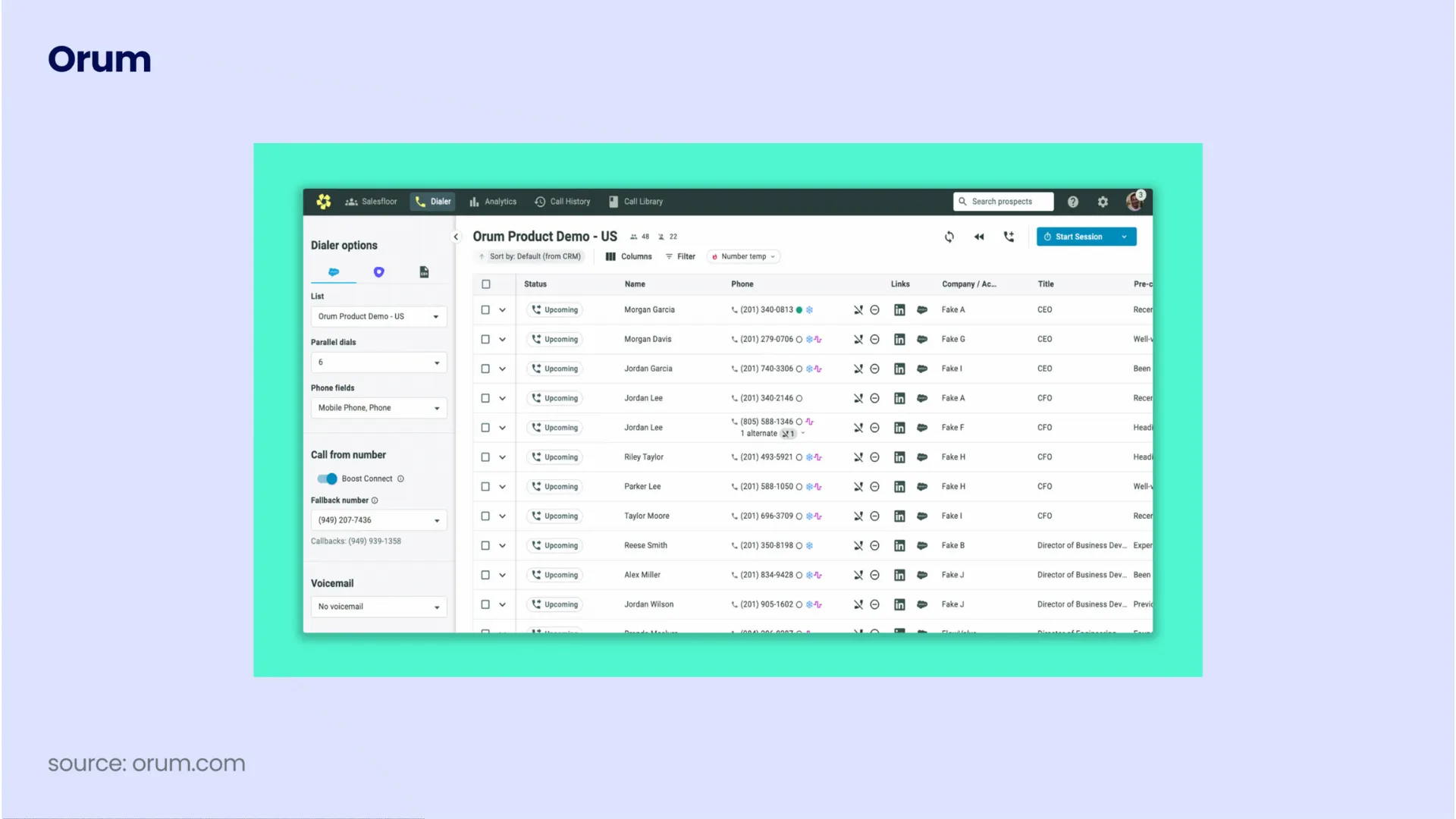
Best for High-Volume SDR Teams
There is a very specific type of sales environment where Orum shines.
If your team lives and breathes outbound, runs aggressive daily targets, and measures success in conversations per hour, this is where things start to get interesting.
Orum was not built to be a general HubSpot outbound calling tool. It was built to solve one problem extremely well, getting reps into more live conversations, faster.
And everything about it reflects that philosophy.
Where Orum Fits in a HubSpot Power Dialer 2026 Stack
If your HubSpot sales dialer setup is expected to support high-volume outbound, Orum feels less like an add-on and more like an engine.
The integration is clean in the ways that matter most.
Contacts pull directly from HubSpot into your calling sessions. Call outcomes, notes, and activity sync back automatically. No manual logging, no awkward workflows, no rep friction.
From a HubSpot lead dialer perspective, this is exactly what you want. The CRM stays your single source of truth, while Orum handles execution.
That separation is important. It keeps your data clean while letting reps focus on conversations.
What Makes Orum Different From Typical CRM Dialer Software
Most tools labeled as a HubSpot auto dialer still behave like traditional dialers with a few automation layers added.
Orum takes a more aggressive approach.
Parallel Dialing That Feels Purpose-Built
Orum’s parallel dialer can run up to 10 simultaneous lines.
That means your reps are not waiting around for connections. The system filters out voicemails, busy signals, and unanswered calls automatically, then routes a live prospect directly to the rep.
This is what a true high-volume calling tool looks like in practice.
It is not about dialing faster. It is about eliminating everything that is not a live conversation.
AI Coaching That Does Not Feel Like Surveillance
One of the more interesting elements is how Orum approaches coaching. It does not just record calls. It evaluates them.
AI scorecards assess things like how strong your opener was, how objections were handled, and how effectively you tried to move the deal forward. For teams investing in sales call automation, this creates a feedback loop without needing constant manager intervention.
Reps improve naturally because the data is always there.
The Salesfloor Concept
This is one of those features that sounds simple but changes team dynamics.
Reps can listen to each other’s calls in real time.
Remote teams suddenly feel less isolated. New reps ramp faster because they hear what good sounds like, not just read scripts.
How It Impacts Outbound Call Management
When you plug Orum into HubSpot, your outbound call management becomes far more structured.
Campaigns can be tied directly to HubSpot lists. Call outcomes trigger workflows. Follow-ups can be automated or assigned instantly.
It starts to feel like your HubSpot call tracking system is alive, constantly updating based on real conversations.
And that is where the real value comes from.
Not just more calls, but smarter calling.
Where Orum Falls Short
No tool is perfect, and this one comes with trade-offs that matter depending on your team.
Pricing Transparency Is Limited
There is no public pricing page.
Most estimates from the market suggest it sits above 200 dollars per user per month, with annual commitments and a minimum seat requirement.
For smaller teams, that can be a barrier.
No Mobile Experience
If your reps are desk-based, this is not an issue.
If they work remotely or need flexibility, the lack of a mobile app becomes noticeable.
Learning Curve
This is not plug-and-play software.
There is an onboarding curve, especially for teams new to parallel dialing and high-volume workflows.
It rewards teams that commit to it, but it is not something you casually roll out in a day.
Where It Sits in the Bigger Picture
When people ask, “How HubSpot power dialer improves productivity?”, Orum is a clear example of that answer at scale.
It removes idle time, increases talk time, and layers in coaching that compounds over time.
At the same time, it highlights an important point in any HubSpot power dialer vs other dialers comparison.
More power is not always better.
Some teams do not need this level of volume. Some care more about control, call quality, or simplicity.
And that is exactly where the next tool comes in.
#3 PhoneBurner — A Different Philosophy Around HubSpot Power Dialing
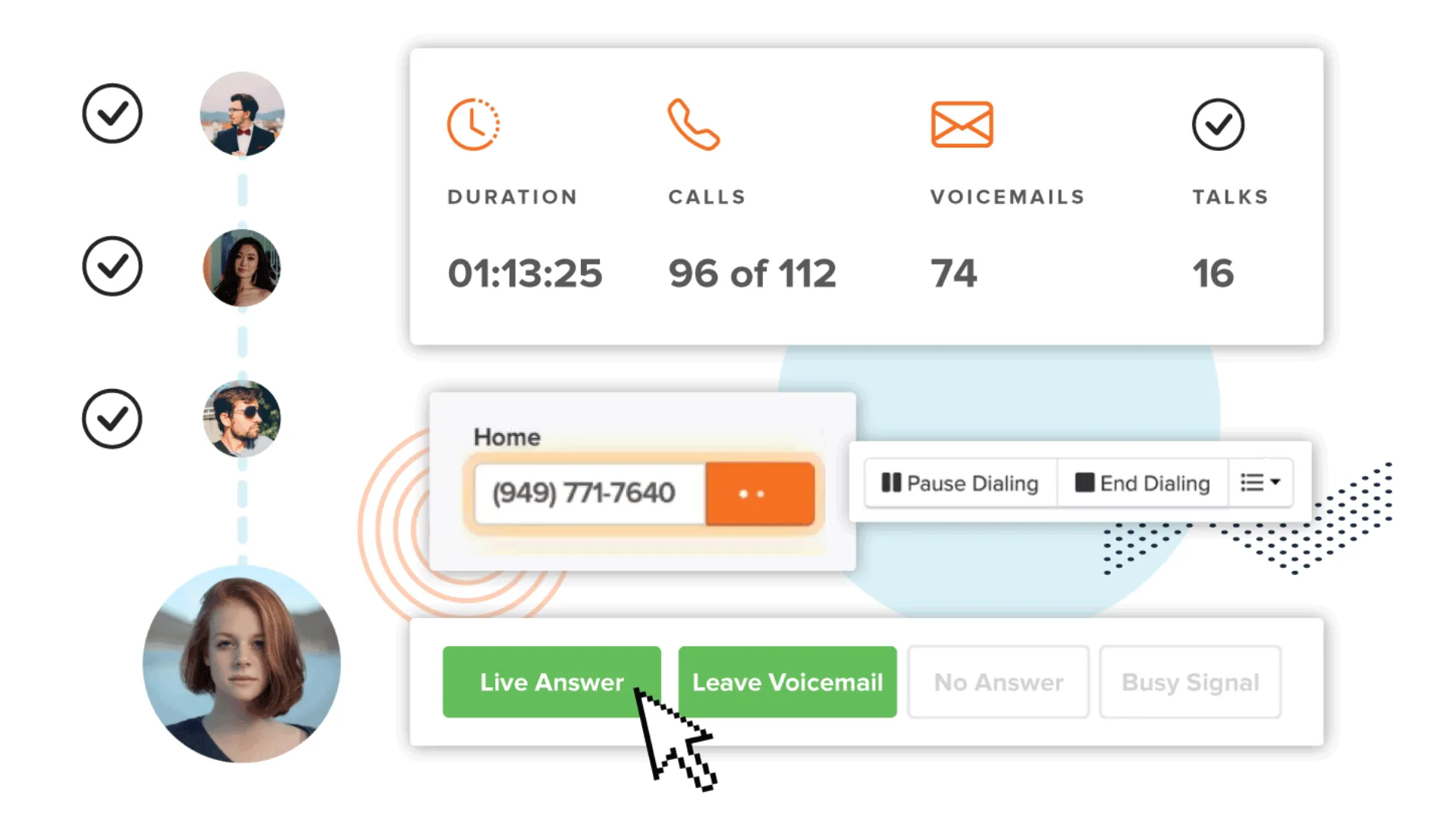
Best for Structured, High-Quality Conversations
After looking at something like Orum, PhoneBurner almost feels like it belongs in a completely different category.
Not because it is weaker, but because it is solving a different problem.
Where most tools push for maximum volume, PhoneBurner leans into control, consistency, and conversation quality. That decision shapes everything about how it works as a HubSpot power dialer 2026 option.
Why PhoneBurner Takes a Slower Approach and Why That Matters
PhoneBurner made a very deliberate choice early on.
No parallel dialing.
At first glance, that sounds like a limitation. Especially if you are comparing it to high-speed HubSpot outbound dialer tools.
But there is a reason behind it.
Parallel dialing can increase volume, but it can also lead to dropped calls, rushed conversations, and lower quality interactions. PhoneBurner avoids that entirely. You are always speaking to one prospect at a time.
That creates a very different sales rhythm. Slower, yes. But often more controlled and intentional. For teams working complex deals or higher value accounts, that matters more than raw dial counts.
How It Works as a HubSpot Sales Dialer
From a HubSpot call automation standpoint, PhoneBurner does a solid job covering the fundamentals.
The integration is native and fairly mature.
Contacts sync both ways between PhoneBurner and HubSpot. Call activity logs automatically. Outcomes can trigger workflows inside HubSpot. This means your HubSpot call tracking system stays clean without reps needing to think about it.
That alone removes a surprising amount of friction from daily workflows.
A More Structured Calling Experience
PhoneBurner is less about speed and more about structure.
You can organize call sessions, queue leads, and move through them in a controlled flow. Voicemail drops, email follow-ups, and call outcomes are all built into that sequence.
For teams focused on outbound call management, this creates consistency.
Reps are not improvising their process every day. They are following a repeatable system.
And over time, that consistency compounds.
Where PhoneBurner Fits in a HubSpot Auto Dialer Setup
If you are searching for a best HubSpot dialer, the answer depends heavily on your sales motion.
PhoneBurner fits best in environments where:
- Deals require thoughtful conversations
- Call quality matters more than speed
- Reps are working smaller, highly targeted lists
- You want predictable workflows rather than aggressive dialing
It is particularly effective as a lead dialer HubSpot for account-based sales teams.
You are not trying to blast through thousands of contacts. You are trying to have meaningful conversations with the right ones.
The Built-In CRM Angle
One interesting layer here is that PhoneBurner includes its own CRM features.
For smaller teams, this opens up flexibility. You can run outreach directly inside PhoneBurner while still syncing everything back into HubSpot for reporting and alignment.
That dual setup can be useful if your team wants a lighter operational layer on top of HubSpot.
From a telephony integration HubSpot perspective, it still keeps your core data centralized.
Limitations
This is where context matters.
What makes PhoneBurner strong for some teams makes it limiting for others.
No Parallel Dialing
If your team is chasing high daily call volumes, this becomes a bottleneck.
You will not hit the same activity levels as a tool built for aggressive sales productivity dialer performance.
Geographic Limitations
PhoneBurner is primarily focused on the United States and Canada.
If your team needs international coverage, especially across Europe or APAC, this becomes a serious constraint for a HubSpot outbound calling tool.
Setup and Learning Curve
While not overly complex, there is still a ramp period.
Some users mention that configuring workflows and getting comfortable with the system takes time.
Pricing and Practical Considerations
PhoneBurner’s pricing is relatively transparent compared to many competitors.
Plans range from around 165 dollars per user per month up to 215 dollars, depending on features like call monitoring, transcription, and SMS.
Unlike some tools, unlimited calling within supported regions is included, which can be valuable for teams running consistent outreach.
Still, cost alone should not drive the decision.
The bigger question is fit.
PhoneBurner in the Bigger HubSpot Power Dialer Conversation
Best for Reliability and Ease of Use
When people ask, “What features does HubSpot power dialer offer?”, PhoneBurner represents a more traditional interpretation.
It focuses on offering users a more reliable dialing experience, alongside tons of other things, such as; Strong CRM syncing, Structured workflows and an overall Consistent call tracking
In that order, the program does not try to be the fastest tool in the room.
And that is exactly why some teams prefer it.
The Trade-Off Factor?
When comparing HubSpot power dialer vs other dialers, PhoneBurner highlights a key decision point.
Do you want speed, or do you want control?
If your team thrives on high-volume outbound, this will feel restrictive.
If your team values deliberate conversations and repeatable processes, it can feel like a perfect fit.
#4 Elto — Pure Dialing, No Distractions
Best for Pure Parallel Dialing Performance
If tools like Aircall feel too slow and structured, Elto sits on the opposite end of the spectrum.
This is not trying to be a full HubSpot outbound calling tool. It is not trying to replace your workflows or act like an all-in-one platform.
It is built for one thing.
Maximizing live connections through aggressive parallel dialing.
And it stays very focused on that mission.
What Elto Does Differently in a HubSpot Power Dialer 2026 Setup
Most tools balance dialing, CRM syncing, analytics, and workflow management.
Elto strips that down.
It prioritizes raw output, how many real conversations your team can generate in the shortest amount of time.
For teams asking “How HubSpot power dialer improves productivity?”, this is the extreme version of that answer.
Parallel Dialing as the Core Engine
Elto runs multiple outbound lines simultaneously, filtering out many things, such as: Voicemails, Busy signals, Unanswered calls. Moving on, reps only get connected when a real person answers.
That means your HubSpot lead dialer sessions become entirely conversation-focused.
No wasted motion, no idle time.
In a nutshell, we’d say that this is what a true high-volume calling tool looks like when pushed to its limits.
How It Connects with HubSpot
The integration with HubSpot is straightforward and functional.
Call dispositions, notes, and outcomes sync back into HubSpot automatically. That keeps your HubSpot call tracking system clean without manual input.
From a telephony integration HubSpot standpoint, it does what it needs to do.
But this is important.
The integration is not trying to create a deeply embedded experience. It is more about data sync than workflow enhancement.
You are still operating in a more dialer-centric environment.
Where Elto Fits Best
Elto works best for teams that care about one metric above everything else.
Conversations per hour.
It is a strong fit for:
- Outbound-heavy SDR teams
- Organizations running aggressive top-of-funnel campaigns
- Teams focused on volume-based pipeline generation
- Sales orgs investing heavily in lead calling automation
If your goal is to push as many live conversations as possible through your funnel, this tool delivers.
Where It Starts to Break Down
That level of focus comes with trade-offs, and they are important to understand before committing.
Setup Complexity
Initial configuration often requires technical support.
It is not as plug-and-play as tools like Aircall or PhoneBurner.
Connection Delays
Some users report a slight delay when being connected to a live call.
It is not constant, but when it happens, it can disrupt the natural flow of conversation.
Pricing Perspective
Elto operates on a single pricing tier, around 239 dollars per user per month billed annually.
That places it in the premium category.
When evaluating the “What is the cost of HubSpot power dialer?” question, this is clearly positioned for teams that are serious about outbound volume.
Not casual users.
The Key Decision Point
Elto forces a simple question.
Do you want a tool that does many things reasonably well, or one that does one thing exceptionally well?
If your entire outbound motion depends on maximizing live conversations, this is a compelling option.
If you need flexibility, deeper analytics, or multi-channel workflows, it will feel limiting quickly.
#5 Klenty — A Multi-Channel Take on HubSpot Power Dialing
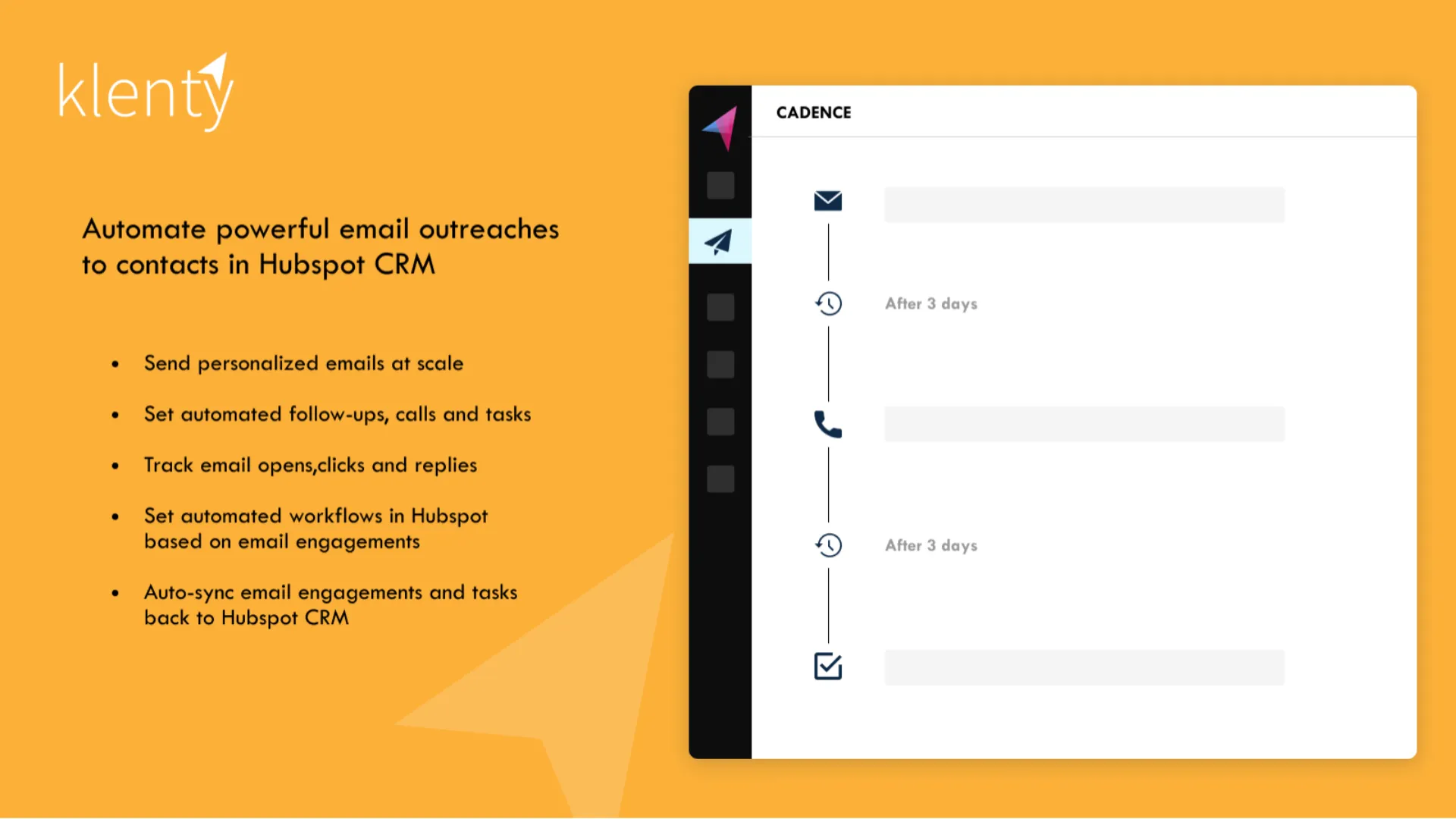
Best for Multi-Channel Outreach
Up to this point, most tools on this list have been dialer-first. Klenty takes more of a U-turn and flips that model!
It is not just a HubSpot power dialer 2026 option. It is a broader sales call automation and engagement platform that happens to include dialing as part of a larger outbound system.
That sense of distinction matters a lot depending on how your team operates.
Where Klenty Fits in a HubSpot Sales Dialer Setup
If your outbound motion is not just calls, Klenty starts to make more sense.
Think of it less as a standalone HubSpot outbound dialer, and more as a system that connects:
- Email outreach
- Phone calls
- LinkedIn touches
- Follow-up sequences
All into one workflow.
For teams juggling multiple channels, this reduces tool switching and keeps everything aligned inside a single system.
When paired with HubSpot, it acts as an execution layer on top of your CRM.
The Signature Dial IQ Module: Where Calling Comes Into Play
Klenty’s dialing feature, known as Dial IQ, supports both power dialing and parallel dialing.
That alone makes it more flexible than many tools in this category.
You can run structured calling sessions when working targeted lists, or switch into higher-volume mode when needed.
From a HubSpot lead dialer perspective, that flexibility is valuable.
It allows teams to adapt their approach based on campaign type rather than being locked into one dialing style.
Where Klenty Stands Out
Klenty’s biggest strength is how it connects everything together.
Multi-Channel Outreach in One Flow
Instead of treating calls as a separate activity, Klenty blends them into sequences.
A prospect might receive an email, then a call, then a follow-up message, all tracked in one place.
For teams focused on lead calling automation, this creates a more consistent experience.
Strong Entry-Level Pricing
Compared to other tools on this list, Klenty is more accessible.
Plans start at a lower price point, which makes it attractive for smaller teams building their outbound engine.
Good Fit for Scaling Teams
As teams grow, having a unified system for outreach becomes more important.
Klenty supports that transition from simple dialing to structured engagement workflows.
Where Klenty Falls Short
That broader focus also creates some limitations.
Dialer Performance Is Not Elite
While Dial IQ supports both power and parallel dialing, it does not match the raw performance of tools like Orum or Elto.
If your priority is maximizing conversations per hour, you will feel the difference.
Interface and Experience
Some users report that the interface feels outdated compared to newer platforms.
It works, but it does not always feel modern or intuitive.
Data and Sequence Issues
There are occasional reports of duplicate communication or data inconsistencies during migration.
For teams heavily reliant on clean workflows, this can require extra attention.
Pricing Overview
Klenty offers multiple tiers:
- Basic plan starts around 35 dollars per user per month
- Advanced plan goes up to around 99 dollars per user per month
This positions it as one of the more cost-effective options when evaluating the “What is the cost of HubSpot power dialer?” question.
Especially for teams that want more than just calling.
Try One, Or Try Them All!
At this point, the pattern becomes clear. There is no single “best HubSpot dialer” for every team.
Each tool solves a different version of the same problem. In terms of overall deliverables and functionality, here’s how they stack up:
- Trellus gives you balance, flexibility, and a seamless HubSpot outbound calling tool experience with both power and parallel dialing.
- Orum dominates high-volume outbound and is built for teams chasing aggressive pipeline targets.
- PhoneBurner prioritizes structured workflows and high-quality conversations over speed.
- Aircall offers reliability, simplicity, and strong global coverage, but limited dialing power.
- Elto pushes pure parallel dialing performance with minimal distractions.
- Klenty connects calling with multi-channel outreach for a more complete engagement system.
Having said that, instead of just jumping the bullet and signing up for one software, feel free to compare their features against your use case, or business requirements and then try the platform via a trial option. That way, you won’t have to pay for your entire team’s onboarding.
If things work out as expected, feel free to transition to a suitable paid plan and take things forward from there.


Power and parallel dialing in your CRM.