Our Top Picks


Modern B2B buyers interact with sellers across many channels, and the average buying process now involves more decision-makers and longer evaluation cycles.
Sales teams face a paradox: buyers expect highly personalized outreach, but reps are buried in manual tasks; switching apps, copying data between systems, and recreating messaging that should be repeatable. That friction directly costs pipeline and conversion.
To overcome this paradox, forward-thinking organizations are turning to specialized SDR SaaS solutions that consolidate these disjointed workflows. These platforms empower reps to deliver that much-needed personalization at scale without getting bogged down by administrative overhead.
Sales engagement software is the technology category that removes that friction.
These platforms centralize outreach (email, calls, social touches, SMS), automate repeatable sequences, enforce consistent messaging through templates and playbooks, and surface the analytics reps and managers need to prioritize activities that actually move deals.
Ultimately, the goal of centralizing these activities is to create a healthier, more predictable sales pipeline. When reps have clear visibility into which actions yield the best results, they can scale their efforts efficiently.
Put another way: a sales engagement platform turns a CRM’s static data into action, helping reps spend more time on high-value conversations and less on administration.
What follows is a thorough review of the top 15 sales engagement platforms for 2026, what to look for when choosing one, the best free options to try first, and practical tactics to get the highest ROI from any engagement tool.
Key Takeaways
- Sales engagement software helps SDRs and revenue teams automate outreach, improve follow up consistency, and manage multi channel cadences from one centralized platform.
- The best sales engagement platforms combine AI automation, CRM synchronization, analytics, personalization, and deliverability tools to improve pipeline generation and rep productivity.
- Different platforms serve different outbound needs; some prioritize enterprise revenue orchestration, while others focus on cold calling, prospect data, deliverability, or SMB friendly automation workflows.
What is Sales Engagement Software?
Sales engagement software (SEP) is the layer that sits on top of your CRM and communication channels to orchestrate how sellers reach out, follow up, and measure outcomes.
Where a CRM stores relationships and deal stages, a SEP coordinates the sequence of touches — email cadences, call tasks, LinkedIn steps, and automated follow-ups — and records the engagement signals (opens, clicks, replies, call outcomes).
The platform typically includes templates, sequencing builders, dialing and SMS integrations, deliverability tools, contact data enrichment, and analytics dashboards focused on activity-to-outcome performance.
What are the core benefits of using sales engagement platform software?
Modern sales engagement platforms help revenue teams manage outreach at scale while maintaining personalization, consistency, and operational visibility. As buying cycles become longer and more complex, sales reps often spend too much time switching between CRMs, inboxes, dialers, spreadsheets, and prospecting tools. Sales engagement software solves that operational inefficiency through automation, workflow orchestration, and centralized communication management.
These platforms create a more structured sales process across outbound email, cold calling, LinkedIn outreach, SMS campaigns, follow up reminders, and CRM activity tracking. They also give managers better visibility into performance trends, allowing teams to optimize outreach strategies based on real engagement data rather than assumptions.
The strongest platforms improve rep efficiency, accelerate onboarding, increase pipeline consistency, and create more reliable buyer experiences across every touchpoint.
Increased Seller Productivity
One of the biggest advantages of sales engagement software is the reduction of repetitive manual work. Sales reps often lose hours every week updating CRM records, scheduling follow ups, logging activities, and managing fragmented communication tools. A strong SEP centralizes these workflows into one operational environment, allowing reps to focus more heavily on conversations and pipeline generation.
Key productivity advantages include:
- Automated follow up scheduling and sequence management
- Automatic CRM activity logging and contact updates
- Centralized communication across email, calls, SMS, and LinkedIn
- Reduced context switching between disconnected sales tools
- Faster task execution through predefined workflows and templates
- AI assisted prioritization for next best actions
When teams remove operational friction from the sales process, reps can spend more time prospecting, booking meetings, and moving opportunities forward.
Scalable Outreach and Messaging Consistency
As sales teams grow, maintaining consistency across outreach becomes increasingly difficult. Sales engagement platforms solve this challenge through structured cadences, templates, and standardized playbooks that can scale across large SDR and AE teams.
This creates a more predictable outreach engine while ensuring prospects receive timely and professional communication throughout the buying journey.
Core scalability benefits include:
- Multi channel cadences across email, phone, SMS, and social platforms
- Standardized messaging frameworks for SDR teams
- Shared templates and outreach playbooks
- Automated touchpoint scheduling
- Consistent follow up timing across the pipeline
- Easier collaboration between managers and frontline reps
Standardization also improves coaching opportunities because managers can identify which sequences, scripts, and messaging structures generate the strongest conversion rates.
Data Driven Optimization and Performance Visibility
Sales engagement platforms capture engagement activity across every prospect interaction. This gives revenue teams access to valuable operational insights that help refine outreach performance over time.
Instead of relying on assumptions, teams can identify which messaging strategies produce the highest reply rates, meetings booked, and pipeline creation.
Important analytical capabilities include:
- Real time sequence performance tracking
- Email open, click, and reply analytics
- Call outcome reporting
- A/B testing for subject lines and messaging variations
- Rep performance benchmarking
- Conversion analysis across cadences and channels
These insights help sales leaders continuously optimize outbound programs while improving forecasting accuracy and coaching effectiveness.
Better Buyer Experiences Across the Sales Journey
Modern buyers expect outreach that feels relevant, timely, and personalized. Generic mass messaging performs poorly in crowded inboxes, especially when prospects receive dozens of outbound touches every week.
Sales engagement platforms improve buyer experiences through automation paired with contextual personalization. Reps can maintain high outreach volume without sacrificing message quality.
Major buyer experience improvements include:
- Personalized outreach at scale
- Faster response times
- Automated follow ups based on buyer behavior
- Reduced risk of missed follow ups
- More relevant communication timing
- Better coordination across communication channels
This helps create a smoother and more professional buying experience while increasing the likelihood of engagement.
Faster Sales Rep Onboarding
New SDRs often struggle with ramp time because sales processes can vary heavily across organizations. Sales engagement software reduces onboarding complexity through predefined workflows, embedded playbooks, and guided execution.
Rather than relying entirely on shadowing and documentation, new hires can operate within structured systems that reinforce proven sales processes.
Common onboarding advantages include:
- Step by step cadence guidance
- Preset workflows for outbound campaigns
- Embedded call scripts and messaging templates
- Easier access to historical engagement data
- Faster understanding of operational best practices
- Reduced dependency on manual process training
Organizations with structured onboarding systems often see faster rep productivity and more consistent execution across newly hired teams.
Key Features to Look for in the Best Sales Engagement Software
When evaluating vendors, look beyond marketing copy and check how each capability works at scale and inside your stack. Below are essential features and why they matter.
- Multi-channel outreach tools
The ability to orchestrate email, calls (and call recording), SMS, and social touches from one workspace reduces context switching. Teams operating across channels can schedule and automate mixed sequences that follow the buyer’s preferred medium. - Sales cadence software & sequencing
A visual cadence builder with conditional steps (e.g., "if replied, stop sequence; if opened but not replied, send second email in 3 days") is critical. True cadence tooling makes it easy to test different touchpoint patterns. - Automation & AI
AI features such as best-time-to-send, subject-line suggestions, reply summarization, and lead scoring speed up personalization and prioritization. AI should assist — not replace — seller judgment. By consistently monitoring these outcomes, sales leaders can directly connect their engagement strategies to bottom-line results. - CRM integration
Deep, bidirectional sync with CRMs like Salesforce or HubSpot ensures that activities update records in real time and that cadences respect contact/owner rules. - Deliverability tools
For email-focused programs, domain warm-up, reputation monitoring, and bounce handling preserve sender health and long-term deliverability. - Task & workflow management
A unified task list, prioritized work queues, and mobile access help reps stay organized when handling many accounts and follow-ups.
Each feature should be evaluated not only for presence but for maturity — e.g., how robust are an AI assistant’s edit controls, can the cadence builder scale to account-based plays, and how transparent are analytics calculations?
The Top 30 Best Sales Engagement Software of 2026
The following list ranks platforms based on breadth of features, AI and automation maturity, integration depth, target customer fit (SMB vs Enterprise), deliverability capabilities, and pricing transparency. Short reviews follow for each tool, with a consistent format: overview, key features, ideal users, and pricing cues.
1. Trellus.ai
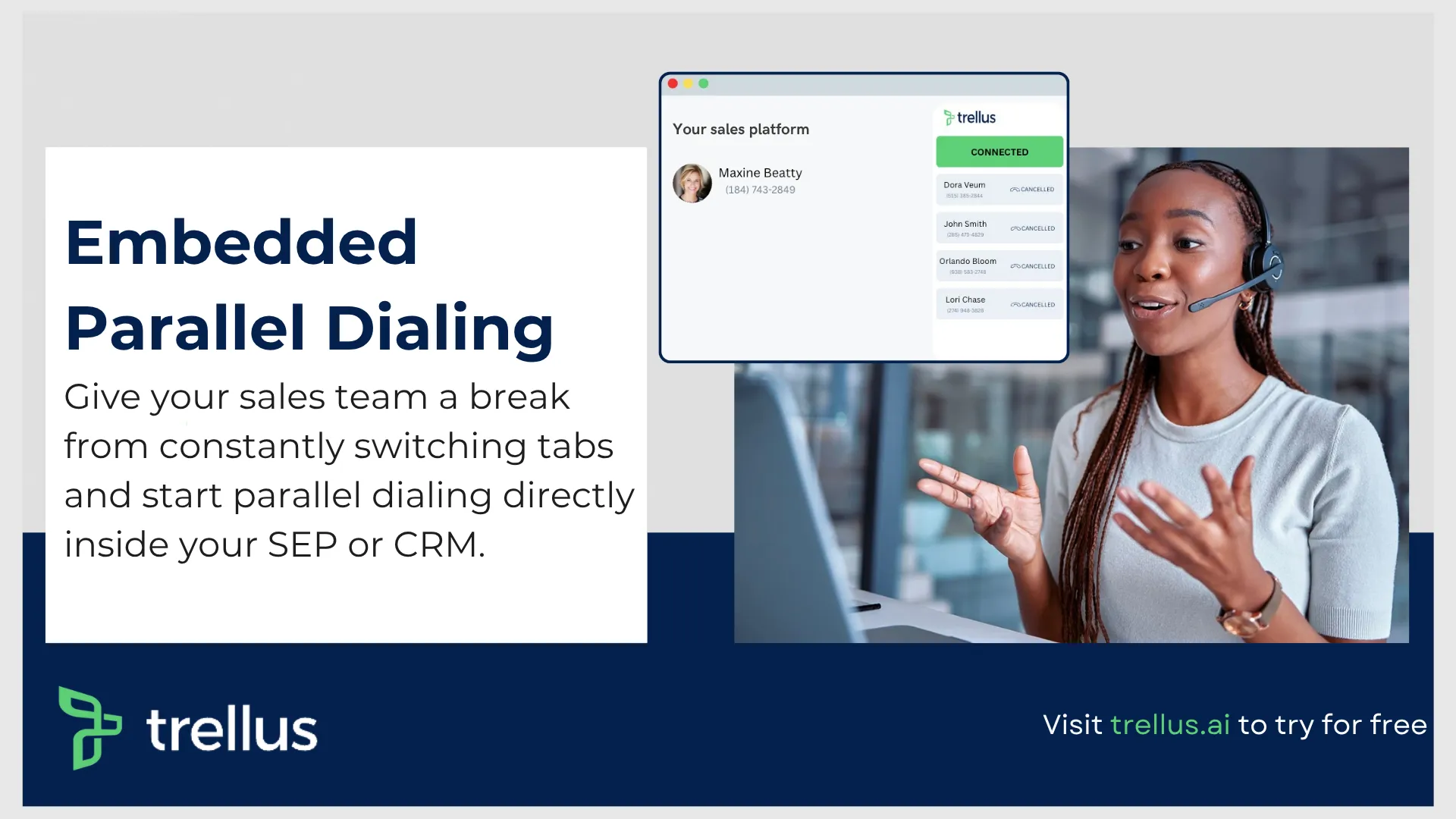
Trellus.ai is positioned as a modern, AI-first sales engagement option focused on revenue orchestration and creative automation for SDR teams.
Key Features
- AI-assisted cold calling with live coaching system
- Multi-channel through LinkedIn Superhuman, automated workflow, integration support for multiple CRMs, etc.
- Embedded parallel dialer for increased outreach, sales conversions and resource management
Who is it for? Growth-stage startups, multi sized outbound sales calling businesses, and general platforms that need an ai powered solution.
Pricing: Typically available by quote or demo; trial options vary.
2. Salesloft — The Complete Revenue Orchestration Platform
Salesloft promotes itself as a revenue orchestration platform that uses purpose-built AI to prioritize and guide activities across the revenue team.
Key Features
- Revenue orchestration and AI agents that prioritize tasks
- Robust cadence builder and dialer with call recording
- Deep Salesforce and marketing automation integrations
Who is it for? Enterprise and large mid-market revenue teams seeking a full-featured orchestration layer.
Pricing: Enterprise-focused; demos and quotes are standard. Salesloft publishes case studies showing significant ROI for customers.
3. Outreach — The AI-Powered Revenue Workflow Leader

Outreach has evolved into an “AI Revenue Workflow Platform,” emphasizing AI-driven productivity and agentic workflows that automate research and next-best-actions for sellers.
Key Features
- Generative AI for research, email drafts, and playbook recommendations
- Workflow automation across sales and RevOps functions
- Extensive integrations and marketplace
Who is it for? Large enterprises and revenue operations teams that need advanced workflow automation and AI capabilities.
Pricing: Enterprise-tier with demo required; Outreach markets major product releases and AI features publicly.
4. HubSpot Sales Hub — The All-in-One CRM & Engagement Choice

HubSpot provides a free CRM coupled with paid Sales Hub tiers that add advanced engagement, automation, and reporting. The free CRM remains a strong entry point for small teams.
Key Features
- Free CRM with contact, pipeline, and basic engagement features
- Sequences, meeting scheduling, and document tracking in paid tiers
- Native inbound marketing and customer-service integrations
Who is it for? Inbound-focused SMBs and teams that want an all-in-one stack with low friction to get started.
Pricing: HubSpot CRM is free; Sales Hub adds tiers with increasing automation and team features.
5. Salesforce Sales Cloud
Salesforce’s sales engagement capability (formerly High Velocity Sales) is integrated into Sales Cloud to provide cadence management, Einstein AI scoring, and deep platform extensibility. The product is often marketed as “Sales Engagement” within Salesforce.
Key Features
- Native cadences and work queues inside Salesforce
- Einstein Lead/Opportunity scoring and automation
- Tight connectivity to the broader Salesforce ecosystem (Service Cloud, Marketing Cloud)
Who is it for? Large enterprises already invested in Salesforce that want an embedded engagement layer.
Pricing: Typically licensed as a Sales Cloud add-on; consult Salesforce for edition and licensing details.
6. Apollo.io — The Best for Integrated Data and Engagement
Apollo combines a large prospect database with engagement features for outbound teams; it’s known for its extensive contact coverage (commonly cited as over 275M contacts).
Key Features
- Massive contact and company database with enrichment
- Built-in email sequences, automation, and reporting
- Prospecting lists and intent signals
Who is it for? SDR teams and SMBs that need an integrated data + engagement solution.
Pricing: Free tier available with paid plans scaling by seats and data access.
7. Reply.io — The Best for AI-Powered SDR Automation
Reply focuses on automating outreach across email, calls, and LinkedIn with AI features for personalization and reply detection.
Key Features
- Multi-channel sequences, including LinkedIn automation
- AI content suggestions and reply parsing
- Team performance dashboards
Who is it for? SDR teams that want flexible automation and multi-channel reach.
Pricing: Subscription tiers per seat; free trials commonly offered.
8. Lemlist — The Best for Creative & Personalized Outreach

Lemlist stands out for its emphasis on personalized, image- and video-enabled email campaigns that help teams stand out in the inbox.
Key Features
- Personalization tokens for images and dynamic content
- Deliverability tools and inbox warm-up features
- Campaign A/B testing and analytics
Who is it for? Teams that rely heavily on creative, highly personalized email outreach.
Pricing: Tiered plans per seat with agency options.
9. Instantly.ai — The Best for High-Volume Cold Email

Instantly focuses on high-volume cold email with deliverability tooling to maximize reach while maintaining inbox health.
Key Features
- Automated warm-up and rotation features for domain health
- Scalable sending with bounce management
- Campaign scheduling and reply handling
Who is it for? Agencies and high-volume outbound teams prioritizing scale and deliverability.
Pricing: Volume-based plans and per-domain options.
10. Klenty — The Best for Deep CRM Integration
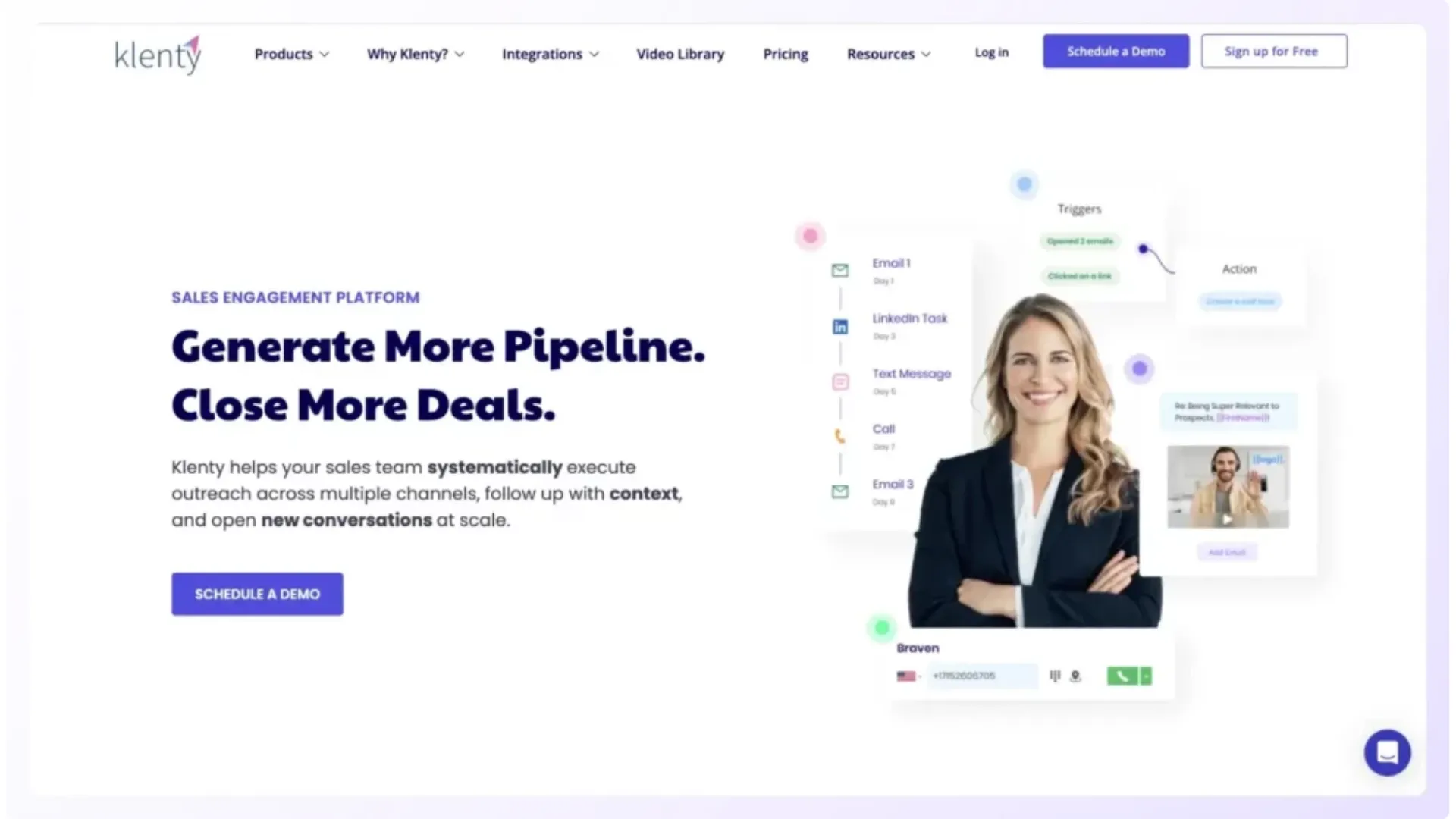
Klenty emphasizes tight synchronization with CRMs, especially Salesforce and HubSpot, so sales activity flows cleanly into records and workflows.
Key Features
- Two-way CRM sync with precise field mapping
- Cadence automation and task queues
- Email tracking and templates
Who is it for? Teams that require strong CRM fidelity and automation without sacrificing reply tracking.
Pricing: Seat-based plans and enterprise licensing available.
11. Woodpecker — The Best for Deliverability-Focused Outreach

Woodpecker is optimized for SMB outreach with strong anti-spam features and deliverability controls.
Key Features
- Inbox-safe sending, domain warm-up, and bounce handling
- Personalized sequences and follow-ups
- Integration with CRMs and Zapier
Who is it for? Small teams focused on cold email deliverability and simple automation.
Pricing: Affordable per-seat plans with trial periods.
12. Zendesk Sell — The Best for Sales & Support Alignment

Zendesk Sell integrates sales engagement with Zendesk’s customer support stack, enabling smoother handoffs from pre-sale to post-sale service.
Key Features
- Integrated ticketing and contact timelines
- Sales automation, sequences, and activity tracking
- Mobile-first interface for field teams
Who is it for? Teams that need close alignment between sales and support workflows.
Pricing: Tiered subscriptions with bundled Zendesk options.
13. Freshsales (Freshworks CRM) — The Best for AI-Assisted SMBs

Freshsales (Freshworks CRM) bundles AI-assisted lead scoring and engagement tools within a simple interface geared to SMBs.
Key Features
- Freddy AI for lead scoring and email insights
- Built-in phone, email, and activity logging
- Affordable tiers with useful automation
Who is it for? Small to medium businesses that want AI help without complex setup.
Pricing: Free and paid plans with graduated features.
14. Saleshandy — The Best Budget-Friendly Option

Saleshandy is a cost-effective platform for email sequencing, document tracking, and mail merge needs.
Key Features
- Email tracking and templates with mail merge
- Sequence automation and follow-ups
- Basic analytics for campaigns
Who is it for? Budget-conscious teams and solo SDRs who need core sequencing plus tracking.
Pricing: Low-cost tiers per user, with free trials.
15. Mailshake — The Best for Simple, Effective Email Outreach
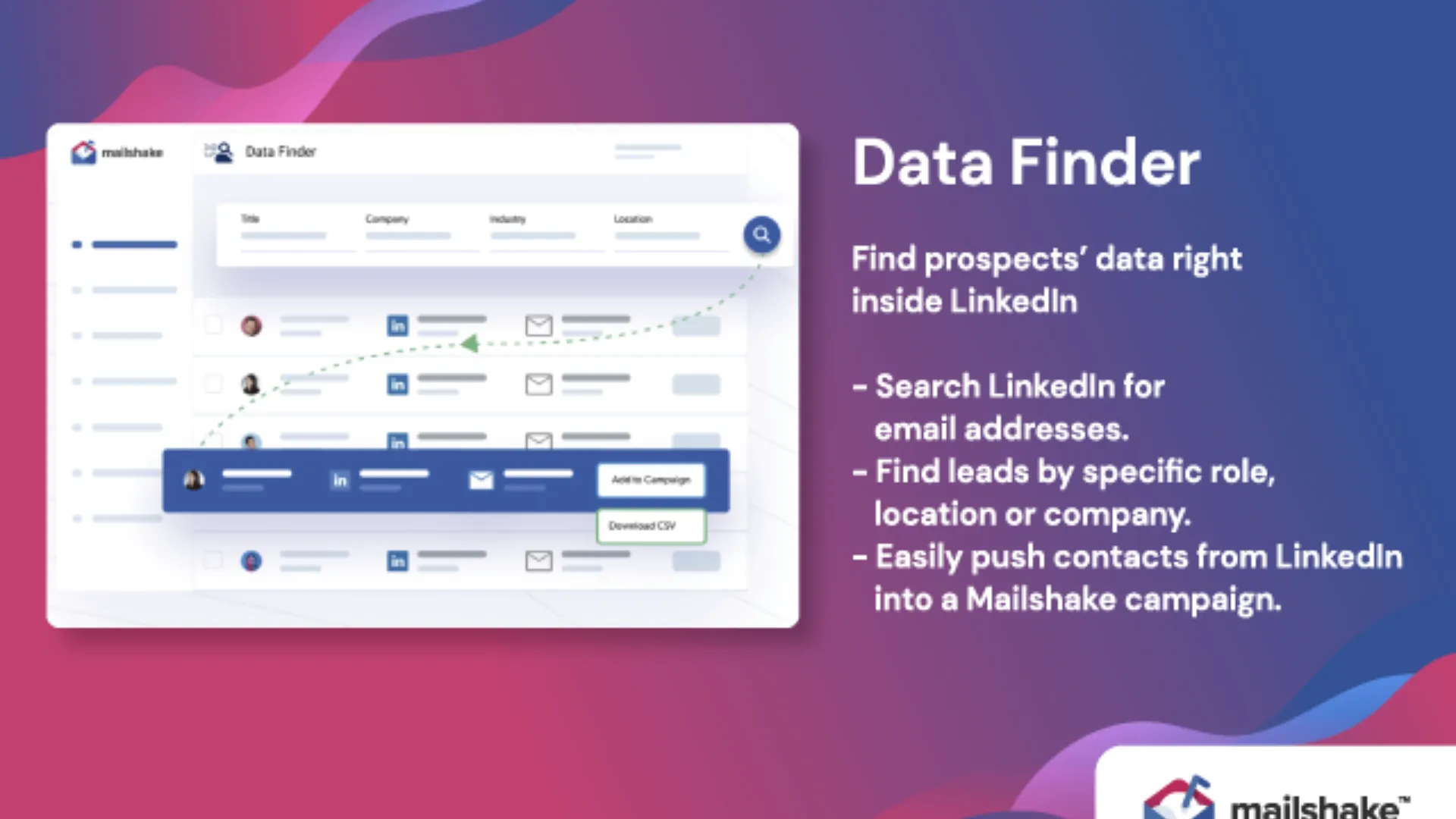
Mailshake focuses on straightforward email outreach combined with phone and social steps, and an emphasis on usability and templates.
Key Features
- Easy-to-build sequences and templates
- Integrated calling and social tasks
- Analytics that focus on meetings booked and replies
Who is it for? Small sales teams and agencies that value simplicity and rapid onboarding.
Pricing: Seat-based pricing with trial options.
16. Apollo.io: The Best for Integrated Prospect Data and Outreach Automation
Apollo.io has evolved far beyond a simple lead database. The platform now operates as a combined sales intelligence and engagement ecosystem that helps outbound teams identify prospects, enrich contact records, automate outreach, and manage sequencing workflows from a centralized environment.
For SDR teams managing high outbound volume, Apollo reduces the operational burden created when prospecting data and engagement tools exist in separate systems. Sales reps can move directly from prospect discovery into automated outreach without exporting lists or manually syncing data between platforms.
Apollo is particularly attractive for growing outbound organizations because it combines affordability with strong functionality across prospecting, enrichment, sequencing, analytics, and workflow automation.
Key Features
- Massive B2B contact and company database
- Multi channel outreach automation
- AI assisted email sequencing and personalization
- CRM synchronization with Salesforce and HubSpot
- Buyer intent and prospect filtering
- Built in analytics dashboards and reporting
- Chrome extension for LinkedIn prospecting
- Automated list building and enrichment workflows
Why Sales Teams Use Apollo.io
Many outbound teams struggle with fragmented prospecting infrastructure. One tool handles contact data, another manages sequences, while another enriches records or tracks intent signals. Apollo simplifies that operational stack through consolidation.
The platform helps SDRs move faster because prospect research, segmentation, and outreach execution all happen inside one environment. This significantly reduces manual list preparation and repetitive administrative work.
Apollo also performs well for smaller companies that need enterprise style capabilities without enterprise level pricing complexity.
Best Fit
Apollo.io works particularly well for:
- Startups building outbound sales processes
- SMB sales teams scaling SDR operations
- Agencies running outbound prospecting campaigns
- Revenue teams needing combined prospecting and engagement capabilities
- Organizations seeking cost efficient outbound infrastructure
Potential Limitations
Although Apollo offers strong breadth of functionality, larger enterprises sometimes require deeper workflow customization, more advanced governance controls, or more sophisticated revenue orchestration capabilities than Apollo currently provides.
Some users also report occasional data freshness inconsistencies in certain verticals, which makes manual verification important for highly targeted outbound campaigns.
17. Nooks: The AI Powered Sales Floor for Modern SDR Teams
Nooks positions itself as an AI powered virtual sales floor built specifically for outbound calling teams. The platform combines parallel dialing, AI coaching, prospecting workflows, and live collaboration tools into a unified workspace designed to improve cold calling efficiency.
Phone based outbound teams often struggle with wasted dialing time, low connect rates, and inconsistent coaching environments for SDRs. Nooks addresses those operational bottlenecks through intelligent dialing systems and collaborative coaching functionality.
The platform has become increasingly popular among venture backed sales organizations focused heavily on outbound pipeline generation.
Key Features
- AI powered parallel dialer
- Virtual sales floor collaboration environment
- Real time coaching and call whisper features
- AI generated call summaries and notes
- CRM synchronization and workflow automation
- Prospecting queue management
- Performance tracking and rep analytics
- Automated objection handling assistance
Why Sales Teams Use Nooks
Nooks focuses heavily on increasing live conversation volume. Many SDR teams lose substantial time navigating voicemail systems, manually dialing numbers, or logging call outcomes. The platform minimizes those inefficiencies through automation and intelligent call routing.
The collaborative environment also helps managers coach reps more effectively. Sales leaders can monitor live calls, assist during difficult conversations, and review performance trends across teams without creating fragmented workflows.
This structure creates a more scalable outbound calling operation while improving rep development.
Best Fit
Nooks is ideal for:
- High velocity SDR organizations
- Venture backed SaaS companies
- Phone heavy outbound sales teams
- Inside sales environments with aggressive activity targets
- Organizations prioritizing cold call productivity
Potential Limitations
Teams operating primarily through email led outbound strategies may not fully benefit from Nooks’ phone centric infrastructure. Some organizations may also require broader multi channel orchestration than Nooks currently emphasizes.
Pricing can also become significant for rapidly growing SDR organizations operating large dialing teams.
18. ZoomInfo: The Enterprise Leader for Buyer Intent and Sales Intelligence
ZoomInfo has become one of the most recognized enterprise sales intelligence platforms in modern B2B revenue operations. The company combines contact databases, buyer intent signals, organizational data, and workflow automation into a large scale prospecting ecosystem.
Its engagement functionality works closely with its intelligence infrastructure, allowing sales teams to prioritize accounts showing active buying behavior while automating outbound engagement workflows around those signals.
For enterprise organizations managing large TAMs and account based sales motions, ZoomInfo provides significant visibility into market activity.
Key Features
- Extensive B2B contact and company database
- Buyer intent monitoring and intent scoring
- Organizational chart visibility
- Automated prospect enrichment
- Multi channel outreach integrations
- CRM and RevOps workflow synchronization
- Website visitor intelligence
- Advanced segmentation and territory management
Why Sales Teams Use ZoomInfo
ZoomInfo helps revenue teams identify high intent accounts earlier in the buying cycle. Instead of relying entirely on cold outbound prospecting, SDRs can prioritize companies actively researching relevant products or categories.
The platform also improves operational efficiency for RevOps teams managing large datasets and territory structures. Automated enrichment and synchronization workflows reduce manual CRM maintenance while improving data quality.
For large outbound teams, this creates stronger prioritization and more efficient account targeting.
Best Fit
ZoomInfo works best for:
- Enterprise sales organizations
- Account based marketing and sales teams
- Large SDR and BDR departments
- Companies managing complex territories
- Organizations prioritizing intent based outbound strategy
Potential Limitations
ZoomInfo’s pricing structure can become expensive for smaller organizations. Teams with limited outbound scale may struggle to justify the investment relative to lighter prospecting platforms.
Some SMB organizations may also find the platform more operationally complex than necessary for simpler outbound workflows.
19. Cognism: The Compliance Focused B2B Data Platform
Cognism has built a strong reputation around compliant B2B prospect data, phone verified mobile numbers, and international data coverage. The platform is particularly popular among European outbound teams where regulatory compliance requirements significantly impact prospecting operations.
Cognism focuses heavily on helping SDR teams improve connect rates while maintaining GDPR aligned outreach practices. Its verified mobile data has become one of its strongest competitive advantages.
Key Features
- Phone verified mobile numbers
- GDPR compliant prospecting workflows
- International B2B contact database
- Intent data and company insights
- CRM enrichment and synchronization
- Sales trigger monitoring
- Prospect segmentation tools
- Chrome extension for LinkedIn workflows
Why Sales Teams Use Cognism
Outbound teams increasingly struggle with inaccurate phone numbers and outdated contact records. Cognism addresses this challenge through stronger verification processes focused on data reliability.
The platform also appeals strongly to organizations operating across European markets because compliance and data governance requirements continue becoming more complex.
Reliable direct dial accuracy often leads to higher connect rates and improved SDR productivity.
Best Fit
Cognism works particularly well for:
- European outbound sales teams
- Global SDR organizations
- Compliance sensitive industries
- Companies prioritizing phone outreach
- Organizations seeking high quality mobile data
Potential Limitations
Compared to broader engagement suites, Cognism places heavier emphasis on data intelligence rather than full workflow orchestration. Some teams may still require additional sequencing or engagement tools layered alongside the platform.
Smaller organizations may also find pricing challenging depending on seat count and data consumption.
20. Lusha: The Best for Accurate Prospect Enrichment and SMB Outbound Teams
Lusha has become a widely adopted prospecting platform for sales teams that prioritize fast access to accurate B2B contact data without the operational complexity of larger enterprise intelligence systems.
The platform focuses heavily on simplicity, usability, and enrichment accuracy. SDRs can quickly source verified emails, direct dials, and company information while prospecting through LinkedIn, CRMs, or browser based workflows.
Lusha appeals strongly to smaller outbound teams because it reduces friction inside prospect research and lead qualification processes without requiring extensive onboarding or technical implementation.
Key Features
- Verified contact and company enrichment data
- Chrome extension for LinkedIn prospecting
- CRM synchronization and contact updates
- Prospect segmentation and filtering
- API access for enrichment workflows
- Team collaboration and shared prospect lists
- Intent and buying signal capabilities
- Fast list building functionality
Why Sales Teams Use Lusha
Many SDR organizations lose time jumping between databases, LinkedIn searches, spreadsheets, and manual enrichment workflows. Lusha simplifies prospect identification and enrichment through lightweight operational workflows that fit naturally into outbound prospecting routines.
The platform is especially useful for SDRs working high volume outbound campaigns because it allows rapid access to direct dial numbers and verified business emails without requiring deep technical setup.
Its usability also makes adoption easier for teams without dedicated RevOps resources.
Best Fit
Lusha works particularly well for:
- SMB outbound sales teams
- Startup SDR organizations
- Recruiters and staffing companies
- Agencies running outbound campaigns
- Teams seeking lightweight prospecting infrastructure
Potential Limitations
Compared to enterprise intelligence platforms, Lusha may offer less advanced territory management, workflow orchestration, and intent based account prioritization.
Organizations managing large scale account based sales motions may eventually outgrow the platform’s operational depth.
21. Outreach: The Enterprise Standard for Revenue Workflow Automation
Outreach remains one of the most influential platforms in the sales engagement category. The company helped define modern sequencing infrastructure and has steadily expanded into AI powered workflow automation, forecasting support, and revenue orchestration.
Outreach is heavily optimized for enterprise sales environments where SDRs, AEs, managers, and RevOps teams require structured coordination across large outbound operations.
Its workflow depth, automation capabilities, and analytics infrastructure make it one of the strongest platforms for organizations managing highly complex sales motions.
Key Features
- Enterprise grade multi channel sequencing
- AI generated workflows and recommendations
- Advanced automation and task orchestration
- Conversation intelligence and analytics
- Deep Salesforce integration
- Revenue forecasting support
- Large scale workflow customization
- Extensive third party integrations
Why Sales Teams Use Outreach
Outreach helps enterprise organizations create highly repeatable outbound processes across large teams. Managers gain visibility into pipeline activity while reps receive structured workflows that improve consistency and execution quality.
The platform also reduces operational fragmentation across revenue teams. Outreach combines prospecting, sequencing, analytics, and automation into a more unified revenue operating system.
Its AI functionality increasingly focuses on prioritization, workflow acceleration, and rep productivity enhancement.
Best Fit
Outreach is ideal for:
- Enterprise sales organizations
- Large SDR and BDR teams
- Revenue operations driven companies
- Complex outbound and account based sales environments
- Organizations requiring advanced automation flexibility
Potential Limitations
Outreach can feel operationally heavy for smaller businesses with simpler sales processes. Pricing and implementation complexity may also present challenges for startups or lean outbound teams.
Some smaller organizations may prefer lighter engagement platforms with faster deployment timelines.
22. Salesloft: The Revenue Orchestration Platform for Modern SDR Teams
Salesloft has positioned itself as a complete revenue orchestration platform designed to unify sales engagement, forecasting, conversation intelligence, and pipeline management.
The platform focuses heavily on operational visibility and workflow coordination across revenue teams. Salesloft aims to help organizations manage every stage of the customer journey through centralized execution and analytics.
Its cadence infrastructure remains one of the platform’s strongest capabilities, particularly for structured SDR workflows.
Key Features
- Multi channel cadence management
- Conversation intelligence and call analytics
- Revenue forecasting and pipeline visibility
- AI powered workflow prioritization
- CRM synchronization and automation
- Coaching and rep performance insights
- Enterprise analytics dashboards
- Integrated dialing functionality
Why Sales Teams Use Salesloft
Salesloft creates operational consistency across large sales organizations. Teams can standardize outbound execution while managers gain stronger visibility into activity quality, conversion performance, and coaching opportunities.
The platform is also popular among RevOps leaders because of its analytics depth and forecasting capabilities. Centralized workflow management helps reduce inefficiencies across SDR and AE collaboration.
Its combination of sequencing, intelligence, and forecasting tools creates a more connected revenue workflow environment.
Best Fit
Salesloft works especially well for:
- Enterprise and mid market revenue teams
- Structured SDR organizations
- Revenue operations focused companies
- Teams prioritizing forecasting visibility
- Organizations managing complex outbound workflows
Potential Limitations
Salesloft may exceed the operational needs of smaller outbound teams. Some companies may also require substantial onboarding and process configuration to fully utilize the platform’s capabilities.
Pricing can become significant as organizations expand user count and feature adoption.
23. Gong Engage: The AI Driven Conversation Intelligence and Engagement Platform
Gong built its reputation through conversational intelligence and revenue analytics, but Gong Engage extends those capabilities directly into outbound workflow execution and sales engagement.
The platform combines sequence management with AI powered coaching insights generated from real customer conversations. This creates a tighter relationship between outreach execution and sales performance analysis.
Gong Engage appeals strongly to organizations that prioritize coaching, sales enablement, and conversation quality as core revenue drivers.
Key Features
- AI powered conversation intelligence
- Integrated sequence management
- Call recording and transcription
- Coaching recommendations and insights
- Pipeline risk analysis
- Buyer engagement tracking
- CRM synchronization
- Revenue analytics dashboards
Why Sales Teams Use Gong Engage
Most sales engagement platforms focus heavily on outbound activity volume. Gong approaches the problem differently through conversation quality and coaching optimization.
The platform helps managers identify patterns across successful sales conversations, objections, and buyer engagement trends. These insights can then improve sequencing strategies, coaching programs, and rep performance development.
For organizations seeking stronger alignment between enablement and engagement execution, Gong provides a compelling operational layer.
Best Fit
Gong Engage works particularly well for:
- Enterprise sales organizations
- Coaching intensive sales cultures
- Revenue enablement teams
- Organizations prioritizing conversation analytics
- Complex B2B sales environments
Potential Limitations
Gong Engage may feel excessive for smaller teams primarily seeking lightweight sequencing or email automation functionality.
Organizations focused mainly on low cost outbound automation may also find the platform more expensive than simpler engagement tools.
24. Klenty: The AI Assisted Sales Engagement Platform for Mid Market Teams
Klenty has steadily expanded from a sequencing platform into a broader AI assisted sales engagement system designed for mid market outbound teams.
The company emphasizes CRM synchronization, workflow automation, prospect research assistance, and rep productivity optimization. Its platform aims to simplify outbound operations without the complexity associated with larger enterprise engagement suites.
Klenty balances usability with operational depth, making it attractive for companies scaling SDR functions.
Key Features
- AI assisted prospect research
- Automated CRM activity updates
- Multi channel cadence workflows
- Salesforce and HubSpot synchronization
- Email tracking and reply analytics
- Task prioritization and workflow automation
- SDR productivity dashboards
- Personalized sequence management
Why Sales Teams Use Klenty
Klenty appeals to sales teams seeking structured outbound execution without excessive operational complexity. The platform improves rep efficiency through automation while maintaining flexibility across workflows and cadence management.
Its CRM synchronization capabilities are particularly valuable for teams that require accurate activity logging and clean reporting infrastructure.
The interface also remains approachable for organizations without large RevOps departments.
Best Fit
Klenty is well suited for:
- Mid market sales teams
- Growing outbound organizations
- SDR teams scaling workflows
- Companies using Salesforce or HubSpot
- Teams seeking balanced functionality and usability
Potential Limitations
Larger enterprises may require more advanced customization, forecasting depth, or orchestration functionality than Klenty currently prioritizes.
Organizations managing highly sophisticated account based sales motions may also outgrow some workflow limitations over time.
25. VanillaSoft: The Best Sales Engagement Platform for Phone Heavy Inside Sales Teams
VanillaSoft is purpose built for inside sales organizations that rely heavily on outbound calling, lead routing, and queue based workflow management.
Unlike many modern engagement platforms that prioritize email first outbound strategies, VanillaSoft focuses aggressively on maximizing live phone conversations and lead handling efficiency.
Its queue based structure helps SDRs move rapidly between prioritized prospects without manually managing large lead lists or task backlogs.
Key Features
- Queue based lead distribution
- Auto dialing and call routing
- Lead prioritization workflows
- Real time scripting and objection handling
- CRM integration support
- SMS and email follow up tools
- Performance reporting dashboards
- Call activity management
Why Sales Teams Use VanillaSoft
Phone heavy outbound teams often struggle with inefficient lead management systems that slow down dialing productivity. VanillaSoft eliminates much of that friction through automated queue management and structured call workflows.
Managers can also maintain stronger operational oversight because the platform standardizes lead handling processes across teams.
This structure improves speed to lead, outbound consistency, and rep productivity in high volume calling environments.
Best Fit
VanillaSoft works especially well for:
- Inside sales call centers
- High velocity outbound teams
- Appointment setting organizations
- Mortgage, insurance, and financial sales teams
- SDR environments focused heavily on cold calling
Potential Limitations
Organizations prioritizing advanced email personalization or sophisticated account based orchestration may find VanillaSoft more phone centric than broader multi channel engagement suites.
The platform may also feel less modern from a UI and AI functionality perspective compared to newer AI native competitors.
26. Groove by Clari: The Revenue Engagement Platform Built for CRM Centric Sales Teams
Groove, now part of Clari, has become one of the strongest revenue engagement platforms for organizations that operate heavily inside Salesforce. Rather than forcing sales reps to constantly jump between browser tabs, communication tools, and CRM records, Groove keeps outreach, activity management, meeting scheduling, and pipeline updates inside one connected workspace.
The platform places significant emphasis on seller productivity. Every interaction, from outbound emails to phone calls and calendar scheduling, flows back into Salesforce automatically, reducing administrative work while giving managers much better visibility into sales execution.
For revenue teams that already depend on Salesforce as their operational backbone, Groove provides a highly streamlined engagement environment without introducing unnecessary complexity.
Key Features
Groove combines engagement automation with CRM efficiency, allowing sellers to spend more time speaking with prospects and less time maintaining records.
Key Features
• Multi channel sales engagement across email, phone, LinkedIn, and calendar workflows
• Native Salesforce synchronization with automatic activity logging
• AI powered email assistance and workflow automation
• Meeting scheduler with calendar intelligence
• Sales cadence management
• Conversation analytics and engagement reporting
• Pipeline visibility dashboards
• Revenue forecasting support through Clari integration
Why Sales Teams Use Groove
Many organizations discover that CRM adoption becomes difficult when sales reps spend too much time manually updating records after every customer interaction. Groove minimizes that workload through automation while preserving accurate customer data.
Managers also benefit from stronger reporting because engagement activity is captured automatically. This creates cleaner forecasting, better coaching opportunities, and improved pipeline visibility across the revenue organization.
Another advantage comes from Groove's familiar user experience. Since much of the platform operates directly alongside Salesforce, adoption tends to be faster for teams already comfortable with their CRM environment.
Best Fit
Groove works particularly well for:
• Enterprise Salesforce organizations
• Revenue teams managing complex sales cycles
• Companies seeking stronger CRM adoption
• Mid market and enterprise SDR organizations
• Revenue operations teams focused on data quality
Potential Limitations
Organizations that do not use Salesforce may not experience Groove's strongest advantages. Companies built around HubSpot or other CRM ecosystems may find alternative engagement platforms better aligned with their technology stack.
Smaller startups with lightweight outbound operations may also find Groove offers more functionality than their current sales process requires.
27. Mixmax: The Productivity Focused Sales Engagement Platform for Google Workspace Teams
Mixmax began as an email productivity solution but has steadily evolved into a capable sales engagement platform designed for outbound teams operating primarily through Gmail and Google Workspace.
The platform emphasizes simplicity, helping sales reps automate repetitive communication while maintaining highly personalized outreach. Rather than overwhelming users with enterprise level configuration, Mixmax focuses on creating efficient daily workflows that improve response rates and meeting bookings.
Many startup sales teams appreciate Mixmax because deployment requires very little technical effort while still providing many of the automation capabilities found in larger engagement platforms.
Key Features
Mixmax streamlines communication workflows while giving sellers greater visibility into prospect engagement.
Key Features
• Email sequencing and automated follow ups
• Calendar scheduling and one click meeting booking
• Email tracking with opens, clicks, and replies
• Gmail native interface
• Workflow automation
• CRM synchronization
• Team templates and shared messaging
• Analytics dashboards for outreach performance
Why Sales Teams Use Mixmax
Sales representatives frequently lose valuable selling time performing repetitive email tasks. Mixmax automates much of that workload through scheduled sequences, reminders, templates, and engagement tracking.
The platform also makes meeting scheduling significantly easier through integrated calendar functionality, reducing unnecessary back and forth communication with prospects.
Because the interface feels like a natural extension of Gmail, many teams experience rapid adoption without lengthy onboarding programs.
Best Fit
Mixmax is particularly suitable for:
• Startup sales teams
• SMB outbound organizations
• Google Workspace users
• Founder led sales organizations
• Customer success teams managing outbound expansion
Potential Limitations
Organizations requiring highly sophisticated revenue orchestration or extensive phone based workflows may outgrow Mixmax over time.
Enterprise companies managing thousands of simultaneous outbound sequences may also require deeper customization and governance capabilities than Mixmax currently emphasizes.
28. Yesware: The Sales Engagement Platform Designed for Email Driven Sales Teams
Yesware has earned a loyal following among sales professionals who spend much of their day inside Microsoft Outlook or Gmail. While many modern engagement platforms attempt to become an entire revenue operating system, Yesware takes a more streamlined approach, helping sales reps improve outreach efficiency, automate follow ups, and gain better visibility into prospect engagement without adding unnecessary operational complexity.
The platform is particularly popular with small and mid sized sales organizations that want proven email engagement capabilities without investing in enterprise level software. Since it operates directly inside the inbox, sellers can continue working within their familiar environment while gaining access to automation, analytics, templates, and meeting scheduling.
For organizations where email remains the primary outbound communication channel, Yesware provides an approachable solution that helps increase productivity while maintaining a personalized buyer experience.
Key Features
Yesware simplifies outbound email execution while giving sales teams valuable engagement insights that help improve response rates and follow up discipline across every campaign.
Key Features
• Email tracking with open, click, and attachment analytics
• Automated multi touch email campaigns
• Personalized templates with shared team libraries
• Meeting scheduler for faster appointment booking
• CRM synchronization with Salesforce
• Reporting dashboards for engagement performance
• Outlook and Gmail compatibility
• Campaign analytics and A, B testing capabilities
Why Sales Teams Use Yesware
Email outreach often becomes inconsistent as sales pipelines grow larger. Follow ups get delayed, messaging varies across reps, and managers struggle to understand which campaigns generate qualified conversations.
Yesware addresses these operational issues through automation and standardized workflows. Reps can build repeatable outreach sequences while managers gain greater visibility into campaign performance across the team.
The platform also reduces administrative work because engagement activity is automatically captured, making it easier to identify which messaging generates meetings and pipeline.
Best Fit
Yesware works especially well for:
• Small and medium sized B2B sales teams
• Account executives managing active pipelines
• Organizations operating primarily through email
• Companies already using Outlook or Gmail
• Sales managers seeking lightweight engagement automation
Potential Limitations
Organizations managing complex multi channel outbound operations may eventually require broader functionality across phone, LinkedIn, SMS, and advanced AI workflow automation.
Enterprise revenue organizations may also require more sophisticated forecasting, coaching, and orchestration capabilities than Yesware currently prioritizes.
29. SmartReach.io: The Multi Channel Outreach Platform Built for Agencies and Growing Outbound Teams
SmartReach.io has become a popular choice among outbound sales teams, lead generation agencies, and recruiters looking for flexible multi channel engagement software with strong deliverability controls.
The platform combines email automation, LinkedIn outreach, calling workflows, inbox management, and prospect engagement tracking inside a centralized workspace. Its emphasis on sender reputation management makes it particularly attractive for organizations sending large outbound email volumes where inbox placement directly affects campaign performance.
SmartReach also supports multiple client workspaces, making it well suited for agencies running outreach campaigns across numerous accounts simultaneously.
Key Features
SmartReach helps outbound teams coordinate prospect communication while maintaining strong deliverability across multiple campaigns and sending domains.
Key Features
• Multi channel outreach across email, LinkedIn, calls, and WhatsApp
• Automated sequence builder with conditional logic
• Email warm up and sender reputation management
• Shared inbox management
• Prospect reply detection and workflow automation
• CRM integrations and webhook support
• Team performance analytics
• Agency friendly workspace management
Why Sales Teams Use SmartReach.io
As outbound volume increases, maintaining inbox health becomes increasingly important. Poor sender reputation can significantly reduce campaign performance, even when messaging quality remains strong.
SmartReach places considerable attention on deliverability management while allowing SDR teams to coordinate personalized outreach across several communication channels.
Many agencies also appreciate the platform's ability to separate client workspaces while maintaining centralized reporting across campaigns.
Best Fit
SmartReach.io works particularly well for:
• Lead generation agencies
• Outbound sales consultancies
• SMB SDR organizations
• Recruiters managing high volume outreach
• Teams requiring strong deliverability management
Potential Limitations
Very large enterprise organizations with extensive revenue operations requirements may require deeper forecasting, governance, and workflow customization than SmartReach currently emphasizes.
Organizations looking primarily for advanced conversation intelligence may also need complementary coaching software alongside the platform.
30. Close: The All In One Sales Engagement Platform for Phone Centric Revenue Teams
Close has established itself as one of the most recognizable all in one CRM and sales engagement platforms for startups and growing sales organizations. Unlike many vendors that require multiple third party tools for calling, email automation, SMS, and pipeline management, Close combines these capabilities inside one unified platform.
Its strongest advantage comes from reducing technology fragmentation. Sales representatives can prospect, communicate, update opportunities, and manage follow ups without constantly moving between separate applications.
Close also places heavy emphasis on outbound calling productivity, making it particularly attractive for teams that depend heavily on live conversations throughout the sales cycle.
Key Features
Close combines CRM functionality with outbound engagement capabilities, creating a streamlined sales environment that minimizes repetitive administrative work.
Key Features
• Built in calling with power dialer functionality
• Multi channel outreach across email, phone, and SMS
• Automated sales sequences
• Workflow automation and task management
• Smart views for pipeline prioritization
• AI powered call summaries and note generation
• Opportunity management and reporting
• Advanced search and lead filtering
Why Sales Teams Use Close
Growing sales organizations often struggle with disconnected technology stacks that require separate applications for CRM management, dialing, sequencing, and reporting.
Close simplifies those workflows through one centralized platform where customer information and engagement activity remain synchronized throughout the sales process.
Managers also benefit from stronger visibility because communication history, pipeline movement, and rep performance can all be reviewed inside a single operational environment.
The platform's calling infrastructure is another major strength, helping SDR teams increase conversation volume while reducing manual dialing effort.
Best Fit
Close works especially well for:
• Startup SaaS companies
• SMB outbound sales teams
• Phone heavy SDR organizations
• Founder led sales teams
• Companies seeking CRM and engagement software together
Potential Limitations
Large enterprises with highly customized revenue operations may require deeper ecosystem integrations and governance capabilities than Close currently provides.
Organizations already heavily invested in Salesforce or HubSpot may also prefer dedicated engagement platforms that extend their existing CRM rather than replacing it.
How to Develop Effective Sales Engagement Strategies with B2B Software
Tools are powerful but only when matched with an intentional strategy. The following steps translate platform features into repeatable outcomes.
Define your Ideal Customer Profile (ICP) and target lists. Use sales intelligence and firmographic filters to focus outreach on contacts most likely to convert. Precision reduces wasted touches and improves reply rates.
Build multi-channel cadences. A modern cadence mixes email with calls, LinkedIn touches, and at times SMS or video. Schedule non-email steps to follow email opens or no-reply windows, and use conditional logic to stop cadences after a reply.
Personalize at scale. Templates plus dynamic tokens and short custom lines (one or two sentences referencing a relevant trigger) achieve personalization without manually writing each message. Use AI suggestions as drafts, and always edit them for accuracy and tone.
A/B test messaging and cadence timing. Run controlled experiments on subject lines, first lines, CTA phrasing, and gap lengths between touches. Track statistically significant lifts before scaling winners.
Monitor deliverability and sender health. Warm new sending domains, monitor bounce/backscatter, and rotate sending domains if volume and use cases require it. Sender reputation is a long-term asset.
Use analytics to iterate. Align KPI tracking to revenue outcomes (meetings booked → pipeline → closed-won) not just opens. Review which sequences create pipeline and decommission low-performing plays.
Enable systematic coaching. Use recorded calls, reply examples, and sequence analytics to provide targeted coaching. Rep-level dashboards help managers identify where coaching will produce the largest lift.
Pricing Comparison & Transparency Analysis: Sales Engagement Software in 2026
Pricing Tier Overview: Three Market Segments
Sales engagement platforms cluster into three distinct pricing tiers, each serving different organizational needs and budgets.
Tier 1: Affordable & Free Options ($0–$100/user/month)
This tier includes platforms with free tiers, freemium models, or low-cost starter plans. These solutions work well for bootstrapped startups, small SDR teams (1–10 reps), and organizations testing the category before committing to larger investments.
Platforms in this tier: HubSpot CRM (free), Apollo.io (free + $49/month), Saleshandy ($25/month), Reply.io ($49/month), Lemlist ($55/month)
Characteristics:
•Free CRM or free engagement tier with meaningful features
•Per-seat pricing typically $25–$100/month
•Strong for email sequencing, basic automation, and CRM sync
•Rapid onboarding with minimal setup complexity
•Suitable for teams focused on email-first or multi-channel outreach
Tier 2: Mid-Market Solutions ($100–$300/user/month)
This tier targets growing sales organizations (10–50+ reps) that need robust features, advanced automation, and deeper analytics without enterprise complexity or pricing.
Platforms in this tier: Trellus.ai ($99.99–$149.99/month), Apollo.io Professional ($79/month), Lemlist Multichannel ($87–$109/month)
Characteristics:
•Comprehensive multi-channel outreach (email, calls, SMS, LinkedIn)
•Advanced cadence builders with conditional logic
•AI-powered personalization, lead scoring, and forecasting
•Deep CRM integrations and custom reporting
•Dedicated support and onboarding
Tier 3: Enterprise Revenue Orchestration ($300+/user/month or custom)
This tier serves large enterprises (50+ reps) with complex revenue operations, multiple business units, and requirements for advanced governance, customization, and integrations.
Platforms in this tier: Trellus.ai Business (custom), Apollo.io Organization ($119/month), Lemlist Enterprise (custom), Saleshandy Scale ($139–$209/month)
Characteristics:
•Full-featured AI and automation across all channels
•Enterprise-grade security, compliance, and data governance
•Custom integrations and API access
•Dedicated account management and strategic consulting
•Advanced analytics, forecasting, and revenue intelligence
How to Choose the Best Sales Engagement Platform
Selecting the right sales engagement platform requires evaluating five critical dimensions: workflow fit, CRM compatibility, team adoption, trial evaluation, and cost. Follow this framework to make an informed decision.
Step 1: Define Your Primary Workflow
Start by identifying your team's core outreach channel. Are you email-first (Saleshandy, Lemlist), multi-channel (Reply.io, Apollo.io), or calling-focused (Trellus.ai)? Your primary workflow should drive your initial platform shortlist. Teams focused exclusively on cold email can save 40–60% by choosing email-specialized platforms over all-in-one solutions.
Step 2: Assess CRM Stack Compatibility
Evaluate how each platform integrates with your existing CRM. If you use Salesforce, Apollo.io and Trellus.ai offer deep integrations. HubSpot users benefit from native integration with HubSpot Sales Hub. Misaligned CRM integration creates manual data entry, reducing adoption and ROI.
Step 3: Evaluate Team Adoption Requirements
Consider your team's technical comfort level. HubSpot and Reply.io prioritize ease of use, requiring minimal training. Apollo.io and Trellus.ai have steeper learning curves but offer advanced features. Plan for 2–4 weeks of onboarding regardless of platform choice.
Step 4: Run a Structured Trial Evaluation
Use the evaluation framework below to score platforms during free trials. Test with 2–3 reps on real campaigns for 14–21 days. Measure: email deliverability, sequence setup time, CRM sync accuracy, and team feedback. Avoid choosing based on feature lists alone—prioritize platforms that solve your specific workflow challenges.
Step 5: Calculate Total Cost of Ownership
Compare annual costs including platform fees, implementation, training, and expected productivity gains. A $25/month platform with poor adoption delivers negative ROI. A $150/month platform with 30% productivity improvement delivers 1,000%+ ROI.
Conclusion: Choosing the Right Platform to Supercharge Your Sales
The right sales engagement software reduces repetitive work, delivers consistent, personalized outreach, and provides the analytics leaders need to optimize activities into revenue. Your ideal choice depends on team size, existing tech stack, required channels, deliverability needs, and whether you need deep revenue orchestration or lightweight sequencing.
Start by mapping your current workflow and constraints: CRM choice, volume of outreach, required channels, and deliverability risks. Pilot 1–2 platforms with representative sales users, measure the signal-to-noise in analytics (do the reported metrics align with actual outcomes?), and evaluate the vendor’s integration and support posture.
Frequently Asked Questions
1. What's the difference between a Sales Engagement Platform (SEP) and a CRM, and do I need both?
Answer:
A Sales Engagement Platform (SEP) and a Customer Relationship Management (CRM) system serve complementary but distinct functions. Understanding this distinction is critical for building an effective sales technology stack.
A CRM stores relationship data and tracks deal stages. It maintains a centralized database of contacts, companies, opportunities, and historical interactions. Think of it as your sales organization's institutional memory—it records what happened and where an opportunity stands in the pipeline.
A SEP, by contrast, is the orchestration layer that sits on top of your CRM and communication channels. It coordinates the sequence of touches—email cadences, call tasks, LinkedIn steps, and automated follow-ups—and records engagement signals like opens, clicks, replies, and call outcomes. A SEP turns your CRM's static data into action by automating the outreach workflow and surfacing analytics that guide seller behavior.
Do you need both? In most cases, yes. A CRM alone doesn't automate outreach or provide the cadence management and engagement analytics that modern sales teams require. A SEP without a CRM leaves you without a centralized repository for customer data and deal tracking. The strongest sales organizations use both: the CRM as the source of truth for customer relationships and pipeline, and the SEP as the engine that drives consistent, personalized outreach at scale.
Some platforms like HubSpot Sales Hub and Close attempt to combine both functions into a single product, which can reduce tool fragmentation for smaller teams. However, enterprise organizations typically benefit from best-of-breed solutions that integrate deeply—ensuring that contacts, tasks, and engagement data remain synchronized across both systems.
2. How much does sales engagement software typically cost, and what should I expect to pay?
Answer:
Sales engagement software pricing varies significantly based on platform maturity, feature breadth, target customer segment, and deployment model. Understanding the pricing landscape helps you align tool selection with budget constraints and expected ROI.
Entry-Level and SMB Options typically range from $0 to $500 per user per month. Many platforms offer free CRM tiers with limited engagement features—HubSpot CRM, for example, is free and includes basic contact and pipeline management. Paid tiers add sequences, meeting scheduling, and automation. Apollo.io and Reply.io offer free plans with paid upgrades, making them accessible for small SDR teams testing the category.
Mid-Market Solutions generally cost $300 to $1,000+ per user per month. Platforms like Salesloft, Outreach, and Close target growing sales organizations and bundle multi-channel outreach, advanced cadence builders, AI-powered automation, and comprehensive analytics. Pricing often scales with the number of seats, data access levels, and feature tiers.
Enterprise Revenue Orchestration Suites are typically quoted on a custom basis, often ranging from $1,000+ per user per month or structured as platform-wide licenses. Salesforce Sales Cloud, Outreach, and Salesloft in their premium configurations serve large enterprises with complex revenue operations, advanced AI capabilities, and deep ecosystem integrations.
Key pricing considerations:
•Per-seat vs. platform licensing: Most vendors charge per user, but some offer team or company-wide licenses.
•Data enrichment costs: Platforms bundling prospect databases (like Apollo) may charge separately for contact access or list exports.
•Implementation and onboarding: Enterprise deals often include setup, training, and dedicated support, which can add 20–40% to annual costs.
•Free trials: Most vendors offer 14–30 day trials with full or limited feature access. Use trials to validate integration quality, analytics accuracy, and user adoption before committing.
When evaluating cost, focus on ROI metrics: meetings booked per rep, pipeline created, and sales cycle compression. A $500/month tool that generates an extra $50,000 in pipeline per rep annually delivers strong ROI; a $100/month tool that sits unused does not.
3. What automation features should I prioritize, and how do AI and automation differ from traditional workflow tools?
Answer:
Automation in sales engagement software spans a spectrum from simple task scheduling to advanced AI-driven decision-making. Distinguishing between these capabilities helps you choose a platform aligned with your team's maturity and needs.
Core Automation Capabilities include:
•Sequence automation: Cadences that automatically send emails, schedule follow-ups, and trigger next steps based on prospect behavior (e.g., "if opened but not replied, send follow-up email in 3 days").
•CRM activity logging: Automatic updates to contact records, task creation, and activity timestamping without manual data entry.
•Task prioritization: Workflow systems that surface the highest-priority next actions for each rep based on engagement signals and pipeline stage.
•Multi-channel scheduling: Coordinated touches across email, phone, LinkedIn, and SMS that respect prospect preferences and sending best practices.
These features reduce manual work and enforce consistency, but they operate within predefined rules and conditions that humans set up.
AI and Advanced Automation go further by using machine learning and natural language processing to:
•Predict optimal send times: Analyze historical engagement patterns to determine when each prospect is most likely to open and engage.
•Generate and refine messaging: Suggest subject lines, email copy, and call scripts based on top-performer patterns and industry benchmarks.
•Detect replies and intent: Parse inbound emails to identify replies, objections, and buying signals, then route them to the appropriate next step.
•Score and rank leads: Dynamically rank prospects by likelihood to engage or convert, helping reps focus on highest-probability opportunities.
•Recommend next actions: Surface the single best action for each opportunity based on engagement history, deal stage, and similar-opportunity outcomes.
The key difference: Traditional automation executes rules you define. AI automation learns from your data and recommends or executes actions based on patterns. AI should assist seller judgment, not replace it. The strongest platforms let reps edit AI suggestions before sending, maintaining personalization and brand voice.
Prioritization framework:
For early-stage teams, focus on core automation (sequences, CRM sync, task management) to reduce manual overhead. As your team matures and data accumulates, invest in AI features that improve personalization and rep productivity.
For enterprise teams, prioritize AI-driven lead scoring, predictive send times, and workflow orchestration that coordinates activities across multiple reps and accounts.
4. How do I know if a sales engagement platform will integrate smoothly with my existing CRM, and what should I validate before committing?
Answer:
CRM integration is one of the most critical evaluation criteria for sales engagement software. Poor integration quality undermines the entire value proposition—data gets out of sync, reps lose trust in the system, and you end up with manual workarounds that negate productivity gains.
Integration Depth Matters: Not all integrations are created equal. A "basic" integration might sync contacts one-way; a "deep" bidirectional integration ensures that:
•Contacts, accounts, and opportunity data flow seamlessly in both directions.
•Activities logged in the SEP (calls, emails, sequences) update the CRM in real time.
•Custom fields map correctly between systems.
•Cadence rules respect CRM ownership and permission structures.
•Reporting and analytics pull data from both systems without manual consolidation.
Validation Checklist Before Committing:
1.Run a proof-of-concept (POC): Most vendors offer 14–30 day trials. Use this period to connect your actual CRM instance and test real workflows with representative users.
2.Test data sync latency: How quickly do activities logged in the SEP appear in your CRM? Real-time sync (within seconds) is ideal; delays of hours or days create friction and data accuracy concerns.
3.Verify custom field mapping: If your CRM uses custom fields for lead scoring, industry, or other attributes, confirm that the SEP can read and write to these fields without manual intervention.
4.Check API documentation: Review the vendor's API documentation or integration guide. Transparent, well-documented APIs signal a mature integration and make future customization easier if needed.
5.Validate reporting alignment: Run a sample report in both the SEP and CRM for the same time period. Do activity counts, open rates, and reply metrics align? Discrepancies indicate sync issues.
6.Assess support and SLAs: Ask the vendor about integration support, SLAs for sync uptime, and the process for troubleshooting sync failures. Enterprise vendors should offer dedicated integration support.
7.Evaluate marketplace and third-party options: Some platforms offer integrations through third-party services (like Zapier) if native integration is limited. These are often slower and less reliable than native integrations, but they may work for simpler use cases.
Red flags:
•Vendor cannot provide a clear integration roadmap or timeline for CRM support.
•Integration requires manual API configuration or custom development.
•POC reveals frequent sync delays or data mismatches.
•Vendor offers limited integration support or documentation.
Best practice: Involve your RevOps or sales operations team in the POC. They understand your CRM configuration, custom fields, and reporting requirements better than individual reps and can identify integration gaps early.
5. What are the limitations of free trials, and how do I evaluate a platform's true capabilities during a trial period?
Answer:
Free trials are valuable for testing sales engagement software, but they often come with constraints that don't reflect the full production experience. Understanding trial limitations helps you extract maximum value and make confident purchasing decisions.
Common Trial Limitations:
•Feature restrictions: Trials may disable advanced AI features, custom reporting, or integrations to encourage upgrade.
•User limits: Many trials restrict the number of users or team members who can access the platform.
•Data limits: Contact uploads, sequence capacity, or historical data access may be capped.
•Integration restrictions: Trial accounts may not support full CRM sync or may limit the number of integrations.
•Support level: Trial customers often receive self-service support only, without access to dedicated account managers or priority support.
•Time constraints: Standard trials last 14–30 days, which may not be enough time to run a full sales cycle or A/B test cadences.
How to Maximize Your Trial:
1.Define success metrics upfront: Before starting the trial, identify 3–5 key metrics you'll measure (e.g., time saved per rep, reply rate improvement, integration sync quality). This keeps the evaluation focused.
2.Involve real users: Have 2–3 representative reps use the platform for actual outreach, not just sandbox testing. Real-world usage surfaces usability issues and integration problems that demos hide.
3.Test your full tech stack: Connect your CRM, email provider, phone system, and any other tools your team uses. Confirm that data flows correctly and that the platform doesn't create duplicate work.
4.Run a representative cadence: Build and execute a cadence similar to your team's current outreach. Track metrics like open rate, reply rate, and meeting-booked rate to compare against your baseline.
5.Request an extended trial or POC agreement: If 14 days isn't enough, ask the vendor for a 30–45 day trial or a formal proof-of-concept agreement. Most vendors will accommodate serious buyers.
6.Ask for a production-like trial: Request a trial account with full feature access, not a limited trial tier. This gives you a more accurate picture of the platform's capabilities.
7.Document integration issues: If you encounter sync delays, data mismatches, or API errors during the trial, document them and ask the vendor for a resolution timeline before purchasing.
8.Evaluate onboarding and training: Assess the quality of onboarding materials, video tutorials, and support documentation. A platform with strong onboarding will accelerate your team's time-to-value.
Trial-to-Purchase Conversation:
Before your trial ends, schedule a debrief with the vendor. Share your findings, ask about trial limitations that won't apply to production, and negotiate any custom integrations or support arrangements that will improve your success.
Red flags:
•Vendor refuses to extend the trial or provide production-like access.
•Trial account is so restricted that it doesn't reflect real platform capabilities.
•Vendor can't provide a clear timeline for resolving integration issues discovered during the trial.
•Onboarding and support materials are sparse or outdated.
6. How affordable is sales engagement software for small teams, and what's the best way to start without overspending?
Answer:
Cost is often a barrier for small teams and startups evaluating sales engagement software. However, several strategies can help you access powerful tools without overcommitting budget or complexity.
Affordability for Small Teams:
Small teams (1–10 reps) have several cost-effective entry points:
•Free CRM + lightweight SEP: Combine HubSpot's free CRM with a free or low-cost engagement tool like Apollo.io's free tier or Reply.io's entry plan. Total cost: $0–$200/month for basic automation and analytics.
•All-in-one platforms: Close and HubSpot Sales Hub bundle CRM and engagement features, reducing tool fragmentation and often costing less than buying separate best-of-breed solutions. Expect $50–$300/month per user depending on features.
•Data-inclusive platforms: Apollo.io and ZoomInfo bundle prospect data with engagement features, eliminating separate data subscription costs. This can be more economical for teams doing high-volume outreach.
Cost-Optimization Strategies:
1.Start with one user or team: Rather than rolling out to your entire sales organization, pilot the tool with your top 1–2 reps or a single SDR team. Prove ROI before scaling seats.
2.Use free tiers and trials: Many platforms offer free plans with limited features. Use these to test workflow fit before upgrading to paid tiers.
3.Negotiate annual contracts: Most vendors offer 15–25% discounts for annual prepayment versus monthly billing. If you're confident in the tool, annual contracts reduce per-month costs.
4.Bundle with existing vendors: If you're already a customer of HubSpot, Salesforce, or another platform, ask about bundled pricing for add-on engagement features. Vendors often discount bundles.
5.Avoid feature bloat: Don't pay for advanced AI, custom reporting, or enterprise integrations you won't use. Choose a plan that covers your current needs; you can upgrade as your team grows.
6.Measure and iterate: Track the ROI of your engagement tool investment. If you're not seeing a return within 60–90 days, adjust your approach or consider switching to a more cost-effective option.
Small-Team Recommendation:
For bootstrapped startups or small teams with limited budget, start with HubSpot CRM (free) + Apollo.io (free tier) or Close (entry plan). These combinations provide core automation, CRM integration, and analytics without significant upfront investment. As your team scales and revenue grows, upgrade to more advanced platforms like Salesloft or Outreach.
Affordability ROI Framework:
Calculate your cost per meeting booked:
•Monthly platform cost: $500
•Meetings booked per month: 50
•Cost per meeting: $10
If your average deal value is $50,000 and your close rate is 20%, each meeting has an expected value of $10,000. A $10 cost per meeting is highly affordable. If your cost per meeting is $500 and your expected deal value is $5,000, the ROI is negative—reconsider the tool or your outreach strategy.
This framework helps you justify spend to leadership and make data-driven decisions about tool investment.


Power and parallel dialing in your CRM.