Our Top Picks


AI SDR software helps outbound teams research accounts, prioritize targets, prepare outreach, run calls, follow up, and coach reps with less manual effort. The strongest platforms don’t try to “replace SDRs.” They elevate rep execution and manager visibility so teams have more relevant conversations with the right buyers.
The market is crowded and overlapping—dialers, sales engagement systems, AI sales assistants, conversation intelligence, and AI voice agents all claim to boost pipeline. The smarter buying question is not “What’s the best AI SDR?” but “Which platform improves our highest-friction workflow without breaking our process, data, or compliance?”
This guide clarifies what AI SDR software does, how it works, which features matter, how to compare vendors, what pricing to expect, and how to implement with minimal disruption.
What is AI SDR software?
.png)
AI SDR software is an AI-powered sales assistant platform that supports or automates parts of the sales development workflow; prospect research, account prioritization, messaging, calling, follow-up, coaching, and activity capture; while syncing outcomes to your CRM and sales engagement stack.
If your team is still defining terms, see our practical explainer on what an AI SDR is. It breaks down human SDRs, AI SDRs, and hybrid outbound motions.
Why AI SDR software matters in 2026
Outbound faces sustained pressure:
•Harder buyer access: crowded inboxes, stricter filters, and higher expectations for relevance.
•Leaner teams: management wants volume, personalization, cleaner CRM data, and better coaching without proliferating point tools.
•AI everywhere: faster summaries, drafts, and analyses—but unmanaged AI risks generic outreach, messy data, and governance issues.
The real value is not raw automation—it’s workflow quality at scale. Effective platforms help answer:
•Who should we prioritize today, and why?
•What does the rep need to know before calling?
•What message is most relevant for this persona and stage?
•What objections are trending across calls?
•Which reps need immediate coaching?
•What follow-up is required and by whom?
•What data must sync to the CRM for reporting?
If live calling is central to your motion, review Trellus capabilities for parallel dialing, real-time sales coaching, and AI voice agents. Confirm packaging and availability on product pages before finalizing a shortlist.
How an AI SDR platform works
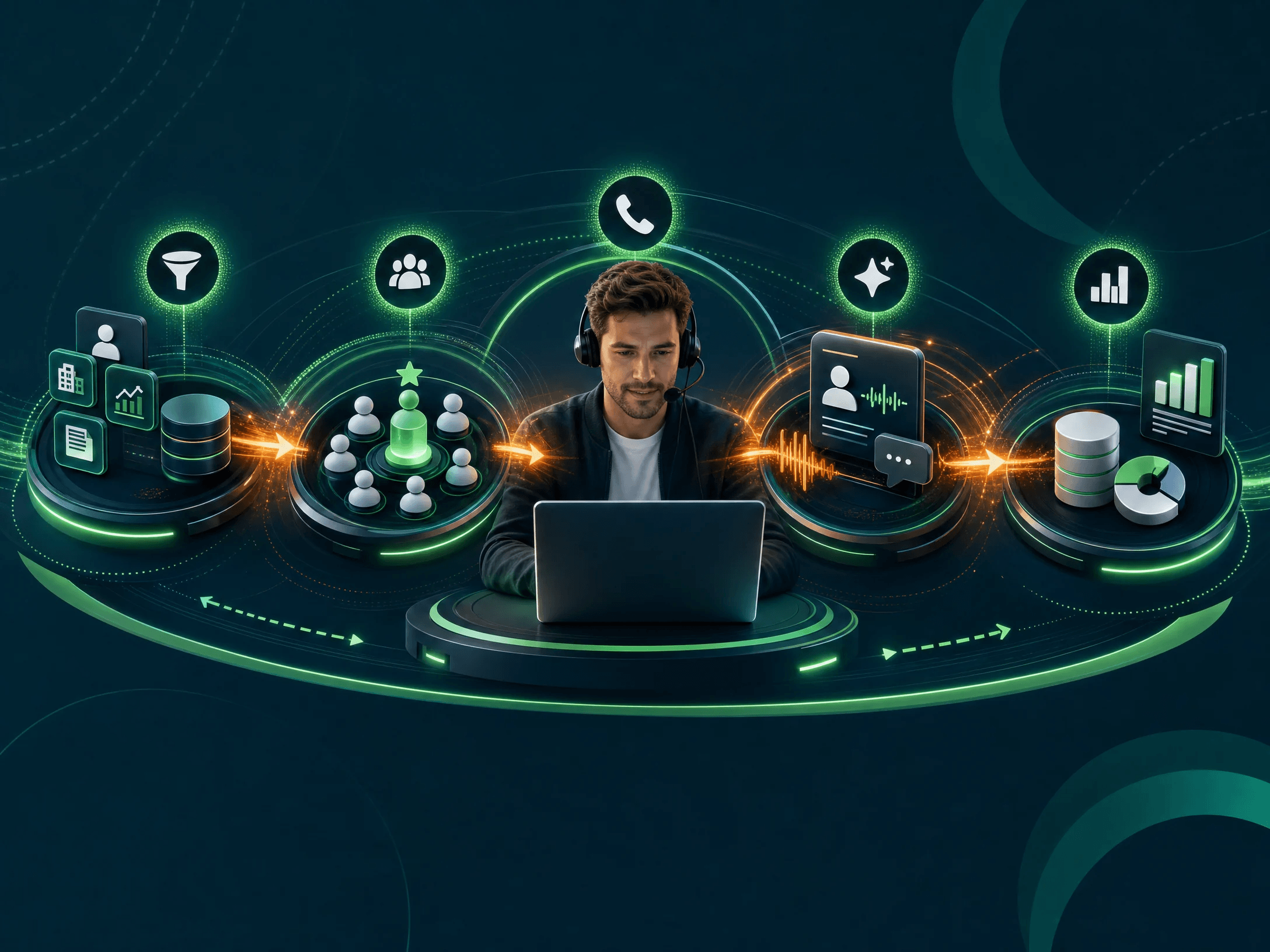
Most platforms blend five layers: context, reasoning, assistance, automation, and reporting. Vendors package these differently, but the operating pattern is similar.
•It collects context from sales systems. Typical inputs include CRM records, engagement sequences, call history, meeting notes, website activity, and account lists. This grounds recommendations in what’s already happened and what should happen next. Verify current integrations—don’t assume support for your CRM, dialer, enrichment, or sequencing tools without first-party confirmation.
•It prioritizes and prepares prospecting. Some systems score accounts or surface buying signals. Others help reps research before first touch. For a deeper view of list building, segmentation, personalization, and follow-up, see our guide to AI for sales prospecting.
•It assists outreach and conversations. AI can draft emails, propose cold call openers, prep objection handling, summarize history, suggest next-best actions, support live calls with real-time cues, and capture notes and tasks. Many teams start with an AI sales assistant to accelerate humans, not full autonomy.
•It analyzes outcomes. Expect analysis of connect rates, call content, objections, replies, meetings booked, and behavior patterns. For calling teams, speed matters—platforms that enable better AI sales calls during live conversations often outperform tools focused only on post-call review.
•It syncs activity to your sales process. Avoid stand-alone data silos. Evaluate whether the platform reduces manual entry, updates the CRM accurately, and fits your existing dashboards. Confirm integration availability and limits in writing.
Core AI SDR software features to evaluate
Your highest-impact features depend on motion, segment, and team maturity. Most buying committees should evaluate:
•Prospect research and account intelligence
•Look for grounded summaries with source transparency. Shallow or unsupported insights erode rep trust.
•Lead and account prioritization
•Scoring only works as well as its data and assumptions. Ask how models work, what inputs they use, and how managers can tune logic.
•AI-assisted outbound messaging
•Evaluate message quality across personas and stages, with controls for tone, compliance, and approvals. Guard against “mass personalization” that reads generic.
•Calling and dialing support
•For call-heavy teams, dialing workflow reliability is critical: click-to-call, power/parallel dialing, dispositions, voicemail, notes, and analytics. See Trellus parallel dialing for call productivity considerations and confirm current plan details.
•Real-time coaching
•Live prompts, talk tracks, objection guidance, and manager visibility can change outcomes in the moment. This is distinct from post-call review. Explore Trellus real-time sales coaching for teams prioritizing live support.
•AI voice agents and autonomy
•Useful for bounded workflows (qualification, routing, reminders). These require disclosure policies (where applicable), strong governance, and attention to calling rules. Review Trellus AI voice agents and verify functionality, compliance fit, and operational limits.
•Call intelligence and coaching analytics
•Identify trends (objections, talk-time patterns, conversion points) and coaching opportunities. If coaching is the primary driver, also compare broader sales coaching tools.
•Workflow automation and reporting
•Automate admin without hiding key decisions. Confirm that reports map to metrics leaders already manage: connects, conversations, meetings, follow-up completion, coaching actions, and sourced pipeline.
Early evaluation framework for AI SDR software
Before demos, align on what you’re solving and how you’ll measure success. Use this as a fast, shared checklist.
This framework complements (not replaces) security and legal review.
Explore Trellus for outbound execution
If you prioritize live calling, rep productivity, and coaching, explore Trellus. Start with parallel dialing, real-time sales coaching, and AI voice agents, then confirm plan details on Trellus pricing.
AI SDR software comparison: Trellus and alternatives
The category spans dialers, engagement platforms, AI assistants, prospecting databases, and coaching systems. Overlaps exist, but tools are not interchangeable. Validate current capabilities and packaging directly with each vendor.
Start with workflow fit. If connect rate and call execution are your bottlenecks, a calling-centric platform may be better than a general engagement suite. If messaging consistency is the issue, a content-forward assistant may help more. For a broader roundup, see the best AI SDR tools; if your org uses BDR terminology or focuses on account development, compare AI BDR tools.
Common AI SDR software use cases
•High-volume outbound calling
•Goal: more quality conversations per rep. Requirements: reliable dialing, clean dispositions, live coaching, and tight CRM sync. AI should prep faster, support objections in-call, and draft follow-ups—without slowing reps.
•Speed-to-lead response
•Goal: prioritize and act on inbound/product-qualified signals. Risk: over-automation that ignores buyer context. AI should add context first, then propose a timely but relevant next touch.
•Account-based prospecting
•Goal: targeted outreach by persona and trigger. Requirements: strong data hygiene and grounded insights; weak data yields hollow “personalization.”
•New rep ramp and coaching
•Goal: shorten ramp and improve consistency. Requirements: real-time prompts, structured talk tracks, post-call insights, and coachable trends. If coaching is core, compare broader sales coaching tools.
•Follow-up and CRM hygiene
•Goal: reduce admin without losing accuracy. Set clear rules for what AI can log or update automatically and what requires rep review.
•AI voice agent workflows
•Goal: automate bounded conversations (qualification, reminders, routing) with clear escalation paths. Evaluate disclosure, opt-outs, edge-case handling, and data capture. Don’t judge only on a polished demo.
Pricing models for AI SDR software
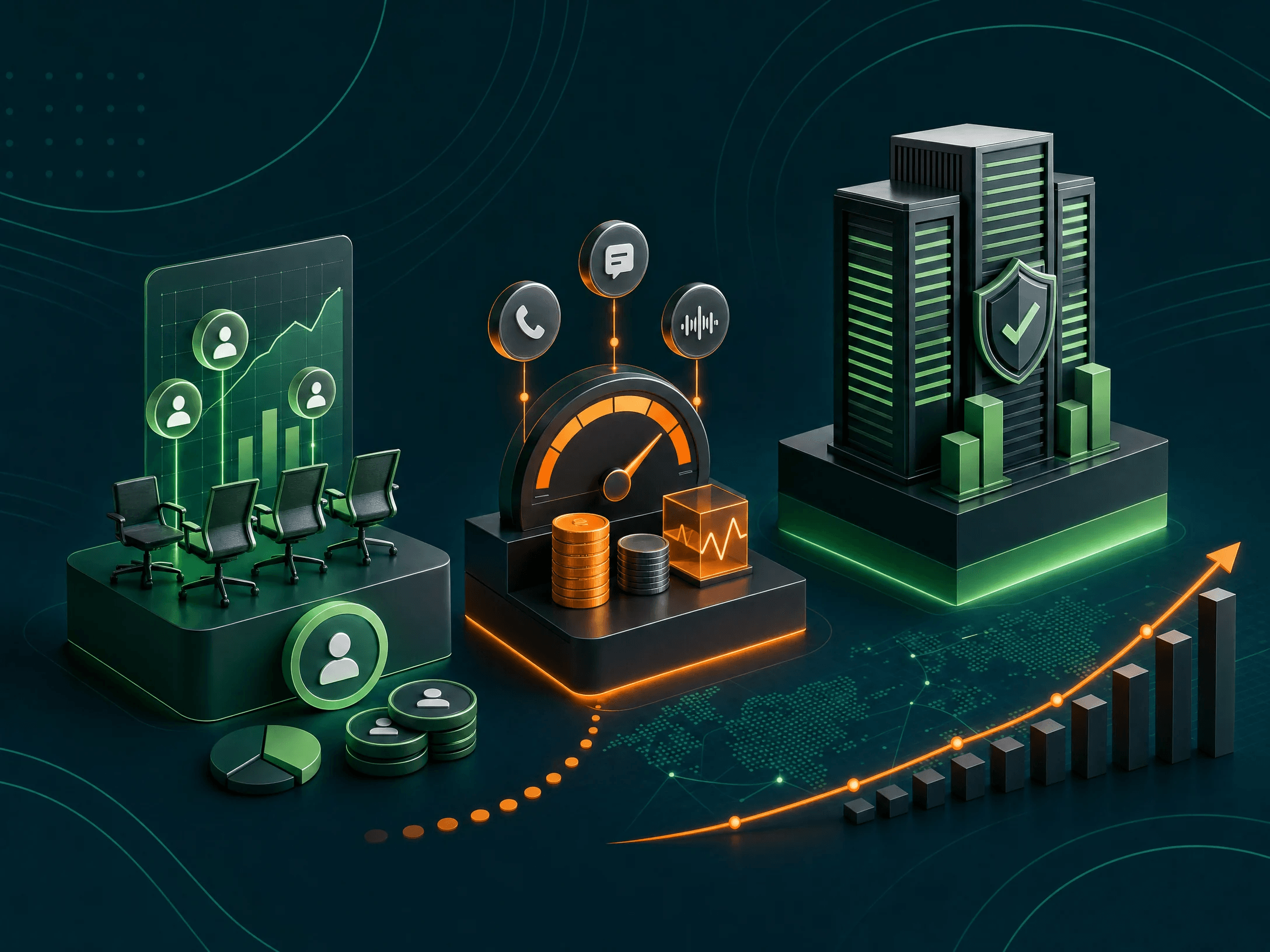
Pricing and packaging change quickly. Treat every pricing page as time-sensitive and verify details with each vendor.
Common models:
•Per-seat pricing (rep and/or manager licenses)
•Usage-based pricing (minutes, credits, contacts, workflows)
•Platform fees in addition to seats
•Add-ons for advanced AI, coaching, analytics, voice agents, enrichment, or premium integrations
•Tiered plans by features, team size, or contract length
•Custom enterprise terms (security, implementation, negotiated usage)
When evaluating Trellus pricing, confirm what’s included in each plan, what counts toward usage, how overages work, how manager seats are billed, and whether required integrations are included.
The aim is not “cheapest tool,” but predictable total cost for the specific workflow you’re improving.
How to choose the right AI SDR platform
Effective selection aligns sales leadership, SDR management, RevOps, security/legal, and enablement. Use a disciplined process:
1.Define the primary business problemExamples: too few live conversations; slow ramp; limited coaching capacity; inconsistent follow-up; weak CRM activity capture. Focus on one top problem first.
2.Map the current workflowDocument each tool and step from account selection to follow-up. Many issues are process or data problems (routing, list quality, messaging, governance) that AI will otherwise amplify.
3.Set AI approval rulesDecide what AI can do without review (e.g., summarize accounts, propose prompts, draft emails for approval, log notes post-confirmation) versus what requires human sign-off (e.g., sending outreach, updating sensitive fields).
4.Test with real workflowsUse your accounts, sequences, and call flows. Favor pilots over generic demos. Evaluate daily rep behavior and manager adoption—not only feature checklists.
5.Compare implementation effortAsk what RevOps, managers, IT, and legal must do. Identify common blockers (data cleanup, permissioning, training) and how the vendor mitigates them.
6.Align reporting before launchSelect success metrics upfront: connects, conversations, meetings, positive replies, follow-up completion, time saved on admin, call quality trends, objection handling, ramp indicators, and sourced pipeline. Be realistic about shared attribution.
Implementation plan for AI SDR software
•Start small: one team, one workflow, one manager for 30–60 days.
•Clean data: ownership, required fields, lead statuses, dispositions, sequence rules.
•Train managers first: inspection cadence, coaching workflows, success metrics.
•Set rep guidelines: when to use prompts; how to edit drafts; what to review before CRM updates; consent/recording rules.
•Review weekly: adoption, call quality, prompt usefulness, coaching actions, disposition hygiene, follow-up speed.
•Iterate: refine prompts, tuning, and governance before expanding.
Risks and limitations to consider
•Scale without quality: AI can mass-produce “personalization” that isn’t truly relevant. Enforce quality standards and approvals.
•Bad data in, bad output out: resolve enrichment gaps and CRM inconsistencies.
•Overreliance: reps should treat AI as assistance, not authority—especially in complex sales.
•Compliance gaps: confirm calling, recording, disclosure, data processing, and regional rules early—particularly for dialing and AI voice agents.
•Tool sprawl: clarify whether the platform replaces, complements, or integrates with existing dialers, engagement systems, enrichment, and conversation intelligence.
AI SDR vs. AI sales assistant vs. AI BDR
•AI SDR: software focused on sales development workflows (prospecting, qualification, early-stage engagement).
•AI sales assistant: broader, often cross-role support for research, messaging, meeting prep, call notes, coaching, and CRM updates.
•AI BDR: similar to SDR but often oriented to account development or partner motions.
Labeling matters less than fit. If you need pipeline generation, evaluate SDR/BDR tooling. If you need cross-role productivity, evaluate AI assistants. If you need better live conversations, prioritize calling and coaching capabilities.
When Trellus may be a fit
Evaluate Trellus if your outbound motion hinges on live calls, rep execution, coaching, and selective autonomy:
•SDR teams improving connect rates and calling workflows
•Managers seeking live visibility and timely coaching
•Teams adding real-time guidance to calls
•Orgs piloting bounded AI voice agent use cases
If you primarily need a prospecting database, full-suite engagement, or broad revenue intelligence, compare category specialists alongside Trellus. Best next step: map your highest-friction workflow, then confirm current Trellus capabilities and packaging against that use case. See parallel dialing, real-time sales coaching, AI voice agents, and pricing.
Conclusion
AI SDR software can lift prospecting quality, improve live conversations, streamline follow-up, and sharpen coaching. The right platform depends on your exact motion, stack, and governance needs.
Anchor your selection to a single, measurable workflow. Validate integrations and compliance, test with real accounts, and align on success metrics before rollout. The best AI SDR platform for your team is the one reps adopt daily, managers coach from weekly, and RevOps can trust in the CRM.
Ready to evaluate Trellus for outbound execution? Review parallel dialing, real-time sales coaching, AI voice agents, and Trellus pricing, or request a demo to confirm fit.
FAQ
What is AI SDR software?
It’s software that uses AI to assist or automate SDR tasks like prospect research, prioritization, messaging, calling, follow-up, coaching, and CRM updates—while fitting your existing sales stack and governance.
Does AI SDR software replace human SDRs?
Usually not. Most teams deploy AI to boost rep productivity, conversation quality, and data hygiene. Fully autonomous workflows can help in narrow use cases but require strict governance and clear buyer disclosures where applicable.
What’s the difference between an AI SDR and an AI sales assistant?
AI SDR tools focus on sales development workflows; AI sales assistants provide broader support across roles (SDRs, AEs, managers, RevOps) for research, messaging, notes, coaching, and CRM hygiene.
Which features matter most?
Common priorities: grounded research, smart prioritization, high-quality AI messaging, reliable dialing, real-time coaching, call intelligence, selective automation, accurate CRM sync, and compliance controls. Choose based on your main bottleneck.
How much does AI SDR software cost?
Models vary—per seat, usage-based (minutes/credits/contacts), platform fees, and add-ons for AI, coaching, analytics, voice agents, enrichment, or integrations. Always verify current packaging, usage limits, and integration availability with the vendor and review Trellus pricing.
How should we run a pilot?
Pick one team and one workflow, define success metrics, train managers first, set AI approval rules, use real account lists, and review adoption weekly. Expand only after results are consistent and measurable.
Is AI SDR software effective for cold calling?
Yes—when the platform supports dialing reliability, call prep, objection prompts, live coaching, notes, and follow-up. For phone-based outbound, prioritize tools proven in live call workflows over generic content generators.
What should we verify before buying?
Check integrations (CRM, engagement, dialer), plan limits, AI feature availability, compliance and data retention policies, implementation effort, support terms, and fit for your primary workflow. For broader vendor context, see best AI SDR tools and AI BDR tools.
.jpeg)

Power and parallel dialing in your CRM.