Our Top Picks


When choosing a calling integration for HubSpot, compare where reps start their calls, which details reach the CRM, and what the rep needs to review afterward. Check the plan and permissions required for the workflow your team uses.
Speaking of sales enablement, Trellus can be integrated into HubSpot to help you streamline your sales operations. That’s part of the overall value we’re offering. Beyond that, there’s a lot more that goes into the dynamics of third party calling providers for HubSpot.
We’re here to fill you in on some of the best HubSpot calling app integrations, starting from their basics, whatever features they’re offering, and different aspects that weave into your sales workflow.
This is important information because you’re missing out on tons of different outreach and conversion opportunities if you’re using a similar system already.
Key Takeaways:
- Speed and data accuracy directly impact conversion rates: High-velocity dialing + automatic call logging = more conversations and cleaner CRM data, which leads to better follow-ups and higher conversion performance.
- Look at dialing and follow-up together: Check how the integration helps reps work their HubSpot list, what it saves to the CRM, and which notes or outcomes the rep reviews after a call.
- Modern sales teams need real-time intelligence, not post-call analysis: Tools like Trellus.ai shift improvement into the live call itself through transcription and coaching; accelerating rep performance without waiting for reviews.
What Are HubSpot Cold Calling Integrations?

Besides the native calling experience that HubSpot offers its users, third party HubSpot Cold Calling Integrations are programs that can be added to your CRM.
Normally, this works through a simple plug and play format where you add the integration through some kind of link, or a dedicated extensions page. The end result is the addition of a cold calling button that’s ported over from the software that you just integrated. You also get instant access to all the extra features of the integrated software.
Specifically speaking in the context of HubSpot Cold Calling Integrations, you’re looking at a better dialing experience, ability to manage and streamline your sales + outreach workflows, custom SDR KPIs, pause and resume workflow, managing contacts list etc.
In essence, these add-on features depend on the overall portability and usability factor.
| Tool | Best For | Starting Price | Key Strength | Core Features | Limitations |
|---|---|---|---|---|---|
| Trellus.ai | High-performance outbound teams | $59.99/month | Speed + real-time AI coaching |
Power & parallel dialing Real-time transcription Auto call logging Voicemail automation |
Requires outbound-focused workflow |
| JustCall | Sales + support teams | $29/user/month | Balanced automation + calling |
Power dialer AI call scoring SMS automation CRM integrations |
Advanced AI locked in higher plans |
| Ringover | SMBs needing simple VoIP | $15/user/month | Ease of use + quick setup |
Click-to-call Call logging IVR routing Real-time monitoring |
Limited advanced outbound power |
| Nextiva | Omnichannel communication teams | $15/user/month | All-in-one communication platform |
Voice + SMS + chat AI analytics Call routing CRM sync |
Not optimized for heavy outbound |
| RingCentral | Enterprise teams | $20/user/month | Enterprise-grade communication suite |
Voice + video + messaging CRM integrations Analytics Call monitoring |
Overkill for small outbound teams |
Why Teams Outgrow HubSpot’s Native Calling for Cold Calling Workflows
HubSpot’s native calling can be enough for light usage, simple follow-up calls, or teams that only need basic call functionality inside the CRM. However, as calling volume increases, many teams begin to notice the limitations of relying on a browser-based calling experience alone.
The challenge is not simply whether a call can be made. It is whether the full workflow feels fast, reliable, and sustainable when reps are expected to move from one conversation to the next without losing momentum.
This is where third-party cold calling integrations become more relevant. Once sales teams need smoother dialing, more dependable call handling, stronger automation, or a workflow that reduces administrative friction, the native setup may start to feel restrictive.
For growing teams, the decision to add an integration is often less about replacing HubSpot and more about extending it in a way that supports real sales execution.
Why Automatic Call Logging Matters More Than Most Teams Expect
Automatic call logging is often treated as a convenience feature, but in practice it has a much bigger impact on sales operations. When every call must be logged manually, reps are forced to split their attention between the conversation itself and the record-keeping that follows.
Over time, this creates a pattern of incomplete notes, delayed updates, and inconsistent activity histories that weaken the value of the CRM.
A strong HubSpot cold calling integration should therefore do more than place calls. It should automatically capture call activity in a way that supports cleaner records and faster follow-up.
When call duration, timestamps, notes, and related activity are logged accurately, the CRM becomes a more trustworthy source of truth for reps, managers, and revenue teams alike.
5 Best HubSpot Cold Calling Integrations
Let’s double down on some of the best, to date, HubSpot phone integrations ranging over different features and modules that can help you with your day to day activities.
1. Trellus: Overall # 1 HubSpot Calling App Integration For AIO Sales Enablement
Best For: Multi-sized sales first businesses focused on volume, quality, and overall sales outreach experience
When teams start evaluating HubSpot calling integrations, the conversation usually begins with basic functionality; dialing, logging calls, maybe recording.
This year, the transition is happening beyond those fundamentals, as we continue to see sales teams that are no longer looking for just another calling app provider. They want something that removes friction from outbound calling from CRM while improving performance in real time.
We created Trellus.ai to harness those pain points, and offer a well scaled solution in return. And on that note, we’d also like to mention that HubSpot isn’t the only CRM that Trellus integrates into.
Our support and portability factor extends to many other platforms, such as:
- Salesloft
- Outreach
- Apollo
- Orum
- Convoso
- Aircall, Nooks
… and tons of others. For a full list of integrations, feel free to check them out here.
A Natural Extension of HubSpot’s Calling Capabilities
HubSpot’s native dialer does a solid job of enabling inbound calling in HubSpot and basic outbound workflows. However, when call volume increases, manual processes start to slow everything down. Dialing numbers, switching tabs, logging outcomes, and managing follow-ups create friction that compounds over time.
Trellus removes that friction without disrupting the familiar HubSpot environment.
Reps continue working inside the CRM, but the calling experience becomes faster and more fluid. The system supports dialing directly from records, syncing seamlessly with the HubSpot call widget, and maintaining full visibility across activities.
It feels less like adding another tool and more like upgrading the one already in place.
From Manual Dialing to High-Velocity Conversations
One of the biggest gaps in traditional HubSpot telephony integrations is speed. Even strong reps lose hours each week to dialing delays, voicemail repetition, and administrative work.
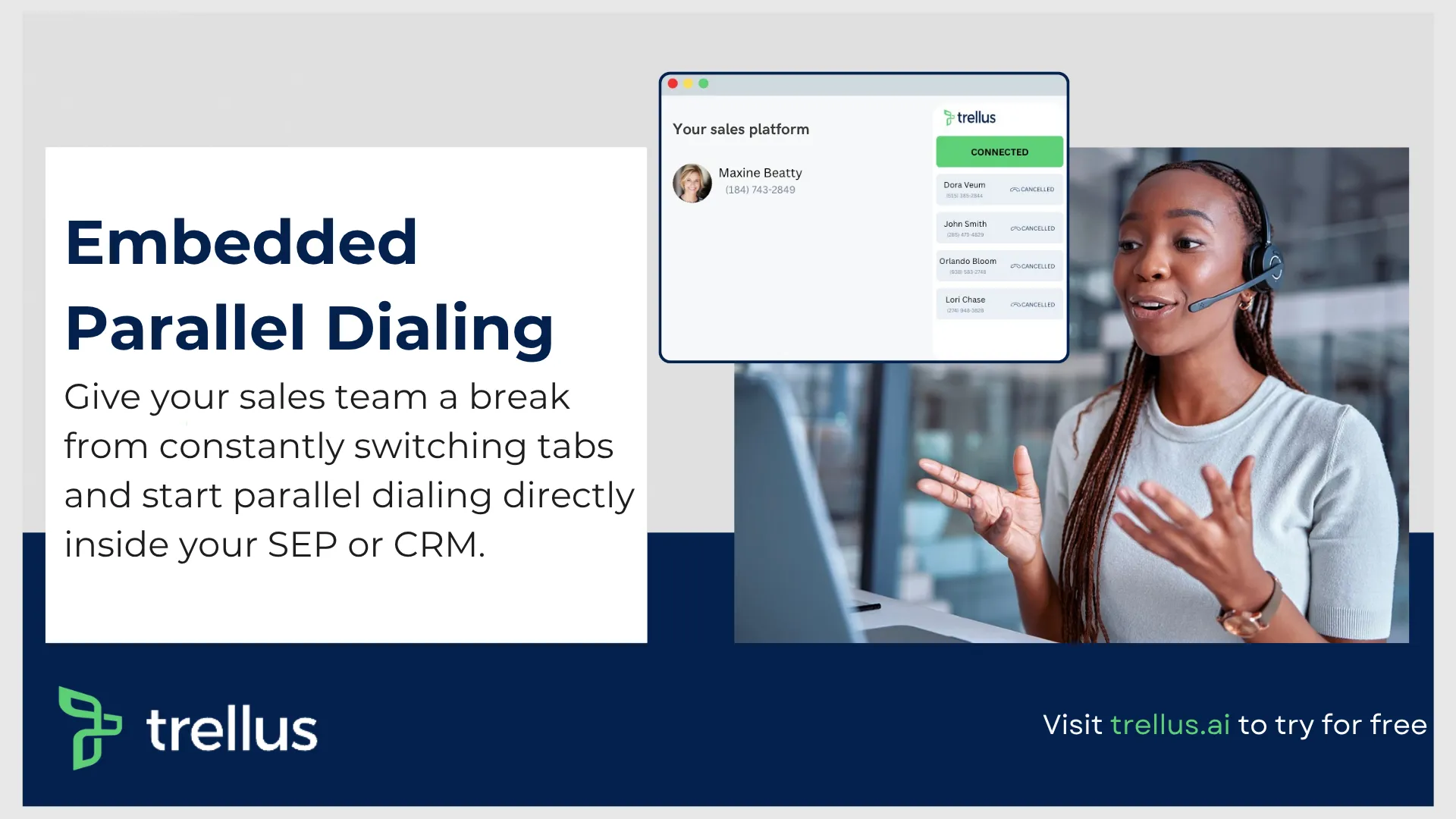
With power and parallel dialing capabilities, Trellus transforms that pace entirely.
Reps can move through call lists without interruption, reducing idle time between conversations. Instead of waiting for connections, they stay in a continuous flow of live interactions.
This shift has a direct impact on output. More conversations happen in less time, and the consistency of outreach improves across the entire team. It also reduces fatigue, since reps are no longer stuck in repetitive dialing cycles.
Built-In Intelligence That Improves Calls While They Happen
Most HubSpot calling app integrations focus on what happens after the call. Logging, analytics, and reporting tend to dominate the feature set. Trellus takes a different approach by improving the call while it is still in progress.
Real-time transcription ensures that every word is captured without manual note-taking.
At the same time, live coaching provides subtle guidance during conversations. Reps receive prompts that help them adjust tone, handle objections, or ask better questions without breaking the flow.
Also Read:
As a result, it creates a feedback loop that traditional calling software cannot match.
How does it work?
Instead of having sales reps wait for post-call reviews, improvement happens instantly, which accelerates the overall skill development across the team.
Clean CRM Data Without the Administrative Burden
Accurate data is the backbone of any CRM, yet manual entry continues to be one of the biggest weaknesses in HubSpot voice integrations.
Reps often forget to log details, skip updates, or enter incomplete information after long call sessions. It could happen for any reason. But when you are looking at a huge list of prospects for sales teams to go through daily, it’s not easy for them to deviate from the primary task, and fill in the forms at the same time.
With Trellus, reps can call from supported HubSpot task, contact, company and prospecting views. After a call, choose an outcome, add notes and set a follow-up date when needed. Available views and outcomes depend on your HubSpot subscription and permissions.
See the HubSpot power and parallel dialing workflow for the walkthrough, supported starting points and details Trellus can save to HubSpot.
Voicemail Automation Without Losing Personalization
Voicemail remains an important part of outbound strategy, but it is also one of the most time-consuming tasks in high-volume calling environments.
Repeating the same message dozens of times slows momentum and drains energy.
Trellus addresses this with intelligent voicemail drops that feel natural rather than robotic. Reps can prepare tailored messages and deploy them instantly when calls go unanswered. This maintains consistency in outreach while freeing up time for live conversations.
It is a small feature on the surface, but in practice, it removes a major bottleneck in daily workflows.
A Deeper Layer of Analytics for Smarter Decisions
Most third-party calling providers for HubSpot offer basic reporting such as call counts and durations.
While useful, these metrics rarely explain why performance varies across reps or campaigns.
Trellus expands this layer with conversational analytics and team-based insights. Patterns begin to emerge around objections, talk ratios, timing, and messaging effectiveness. Managers can identify what drives successful calls and replicate those behaviors across the team.
Designed for Modern Sales Teams, Not Just Individuals
Another limitation in many HubSpot calling solutions is their focus on individual productivity. While helpful, it does not fully address how teams operate together.
Trellus introduces a more collaborative dynamic through features like a virtual sales floor, shared analytics, and real-time visibility into calls. Managers can monitor activity, provide guidance, and maintain energy across distributed teams.
This becomes especially valuable for remote environments where traditional sales floor dynamics no longer exist.
Setup That Matches the Speed of Sales Teams
Adoption often determines whether a tool delivers value or becomes shelfware. Complex onboarding processes tend to slow momentum and create resistance among reps.
Trellus helps to avoid that issue with a lightweight setup process.
A Chrome extension connects directly to HubSpot, and reps can begin calling almost immediately. There is no need for extensive training or technical configuration, which makes it accessible even for smaller teams exploring HubSpot call management integrations for the first time.
You can even add Trellus to your existing Google Sheets workflow. It doesn’t get easier than that to add a cold calling digital solution, and then resume your activities from within your main program’s interface.
Where It Stands Among HubSpot Calling Software in 2026
The landscape of HubSpot VoIP integrations and calling software continues to grow, with options ranging from basic dialers to enterprise-grade platforms. What sets Trellus apart is not just its ability to automate dialing, but its focus on improving the entire calling experience.
Our platform combines speed, intelligence, and automation in a way that aligns with how modern sales teams operate. Instead of treating calls as isolated activities, it connects every part of the workflow.
For teams evaluating the best HubSpot calling integrations, this approach offers a clear advantage. It does not replace HubSpot’s functionality; it enhances it in a way that removes inefficiencies while strengthening performance.
The Bigger Impact on Sales Performance
When the friction around calling disappears, the impact extends beyond productivity metrics. Reps have more energy for conversations, managers gain clearer insights, and the overall sales process becomes more predictable.
This is one of the core values of advanced HubSpot telephony integrations in 2026.
It is not just about making more calls. The experience translates to each interaction count while maintaining a system that supports growth without adding complexity.
Pricing:
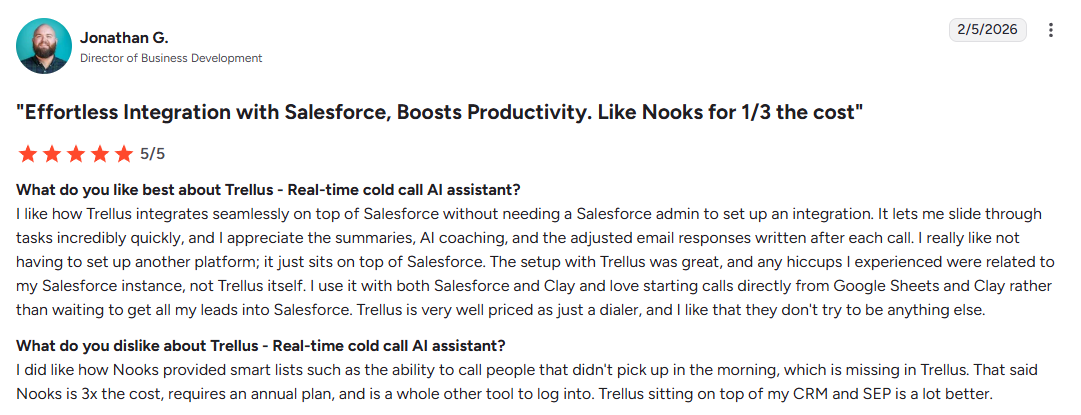
Power (Bring Your Own Dialer) — $59.99/month
Entry-level paid plan for individual SDRs.
- Requires an existing calling system (HubSpot, Apollo, Salesloft, Outreach)
- Single-line power dialing
- LinkedIn workflow tools
- Basic automation features
This is typically where teams start once they want consistent outbound calling from CRM without heavy infrastructure changes.
Power Plan — $99.99/month
Expanded version of the base plan with more flexibility.
- Power dialing across supported platforms
- Voicemail drop functionality
- Additional phone numbers with spam protection
- Broader workflow coverage (including tools like Google Sheets/Clay)
A good fit for reps handling higher call volumes and needing more control over outreach.
Parallel Plan — $149.99/month
Built for high-volume outbound teams.
- Multi-line (parallel) dialing
- Voicemail drop across platforms
- Unlimited AI practice calls
- Additional numbers with spam remediation
2. JustCall
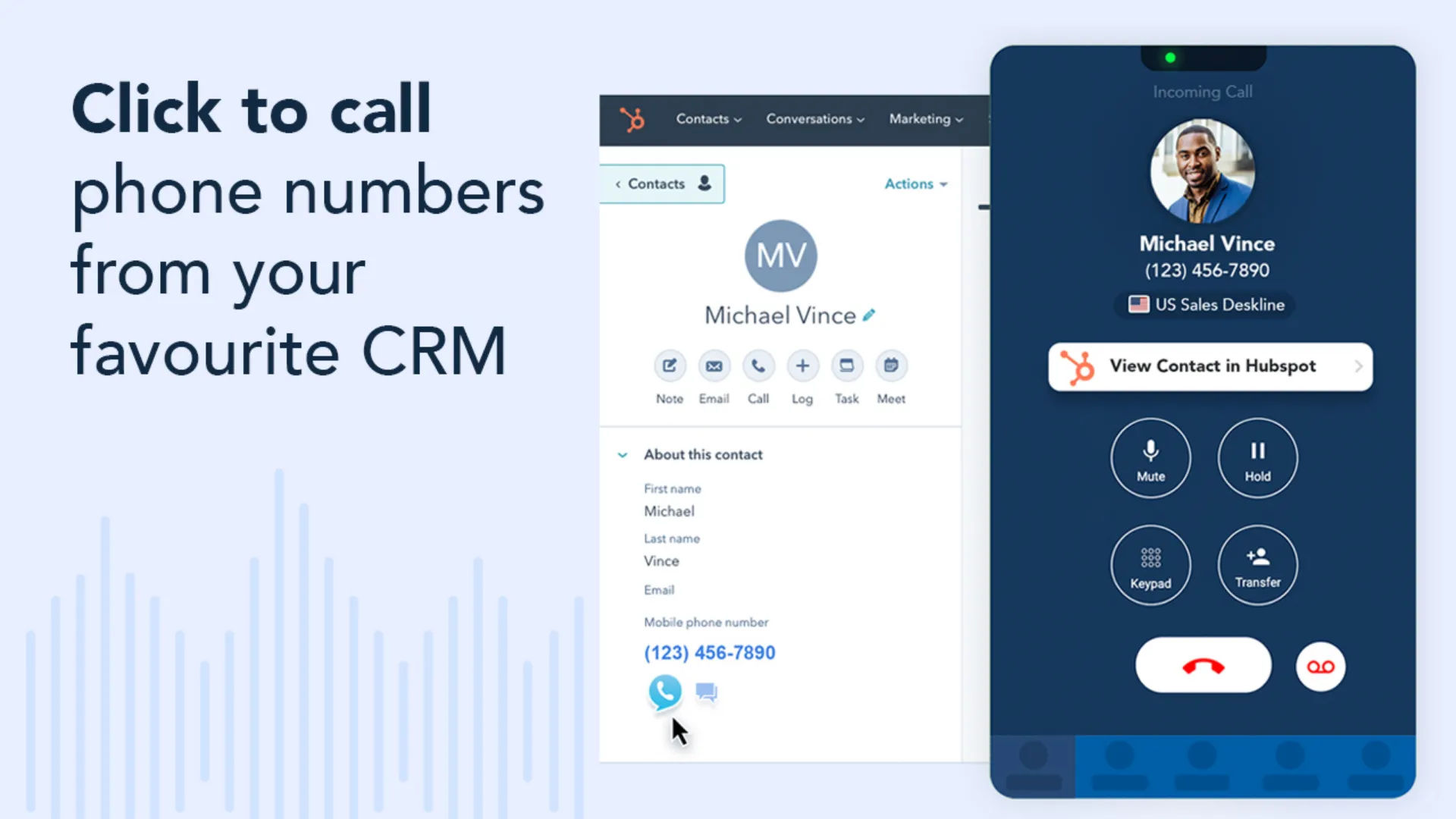
Best For: Your sales and support teams relying on traditional vs. call based outreach. Especially, in remote setups.
We have talked about JustCall previously as part of the digital solutions that you should be using from time to time.
Particularly, when we mention this platform in the context of HubSpot calling integrations, we’re looking at a set of different features tuned to offer:
Key Features:
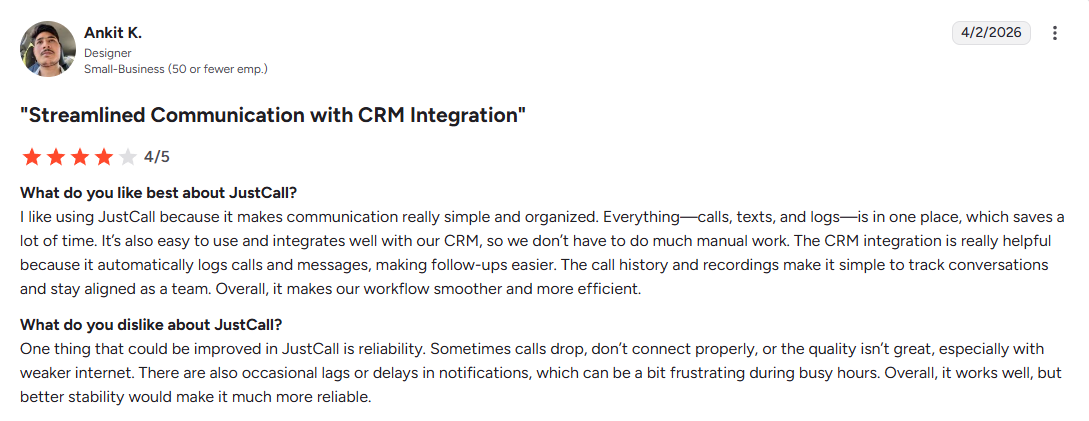
- Call Insights: Get access to key insights related to real time calls. The integrated AI model analyzes all previous interactions between an SDR and a prospect, and then summarizes the information for sales managers.
- Click to Call Functionality: Directly call prospects from inside your SEP interface. The same goes for sending out SMS’s from inside HubSpot CRM environment, so that everything remains connected under one platform.
- Smart Notes and Call Score: All calls are analyzed on the basis of the generated scorecards that assess call quality and different key phrases. It’s great for pinpointing any lags in performance on an SDR’s part.
Other than HubSpot, JustCall also integrates with Slack, Zapier, Zoho CRM, Salesforce, etc.
Pricing:
JustCall offers a variety of pricing plans. Choose one that suits your team size and overall business requirements.
Team Plan — $29/user/month (billed annually)
Best for: Small teams getting started with HubSpot phone integrations
- Supports a minimum of 2 users, and comes with 2 numbers only!
- Unlimited inbound & outbound calling
- Unlimited AI transcription
- 500 SMS segments included
- Local numbers in 70+ countries
- 100+ CRM & data integrations
- IVR & call menu setup
- Basic analytics & reporting
- API access
Add-ons available: AI Review Assist, SMS bundles, number bundles
Pro Plan — $49/user/month
Best for: Scaling outbound teams needing automation
Everything in Team, plus:
- Power dialer
- Bulk SMS campaigns
- Intelligent call routing
- Queue callback
- Salesforce CTI integration
- Advanced roles & permissions
- Advanced analytics
- Higher API limits
- 1,000 SMS segments
Pro Plus Plan — $89/user/month
Everything in Pro, plus:
- Real-time agent assist
- AI-powered call scoring
- Coaching comments
- Sentiment analysis
- Script compliance tracking
- Multi-channel AI notetaker
- SMS co-pilot
- AI Review Assist included
- Custom topics & insights
Business Plan — Custom Pricing
Everything in Pro Plus, plus:
- Unlimited calling & SMS
- SSO (Single Sign-On)
- Enterprise SLA
- Compliance (HIPAA, GDPR, etc.)
- Dedicated support line
- Personalized onboarding
- Maximum API limits
3. Ringover
Best For: Multi sized teams that want a no frills access to a combination of VOIP functions.
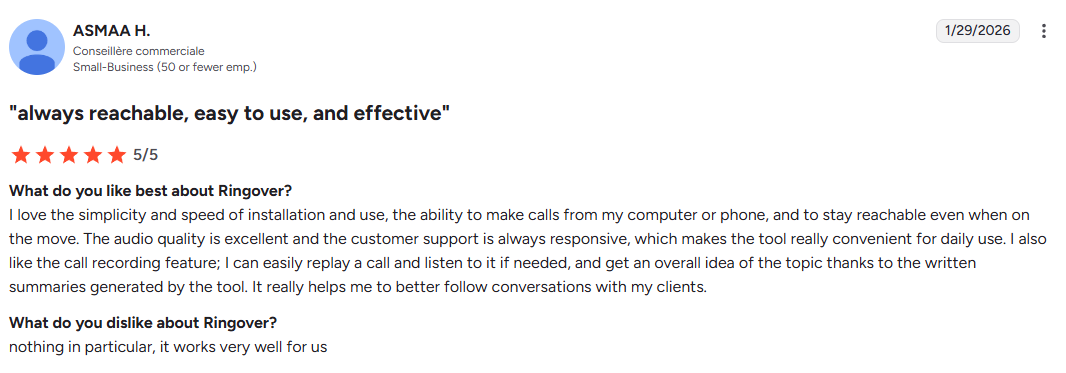
Up next on our HubSpot VoIP integrations list, we’ve got Ringover as a decent option tailored for small and medium businesses.
In essence, the tool comes with a simple user experience through a blend of minimization aspects on the design side, and all your core features, placed right where they can be accessed easily.
Key Features:
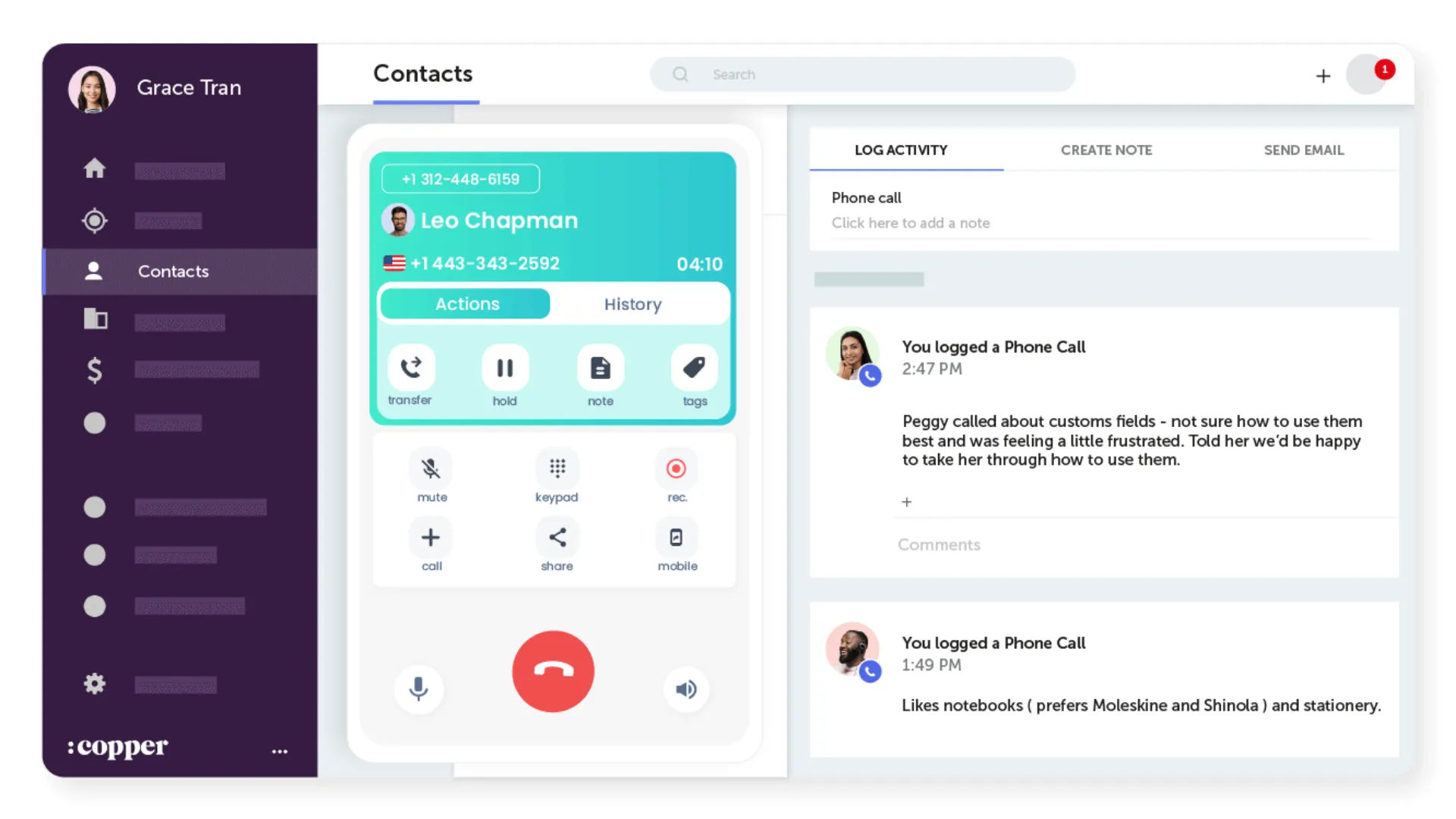
- Automatic Logging System: All calls, recordings, VM drops, and anything in particular are logged into an easily accessible file for later referencing.
- Click To Call Functionality: Anyone from your sales team can initiate calls from within HubSpot’s interface through the click of a button. Ringover also shows a small screen as a pop-up to highlight basic information about the prospect that you’re calling or speaking with.
- Real Time Call Activity Supervision: This one’s useful for managers who want to get oversight on ongoing calls. They can send direct whispers to SDRs to help them format their response for a higher conversion and overall customer satisfaction rate.
- Basic Call Routing, Etc.In case of IVRs, Ringover offers a routing facility to make sure that all incoming calls reach the concerned POC without any near misses.
Pricing:
TALK Plan — $15/user/month (annual commitment)
Best for: Small teams handling everyday calling needs
- 1 local or toll-free number
- Unlimited calls & SMS
- Business phone system (greetings, business hours, etc.)
- Call logs, recordings, transcription & summaries
- AI virtual receptionist
This is a solid entry point for teams looking for a simple HubSpot phone integration with essential calling features.
BUSINESS Plan — $47/user/month
Best for: Growing teams needing automation + integrations
Everything in TALK, plus:
- Local numbers in 65+ countries
- Advanced IVR (smart routing, call groups)
- Up to 2 integrations (CRM, ATS, Helpdesk from 100+ options)
- Advanced analytics & coaching (call whispering, double listening)
- Power dialer
This is where Ringover starts to compete seriously among HubSpot calling integrations, especially for outbound teams.
ADVANCED Plan — Custom Pricing
Best for: High-performance sales teams & scaled operations
Everything in BUSINESS, plus:
- Call campaigns
- Voicemail drop
- Local presence dialing
- Up to 3 integrations
- Single Sign-On (SSO)
- Additional AI capabilities
This tier is designed for teams that need deeper workflow control and higher-volume outbound calling from CRM.
Enterprise Plan — Custom Pricing (50+ users)
- Contact their sales team for more information on Enterprise plans.
As one of the most reliable third party calling providers for HubSpot, Ringover’s integration capabilities also extends to popular tools, such as Zapier, Salesforce, Microsoft Teams, Salesforce etc.
4. Nextiva
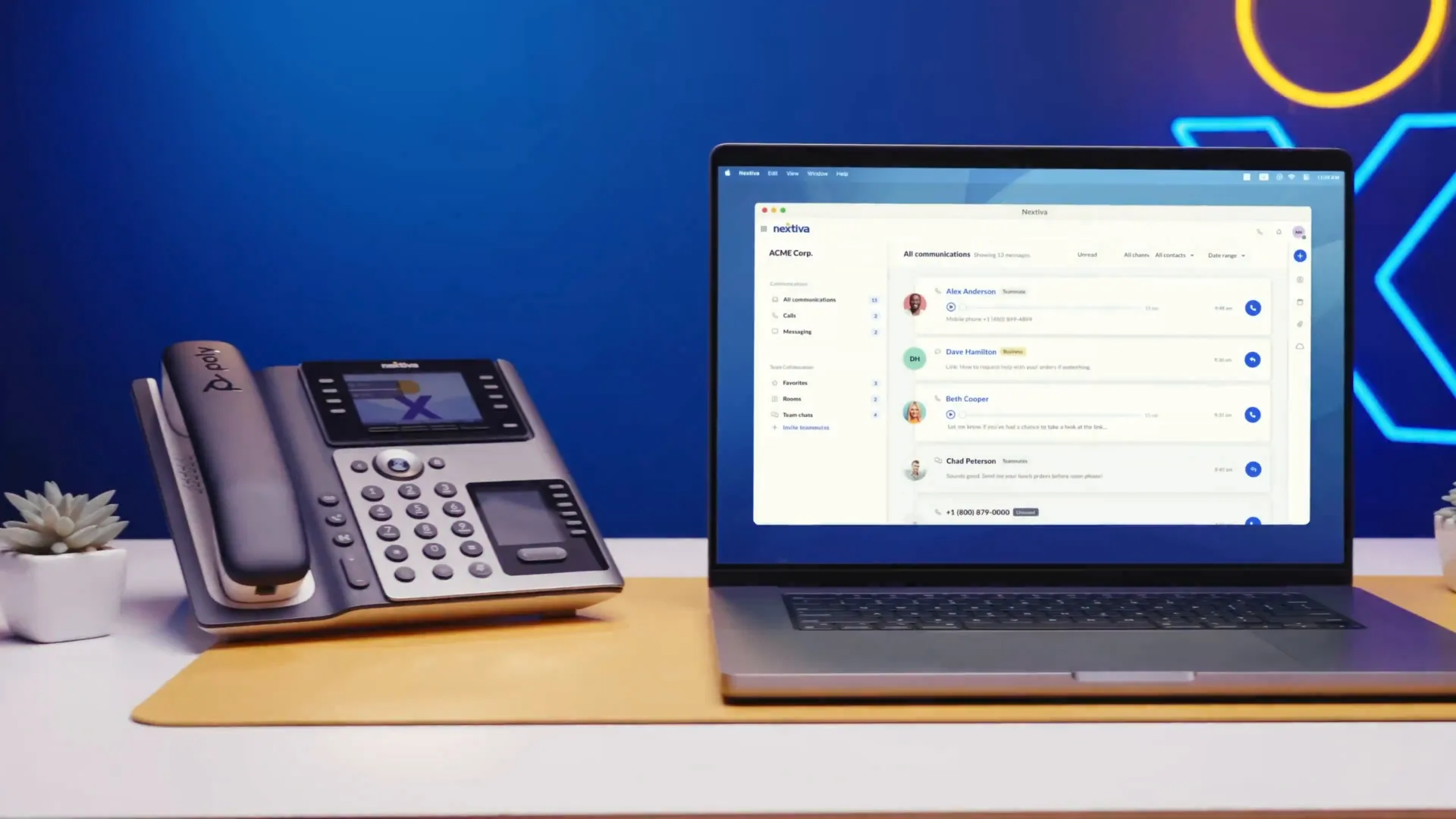
Best For: SMBs and enterprises that want an AIO solution beyond traditional cold calling, chats, video interactions in your HubSpot CRM interface.
Nextiva’s been a popular name in the industry for a long time now.
Just like Trellus, they have tons of different features that go beyond the confines of your typical cold calling and outreach experience.
They are a cloud based platform, like others on this list, offering advanced data backup and security protocols. In terms of Hubspot cold calling integrations, you can get by with these perks easily…
Key Features:
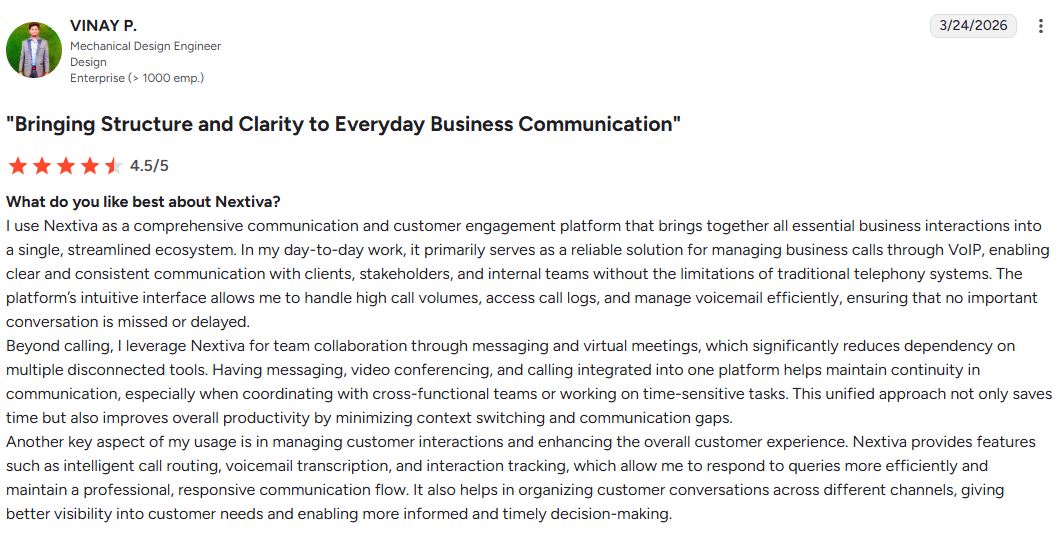
- Omnichannel Communication: Comes with integrated CRM level support that enables SMS, voice calls, live chats, social interactions etc. That way, you don’t need to switch over from HubSpot to another screen, as all these activities can be done from one centralized interface.
- Call Logging: Just like other tools on the list, you get your basic call logging, automatically stored and maintained in an online repository.
- Advanced Analytics Dashboard: The analytics section pretty much covers information on calls, marketing, collab or follow up SMS messages, sentiment analysis, and tons of other stuff.
- Click to Call and Screen Popups: Trigger calls through simple click based interactions. Nextiva also shows a popup screen that gives contextual information on the prospect you’re speaking with.
Pricing:
Core Plan — $15/user/month (annual pricing)
- Inbound & outbound voice calling
- Business SMS
- Video meetings
- Call routing
- Team chat
- Screen & file sharing
- Mobile app access
Add-on available: XBert AI Receptionist
This is a strong entry-level option for teams looking to make and receive calls in HubSpot with basic unified communication features.
Engage Plan — $25/user/month
Everything in Core, plus:
- Customer-to-team SMS
- Toll-free numbers & minutes
- Advanced reporting
- Inbound call center capabilities
- Live chat & chatbot
This tier fits well for teams scaling HubSpot call management integrations with more automation and customer interaction channels.
Scale Plan — $75/user/month
- Voice + web chat in one platform
- Blended inbound & outbound calling
- AI transcription & call summaries
- Skills-based routing
- Customer journey orchestration
Add-on available: XBert AI Receptionist
This is the most comprehensive plan, designed for teams that want deeper automation, analytics, and AI within their HubSpot calling software stack.
5. RingCentral
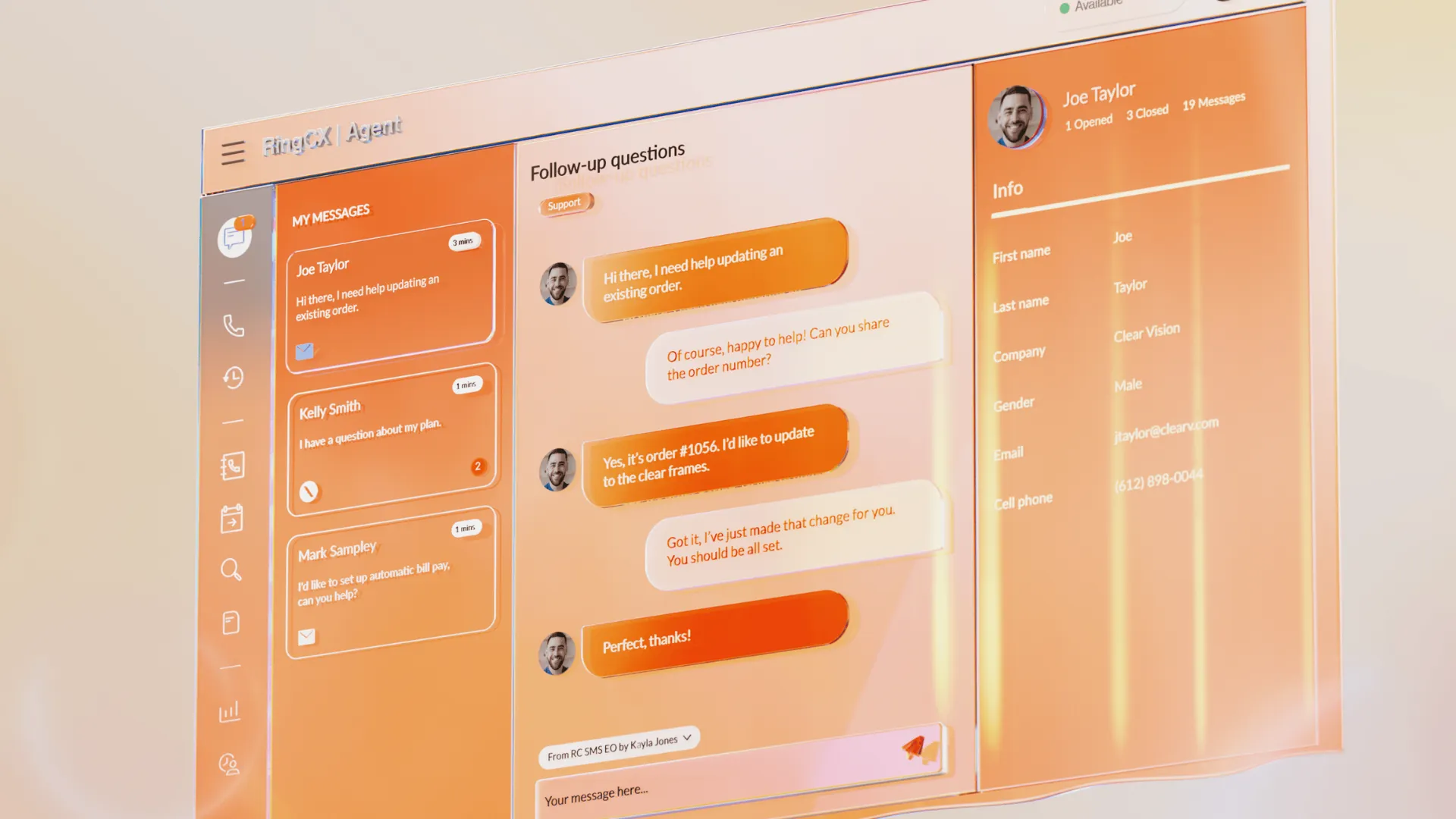
Best For: Large scale sales first platforms focused on omnichannel outreach and connectivity.
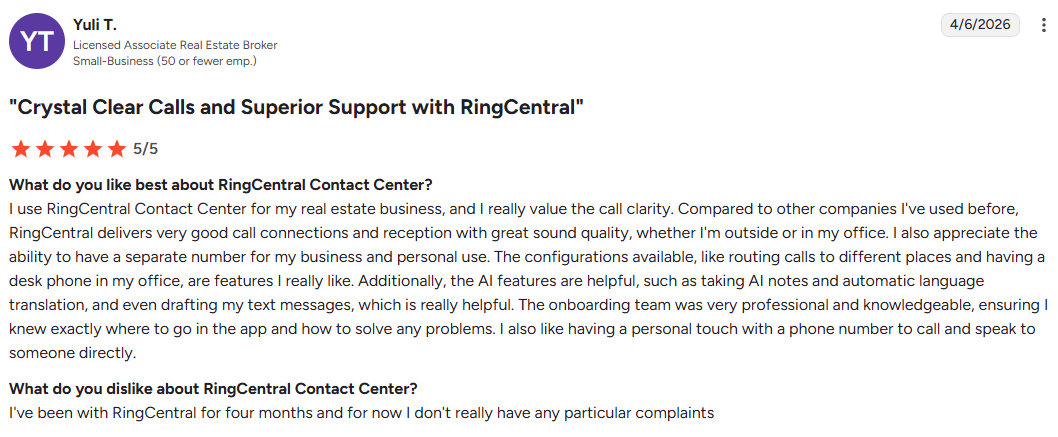
RingCentral is up next on our list of the best HubSpot calling integrations. They are a perfect fit for any large scale sales business that wants an All in One sales conversion and outreach experience.
That means, if you need additional core functionality beyond basic cold calling, then RingCentral could be the right solution for you.
In terms of main highlights and USPs, we’re looking at a combination of different features.
Pricing:
Core Plan — $20/user/month (annual billing)
Best for: Small teams needing unified communication
- Unlimited domestic calling
- 100 toll-free minutes
- 25 SMS/user/month
- HD video meetings (up to 200 participants)
- On-demand call recording
- Team messaging & chat
AI features (limited):
- Transcriptions, captions, notes, summaries
- AI receptionist available as add-on
A solid entry point for teams exploring HubSpot phone integrations with voice + meetings in one platform.
Advanced Plan — $25/user/month
Best for: Growing teams needing integrations + reporting
Everything in Core, plus:
- CRM integrations (important for HubSpot workflows)
- Multi-site support
- Core analytics & reporting
- 1,000 toll-free minutes
- 100 SMS/user/month
- AI writer + virtual assistant enhancements
This is the most balanced plan for teams scaling outbound calling from CRM with better visibility.
Ultra Plan — $35/user/month
Best for: High-volume teams needing deeper insights
Everything in Advanced, plus:
- 10,000 toll-free minutes
- 200 SMS/user/month
- Advanced analytics (historical + real-time insights)
- Unlimited storage
- Device analytics & alerts
- Webinar capabilities
This tier aligns well with teams that need more advanced HubSpot call management integrations and reporting depth.
Key Features:
- Automated Workflows: Reduce SDR ramp time through automated workflows. These automations can be created inside HubSpot, whereas RingCentral works as a primary tool to ensure that its specific autmations are working as intended.
- Activity Syning: All activities are automatically logged and synchronized for later referencing.
- Call Monitoring: SDR managers and BDRs get detailed overview of calls, besides being able to real time whispers where applicable in an ongoing call.
- Click To Call Function: Call your leads through a single button click, alongside contextual information provided in the form of RingCentral’s screen popups.
Who Needs a HubSpot Cold Calling Integration Beyond SDR Teams
HubSpot cold calling integrations are often discussed in the context of outbound SDR teams, but the practical need is much broader.
Account managers, founders, agencies, consultants, client service teams, and relationship-driven sales professionals can all benefit from a calling setup that captures activity automatically and keeps customer records current. In many cases, the value of the integration is not tied to high-volume prospecting.
It is tied to reducing admin work and preserving relationship context.
That broader framing makes the category more relevant to real buyers. Many users are not searching for a heavy outbound dialer.
They are simply looking for a better way to manage business calls inside HubSpot without relying on personal phones, scattered notes, or end-of-day data entry.
What Makes a HubSpot Cold Calling Integration Easy to Adopt
The best integration is not necessarily the one with the longest feature list. It is the one that fits naturally into the way teams already work. If a tool requires too many clicks, adds complexity to call handling, or forces reps into awkward workflows, adoption will suffer no matter how advanced the feature set appears on paper.
Ease of adoption usually comes down to simple factors: reliable performance, fast call initiation, automatic activity capture, low training friction, and a user experience that feels like an extension of HubSpot rather than a separate system to manage.
When these basics are done well, the integration becomes part of the daily workflow instead of another tool that teams tolerate but do not fully embrace.
What to Measure After Implementing a HubSpot Calling Integration
Choosing a calling integration is only the first step.
To understand whether it is delivering value, teams need to look beyond the presence of features and evaluate measurable outcomes. The most useful signals include time saved on call administration, the completeness of activity logging, the speed of post-call follow-up, the consistency of CRM records, and the reduction in forgotten or undocumented customer interactions.
These measures matter because they connect the integration to business performance.
A calling tool should not be judged only by whether it works technically inside HubSpot. It should also be evaluated by whether it improves workflow efficiency, strengthens data quality, and helps teams operate with greater consistency.
That is the difference between a phone add-on and a genuinely valuable sales integration.


Power and parallel dialing in your CRM.