
CRM With a Power Dialer: How One-Line Queue Calling Works
See how a CRM power dialer moves through a sales queue, shows contact context, saves outcomes, and creates follow-up—plus when to use another dial mode.

On this page
Our Top Picks


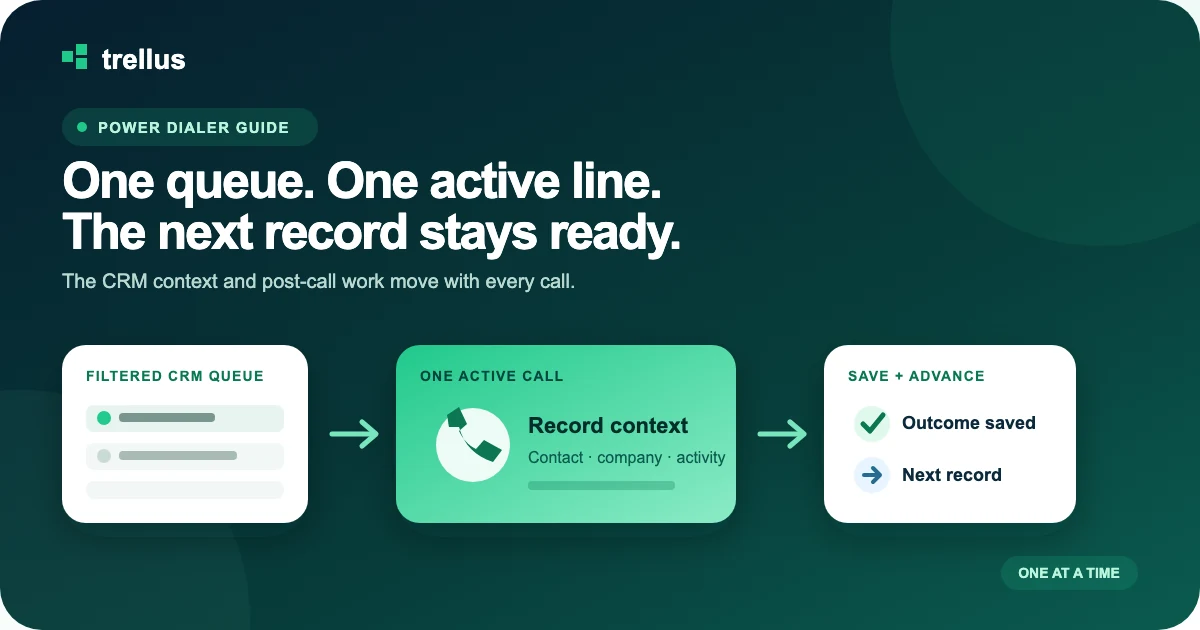
A CRM with a power dialer calls one queued record after another for a rep while keeping contact context, call outcomes, notes, and follow-up tied to the CRM. It is the right mode when reps need steady queue progression but still want one active line and a moment to work each completed call.
How a CRM power dialer works
The operating loop is simple: build the queue, open the next record, place one call, save the result, and advance. The details decide whether the workflow feels fast or creates cleanup.
01
Load the queue
A saved view, report, task list, Smart List, Smart View, or selected contact list defines the work and its order.
02
Open the next record
The dialer selects the intended phone field and keeps the contact, company, owner, and recent activity visible.
03
Call one line
One call is active at a time. A live answer stays attached to the same record the rep prepared to call.
04
Save the outcome
The rep records the disposition and useful note while the CRM receives the completed-call activity.
05
Advance the work
A callback or follow-up is created when needed, then the next eligible queue record appears.
Close documents this pattern from a saved Smart View. HighLevel documents a one-by-one flow from Conversations > Manual Actions. Freshworks describes a Power Dialer that calls a selected or imported list sequentially. The screen names change, but the queue-to-next-record loop is the same.
Power dialer versus click-to-call, parallel, and predictive dialing
These modes automate different parts of the call block. Choose the mode before comparing brands.
Click-to-call
Calls: one chosen record.
Rep control: starts every call.
Useful when: preparation matters more than queue speed.
Power
Calls: one queued record at a time.
Rep control: one active line.
Useful when: the team wants a steady record-by-record call block.
Parallel
Calls: several numbers at once.
Rep control: receives a live answer.
Useful when: the team wants a higher-throughput outbound block.
Predictive
Calls: paced for an agent group.
Rep control: system forecasts availability.
Useful when: a larger pooled operation needs pacing.
A power dialer is often the easiest step up from manual calling because the rep still works one record and one conversation at a time. A parallel dialer changes how live answers arrive. Predictive dialing changes staffing and pacing. The power-versus-parallel guide goes deeper on those two call-block models.
Native CRM power dialer or connected power dialer?
A native dialer is attractive when the CRM already supplies the queue, calling mode, phone administration, completed-call record, and reporting the team needs. Close and HighLevel both document native one-line queue workflows. Zoho Voice documents Power Dialer campaigns inside the wider Zoho ecosystem.
A connected dialer is useful when the CRM should remain the system of record but its native calling path is too limited for the planned call block. The connected product can start from supported CRM views or tasks, show CRM context during the call, and return supported outcomes and follow-up.
Do not decide from a logo wall. Run both paths against the same queue and inspect the same CRM record afterward. The cleaner workflow is the one that preserves the team's filters, phone-field rules, answer context, dispositions, callbacks, permissions, and manager reporting with less manual repair.
How common CRM power-dialer paths differ
Each platform begins from a different work surface. These are current examples to use when planning a demo—not interchangeable product claims.
Close: native Power Dialer from a Smart View
Close's native Power Dialer works from a saved Smart View and follows its displayed order. That is a strong fit for a team willing to keep its outbound records and calling workflow in Close. Verify the Smart View filters, primary contact and number, voicemail handling, call outcome, callback, and plan eligibility with the current Power Dialer instructions.
Trellus also has a supported connected path for teams that want to keep a Close Smart View and compare power with parallel dialing. See Trellus for Close.
GoHighLevel: one-by-one calls from Manual Actions
HighLevel assigns call steps through workflows and places the resulting work in Manual Actions. The contact card and dialer open as the rep progresses through calls. HighLevel's custom dispositions can be stored on the call record and used in reporting or workflows.
That native path fits a team whose contacts and automation already live in a HighLevel location. Trellus for GoHighLevel explains the supported Smart List and Opportunity-view path for teams comparing power and parallel modes.
HubSpot: task-led prospecting with native or connected calling
HubSpot's prospecting queue combines tasks and guided sales activities. A selected call task can open HubSpot Calling, while HubSpot's browser calling supports HubSpot numbers, registered outbound numbers, and connected providers according to the account setup.
Trellus for HubSpot covers supported tasks, contact views, and prospecting lists that can feed a Trellus power dialer or parallel dialer call block.
Salesforce: cadence queues, Voice, and connected dialing
Salesforce Sales Engagement cadences can place call steps in a prioritized Work Queue. Salesforce now frames telephony through Voice; its legacy Sales Dialer is scheduled for retirement. Treat the cadence, Voice provider, permissions, objects, and result fields as one implementation decision.
Trellus for Salesforce describes supported reports, list views, and due call tasks for an embedded power or parallel path.
Pipedrive: Marketplace calling or a connected People-list workflow
Pipedrive's web app uses Marketplace calling apps, so the dialer behavior depends on the provider. Pipedrive mobile and web-to-mobile flows can log completed calls as activities and prompt for notes or follow-up.
Trellus for Pipedrive covers a supported filtered People-list queue with power or parallel dialing, phone choice, organization context, and Person notes.
What should update in the CRM after every call?
A power dialer saves time only if the CRM remains trustworthy. Test these fields on a connected call, a no-answer, a wrong number, and a callback:
- Identity: the correct person, company, lead, opportunity, campaign, sequence, and owner.
- Call record: date, time, caller number, duration, status, and completed activity.
- Outcome: the exact disposition managers use in reports and automations.
- Conversation: a useful note plus recording or transcript behavior when enabled and permitted.
- Next action: the correct callback or follow-up task with date, time, owner, and related record.
HubSpot documents custom call outcomes that can support reporting, workflows, and segments. HighLevel documents dispositions that can trigger workflows. Those are good examples of why the post-call result is part of the dialer—not an administrative afterthought.
A ten-minute power-dialer demo script
- Open the real saved queue with the rep's normal filters and sort order.
- Choose a record with two phone fields, an owner, and recent activity.
- Start the power session and confirm only one number is being called.
- Check that the answer screen shows the contact and account context the rep needs.
- Save a connected disposition, a useful note, and a callback for tomorrow.
- Inspect the CRM record, manager report, and tomorrow's queue.
- Repeat with a no-answer, a missing phone field, and a record owned by another rep.
If the team is still deciding whether to keep or replace its CRM, use the CRM-and-dialer shortlist. If the CRM is staying but the dialing layer is open, use the CRM auto-dialer implementation guide.
CRM power-dialer questions
What is a CRM power dialer?
It is a one-line queue-calling workflow that automatically progresses through CRM records for a rep and saves each call result back to the relevant record.
Does a power dialer call more than one number at a time?
No. A power dialer places one call at a time for each rep. A parallel dialer places several calls at once, while a predictive dialer paces calls for a pool of agents.
Which CRMs have a built-in power dialer?
Close and HighLevel document native one-by-one power-dialer workflows. Freshworks documents a sequential Power Dialer in eligible Freshcaller/Freshsales Suite setups, and Zoho Voice documents Power Dialer campaigns. Product access and exact behavior vary by plan and account.
Can I add a power dialer without replacing my CRM?
Yes. A connected power dialer can use supported CRM views, reports, lists, or tasks as the queue and return supported call activity to the CRM. Test the exact source and write-back before rollout.
Is a power dialer good for cold calling?
It is a practical fit when reps want faster progression through a defined outbound list while keeping one active line and control over each completed call. Teams seeking more simultaneous dialing may prefer a parallel mode.
What should I test before buying a CRM power dialer?
Test the live queue, phone-field rule, answer context, one-line progression, outcomes, notes, callbacks, CRM reporting, permissions, recording policy, number administration, and current product eligibility.
Run the test on your actual CRM queue
Bring the list, fields, outcome, and callback your reps use today. Trellus can demonstrate the supported power and parallel workflows while your CRM remains the system of record.