Our Top Picks


Choosing a business phone platform sounds simple until your sales team starts scaling.
By then, tons of things are happening simultaneously. You will see your support tickets piling up, reps beginning to complain about dropped calls, missing CRM logs, or workflows that slow them down.
That’s usually the point where teams start looking at better solutions that could possibly help to curtail such issues. Aircall is one such platform, where they have tried to offer an AIO sales enablement experience. Whether it’s true or not, we wanted to dig into the platform and see if it’s up to the mark. Specifically, the Aircall dialer part, because sales first businesses are primarily dependent on outbound cold calls, among various other things.
On the surface, Aircall looks modern, clean, and easy to deploy.
The platform markets itself as a cloud-based dialer solution built for sales and support teams that want faster setup, CRM connectivity, and outbound calling tools without the headache of legacy phone systems.
The bigger question is this:
Is Aircall worth it in 2026, once your team starts growing?
That answer depends on what your business expects from a dialer.
If your goal is simple outbound calling and lightweight collaboration, Aircall may feel like a strong fit. If your goal is maximizing conversion rates, improving rep performance, and scaling revenue efficiently, the conversation becomes more nuanced.
Many teams discover that dialing software alone increases activity levels but does not automatically improve outcomes.
That distinction matters more in 2026 than ever before.
Sales organizations are no longer asking:
“How many calls can our reps make?”
They’re asking:
“How many qualified conversations turn into revenue?”
This review breaks down:
- What is Aircall and how the Aircall dialer works
- Aircall features overview for sales and support teams
- Real user feedback from review platforms
- Aircall pricing plans and real monthly team costs
- Workflow limitations teams encounter at scale
- How AI coaching changes outbound sales performance
- Best alternatives to Aircall dialer platforms in 2026
What Is Aircall Dialer? (Quick Overview)
.webp)
For businesses asking “What is Aircall,” the simplest explanation is this:
Aircall is a cloud based business calling platform designed for sales teams and support departments that want to manage calls through internet based software rather than traditional office phone systems.
Instead of relying on desk phones or on premise PBX hardware, the Aircall app allows teams to make and receive calls directly from desktop computers, browsers, and mobile devices. Reps can work remotely, managers can review conversations centrally, and companies can operate customer communication systems without maintaining physical telecom infrastructure.
That convenience became one of the biggest reasons behind Aircall’s popularity.
A growing sales team can sign up, configure numbers, connect a CRM, and start outbound calling quickly. For startups moving fast, that ease of deployment feels extremely attractive.
Specifically, if talk about the “Dialer” side of things, then the platform can deliver on the following aspects::
- Outbound sales calling
- Customer support operations
- Call routing
- Shared phone inboxes
- Call tracking
- International business numbers
- Sales dialing automation software workflows
The platform also supports CRM dialer integration tools that connect conversations directly into systems like HubSpot and Salesforce.
From an operational standpoint, that synchronization matters because it reduces administrative work for reps. Instead of manually entering notes after every conversation, much of the activity gets logged automatically.
That alone can save sales organizations enormous amounts of time over weeks and months.
Still, user reviews consistently reveal an important pattern.
Aircall performs best for smaller and mid sized teams that prioritize simplicity. Once businesses scale aggressively, expectations around automation, reporting depth, AI support, and workflow sophistication increase significantly.
That’s where opinions around the platform become more divided. Still, user reviews show a pattern that appears repeatedly:
Aircall performs best for smaller teams with simpler workflows.
As organizations scale, expectations around analytics depth, automation quality, AI support, and workflow sophistication rise quickly.
That’s where many reviews begin identifying friction.
Why Aircall Became Popular With Sales Teams?
The rise of remote work changed the business phone market entirely.
Legacy systems suddenly felt outdated, inflexible, and difficult to manage. Companies wanted software that could operate from anywhere while connecting cleanly into modern sales workflows.
Aircall entered that environment with strong timing.
The platform positioned itself as a modern alternative to traditional telecom systems. Instead of spending weeks configuring office infrastructure, businesses could launch quickly and begin handling customer calls almost immediately.
For small sales organizations, that speed matters.
A startup hiring its first outbound SDR team usually does not want to spend months building telecom architecture. They want a dialer that works quickly and integrates smoothly into their CRM stack.
That’s where the Aircall app gained traction.
The platform’s low technical barrier is still one of its strongest selling points.
Several reviewers praised how quickly teams were able to deploy the Aircall dialer with minimal onboarding.
Sales managers also appreciated features like:
- Power dialing
- Shared call visibility
- Click to call workflows
- Coaching through call recordings
- CRM synchronization
- Call tagging
Aircall Features Overview: What Sales Teams Get
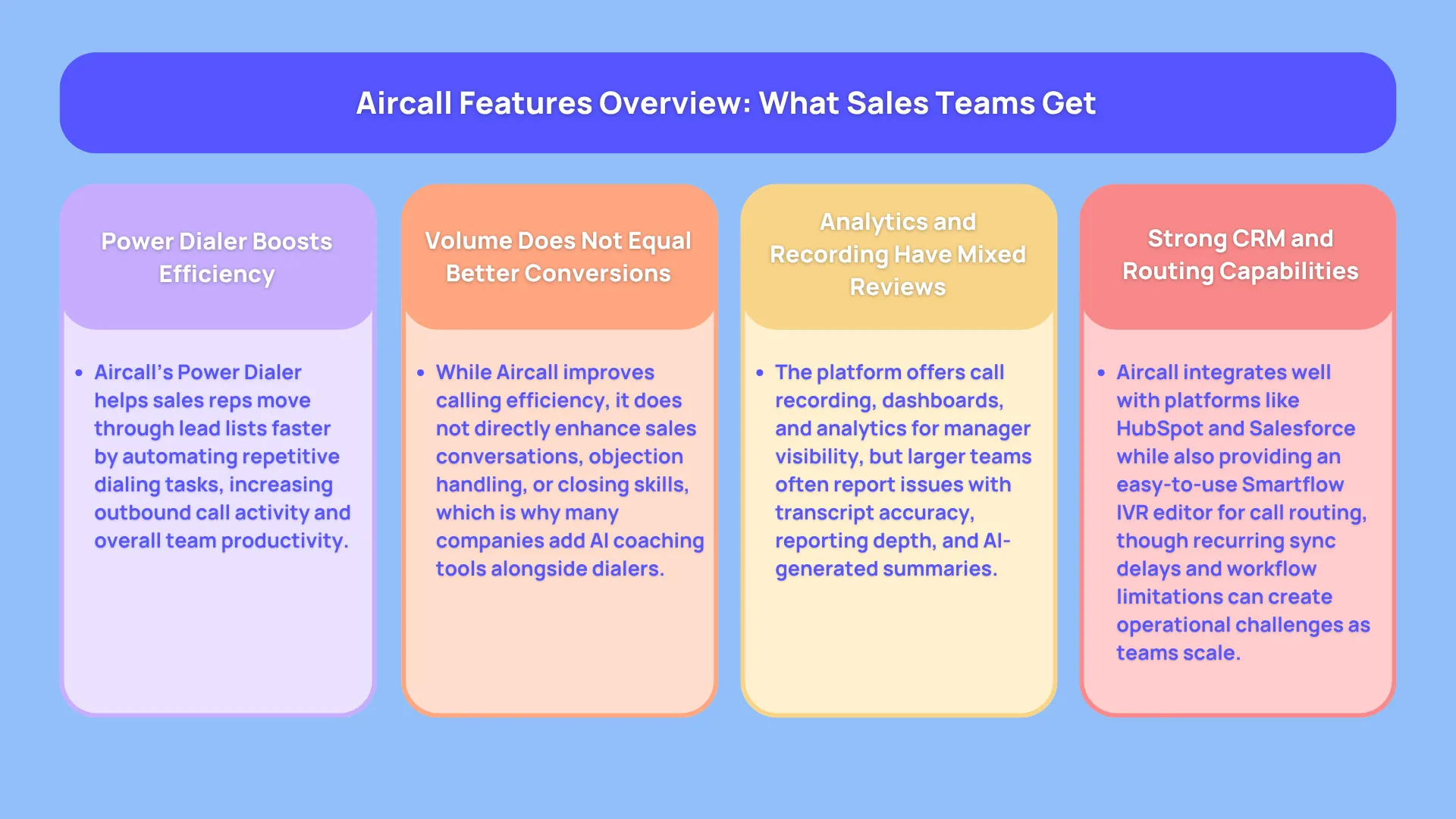
The Aircall features overview looks fairly strong for businesses evaluating modern outbound calling software.
The platform includes most of the functionality small and mid sized sales teams expect from a cloud based dialer solution. The challenge is not necessarily missing features. The bigger issue is how those features perform once teams grow and operational complexity increases.
One of the most talked about capabilities is the Power Dialer.
For outbound sales teams, the Power Dialer reduces repetitive manual work between calls. Reps move through lead lists faster without manually entering numbers after every conversation. That increases activity levels and helps teams maintain stronger outbound momentum throughout the day.
This is why many businesses ask questions like:
“Can Aircall increase call volume?”
In most cases, yes.
The Aircall dialer absolutely improves outbound efficiency compared to manual calling workflows. Reps spend less time clicking around and more time speaking with prospects.
That productivity improvement is real.
Still, there’s another side to the conversation that many reviews and software comparisons fail to discuss properly.
Higher call volume does not automatically produce higher conversion rates.
A sales rep can make twice as many calls and still struggle if their conversations lack quality. Dialing software helps teams scale activity. It does not automatically improve persuasion, objection handling, discovery quality, or closing performance.
That distinction becomes one of the most important themes in modern outbound sales software.
Aircall functions primarily as a volume and communication platform.
It helps reps connect with more prospects efficiently.
It does not fundamentally improve how those reps perform during live conversations.
That gap explains why more companies are layering AI sales coaching platforms on top of dialers rather than replacing dialers entirely.
Beyond the Power Dialer, Aircall also includes call recording and analytics tools. Managers can review conversations, monitor activity, and analyze rep performance from centralized dashboards. For smaller teams, these features provide useful visibility into outbound workflows.
User reviews, however, reveal mixed opinions about the analytics experience.
Some businesses appreciate the simplicity of the dashboards. Others criticize the reporting depth and transcript accuracy. Multiple reviewers mentioned downloading audio manually because AI generated summaries and transcripts lacked reliability.
That inconsistency matters more for larger sales organizations running quality assurance programs at scale.
The Smartflow IVR editor receives more positive feedback overall. Many admins appreciate how easily they can configure call routing without engineering support. Businesses can create routing systems, queue logic, business hour handling, and department transfers visually through the interface.
That no code flexibility remains one of Aircall’s stronger usability advantages.
The platform also performs reasonably well in CRM connectivity.
Integrations with systems like HubSpot and Salesforce help streamline sales operations significantly. Reps can click to dial directly from CRM records, while managers gain better visibility into communication activity.
Still, reviewers frequently point toward small integration issues becoming larger operational problems over time. SMS sync failures, delayed updates, and custom workflow limitations appear repeatedly across review sites.
For a five person startup, occasional sync delays may feel manageable.
For a fifty person outbound organization, those same issues can create reporting and forecasting problems very quickly.
Call Volume vs Conversion Rates: The Bigger Sales Problem
This is where many dialer reviews stop short.
Most platforms focus heavily on activity metrics:
- Calls made
- Talk time
- Queue volume
- Dial speed
- Connection rates
Those numbers matter.
But they do not automatically translate into revenue growth.
A modern sales organization has to evaluate another layer entirely:
How effectively are reps handling conversations once calls connect?
That’s a completely different problem.
Aircall improves dialing efficiency.
It does not directly improve:
- Objection handling
- Discovery quality
- Pitch execution
- Live coaching
- Real time feedback
- Conversion consistency
Without coaching infrastructure, teams often scale activity rather than results. This is becoming one of the defining shifts in outbound sales technology during 2026. Dialers create operational efficiency.
AI coaching platforms improve revenue execution.
How Teams Normally Use Aircall?
One thing many software reviews fail to explain properly is what daily usage feels like for a sales organization.
The workflow matters more than feature lists. After all, even with the extra features, if your sales team isn’t able to perform or drive results, any tool’s usefulness is rendered moot.
A typical outbound sales workflow using the Aircall app starts with lead management inside a CRM. Prospect data enters platforms like HubSpot or Salesforce through forms, prospecting databases, outbound campaigns, or enrichment tools.
Once leads exist inside the CRM, reps use the Aircall dialer to begin outbound calling.
The system allows click to dial functionality directly from CRM records, which reduces repetitive admin work significantly. Reps move through lead queues faster while conversations log automatically into customer records.
From a workflow perspective, this feels much cleaner than older telecom systems.
Managers can review recordings later, monitor call outcomes, track activity levels, and analyze rep performance from centralized dashboards.
At first, that operational visibility feels like a major upgrade.
The friction usually appears later in the coaching process.
Most sales teams using traditional dialers still rely heavily on delayed feedback loops. Managers review conversations after calls happen, identify mistakes manually, and provide coaching hours or days later. On that note, a struggling SDR may repeat the same mistake dozens of times before feedback arrives. Managers spend huge amounts of time reviewing calls manually. Quality assurance becomes labor intensive. Rep improvement slows down because coaching happens too late.
That’s one reason AI driven sales coaching platforms like Trellus.ai are gaining traction alongside traditional dialing systems.
How to Use Aircall for Cold Calling (Step by Step)
One reason many startups and outbound sales teams adopt the Aircall dialer is the relatively quick setup process.
Compared to legacy phone systems, Aircall feels lightweight and approachable. Teams can launch outbound campaigns quickly without involving a large IT department or telecom specialist.
For companies searching “how to use Aircall for cold calling,” the process usually follows a straightforward workflow.
Still, what looks simple during onboarding can become more layered once teams begin scaling outbound operations aggressively.
Here’s how most sales teams use the Aircall app daily for outbound prospecting.
Step 1: Import Leads Into Your CRM
Most outbound teams do not upload leads directly into Aircall first.
The workflow usually starts inside a CRM platform like:
- HubSpot
- Salesforce
- Pipedrive
Leads come from:
- Prospecting databases
- Website forms
- LinkedIn outreach
- Enrichment tools
- Paid campaigns
- SDR prospecting lists
Once contacts exist inside the CRM, Aircall synchronizes data through integrations.
That synchronization allows reps to call prospects directly from the CRM interface using click to dial functionality.
For sales teams, this reduces friction significantly.
Without CRM dialer integration tools, reps waste time:
- Manually entering numbers
- Logging activities
- Updating notes
- Switching between systems
Those small inefficiencies compound quickly at scale.
Step 2: Configure the Aircall Dialer
After syncing the CRM, reps configure the Aircall app.
This includes:
- Selecting outbound numbers
- Assigning call queues
- Setting availability
- Connecting headsets
- Enabling voicemail drop
- Activating Power Dialer workflows
The interface is one of the platform’s strongest advantages.
Even non technical teams can usually begin operating quickly.
Many reviewers consistently praise the onboarding simplicity.
That ease of adoption explains why Aircall is often considered a good fit for small sales organizations.
Step 3: Launch Outbound Calling Sessions
Once setup is complete, reps begin calling prospects through the Aircall dialer.
The Power Dialer automates much of the repetitive work between calls.
Instead of manually searching for numbers, reps move rapidly through lead queues.
This improves outbound efficiency considerably.
That’s why many businesses evaluating sales dialing automation software ask:
“Can Aircall increase call volume?”
For most teams, yes.
A dialer naturally boosts outbound activity because it minimizes repetitive tasks.
Reps spend more time talking and less time clicking.
Still, volume alone creates an important strategic problem.
A team can scale from:
- 50 calls per rep
To - 120 calls per rep
…without improving revenue meaningfully.
Why?
Because conversation quality still determines outcomes.
A dialer improves operational throughput.
It does not automatically improve persuasion, objection handling, or closing performance.
That distinction matters enormously in outbound sales.
Step 4: Calls Automatically Log Into the CRM
After conversations end, Aircall syncs:
- Call duration
- Notes
- Recordings
- Tags
- Outcomes
- Contact history
This automation saves significant admin time.
Managers also gain centralized visibility into rep activity.
For distributed sales organizations, that transparency becomes valuable.
However, user reviews frequently mention synchronization inconsistencies.
Several users reported issues involving:
- Delayed activity logging
- SMS sync gaps
- Incomplete CRM updates
- Custom integration limitations
Those issues may seem small initially, but large teams handling thousands of interactions weekly notice these operational gaps quickly.
Step 5: Managers Review Calls Later
This is where many sales workflows become inefficient.
Most Aircall coaching workflows remain reactive rather than proactive.
Managers typically:
- Listen to recordings later
- Identify mistakes manually
- Schedule coaching sessions afterward
- Deliver delayed feedback
That creates a slower learning cycle for reps.
A new SDR may repeat the same mistake dozens of times before coaching arrives.
This is one reason AI assisted sales enablement tools are growing rapidly in 2026.
Platforms like Trellus.ai introduce live coaching into outbound workflows.
Rather than reviewing problems days later, reps receive guidance during active calls.
That transition changes the role of the dialer itself. How so? As it turns out, the dialer becomes the communication infrastructure. And the AI layer becomes the performance improvement engine.
Aircall Integrations List (CRM + Sales Stack)
One of the strongest parts of the Aircall features overview is its integrations ecosystem.
Modern sales teams depend heavily on connected workflows. A dialer operating separately from the rest of the sales stack creates operational inefficiencies quickly. Reps end up switching between tabs constantly, managers lose visibility, and reporting accuracy suffers.
Aircall positions itself as a communication layer that connects smoothly into existing business systems.
The platform integrates with tools like:
- HubSpot
- Salesforce
- Slack
- Zapier
- Zendesk
- Intercom
For small and mid sized organizations, these integrations cover most common sales and support workflows.
This is one reason many businesses researching “does Aircall integrate with CRM systems” usually leave with a positive first impression. Basic synchronization works reasonably well for many use cases.
Calls log automatically, recordings attach to contact records, and reps can place outbound calls directly from CRM pages.
That operational convenience matters.
Still, user reviews consistently reveal another side to the experience once workflows become more advanced.
Several reviewers mentioned issues involving:
- SMS synchronization gaps
- Delayed activity logging
- Custom integration limitations
- Workflow inconsistencies
- API restrictions
At small scale, occasional sync problems feel manageable.
At larger scale, those same problems create reporting and forecasting issues that affect the entire revenue operation. Sales managers depend heavily on CRM accuracy for pipeline visibility and performance analysis. Small integration gaps become much more painful when multiple departments rely on the same data.
This is why many mid market and enterprise teams eventually begin evaluating Aircall alternatives comparison platforms with stronger operational depth.
How to Track Sales Calls Automatically With Aircall?
Many companies searching “how to track sales calls automatically” are really looking for three things:
- Visibility
- Accountability
- Coaching opportunities
Aircall helps solve the visibility side fairly well.
Managers can review:
- Total calls
- Missed calls
- Average duration
- Queue performance
- Rep activity
- Recordings
- Tags
The dashboard structure is relatively clean compared to older telephony systems.
For growing sales teams, centralized call data is valuable.
Without tracking systems, coaching becomes almost impossible.
Managers rely on rep memory rather than objective conversation data.
That creates inconsistent performance management.
Where Call Tracking Starts Falling Short
Tracking alone does not improve outcomes.
This is one of the most important distinctions businesses miss when evaluating dialers.
Most cloud based dialer solution platforms focus heavily on measurement.
Far fewer focus on live performance improvement.
Aircall helps managers understand what happened.
AI coaching platforms help reps improve while conversations are happening.
That difference changes conversion rates dramatically.
Here’s a simple scenario.
Before AI Layer
A sales rep makes:
- 100 outbound calls daily
- Converts 5% of conversations
- Closes 5 deals
After AI Coaching Layer
The same rep still makes:
- 100 outbound calls daily
But now receives:
- Live objection handling suggestions
- Real time coaching prompts
- Talk ratio feedback
- Discovery reminders
- Competitive battle cards
Conversion improves from:
- 3%
to - 4% or 5%
Now the rep closes:
- 7 to 8 deals daily
That may sound like a small percentage lift.
Financially, it becomes massive at scale.
This explains why many organizations are layering AI onto dialers rather than replacing the dialers entirely.
The infrastructure remains useful.
The intelligence layer creates the revenue leverage.
Where Aircall Helps — And Where It Doesn’t
Every dialer category has strengths and limitations.
Aircall is no exception.
The platform performs well in several areas, especially for smaller teams needing a fast deployment experience.
Where Aircall Helps
Fast setup
Aircall is genuinely easier to launch than many legacy phone systems.
Remote teams can begin operating quickly.
Clean user experience
The interface is modern and relatively intuitive.
Many users appreciate the low learning curve.
Good SMB functionality
For small businesses, Aircall covers most core communication needs:
- Calling
- Routing
- CRM sync
- Shared inboxes
- Basic analytics
Outbound efficiency
The Power Dialer improves activity throughput.
Reps spend less time on manual dialing work.
Where Aircall Struggles
Advanced sales coaching
Aircall tracks calls.
It does not actively coach reps during conversations.
That creates slower rep development cycles.
Conversion optimization
The platform increases activity volume but does not directly improve close rates.
This distinction becomes critical at scale.
Without AI coaching, you are scaling activity, not results.
Pricing rigidity
Many user complaints center around:
- Seat minimums
- Annual commitments
- Cancellation disputes
- Billing frustrations
Enterprise scalability
Several reviews suggest larger organizations outgrow Aircall relatively quickly.
Common concerns include:
- Integration limitations
- Reporting depth
- Workflow flexibility
- International reliability
- Support responsiveness
How to Add AI Coaching to Aircall (Step by Step)
The biggest evolution in outbound sales software during 2026 is not dialing.
It’s real time performance enhancement.
Sales teams increasingly recognize that:
- More calls help
- Better conversations matter more
This is where AI coaching layers become valuable.
Step 1: Connect Aircall to an AI Platform
Teams integrate the Aircall dialer into AI driven coaching systems like Trellus.ai.
The dialer remains the communication infrastructure.
The AI platform analyzes conversations live.
Step 2: Enable Real Time Guidance
The AI layer can surface:
- Objection handling suggestions
- Discovery prompts
- Compliance reminders
- Competitor responses
- Call scoring insights
This happens during conversations, not after them.
That distinction matters enormously.
Step 3: Monitor Coaching Trends
Managers gain broader visibility into:
- Common objections
- Winning behaviors
- Rep weaknesses
- Conversation quality
- Closing patterns
This dramatically reduces manual QA work.
Step 4: Improve Conversion Rates
The goal changes from:
“Make more calls”
to:
“Improve conversation quality consistently”
Aircall Pricing Plans Explaine
One of the most common questions businesses ask before adopting the Aircall dialer is simple:
“How much does Aircall cost per month?”
The answer looks relatively affordable at first glance. The deeper you go into real operational usage, the more layered the pricing becomes.
This is where many companies miscalculate software costs. They see the starting subscription price and assume that represents the full investment. In reality, outbound sales teams often require analytics add ons, AI functionality, additional integrations, and higher tier plans long before scaling properly.
That changes the total Aircall cost significantly.
The platform currently structures pricing around three main tiers.
The Essentials plan starts around $30 per user monthly when billed annually. This is the entry level option aimed at smaller teams needing basic calling functionality, CRM integrations, IVR capabilities, call recording, and mobile app access.
At surface level, this pricing feels competitive.
A three rep team would pay roughly $90 monthly before additional usage costs or add ons enter the picture.
The challenge is that many outbound sales organizations quickly outgrow the Essentials plan because advanced sales functionality sits inside higher tiers.
The Professional plan is where most active outbound teams begin paying serious attention. Pricing moves closer to $50 per user monthly with annual commitments attached. This plan includes features like Power Dialer, advanced analytics, smart routing, voicemail drop, and stronger sales management capabilities.
For an outbound SDR organization, the Professional tier feels much more realistic because Power Dialer functionality is one of the platform’s main attractions.
Once businesses begin calculating team wide costs, however, the numbers escalate faster than expected.
A ten rep SDR team using the Professional plan reaches roughly $500 monthly before additional functionality gets added. Analytics packages, AI tools, international calling, and communication add ons push the number much higher.
At twenty five reps, organizations can easily move into multi thousand dollar monthly spend territory.
That’s the moment many sales leaders start evaluating software differently.
The conversation automatically transitions from:
“Can this dialer help us make more calls?”
to:
“Is the revenue improvement worth the operational cost?”
Real Aircall Cost Scenarios for Growing Sales Teams
Software pricing becomes more useful when translated into real business situations rather than abstract subscription numbers.
Let’s look at what Aircall pricing plans may resemble for actual outbound teams.
Imagine a ten person SDR organization running outbound prospecting campaigns daily.
The company selects the Professional plan because they need Power Dialer functionality and stronger analytics visibility. At approximately $50 per rep monthly, the baseline subscription reaches around $500 monthly immediately.
Then additional functionality begins stacking on top.
Suppose the team wants deeper analytics visibility through Analytics+ features. That introduces another recurring per user cost. If the company also wants AI related capabilities like conversation summaries or transcription support, pricing increases again.
Suddenly the organization is spending closer to $700 to $900 monthly depending on feature selections.
That means the annual software investment can move beyond $10,000 fairly quickly for a relatively small sales team.
Now scale the same scenario to twenty five outbound reps.
The subscription cost alone moves toward several thousand dollars monthly once advanced functionality enters the stack. Annual spending can surpass $30,000 surprisingly fast.
This creates a very important conversation around software ROI.
Aircall absolutely improves communication infrastructure and outbound efficiency.
Still, many user reviews raise the same concern repeatedly:
The platform improves activity levels more than conversion performance.
That distinction becomes critical at scale.
A company spending thousands monthly on dialing infrastructure eventually asks a much deeper question:
“Is this software helping reps close more deals or simply helping them make more calls?”
That’s where the modern outbound sales market has shifted over the last couple of years.
Mini ROI Scenario: Aircall Alone vs Aircall With AI Coaching
This is where the economics become much more interesting.
Imagine a rep using only the Aircall dialer.
The rep makes one hundred outbound calls daily and converts around five percent of qualified conversations into deals. That produces roughly five successful outcomes.
Now imagine the same rep operating with an AI coaching layer connected during calls.
The rep still makes one hundred calls daily.
The activity level stays exactly the same.
What changes is the conversation quality.
During live calls, the rep receives:
- Objection handling suggestions
- Discovery prompts
- Real time coaching
- Competitive positioning reminders
- Confidence reinforcement
Now the conversion rate improves modestly from five percent to seven or eight percent.
That may sound like a small percentage jump.
Financially, it becomes enormous over weeks and months.
The rep now closes seven or eight deals from the same call volume.
This is precisely why many organizations are layering AI coaching systems like Trellus.ai on top of dialers rather than abandoning dialers entirely.
.jpeg)

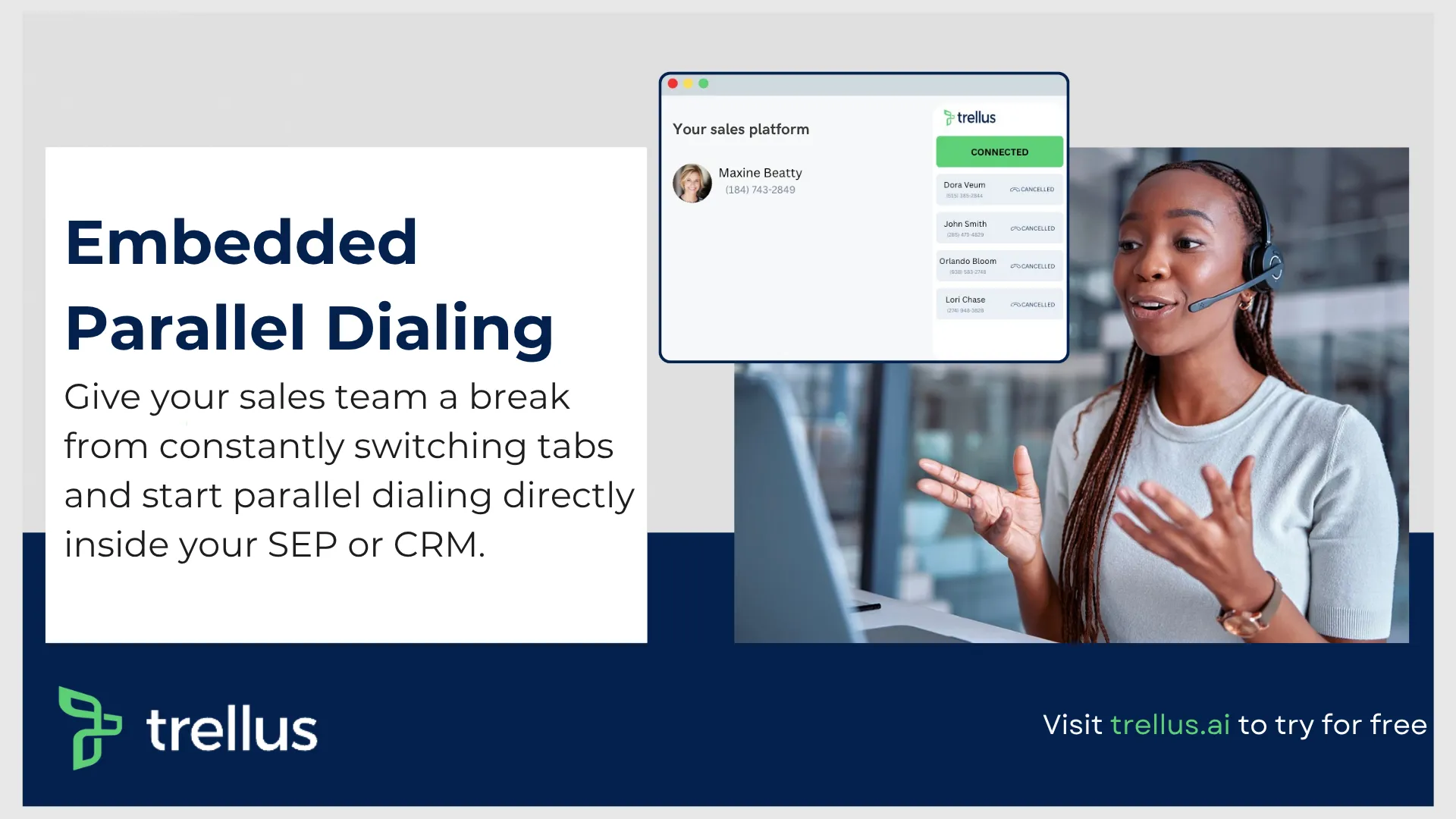
Power and parallel dialing in your CRM.