8 Best Salesforce Auto Dialers for Cold Calling Teams
Tired of the usual Salesforce auto dialers that don't hold up to the mark these days? We get it. Here's a fresh and detailed intake on some of the best solutions that'll work for you. Read on...

On this page
Our Top Picks


Cold calling is far from dead, but it has changed.
Sales teams are dealing with lower answer rates, busier prospects, and tighter competition. That is exactly why a solid salesforce auto dialer is no longer a “nice to have” but something that directly impacts the pipeline. But that only matters if you’re using Salesforce as your primary platform for outreach and to secure more conversions.
If the answer is yes, then we have a very detailed overview of some of the best digital solutions that can help you to outperform the competition out there.
Having said that, a typical version of a modern Salesforce outbound calling tool does more than just dial numbers. It connects your reps with the right leads faster, logs activity automatically, and turns raw calling into structured, trackable revenue activity. If your team still relies on manual dialing, you are leaving efficiency on the table.
This breakdown walks through the best Salesforce dialer options in 2026, how they fit into real sales workflows, and what kind of teams benefit from each.
Key Takeaways
- Not all Salesforce auto dialers are built for the same outcome: Some tools focus on raw call volume, while others prioritize conversation quality and coaching. The right salesforce auto dialer depends on how your team sells, not just how many calls you want to make.
- Your dialer integration is where most of the value happens: A tool that deeply connects with Salesforce will improve data accuracy, streamline call campaign tracking, and eliminate manual work. That is what turns a dialer into a true salesforce call automation engine.
- Productivity gains come from structure, not just speed: Some of the best tools combine lead calling automation, smart workflows, and visibility into performance. That balance is what separates a basic salesforce automated dialer from a high-impact sales productivity dialer.
Why Salesforce Auto Dialers Matter More Than Ever
A Salesforce CRM dialer integration is not just about speed. It is about removing friction from your sales process.
Think about a typical outbound rep’s day. Without proper sales call automation, they are switching tabs, logging calls manually, and losing time between conversations. A good salesforce automated calling setup changes that entirely.
Here is what improves when you add a proper CRM dialer software into your stack:
- Lead calling automation becomes seamless
Reps move from one call to the next without interruptions, keeping momentum high. - Call campaign tracking becomes automatic
Every call, note, and outcome is logged inside Salesforce without extra effort. - Sales productivity dialer impact is immediate
Teams can double or even triple daily call volume without burning out. - Outbound call management becomes structured
Managers gain visibility into performance, connection rates, and pipeline contribution.
If you are wondering about salesforce auto dialer vs manual dialing, the difference is simple. Manual dialing limits output. Automation scales it.
How Did We Select These Tools?
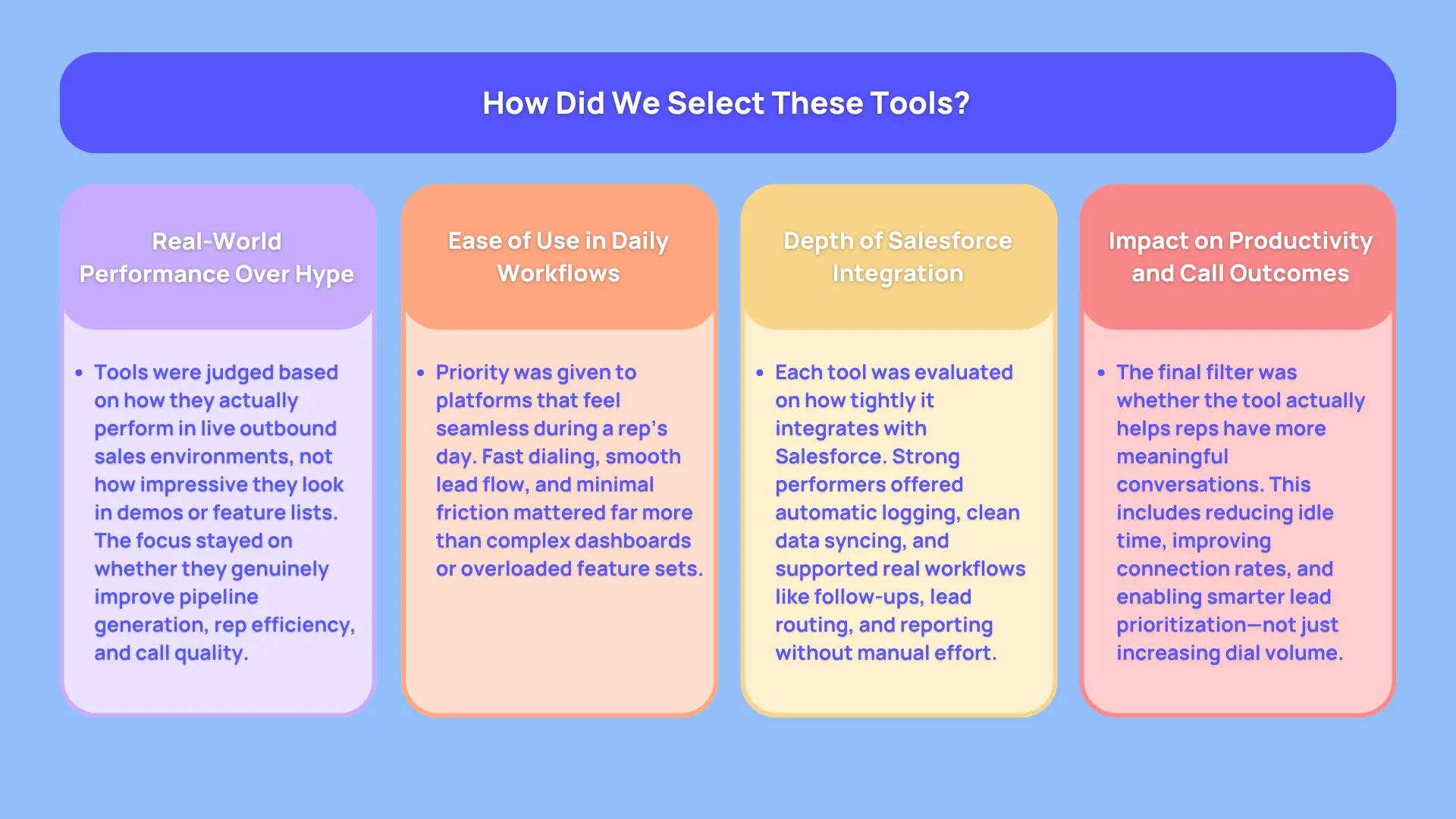
Most platforms today offer some version of salesforce auto dialer capabilities, but very few actually improve how sales teams perform day to day.
Our main goal at this point was to filter out the usual noise and focus on tools that genuinely move the needle on pipeline creation, rep productivity, and call quality.
To get there, each tool was evaluated through the lens of real outbound sales workflows, not just marketing claims.
Real World Usability Over Feature Lists
A lot of Salesforce dialing software looks impressive on paper. Long lists of features, complex dashboards, and advanced capabilities can make any platform seem powerful. What matters more is how those features show up in a rep’s daily routine.
The focus was on how quickly a rep can start calling, how smoothly they can move through leads, and how much friction exists between conversations. A strong salesforce outbound calling tool should feel invisible during use. If reps are constantly clicking around or fixing data, productivity drops no matter how advanced the system claims to be.
This is especially important when comparing salesforce auto dialer vs manual dialing. The whole point of automation is to remove effort, not add complexity.
Depth of Salesforce CRM Dialer Integration
Not all integrations are equal. Some tools connect to Salesforce at a surface level, while others become a natural extension of the CRM.
Each platform was assessed on how deeply it supports Salesforce CRM dialer integration. That includes automatic activity logging, clean data syncing, and how well it supports workflows like lead assignment, follow ups, and reporting.
A proper salesforce call tracking system should not require manual updates or constant supervision. The more seamless the integration, the more reliable your data becomes, which directly impacts forecasting and decision making.
Impact on Sales Productivity and Call Efficiency
At its core, a sales productivity dialer should help teams have more meaningful conversations in less time. That does not just mean increasing call volume. It also means improving connection rates, reducing downtime between calls, and helping reps stay focused.
Each tool was reviewed based on how it supports sales call automation and lead calling automation in a practical sense. Does it reduce idle time. Does it help reps prioritize the right leads. Does it support structured outreach.
Tools that simply automate dialing without improving outcomes did not rank as highly as those that enhance overall outbound call management.
What Features Should You Look for in a Salesforce Auto Dialer?
Not all Salesforce dialing software is built the same. Some tools focus on speed, others on intelligence, and some try to balance both.
When evaluating a salesforce automatic dialing system, focus on how it fits your workflow rather than just feature count.
Core capabilities that actually matter
- Click to dial and power dialing
A strong salesforce auto calling software should allow reps to move through lead lists without delay. - Call tracking and logging
A proper salesforce call tracking system ensures every interaction is recorded automatically. - Cadence and workflow automation
Good tools support structured outreach sequences, improving consistency across reps. - Telephony integration Salesforce compatibility
Deep integration ensures data flows cleanly between your dialer and CRM. - Analytics and reporting
You need visibility into call outcomes, rep performance, and campaign success. - Local presence and smart routing
Features that increase answer rates and improve connection quality.
At this point, a commonly occurring question is, is salesforce auto dialer suitable for small businesses?
The answer is yes, but only if the tool matches your scale. Smaller teams usually benefit more from power dialers than predictive systems.
The 30, 60, and 90 Day Roadmap After Implementing a Salesforce Auto Dialer
Rolling out any kind of new tech that your organization isn’t familiar with does have its minor challenges. But that’s how a pipeline gets built. The impact does not happen overnight, but it becomes very visible when you look at progress over the first 90 days.
What follows is a realistic, sales-first roadmap that shows how a team evolves after adopting a Salesforce outbound calling tool with proper Salesforce CRM dialer integration.
First 30 Days, Fixing the Foundation
The first month is all about getting your system live and removing friction from your reps’ daily workflow. This is where salesforce call automation starts replacing manual effort.
At this stage, most teams notice a shift in how structured their outbound activity becomes. Reps are no longer guessing who to call next or logging activities manually. The system begins handling lead calling automation and call campaign tracking in the background.
You will typically see:
- Reps spending less time on admin work and more time actually calling
- Cleaner data inside your salesforce call tracking system
- Faster movement through lead lists with basic sales call automation in place
There is still a learning curve. Some reps may resist the change, especially if they are used to manual dialing. This is also the phase where teams start asking questions like, what features should I look for in a salesforce auto dialer? because they begin to understand what matters in real usage.
From a performance standpoint, results are modest but noticeable. Call volume increases slightly, but the bigger win is consistency. Everyone starts following the same process.
Days 31 to 60, Building Momentum and Efficiency
Once the basics are in place, the second phase is where things start to accelerate. The sales productivity dialer effect becomes more obvious.
Reps are now comfortable with the system, and workflows become second nature. This is where a proper CRM dialer software begins to show its value in terms of efficiency and output.
Key changes during this period include:
- Significant increase in daily call volume through better pacing and reduced downtime
- Improved outbound call management with clearer visibility into rep activity
- More reliable call campaign tracking, making it easier to identify what messaging works
- Higher connection rates if features like local presence or smart routing are enabled
This is also when teams begin to see the difference between a basic salesforce automatic dialing system and a more advanced salesforce automated dialer. Smarter tools start influencing not just how many calls are made, but which calls are prioritized.
Managers benefit heavily in this phase. With better data flowing through your telephony integration Salesforce setup, coaching becomes more targeted. Instead of guessing, managers can pinpoint where reps are struggling and intervene quickly.
For teams comparing salesforce auto dialer vs manual dialing, this is usually the turning point. The gap in productivity becomes hard to ignore.
Days 61 to 90, Optimization and Revenue Impact
By the time you reach the third month, the dialer is no longer “new software.” It becomes part of your sales engine.
This is where optimization kicks in. Teams start refining workflows, improving messaging, and getting more strategic about outreach. The focus shifts from activity to outcomes.
You will typically notice:
- Strong improvements in pipeline creation due to better salesforce automated calling workflows
- Higher conversion rates as reps become more confident and consistent
- More advanced use of salesforce auto dialer for lead management, including prioritization and segmentation
- Better forecasting accuracy thanks to structured data from your Salesforce dialing software
This stage also answers a common question, what types of calls can a salesforce auto dialer make? Teams begin leveraging different dialing modes depending on campaign goals, from high-volume prospecting to more targeted outreach.
The 8 Best Salesforce Auto Dialer 2026
1. Salesforce Sales Engagement (High Velocity Sales)
If your entire workflow lives inside Salesforce, this is the most natural starting point. In other words, it's their own official sales dialer that sits inside the program's environment by default.
This salesforce auto dialer is built directly into the ecosystem, which means no complex setup or external syncing. Everything from lead calling automation to activity tracking happens natively.
What stands out
- Native click to dial inside Salesforce
- Built-in cadence management
- Automatic activity logging
- Einstein AI insights for prioritization
Where it falls short
It lacks advanced dialing modes like predictive or power dialing, so high volume teams may find it limiting.
Best fit
Teams deeply invested in Salesforce that want clean, simple Salesforce call automation without adding another vendor.
2. Trellus
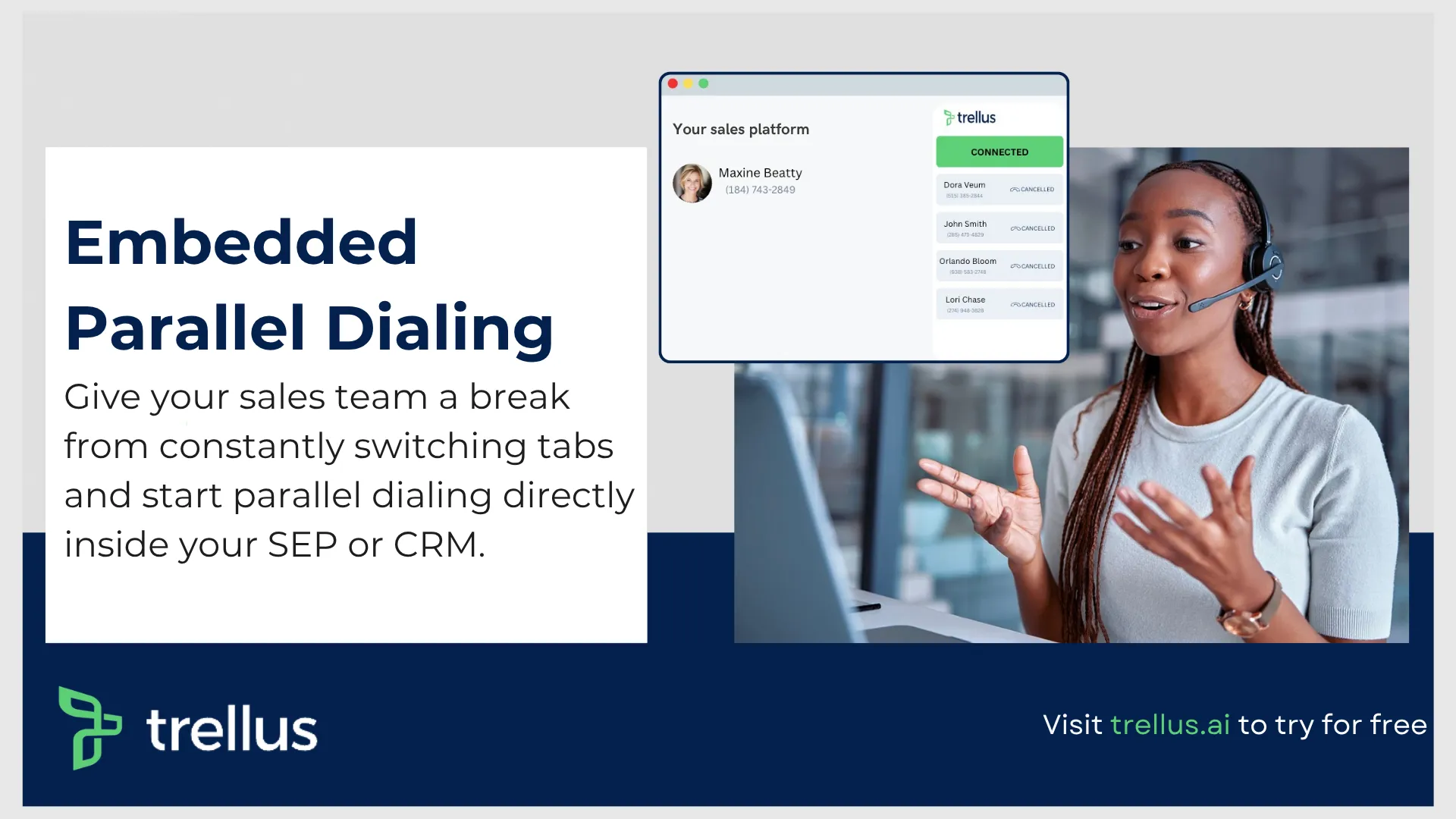
If most dialers focus on either speed or structure, this one leans into both while layering intelligence on top. It is built for teams that care about conversation quality just as much as call volume, which makes it stand out in a crowded salesforce auto dialer 2026 landscape. (Setup details: Trellus for Salesforce.)
What makes this platform interesting is how it blends real time assistance with Salesforce call automation. Reps are not just dialing faster, they are getting guided through conversations, handling objections better, and staying consistent across campaigns. That combination turns it from a simple salesforce outbound calling tool into something closer to a coaching layer inside your workflow.
What stands out
- AI driven live call guidance
Reps receive real time prompts during conversations, helping them respond to objections, stay on script, and improve outcomes. This is where salesforce automated calling starts to feel more like assisted selling than just automation. - Seamless Salesforce CRM dialer integration
Activity logging, notes, and outcomes sync automatically, making it a reliable salesforce call tracking system without extra admin work. - Built for high performance teams
The platform supports structured cadences and call campaign tracking, giving managers visibility into what is working and where reps need support. - Balanced dialing approach
It functions as a strong sales productivity dialer, offering efficient calling flows without overwhelming reps like aggressive predictive systems sometimes do. - Coaching and performance insights
Managers can review conversations, identify trends, and refine messaging, which strengthens overall outbound call management.
Where it feels limited
- Teams looking for a pure high-volume high-volume calling tool might find it less aggressive than traditional predictive dialers
- Some advanced enterprise telephony features are not as extensive as legacy VoIP providers
Best fit
This solution works best for teams that care about conversion quality, not just activity metrics. If your workflow involves discovery calls, qualification, or multi-step outreach, it fits naturally as a salesforce auto dialer for lead management.
It is also a strong option for teams evaluating salesforce auto dialer vs manual dialing, especially when the goal is not just more calls, but better conversations.
How It Fits Into Modern Salesforce Dialing Software
Many teams searching for a salesforce automatic dialing system are really trying to solve two problems at once. They want to increase call volume, and they want reps to perform better on those calls.
This is where Trellus positions itself differently.
Rather than acting purely as a CRM dialer software, it supports:
- Lead calling automation with context
Reps see relevant data and prompts at the exact moment they need it - Sales call automation with intelligence
Conversations are guided, not just initiated - Telephony integration Salesforce teams can rely on
Data stays clean, structured, and actionable inside the CRM - Dialing software for sales teams that want consistency
Messaging, tone, and qualification improve across the board
If you are asking what features should I look for in a salesforce auto dialer, this is a good example of where the category is heading. It is no longer just about dialing faster, it is about making every call count.
3. RingCentral
RingCentral has been around long enough to build serious credibility in VoIP and enterprise telephony.
It is more than just a salesforce outbound calling tool. It offers a full communication ecosystem, including voice, video, and messaging.
What stands out
- Enterprise-grade telephony integration Salesforce support
- Omnichannel communication tools
- Strong call routing and IVR
- Reliable call quality
Where it struggles
Advanced features like smart dialing and sentiment analysis are locked behind higher tier plans. Implementation can take time, sometimes up to a few months.
Best fit
Larger organizations looking for a unified communication system alongside their CRM dialer software.
4. Aircall
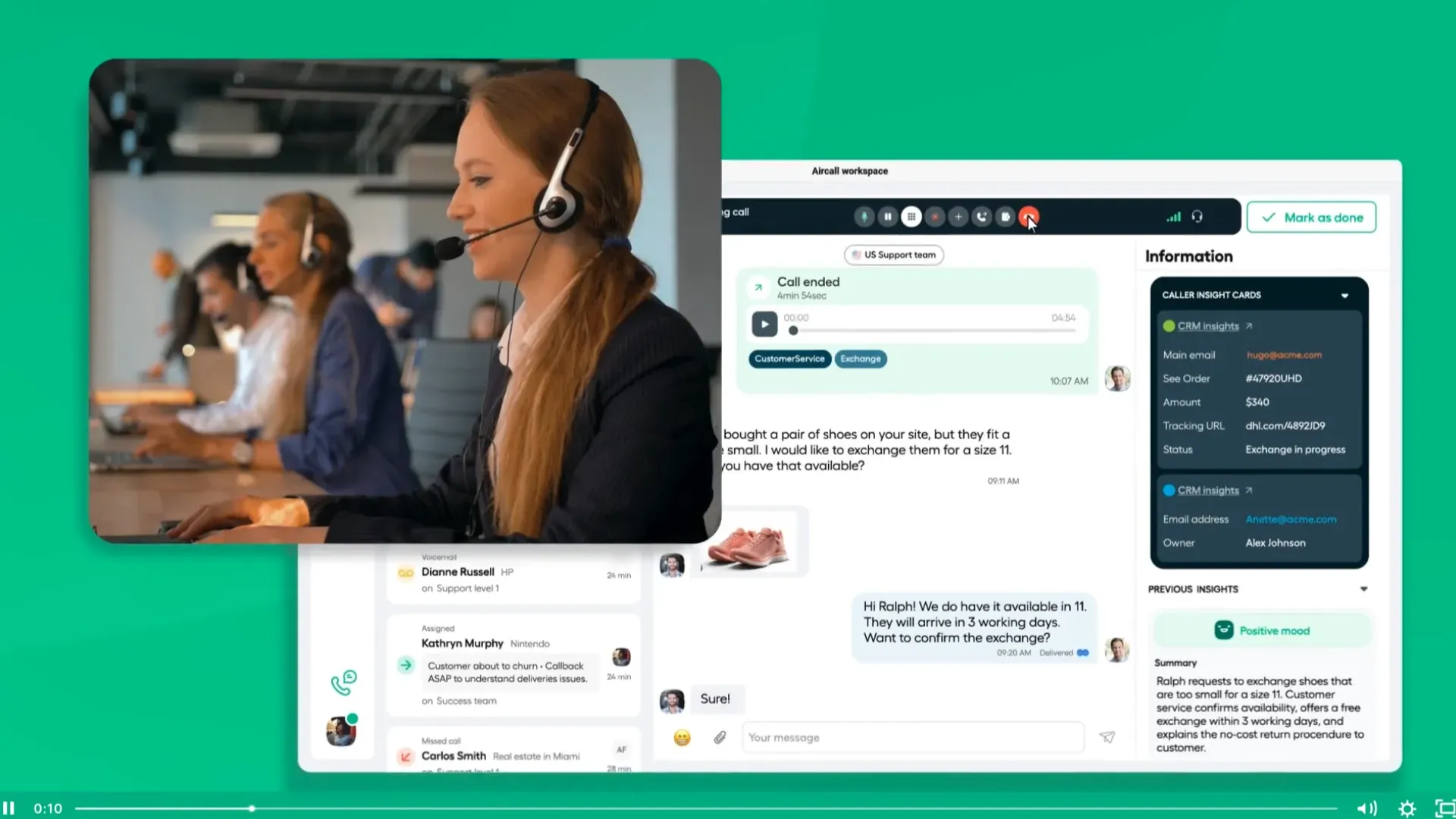
Aircall focuses heavily on ease of use and automation, making it a popular salesforce automated dialer for growing teams.
It is built for speed, with a clean interface that helps reps stay focused on conversations rather than tools.
What stands out
- Strong automation features
- Smooth Salesforce CRM dialer integration
- Easy setup and onboarding
- Reliable call routing and monitoring
Where it struggles
Limited video and collaboration features, which may matter for teams that combine calling with demos.
Best fit
Small to mid-sized sales teams that need a practical sales productivity dialer without complexity.
5. Kixie PowerCall
Kixie is built for one thing, high volume outbound calling. If your team lives on the phone, this tool delivers.
It is one of the strongest options for teams asking about a high-volume calling tool connected to Salesforce.
What stands out
- Multi-line power dialing
- Local presence dialing
- SMS integration within Salesforce
- Real-time call tracking
Where it struggles
It is heavily focused on outbound, so teams needing broader communication features may need additional tools.
Best fit
Outbound heavy teams running aggressive call campaigns and needing strong outbound call management.
6. PhoneBurner
PhoneBurner is known for helping reps maximize call efficiency without overwhelming them.
It focuses on power dialing, which keeps reps in control while still improving speed.
What stands out
- Power dialing from Salesforce lead lists
- Voicemail drop automation
- Built-in workflow automation
- Strong analytics for call campaign tracking
Where it struggles
It lacks predictive dialing, which some larger teams might want.
Best fit
SMBs and mid-sized teams looking for structured lead calling automation without overcomplication.
7. Talkdesk
Talkdesk leans more toward contact center functionality, but it still works as a capable salesforce auto calling software.
It brings strong analytics and workforce management into the mix.
What stands out
- Advanced reporting and analytics
- Real-time monitoring
- Strong call routing and IVR
- Scalable infrastructure
Where it struggles
Some users report performance issues, and it lacks certain collaboration features like conferencing.
Best fit
Teams that want a hybrid of support and sales within a single Salesforce dialing software environment.
8. GoTo Connect
GoTo Connect is built for growing businesses that want reliability without complexity.
It offers a balanced mix of features and usability, making it a practical salesforce automated dialer option.
What stands out
- Smart dialer capabilities
- Strong mobile experience
- High call quality
- Simple onboarding
Where it struggles
Limited integrations compared to competitors, which may impact larger tech stacks.
Best fit
Scaling businesses looking for a stable salesforce auto dialer for lead management without steep learning curves.