GoHighLevel Dialer Options: WAVV, Trellus, and Native Calling
Compare HighLevel’s native calling with WAVV and Trellus, then use a practical call-block checklist to evaluate lists, notes, callbacks, and team fit.

On this page
Our Top Picks


You do not need to replace GoHighLevel just to change how your team calls. Start with the worklist: do reps work through assigned call tasks, or choose a Contacts Smart List and call that group?
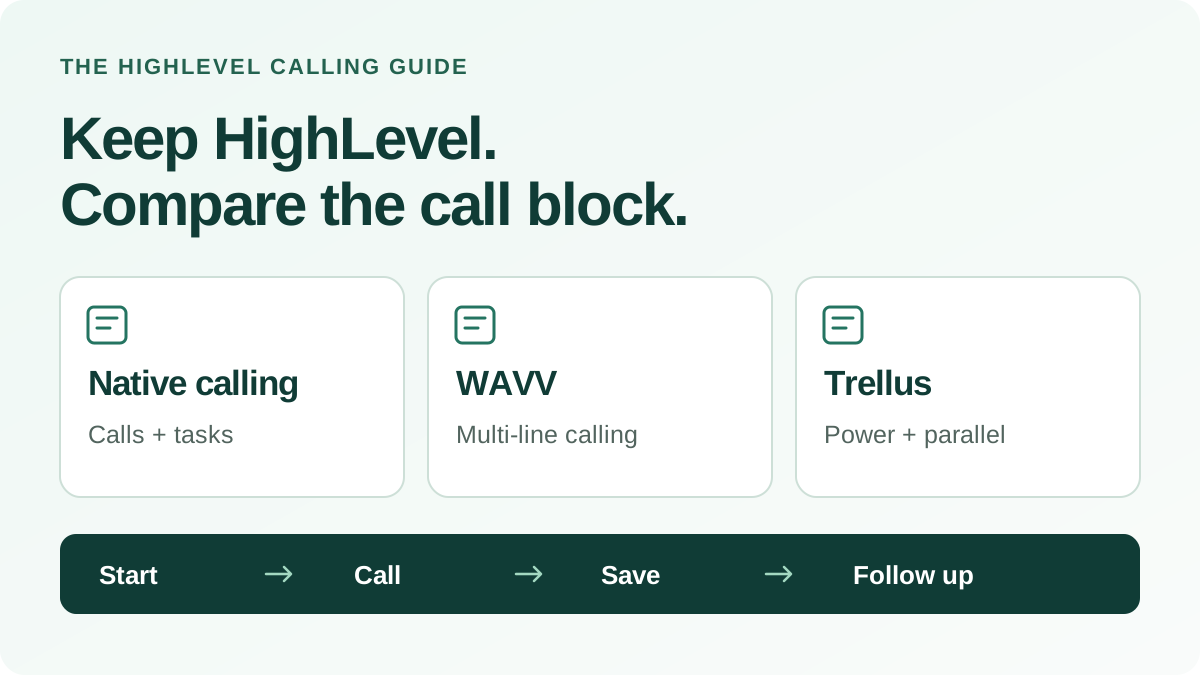
If HighLevel’s existing calling queue does the job, keep it. If you want an embedded multi-line dialer, compare WAVV and Trellus on the complete call block—not just the number of lines. The useful question is what happens from opening the list to saving the next follow-up.
About this guide: Trellus publishes it. HighLevel’s Smart Lists guide and WAVV’s HighLevel, installation, partner and transcript-summary pages were checked on October 21, 2026. The linked dialing-mode and callback guides informed the October 20 review. The Trellus workflow is described in the integration guide. We have not run an equivalent hands-on WAVV test or measured a performance difference.
Explore the Trellus workflow in GoHighLevel
For supported starting screens, dialing modes, saved call details and follow-up tasks, read the Trellus for GoHighLevel integration guide. Bring your Contacts Smart List and follow-up requirements to a demo so your team can inspect its own workflow.
Explore the GoHighLevel demo, or use the Trellus setup and acceptance checklist to verify a location you plan to launch.
Three options for a team keeping HighLevel
Use the same questions for each option. HighLevel’s native calling documentation, WAVV’s HighLevel product page, and Trellus’s integration guide describe the workflows below.
| Decision | HighLevel native calling | WAVV in HighLevel | Trellus in HighLevel |
|---|---|---|---|
| Where reps start | Individual contacts in the Web Dialer, or workflow-created tasks in Conversations → Manual Actions. | Embedded dialing inside HighLevel. | The active location’s Contacts Smart List, or an Opportunity pipeline or stage view confirmed during setup. |
| Dialing mode | Individual calls or a one-at-a-time Manual Actions queue. | Multi-line calling with up to three lines. | Power or parallel dialing, depending on the Trellus plan. |
| Review after a call | Record notes and results on the contact. | Dispositions and recordings; transcripts and AI summaries in WAVV History when recording and transcription are enabled. | Review and edit the summary and call notes, save the outcome, and apply a selected tag. |
| Two people answer at once | The individual-call and assigned-task workflows above are one-at-a-time workflows. | A configured Callback Message handles the additional answer and makes that contact a priority callback after the current call. | Ask for a demonstration of this situation in the intended parallel mode, including what each person hears and how the rep follows up. |
| A promised follow-up | Check how your workflow creates and assigns the next manual call task. | WAVV advertises scheduled follow-ups. Check the due date, owner and where the rep finds that task in your HighLevel setup. | Create a contact-linked callback task with a due date. Assignment depends on the rep’s HighLevel identity being available. |
| What to check in a demo | How calls enter the assigned queue and how your reps finish the task. | Your starting list, required contact fields, callback behavior, and number package. | Your Smart List, plan, coaching needs, and any agency-branded domain. |
Neither a line count nor a feature checklist tells you how many qualified meetings you will book. Compare the call flow with work your team actually needs to do.
Keep HighLevel’s native dialer when the queue already works
HighLevel has two useful starting points. Its Web Dialer handles an individual call from a contact search, recent call, or entered number. Its power-dialer workflow works through manual call tasks under Conversations → Manual Actions.
A Manual Call action can put a contact into that queue after a workflow trigger, such as a form submission. HighLevel also documents assigning those tasks to a user or by round robin, with call notes and results recorded on the contact.
That can be the right fit for a team with a well-defined follow-up process and no need to change the dialing mode. Before adding software, ask a rep to show where the current process slows down. If the problem is unclear task ownership or poor phone data, a different dialer will not fix it on its own.
Consider WAVV for an embedded multi-line calling workflow
WAVV’s HighLevel offering combines multi-line dialing with contact dispositions, recordings, callbacks, and reporting. It also promotes local presence and number-health tools. Those are useful capabilities to evaluate if you want to keep HighLevel and improve the calling setup around it.
WAVV deserves a place on the shortlist when that combination matches your needs. Ask its team to demonstrate your actual starting list and the exact contact information left after a call. Include a callback in the demonstration; a callback label alone does not tell you where the rep will find the next task.
For post-call review, WAVV’s transcript-summary guide describes enabling call recording and transcription, then opening the recorded call in History to read its transcript and AI summary. Its disposition guide distinguishes CRM-level and team-level settings, including a CRM tag for an outcome. Have the vendor show those settings and the resulting HighLevel record; a summary in call history and a note saved to the CRM are different things to inspect.
Also check the selected WAVV dialing mode. Standard uses a manual Resume between attempts; Advanced advances through unanswered attempts and pauses after a connected call. Answer Boost adds answer detection. WAVV documents that detection can introduce a delay and can misclassify an answering machine, so test the mode you plan to use rather than assuming every configuration connects in the same way.
Use WAVV’s current plans to check the package and obtain the full cost for your callers, numbers, and usage. Do not base the decision on an old third-party price or an assumed seat requirement.
Two different things can be called a “callback”
An additional live answer needs attention now. WAVV’s Callback Message documentation describes connecting the rep to the first answer, playing a configured message to another answer, then prioritizing a return call after the current conversation. Without that message configured, the guide says the additional contact is not made a priority callback.
A promised follow-up is a commitment for later. Imagine a prospect asks for Tuesday at 3 p.m. The useful result is a task attached to the right contact, with the agreed time and an owner who can find it. A priority return call after two people answer does not by itself demonstrate that scheduled-task workflow.
Ask each provider to show both cases using controlled test contacts. For WAVV, the first call’s “Callback” entry is a call-history label, not a CRM tag; its guide describes tagging or disposition selection on the return call. For Trellus, check the saved callback’s due date and assignee in HighLevel, and ask separately about simultaneous answers. Do not treat a matching feature name as proof that the workflows are identical.
Choose Trellus when the call block starts in a Contacts Smart List
A HighLevel Smart List groups contacts using saved filters and updates as those contacts meet or stop meeting the conditions. Trellus lets reps call from that familiar worklist instead of exporting it into a separate calling list.
For example, a rep can open the location’s new-lead Smart List, start Trellus, and choose the available power or parallel mode. The linked contact and phone options stay with the call block. After a conversation, the rep reviews the summary and notes, selects the outcome and any tag, and finishes the result before continuing.
Trellus can save a contact note containing the selected outcome and available call details. A selected HighLevel tag is applied when the result is completed. For a requested follow-up, Trellus can create a contact-linked callback task with a due date; assignment to the rep depends on their HighLevel identity being available.
If live help during the conversation matters, include real-time coaching in the demonstration. It can give the rep guidance during supported calls when coaching is enabled for the workspace. Review your Trellus plan for the dialing mode and team features you need.
This is a desktop Chrome-extension workflow. If your team calls from an agency-branded HighLevel domain, confirm that domain during setup and enable the required site access. An Opportunity pipeline or stage can be a starting point too when that view has been confirmed during setup; a Contacts Smart List is the simplest place to begin.
For HighLevel agencies: compare installation, client access and branding
WAVV’s installation guide uses HighLevel’s Agency App Marketplace and lets an administrator choose the subaccounts where WAVV is installed. Its Preferred Partner Program describes a referral offer using a promo code. Review that program’s current terms if referrals are part of your agency business.
Trellus uses its Chrome extension in the supported HighLevel workflow. For a compatible agency-branded domain, confirm the exact domain and required Activate Everywhere site access. Check the setup from the calling rep’s account, including the client location, selected numbers and where the callback task appears.
If your offer needs a dialer with your own product name, logo and workspace domain, review Trellus white-label dialing. Scope the brand, calling experience, sign-in and support responsibilities before you price a customer package. A CRM’s branded domain, a referral program and a branded dialer product describe different arrangements.
Ask every provider to show the client handoff: who manages access, which records the rep can see, who handles support and billing, and how the client’s notes and callbacks remain usable. Use the HighLevel setup checklist to capture those decisions alongside the calling test.
Try one call block before choosing
Give every shortlisted vendor the same scenario: one rep, one useful group of contacts, and one follow-up the rep must leave behind. Use a number your team controls for the initial setup call, then evaluate the workflow with contacts your team is entitled to call.
For example, choose new inbound leads assigned to one rep who still need a first conversation. Keep the audience and calling conditions comparable when you move from a product demonstration to a real pilot.
| Check | What the rep should show | Your notes |
|---|---|---|
| Start | Open the intended location and worklist. Show how contacts enter the calling queue. | List / owner: ______ |
| Call | Choose the intended dialing mode and calling number. Open the right contact when connected. | Mode / context: ______ |
| Finish | Review the note or summary, select an outcome, and save the required tag or field. | Saved where: ______ |
| Handle an additional answer | With controlled test contacts, show what each person hears when two calls answer, what is recorded, and what the rep does next. | Message / return call: ______ |
| Keep a promised callback | Schedule the agreed follow-up, reopen the contact, check its due date and owner, and find it in the rep’s next worklist. | Time / owner / task: ______ |
| Continue | Resume the remaining work and confirm what the rep or manager can review afterward. | Remaining work: ______ |
Record actual attempts, live conversations, meetings booked, and meetings held or qualified separately. Also note where reps need extra clicks or help. A small pilot can reveal a workflow problem; it cannot establish a reliable long-term conversion rate.
Use the free call-block planner to turn your own observed calling rates and available rep time into a plan. Its estimates use your inputs, not a promised improvement from buying a dialer.
Questions to settle before buying
Does GoHighLevel already have a power dialer?
Yes. HighLevel’s documented power-dialer workflow uses manual call tasks in Conversations → Manual Actions. Start by deciding whether you want that assigned-task workflow or to call from a Contacts Smart List.
Do I need to move my CRM to use a different dialer?
No. WAVV and Trellus offer calling inside HighLevel. If you also want a different CRM, treat that as a separate purchase decision and evaluate the data and workflow migration, not only the dialer.
Should an agency choose a dialer differently?
Bring one representative client location and the domain reps actually use. Ask who installs and manages access, who pays for callers and numbers, where each client’s records stay, and how a client leaves. Get a demonstration of those arrangements before promising a resale package to clients.
What should we compare on price?
Compare the total for the same number of callers and the same expected usage: subscription, calling numbers, included usage, extra charges, and required team features. Check the trial and cancellation terms directly with each provider. A lower headline seat price is not automatically a lower total cost.
See the workflow your reps would use
If your team wants power or parallel dialing from a HighLevel Contacts Smart List, explore Trellus for GoHighLevel. Review the integration details, then book a demo from that page with your list, follow-up requirements, and coaching questions ready.