
When a Buyer Asks for a Sample Call Recording
Match the sample to what the buyer needs to hear or verify. Includes a worked reply and a five-field handoff brief.
On this page
Before sending a clip, ask what the buyer wants to hear. A sales manager checking whether the first words get clipped needs a different sample from an operations lead who wants to see how a recording turns up on a contact record. You can save them a round of emails by matching the sample to the question and explaining what they should listen or look for.
Start with a simple reply. “Happy to send an example. Is your team trying to judge what the conversation sounds like, or how someone finds and reviews it afterward?” If the buyer already told you, go straight to the example. Send a clip your team has cleared to share, or make a short sample with colleagues playing both roles. Tell the people making the sample which part the buyer needs to see.
Choose a call that answers the question
For audio, include the moment the conversation starts and a short exchange from both sides. A clip that opens mid-sentence can sound fine while leaving the buyer’s opening-audio question unanswered. Ask which part has been hard to hear in their current setup. If they say the first response, give them a timestamp at the first response.
For coaching, show a complete moment a manager could discuss with a rep. Suppose the prospect says they already have a provider. Include what the rep says next and how the prospect responds. A manager can use that exchange to decide whether the clip is useful in a coaching session. If the buyer also asks about coaching prompts or a transcript, show those separately and explain which screen each comes from. The sound alone can’t answer a question about what was visible to the rep.
For recordkeeping, show where the call lands and who can open it. A short screen walkthrough can start at a sample contact, open the call activity, then show where the recording appears. Use the platform and permissions the buyer asked about whenever possible. If your example uses a different setup, tell them what differs and plan a check with their own admin. Otherwise their manager may hear a good clip and still have to ask where the team would find it on Monday.
One request, two different pieces of evidence
Imagine a team is evaluating a calling tool. Their manager says, “Can you send a sample recording? Our reps sometimes have to ask the prospect to repeat their first answer, and I need to be able to review the call later.”
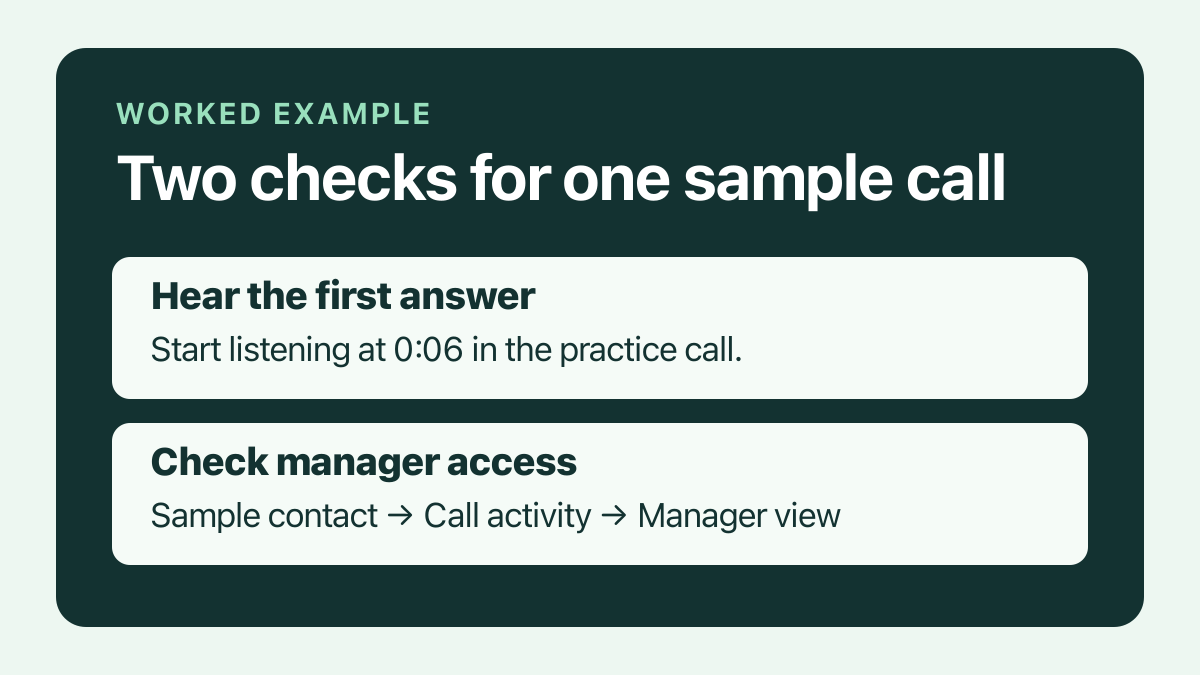
You have two questions to answer. First, record a short test call with a colleague. Ask one ordinary question and include the colleague’s full first answer. If you share a trimmed clip, keep the start of the conversation intact and tell the manager where to listen. Then show how a manager opens the same test call from a sample contact. Use a manager view if you’re explaining what a manager can access. A recording opened from the rep’s own screen leaves that question open.
A reply could read:
Here’s a 35-second practice call we made for this evaluation. The first answer starts at 0:06. The screen clip shows where we opened that same call from a sample contact. Could you listen to the opening and check whether that review path is close to how your managers work? We can repeat the test with your planned setup if either piece still feels unclear.
The manager and admin can review the two clips separately. The manager can comment on the audio, and the admin can flag whether the sample uses the right record and access. If they’re making a rollout decision, bring any remaining checks into the implementation plan with someone responsible for each one.
Check what the recipient will actually receive
Open the exact link as a recipient would. Check that it plays, that the beginning and end are where you expect, and that the recipient sees only the material you intended to share. Look for names, numbers, browser tabs, account menus, notes and related calls in a screen capture. If the clip came from a customer conversation, confirm your team has cleared that exact material for the intended recipients. When that’s unclear, use a staged example or offer to make a short test together.
Say what the sample represents. “Practice call recorded in our demo setup” gives the buyer enough information to interpret it. If the team asks whether it will sound the same from every headset or in a different calling setup, suggest repeating the same short script under the conditions they care about. If they want to hear how another customer uses the tool day to day, offer a customer reference conversation.
A sample brief you can reuse
Fill this in before asking someone on your team for a clip, or send it to the buyer as context alongside the link.
- Buyer’s question — What are they trying to hear or verify?
- Sample and setup — Which clip or walkthrough answers it? Is it a practice call or material cleared for these recipients?
- Where to look — Which timestamp or screen matters?
- Review owner — Who on the buyer’s side can assess this part?
- Open check — What should the team repeat on its own setup before deciding?
Keep the note short enough to forward with the link.