
 2:33
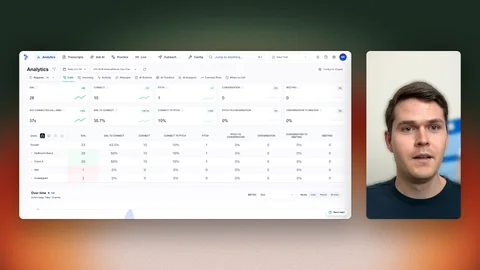
Trellus Analytics
A short look at Trellus analytics: the dashboard, configurable call stages, reporting, team performance comparisons and custom reports.
Watch guideSee a live Salesfloor session: a rep dials two numbers at once, the call connects, and a manager listens, follows the live transcript and messages the rep during the call.
Recorded walkthroughs may show earlier screens or settings.
Choose a chapter to move the player to that moment. Press play if needed.
Hey guys, it's Michael with Trellus, and we're going to be going through the Salesfloor application today. So I am here with two of my colleagues, Owen and Suji, and we're gonna be doing a mock dial just to show you kind of how it works, how you can navigate to the calls and all that fun stuff.
So the first thing that I did is I actually turned auto listen on. You can have this off, but I specifically wanted it on so that way we could like immediately go straight into Owen's call that he's going to make. So what's gonna happen, Owen is going to call and then Suji is going to answer. So you can see immediately how you can see the transcript, Whisper, and so on and so forth. Okay, go ahead, Owen. Let's do it.
So he's gonna be making the call. You can see he is now dialing. You can see there's 2 people that he's calling. So you can actually hover over this and see who is dialing.
Alright, so now he's connecting. Hey Suji, it's Owen here from Trellus. How are you? I'm doing fine, how are you? not too bad, not too bad, Suji.
So now as an admin, I can go in here, click on Message rep, and then say, send something to Owen live on the call, so that way he can actually implement that into his call as I'm monitoring it. All you gotta do is click X and then you're back into the regular view. To click back in, all you gotta do is click on his page and then you're listening and seeing the transcript again. What are you getting at here? I have no clue what they're talking about at this point, but you you kind of get the idea. Parallel dialer that lives inside of your CRM. how are you guys calling today? we're calling directly from HubSpot. very cool. We actually have a direct integration with HubSpot. I'm gonna hang up on you.
Okay, so now you saw that the call has ended. It'll give you a notification that the call had ended, and then as soon as Owen calls the next group of people, it's gonna populate the exact same way.
Your reps will be able to see who's calling, click into it, and then be able to live listen, of course, and then the admins can give Whisper instructions. And then of course you get emojis, so that's pretty fun too, and little animations you can have. But it's it's a fun environment, it's collaborative. we hope you got something out of this video. Of course, if you have questions, just let us know and we were happy to jump in and help out. But appreciate you watching. We'll see you later.
Transcribed from the recording, with product names corrected.
2:33
A short look at Trellus analytics: the dashboard, configurable call stages, reporting, team performance comparisons and custom reports.
Watch guide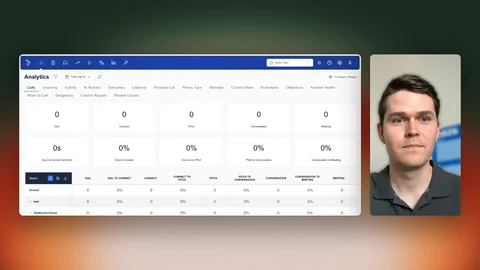 2:29
Explore the Live Listening dashboard and how live monitoring connects with Salesfloor.
Watch guide 6:03
A tour of the Trellus analytics page: where to find it in the web app and how to read call activity, filters and dashboard views for your team.
Watch guide