
Best Dialers for Insurance Agents: Power, Parallel and Predictive
Compare Trellus, WAVV, PhoneBurner, Convoso and Readymode. Choose a dialing mode for your insurance leads and use the same call test for each vendor.
Trellus adds power and parallel dialing inside the CRM your team already uses. See pricing Book a demo
On this page
Start with the calls your agents make most often. For scheduled callbacks and policy renewals, use a power dialer to call one person at a time. For a prepared list of similar quote requests, compare parallel dialers that can ring several numbers for one available agent. For a staffed outbound operation that shares one queue, consider a predictive dialer that adjusts its pace based on when agents are likely to be free.
Trellus publishes this guide and makes one of the dialers below. We checked dialing modes and workflows against each vendor’s public documentation on November 19, 2026. Use the pilot below to run the same test with each vendor.
Five insurance dialers compared
| Dialer | Mode to evaluate | Where it fits | What to test |
|---|---|---|---|
| Trellus | Power and parallel | Agents who already work from contacts in a supported CRM such as HubSpot or GoHighLevel. | Start from your CRM list and find the saved outcome and callback on the same contact afterward. |
| WAVV | Single-line or up to three simultaneous lines on its Multiline plan | Teams that want to set line counts separately for call-board stages. | Set one line for callbacks and more for quote follow-up. Check what the second person hears if two answer. |
| PhoneBurner | Single-line power | Agents who want a sequential call list with disposition-driven follow-up. | Log an outcome and check which follow-up actions it triggers for that disposition. |
| Convoso | Predictive | Outbound insurance call centers that want to route leads by state. | Have a supervisor demonstrate state-based routing and show how live answers without an agent appear in reports. |
| Readymode | Preview, power, progressive and predictive | Outbound teams that want multiple modes and configurable lead distribution. | Run the same test queue in power and predictive, then compare how busy agents affect the pace. |
Choosing a parallel dialer for insurance leads
Parallel fits a call block where an agent can open several similar conversations with the same level of preparation. For example, group eligible quote requests by product and follow-up stage. Put scheduled callbacks in a separate list so each agent can check the last conversation and call at the agreed time.
Shortlist Trellus if the CRM record is where your team works before and after the call. In GoHighLevel, agents can start from a Contacts Smart List, save a contact note, apply a selected tag and create a contact-linked callback task. Check your Trellus plan and the exact contact view your team uses. Shortlist WAVV to evaluate line settings by call-board stage, especially if you already work from WAVV call boards. In both demos, see what happens when two test phones answer at about the same time.
Choosing a predictive dialer for an insurance call center
Start with Convoso if state-based lead routing is a priority. Include Readymode if your supervisors want to compare several dialing modes and tune lead distribution. Both belong on a shortlist for staffed outbound campaigns. Ask each vendor to demonstrate your actual staffing pattern, including the periods when people leave the queue for breaks or finish calls at the same time.
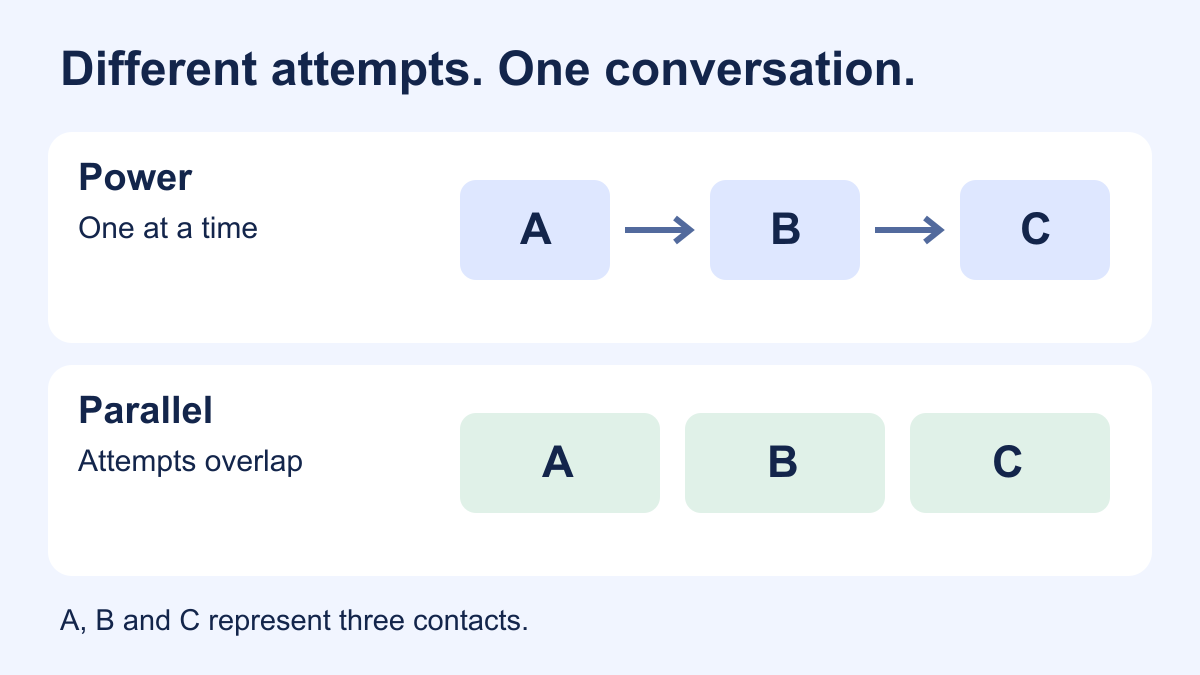
Predictive dialing can place calls ahead of agent availability and send a live answer to the next available agent. Trellus offers power and parallel dialing. With parallel dialing, an available agent starts a set of overlapping attempts. For larger teams that want that model and browser-based campaign controls, see Trellus Call Center.
Run the same insurance call test with each vendor
Give every vendor the same three sample records and use test numbers you control. Ask the salesperson to open your actual CRM view or a test workspace set up the same way.
- New quote request. Start the call from the list your agents use. Check whether the agent can see the request and contact owner before speaking.
- Scheduled callback. Have the agent find the previous outcome, make the call, save a new disposition and create a follow-up with an owner and due time. Open the CRM record to confirm where each item landed.
- Suppressed contact. Ask the vendor to show how a test opt-out is recorded, how an agent sees it and what happens if the record is put back into a calling list.
- Two answers together. For a multiline mode, answer two test phones close together. Record what each person hears, how quickly an agent joins and how both outcomes appear in the report. For predictive, also ask what happens while every agent is busy.
For a live pilot on a list your agency has approved, compare completed conversations per staffed hour, live answers without an agent and callbacks correctly saved. Judge each mode on the work it needs to do. For renewals, an accurate record and an agreed next step can matter more than the number of attempts.
Frequently asked questions
What is the best dialer for a solo insurance agent?
Start with a power dialer if most of your work is returning quote requests, keeping appointments and reviewing policy accounts. Demo the workflow from your actual contact list and check where the notes and next action land. Consider parallel dialing once you have a separate, permitted list of similar follow-ups.
Is a multi-line dialer the same as a predictive dialer?
Multi-line describes overlapping attempts. A parallel dialer can make those attempts for an available agent, while predictive dialing uses a forecast to place calls for a pool of agents. Ask the vendor to show what starts each call and who receives a live answer, since product labels vary.
Can an insurance dialer replace my agency management system?
Keep policy history, quoting and coverage decisions in the systems your agency uses for that work. Evaluate the dialer on whether agents can work through the correct contact list, see the information they need and save an outcome that the next owner can find in your CRM.
For a CRM-based pilot, see the Trellus insurance dialer workflow and bring one quote or renewal list to the demo.