Our Top Picks


TL;DR: Best LinkedIn Outreach Tools in 2026
LinkedIn is outperforming cold email when it comes to replies, and that gap is only getting wider. If you are serious about outbound, LinkedIn outreach tools are no longer optional, they are a core part of your sales stack.
Here is the quick breakdown:
- LinkedIn messages convert at roughly 2x the rate of cold emails, making them a high-impact channel for B2B outreach
- Manual prospecting does not scale, LinkedIn automation software helps you reach more people without burning out
- The best tools combine automation with personalization, not just volume
- Cloud-based LinkedIn prospecting software is safer than browser extensions and reduces risk of account restrictions
- Features like unified inbox, smart follow-ups, and analytics separate average tools from high-performing ones
- Some platforms now blend LinkedIn engagement tools with email, calling, and CRM workflows for full-funnel execution
- Choosing the right LinkedIn sales tools depends on your workflow, team size, and how aggressive your outreach strategy is
If you want one takeaway, it is this: tools do not replace strategy, but the right tool can multiply your results fast.
Good-to-Haves in a LinkedIn Outreach Tool (Nice, but Not Deal-Breakers)
.webp)
Not every feature is mission-critical, but some can dramatically improve your day-to-day workflow. These are the things that make LinkedIn outreach feel smooth instead of chaotic.
1. Multichannel Outreach, Email + LinkedIn
Modern outbound is not limited to one channel. The strongest LinkedIn automation software platforms allow you to combine LinkedIn messaging with cold email inside a single sequence.
This matters because prospects behave differently across channels. Some ignore LinkedIn but respond to email, others do the opposite. When your LinkedIn campaigns and email sequences work together, you increase your chances of getting a response without relying on a single touchpoint.
For teams running serious LinkedIn lead generation, this is a strong advantage. It allows you to build a more complete LinkedIn strategy that mirrors how buyers actually engage.
2. CRM and Integration Support
Your outreach tool should not exist in isolation. It needs to connect with the rest of your sales stack.
Strong LinkedIn prospecting software integrates with platforms like HubSpot, Salesforce, or Pipedrive. Even a solid Zapier connection can save hours of manual work. Leads should flow automatically into your CRM, along with conversation history and activity tracking.
Without this, your LinkedIn sales tools create more work instead of reducing it. Reps end up copying data manually, which leads to mistakes and lost opportunities.
3. Reporting and Analytics
Sending messages is easy. Improving results is where most teams struggle.
Good LinkedIn engagement tools go beyond basic stats and show you what is actually working. You should be able to see:
- Acceptance rates across campaigns
- Reply rates by message type
- Performance differences between reps
- Time-based trends and engagement patterns
This kind of visibility helps you refine your LinkedIn messaging over time. Without it, you are guessing instead of optimizing.
4. Team Features and Scalability
If you are working solo, you can get away with simple tools. The moment you have a team, things change fast.
Scalable LinkedIn automation software includes features like shared inboxes, campaign visibility, role-based access, and user management. Managers can track performance, while reps stay organized and consistent.
For agencies and outbound teams, this is not optional. It is the difference between controlled growth and complete chaos.
Red Flags in a LinkedIn Outreach Tool (Walk Away)
Some tools look great on the surface but create problems once you start using them. These warning signs can save you from wasting time and risking your LinkedIn account.
1. Chrome Extensions Only
Browser-based automation tools are convenient, but they come with risk.
LinkedIn is very good at detecting unnatural behavior patterns. Tools that run directly in your browser are easier to flag, especially if they mimic rapid actions like profile visits or bulk messaging.
Cloud-based LinkedIn prospecting software is generally safer because it simulates human behavior more naturally and runs independently of your device. If a tool only offers a Chrome extension, that is a red flag.
On that note, Trellus does have an installation option through a simple Google Chrome extension, but that’s one of many you could go for. Alternatively, you could integrate through your CRM, or the good old Google Sheets’ route.
2. No Inbox Detection or Campaign Stopping Logic
This is one of the fastest ways to ruin a conversation.
If your tool keeps sending follow-ups after someone has already replied, it creates a terrible experience. It signals that your outreach is automated and careless.
Good LinkedIn outreach tools detect replies in real time and automatically stop sequences. Some even adjust the workflow based on the response. This is a basic expectation, not a premium feature.
3. Overpromising AI Without Real Value
“AI-powered personalization” is everywhere right now. Most of it is surface-level.
If a tool is simply swapping names or spinning generic templates, it is not real personalization. Effective LinkedIn engagement requires context, relevance, and timing.
Strong tools use AI to analyze responses, categorize leads, or assist with messaging logic. Weak tools use AI as a marketing buzzword with little impact on actual performance.
Best LinkedIn Outreach Tools in 2026
Now that the expectations are clear, here are the platforms worth paying attention to right now.
1. Trellus
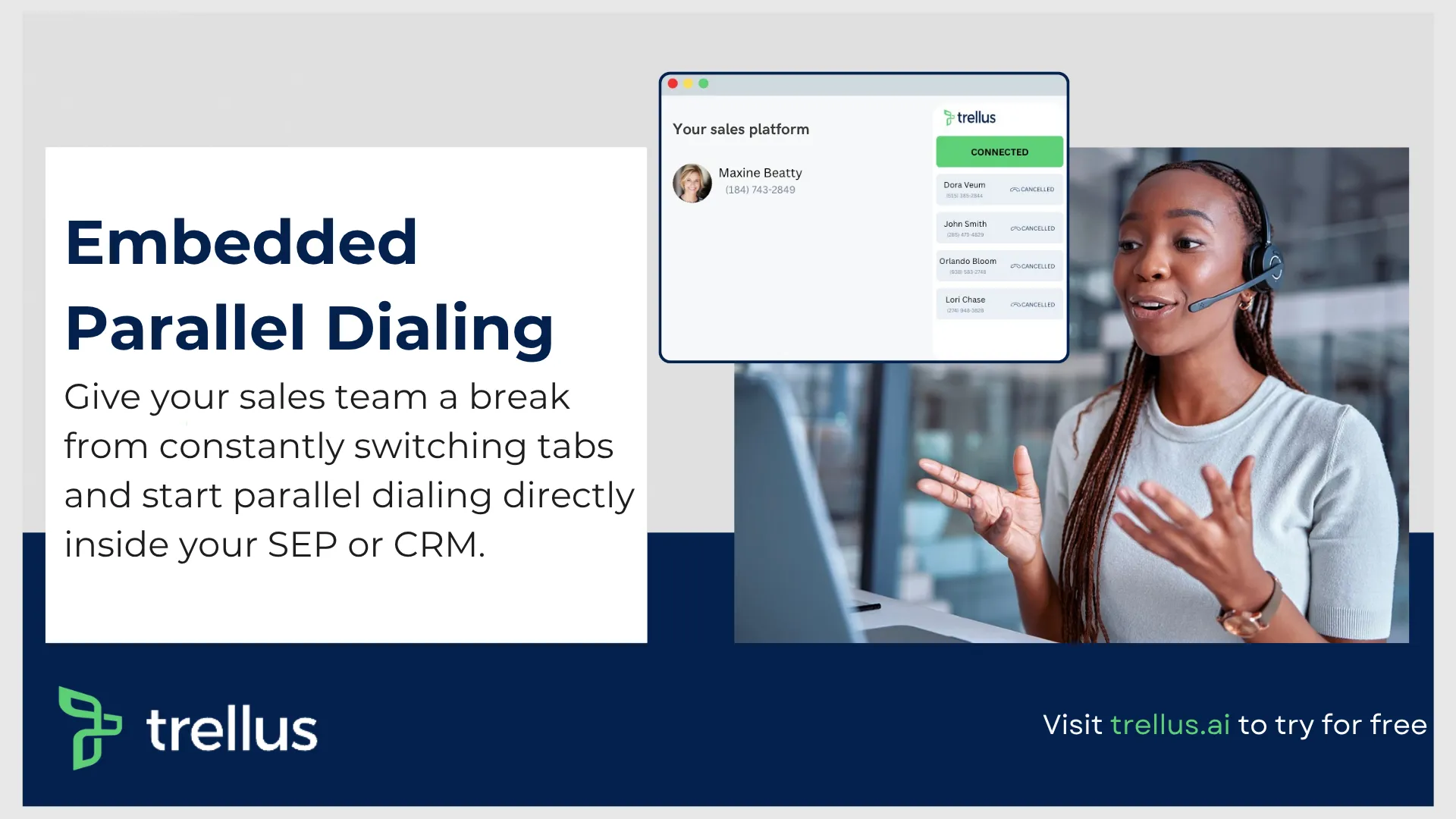
At the top of the list is Trellus, built for teams that want more than just basic LinkedIn automation.
What makes it stand out is how it blends LinkedIn outreach with real sales execution. Instead of stopping at messaging, it creates a bridge between conversations and actual pipeline activity.
Superhuman for LinkedIn
This is where things get interesting. Trellus includes a built-in experience designed to give you full control over your LinkedIn inbox.
- Keyboard shortcuts allow you to move through messages quickly, which matters when you are handling high volume
- Snippets and templates help maintain consistency without sounding robotic
- Inbox consolidation pulls together LinkedIn and Sales Navigator messages into one place
- Snoozing and reminders ensure no follow-up slips through
The goal is simple, get to inbox zero faster while keeping conversations organized.
Tracking and Analytics
Beyond messaging, the platform gives visibility into performance:
- Track connection requests, DMs, and InMail activity
- Understand which messages are getting responses
- Monitor team performance across campaigns
- Identify where prospects drop off in your funnel
This turns LinkedIn from a guessing game into a measurable channel.
Where It Really Wins
What sets it apart from most LinkedIn sales tools is the ability to move from messaging to action.
Users can transition from LinkedIn conversations into dialing prospects or booking meetings through integrated workflows. That connection between outreach and closing is something most tools miss.
It is not just LinkedIn automation software, it is part of a larger outbound system.
2. Salesflow
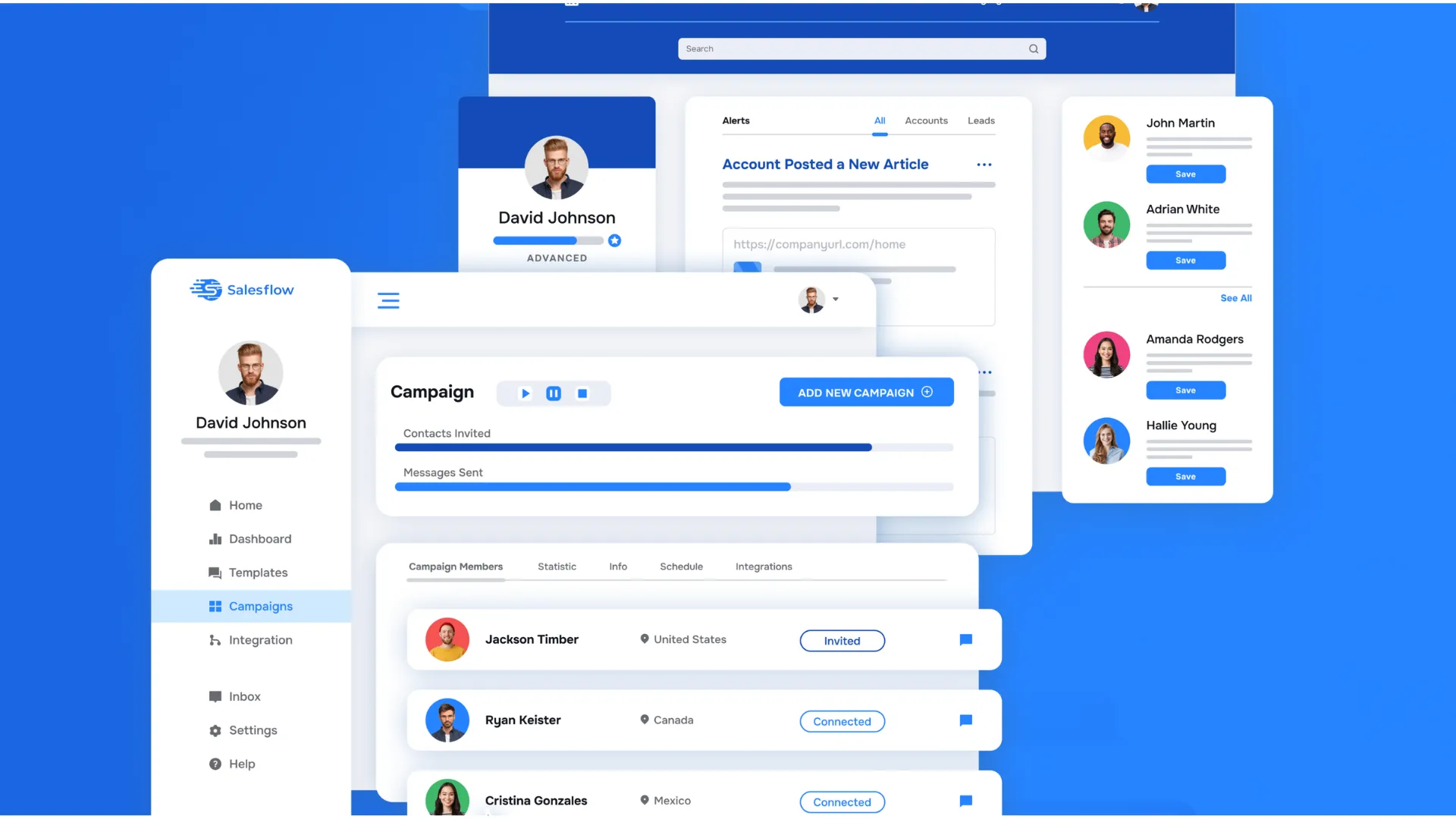
Salesflow has built a strong reputation as one of the more reliable LinkedIn outreach tools for teams that care about scale and safety without overcomplicating their workflow.
It is designed as a cloud-first LinkedIn automation software, which immediately puts it ahead of many browser-based tools in terms of stability and risk management. For teams running high-volume LinkedIn campaigns, this matters more than most people realize.
Best Features
Salesflow focuses on doing the fundamentals really well, while still offering enough depth for growing teams.
- Multichannel outreach brings LinkedIn messaging and cold email together in one place. This allows you to run coordinated LinkedIn outreach and email sequences without juggling multiple tools
- Safety-first infrastructure runs entirely in the cloud with dedicated IPs, reducing the chances of LinkedIn restrictions
- Unified inbox makes it easy to manage conversations from LinkedIn and Sales Navigator in one view, complete with tags, templates, and follow-up reminders
- AI-powered sentiment detection helps prioritize leads by tagging replies as positive or negative, which is a practical use of AI in LinkedIn engagement tools
- Advanced analytics dashboard provides visibility into campaign performance, including invite rates, replies, and timelines
- Strong onboarding and support, especially useful for agencies and teams scaling outbound
There are also smaller touches like AI templates, blacklist controls, and a clean user interface that make daily usage smoother.
Where It Falls Short
No tool is perfect, and Salesflow has a few limitations worth noting.
- Limited channels beyond LinkedIn and email, no built-in calling or SMS functionality
- No native A B testing, which means you need to duplicate campaigns manually if you want to test variations
These are not deal breakers for most teams, but they can matter if you are running highly experimental campaigns.
Why It Stands Out
Salesflow earns its spot because it strikes a balance between power and usability. It is one of the few LinkedIn prospecting software options that feels stable at scale while still being easy to manage.
For teams that want dependable LinkedIn lead generation without unnecessary complexity, it is a strong choice.
Pricing and Positioning
- Starts at 99 dollars per user per month
- G2 rating sits around 4.3 with over 100 reviews
Best For
Sales teams, agencies, startups, and SMBs that want a safe, scalable LinkedIn automation setup with email outreach and solid analytics.
3. Expandi
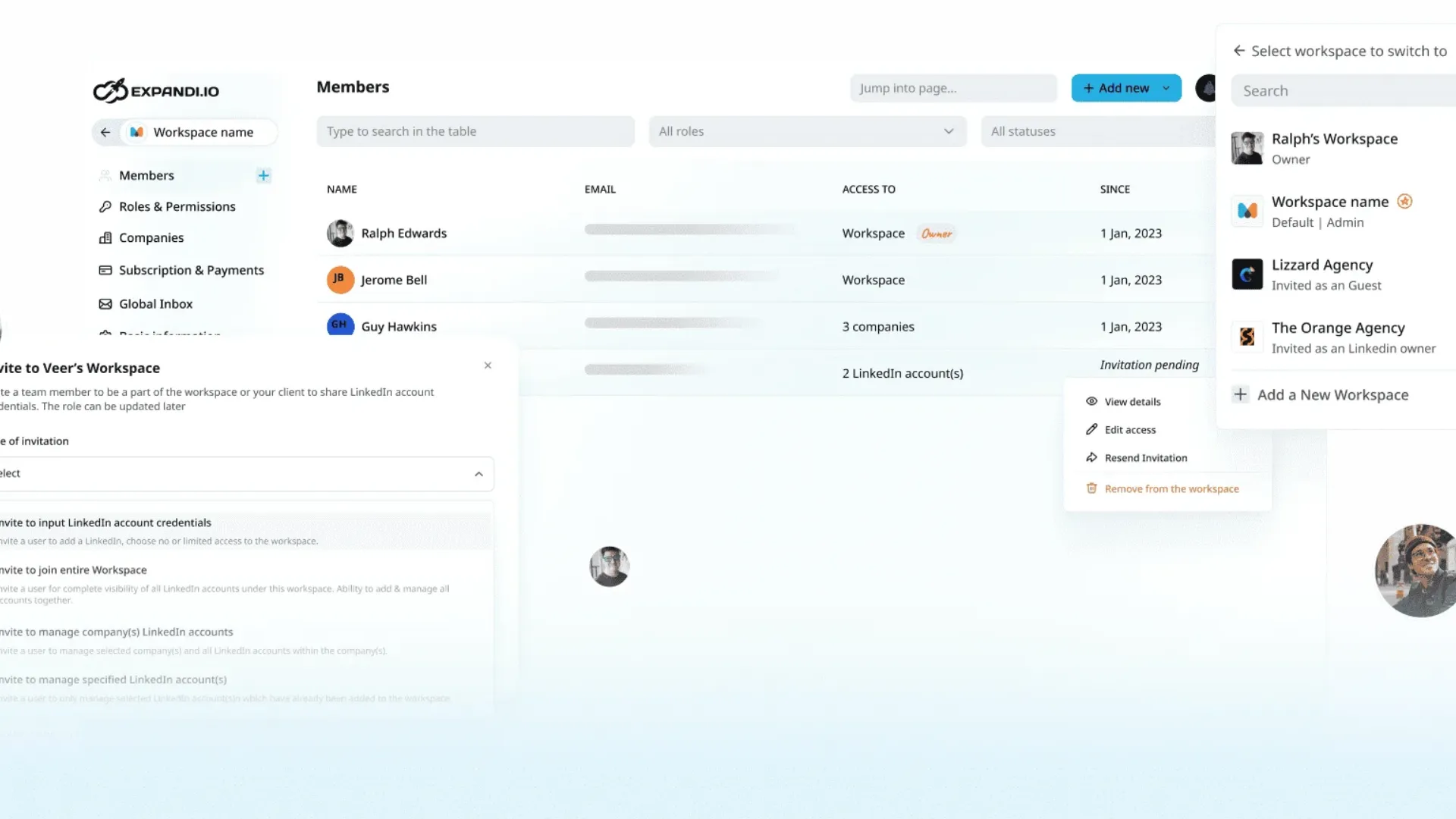
Expandi is often mentioned among the more advanced LinkedIn outreach tools, especially for teams that want deep customization in their campaigns.
It is powerful, flexible, and packed with features. At the same time, that power comes with a steeper learning curve.
Best Features
Expandi is built for users who want control over every step of their LinkedIn strategy.
- Multichannel sequences combine LinkedIn outreach with email, allowing more dynamic campaign structures
- Hyper-personalization features let you include custom images and GIFs in messages, helping your outreach stand out in crowded inboxes
- If then logic allows campaigns to adapt based on user actions such as profile views or replies
- Team features include permission controls and built-in A B testing, which is valuable for optimizing LinkedIn messaging at scale
- Additional capabilities like campaign prioritization, webhooks, and a global inbox add flexibility
This makes it one of the more advanced LinkedIn engagement tools available.
Where It Falls Short
The same flexibility that makes Expandi powerful can also make it difficult to use.
- The interface can feel overwhelming, especially for new users
- Some users report LinkedIn restrictions despite safety features, which is always a concern with aggressive automation
- Pricing is similar to competitors, but refund policies are stricter than most
Overall Take
Expandi is best suited for experienced teams that already understand LinkedIn automation and want more control over campaign logic.
If you are just getting started, it may feel like too much too soon. If you know what you are doing, it can unlock a lot of creative LinkedIn campaigns.
Pricing and Positioning
- Starts at 99 dollars per user per month
- G2 rating around 4.2
Best For
Growth-focused teams and agencies that want advanced LinkedIn automation software with deep customization and are comfortable handling complexity.
4. Reactin
Reactin takes a very different approach compared to traditional LinkedIn prospecting software.
Instead of focusing on cold outreach at scale, it prioritizes intent-based targeting. The idea is simple, reach out to people who have already shown interest.
What Makes It Different
Most LinkedIn sales tools rely on static lists. Reactin focuses on dynamic signals.
- Profile visitors
- Event attendees
- Followers of specific accounts
- People engaging with your posts or niche
This creates a more “warm” form of LinkedIn outreach, which can significantly improve acceptance and reply rates.
Key Features
- Intent triggers allow automated outreach to people already interacting with you or your niche
- Event scraping enables you to extract attendees from LinkedIn events and contact them directly
- Follower scraping helps you tap into competitor audiences or relevant communities
- Focused product experience without heavy reliance on integrations
This makes it a unique addition to the LinkedIn engagement tools category.
Where It Falls Short
- Limited integrations with CRMs or external tools
- Less suitable for teams that want full multichannel workflows
- Still relatively new, so it does not have the same maturity as older platforms
Overall Take
Reactin is ideal for quality-driven outreach. If your LinkedIn strategy is centered around warm signals and relationship-building, it can outperform traditional automation tools.
It is not built for brute-force volume, and that is exactly the point.
Pricing and Positioning
- Starts at 29 dollars per sender per month
- Free trial available
Best For
Sales reps, founders, and consultants who prioritize high-intent LinkedIn lead generation over mass outreach.
5. Dripify
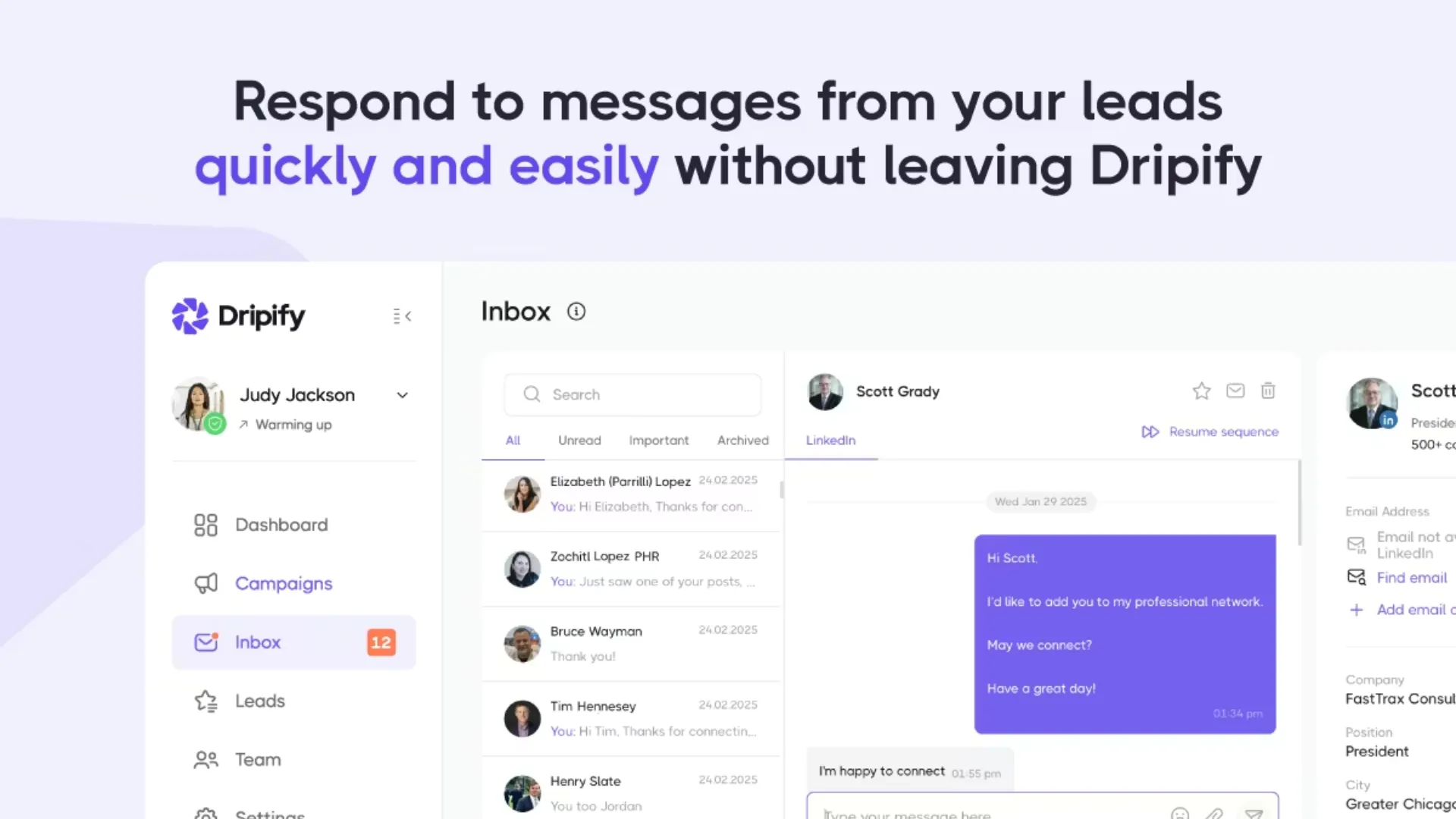
Dripify positions itself as a full-scale LinkedIn automation software that turns prospecting into a structured funnel.
It combines automation, analytics, and team management into a single platform, making it popular among sales managers.
Best Features
- Team inbox centralizes all LinkedIn and email conversations across users
- Advanced analytics provide detailed insights into acceptance rates, replies, and overall campaign performance
- Cloud-based infrastructure runs continuously with built-in safety measures like delays and activity limits
- Integrations with tools like HubSpot, Zapier, and Make help connect your LinkedIn outreach with the rest of your stack
Dripify is particularly strong when it comes to visibility and control across teams.
Where It Falls Short
- Can feel heavy for solo users or small teams
- Some features require time to fully understand and configure
- Not as focused on real-time engagement compared to inbox-first tools
Overall Take
Dripify is one of the more complete LinkedIn sales tools for teams that want structure and reporting.
If your focus is managing performance and scaling outreach across multiple reps, it fits well into that workflow.
Pricing and Positioning
- Starts at 59 dollars per user per month
- Free trial available
Best For
Sales managers and teams that want deep insights, centralized control, and scalable LinkedIn campaigns.
6. Dux-Soup

Dux-Soup is one of the oldest names in the LinkedIn automation space, and it still holds its ground, especially among solo users and budget-conscious professionals.
It offers a hybrid model, giving users the choice between a browser-based extension and a cloud plan.
Best Features
- Wide range of automated actions, including profile visits, follows, endorsements, and messaging
- Skill endorsements feature helps warm up prospects before direct outreach
- Strong CRM integrations with platforms like Salesforce, HubSpot, and Pipedrive
- Flexible setup that allows users to control automation directly within LinkedIn
Its “hands-on” feel is something many users still prefer.
Where It Falls Short
- Chrome extension approach can carry higher risk compared to fully cloud-based tools
- Interface feels dated compared to newer LinkedIn engagement tools
- Not as advanced in analytics or AI capabilities
Overall Take
Dux-Soup remains a solid entry point into LinkedIn automation, especially for individuals who want something affordable and flexible.
It may not have the polish of newer platforms, but it gets the job done.
Pricing and Positioning
- Starts from around 12.99 euros per month
- Free trial available
Best For
Freelancers, consultants, and solo operators looking for simple and affordable LinkedIn prospecting software.


Power and parallel dialing in your CRM.