
How to evaluate a sales dialer in a one-week pilot
Test a sales dialer with your real workflow. Use this one-week checklist to compare calling, CRM notes, callbacks, rep effort and results before buying.
On this page
Our Top Picks


What do you need the pilot to prove?
A prospect asks your rep to call back Friday. The rep saves a note and moves on. Come Friday, will that callback appear in the right person's worklist—or will someone have to remember it?
That's one useful thing to test before buying a dialer. Pick the problem that's making you shop in the first place. If reps spend too long preparing lists, watch that process. If follow-ups go missing, trace a callback. Write down what needs to work by the end of the week.
A week gives you time to spot awkward setup and missing records. Be more cautious about sales results: a few booked meetings won't tell you what the tool will earn over a year.
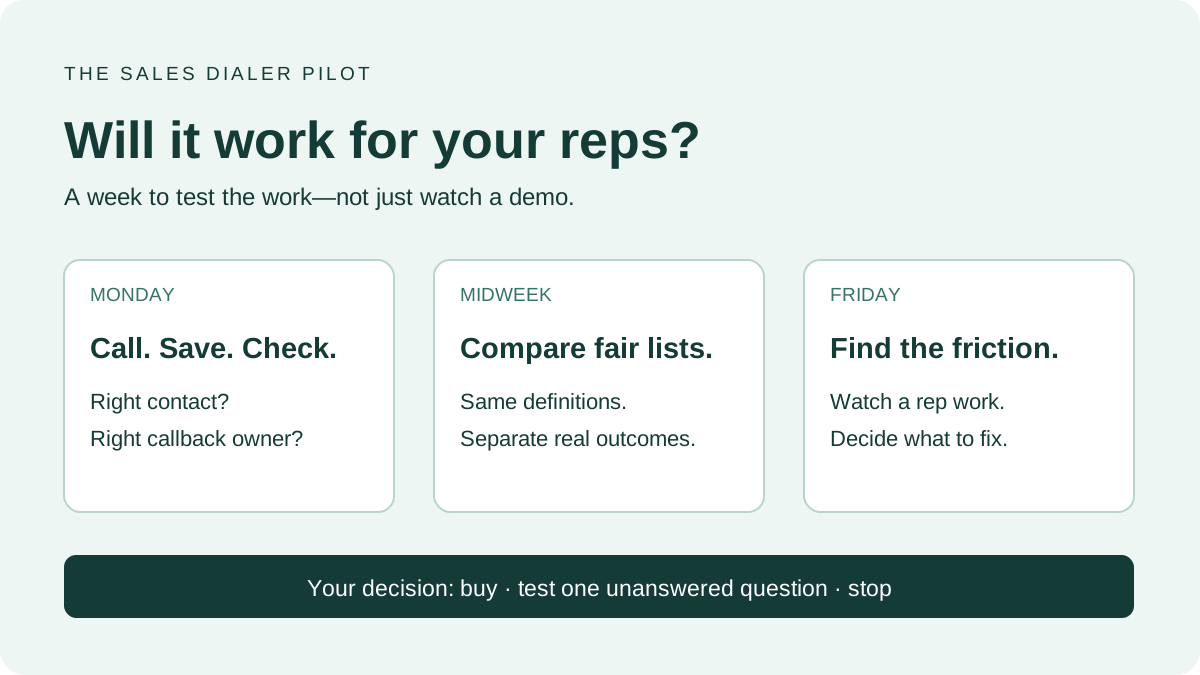
Monday: make a call and find what it saved
Call a number your team controls first. Start from the list your rep normally uses, finish the call, then open the CRM contact. Can you find the note? Is it attached to the right person? Create that Friday callback and check its owner and due time.
Write down anything the rep has to copy, fix or enter twice. Also check which steps require confirmation. Seeing a summary in the dialer doesn't tell you whether it reached the CRM.
Keep these setup calls out of your prospecting totals.
Give both tools a fair test
For the next few days, use comparable lists that your team is entitled to call. Note where the contacts came from, how old the list is and when reps called. Don't give one tool fresh demo requests and the other a six-month-old outbound list, then credit the software for the difference.
Agree on what counts as a conversation, too. Does reaching the wrong person count? Does a voicemail connection? If the tools label those differently, compare the underlying call results before trusting the dashboard totals.
Use this daily worksheet. Agree on your call outcome definitions before the first comparison:
| Field | What to record |
|---|---|
| Audience | List, source, age and relevant filters |
| Rep time | Calling time and separate setup/admin time |
| Attempts | Outbound attempts under one consistent definition |
| Live conversations | Conversations with a person under your definition |
| Meetings | Booked, held and qualified tracked separately |
| Workflow errors | Wrong record, missing note, missing callback, duplicate task |
| Rep friction | The exact step, not just a satisfaction score |
Here's an illustrative example, not a benchmark: 10 conversations from 100 attempts is a 10% conversation rate. If another tool gets 12 from 200 attempts in the same hour, its rate is lower—6%—but the rep had two more conversations. You'd still want to know who answered and whether the conversations led anywhere.
Friday: ask a rep to show you the annoying part
Pick a small documented sample across outcomes: no answer, connected conversation, callback requested and meeting booked. Check that the right contact holds the right result and that the next action can be found by its owner.
Ask each rep to show you where they got stuck. “Logging calls is slow” becomes much easier to investigate when you can watch the extra fields they have to fill in. You may find a dialer problem, a CRM setup problem or a list that needs cleaning. Those need different fixes.
Buy, extend the test or stop
Return to the problem you wrote down on Monday. Did the tool solve it well enough to justify switching? If you're still unsure, name the unanswered question and give the extension an end date. “We need to try our second CRM workflow” is a reason to keep testing. “Let's give it more time” needs a little more thought.
Still choosing a shortlist? Our cold-calling dialer guide covers the different setups. Compare the full cost for your actual setup: callers, required features, numbers, usage and implementation effort. Verify current terms directly with the vendor. Do not extrapolate a handful of booked meetings into a guaranteed revenue forecast.
Use your observed rates in the call-block planner when planning the next week. For a Trellus demo, bring the CRM list your team calls from and an example of the follow-up you need to save. Ask to walk through both. You'll leave with a clearer idea of whether it fits the way your reps work.