How to run an Attio call block without losing the follow-up
Build a focused Attio call list, choose a dialing mode, and leave useful outcomes and callbacks. Includes a practical call-block worksheet.
On this page
Our Top Picks


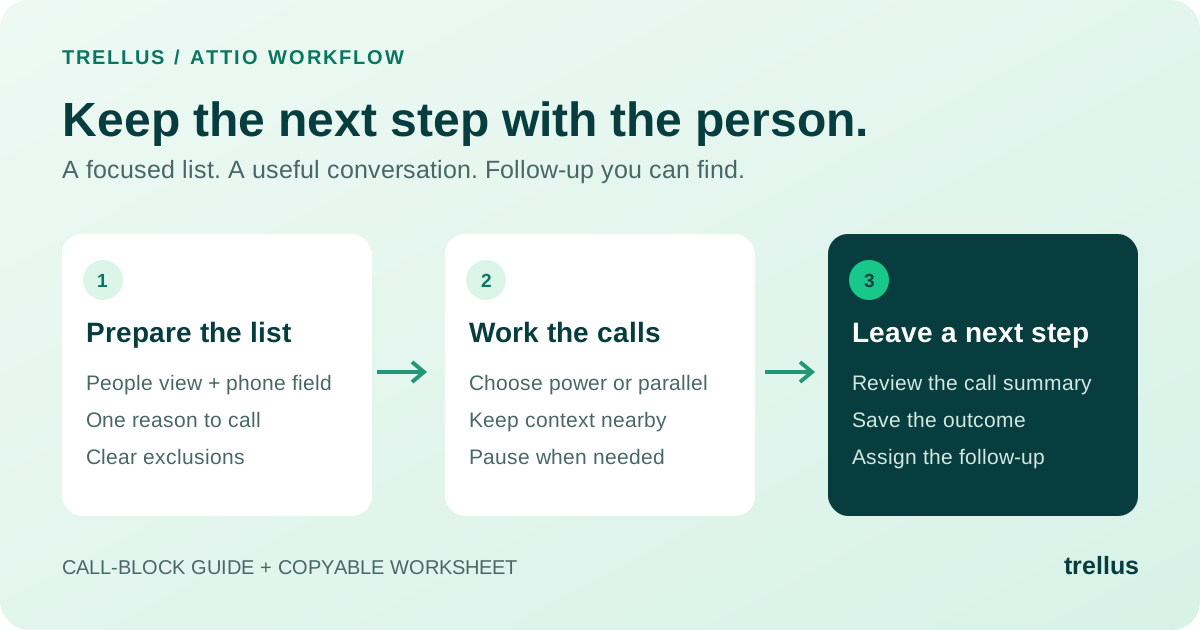
A useful Attio call block starts with a focused People list and ends with a clear next step on each person you reached. The dialing is only the middle. Decide who belongs in the session, which phone field to use, and what a useful follow-up looks like before the first ring.
This guide is for reps and team leads who already organize outbound work in Attio. It includes a Trellus walkthrough, a copyable call-block worksheet, and an example of turning a conversation into a note someone else can actually use.
By Trellus
Watch a call block in Attio
Michael from Trellus demonstrates the dialer from an Attio task view. This four-minute recording covers dialing modes, filtering, voicemail options and post-call tools.
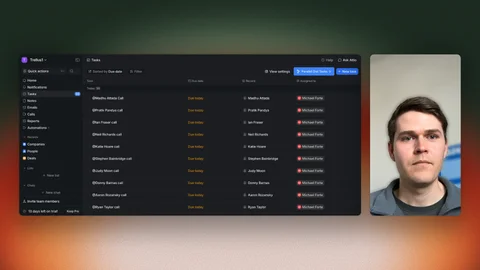
Watch the 4:00 recorded Attio tutorial.
1. Give the list one job
“Call everyone in Attio” is not a useful session plan. A better starting point is one group with a shared reason to hear from you: founders who requested more information, prospects in a specific segment, or people with an agreed callback due.
Keep fresh outreach and promised callbacks separate. One needs an introduction; the other needs continuity. Mixing them makes it easier to deliver the wrong opener or miss a commitment.
In Attio, a list groups records around a process. Views let you look at that list in different ways. You do not need another copy of every person just to give a rep a narrower working view. Attio explains the distinction in its list guide.
Name the view for the work it represents, such as “Founder follow-up” or “My callbacks.” Use your workspace's actual attributes for ownership, stage and phone availability. Those names are examples, not a required Attio field setup.
Be deliberate about shared filters. Attio's Save for everyone applies the settings to colleagues using that view; Save as new view gives the filtered subset a separate home. Check Attio's filter and sort instructions before changing a view the team relies on.
2. Prepare the numbers and the reason to call
Open a few records before starting. Does each person have the number you intend to use? Is the company context useful? Has someone already promised to follow up? Resolve those questions while preparing the list, not while another line is ringing.
With Trellus, map the Attio phone attributes you want to call, such as work or mobile, and the do-not-call field your team uses. A populated number is not by itself a reason to call someone. Apply your team's contact restrictions and outreach rules when choosing the audience.
Write one relevant observation and one question for the group. For example, a rep following up on an Attio dialer inquiry could ask, “Are you working from People lists today, or does each rep build their own calling list?” That is more useful than making the same feature pitch to every person.
If the answer changes the conversation completely from one account to the next, prepare smaller groups. A dialer can work through a list; it cannot make an unfocused audience coherent.
3. Choose the pace you can sustain
Use power dialing when you want one active line at a time. In the walkthrough, the rep selects 1x, starts the session and works one contact while the others remain in the queue. This is a sensible starting point when you need to read account context between calls or are still refining the opener.
Use parallel dialing for a prepared list and a rep ready for the next live answer. The same selector changes the number of simultaneous calls; the video shows a 3x example. Available parallel-line limits depend on your Trellus plan. More lines are not automatically the right choice for every block.
Pause when you need to finish research or follow-up. Do not increase the pace if the rep is already struggling to capture what was agreed. For planning session capacity, use the call-block planner with your own assumptions rather than treating someone else's dial count as a target.
If you only make a handful of carefully researched calls, your existing one-at-a-time calling workflow may be enough. Trellus is most useful when working the list and moving between calls has become a regular part of the day.
4. Review the call record and next step
The recorded tutorial explains the post-call AI summary, next-step suggestions and disposition tools. Review the saved result in your Attio workspace, correct any details and confirm the agreed follow-up before continuing.
The review matters. An automatic summary can be a useful starting point, but the rep knows whether a prospect agreed to a meeting, merely asked for information, or said the timing was wrong. Those are different outcomes.
Here is a fictional example of a note that earns its place in Attio:
Too vague: “Great chat. Send info.”
Useful: “Works from an Attio People list. Asked to see how call notes appear after a session. Send the walkthrough today. Sam owns the follow-up. No meeting agreed.”
The second note separates what the person said, what the rep promised and what has not happened yet. A teammate can pick up the record without recreating the conversation.
For an agreed callback, set the due date and keep the task linked to the Attio person. Trellus supports person-linked callback tasks. Make the owner, timing and topic explicit so “call me next week” becomes something the rep can act on.
During setup, check where outcomes and summaries appear in your workspace. Structured Attio attributes require the relevant permissions; when those attributes are unavailable, the result can be saved as an Attio note. Choose the setup that supports how your team wants to find and review the work.
Your copyable Attio call-block worksheet
Copy these prompts into the session brief. Fill them with your own fields and examples; this is a planning worksheet, not an extra CRM to maintain.
- Audience: Which Attio People list and view will we work, and why this group now?
- Exclusions: Who should stay out because of contact restrictions, bad numbers or an existing follow-up commitment?
- Phone field: Which mapped number should we use first, and when is another number appropriate?
- Opening question: What relevant observation starts the conversation, and what do we want to learn?
- Pace: Power or parallel dialing? What would make us pause or slow down?
- Call result: Which outcome and note will tell the next rep what happened?
- Follow-up: Who owns each agreed next step, when is it due, and which person is it linked to?
- Debrief: What did the conversations tell us to change before the next block?
End with a decision, not just a dial count
Review attempts, conversations, agreed next steps and booked meetings separately. A busy session can still leave the team with little to follow up on. Equally, a slower block might uncover the right person or a specific buying requirement.
Separate list problems from conversation problems. Missing phone data calls for list cleanup. Reaching the wrong role calls for different targeting. A repeated objection is something to practice. Pick one change for the next session so you can tell whether it helped.
For a team block, Trellus Salesfloor adds a shared room for calling, live listening and team discussion. Keep that debrief focused on a useful moment from the work, not a competition to produce the most activity.
Ready to use the list you already built? See how Trellus works inside Attio, then bring your People view and phone fields to a demo.