
 7:16
Trellus AI Features Overview
Explore practice bots, Ask AI, and automated call coaching in this Trellus feature overview.
Watch guideExplore the Trellus coaching suite for call practice and team enablement.
Recorded walkthroughs may show earlier screens or settings.
Choose a chapter to move the player to that moment. Press play if needed.
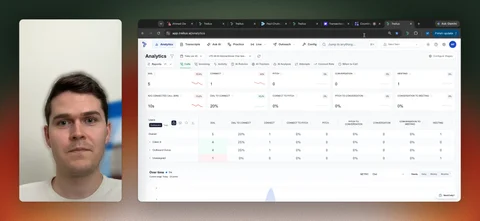
Hey, this is Michael with Trellus, and today we're going to be going through our Trellus coaching suite within our web app. So over here we're at our analytics page. This is just our standard landing page. We're going to be navigating over to this dumbbell icon and this will be launch the coaching suite. So this is your homepage. It is essentially a conglomeration of your practice and your progress tabs, just all in one place for you. So you can see here you can have your surprise me just a random scenario if start, with a bang. You can go over to your learning, which will just take you to your learning tab. Over here you have some featured scenarios as well as a couple of more gamification aspects down here with challenges, achievements and things like that. So to start off we'll do my learning and again you can access this on your home screen through this learning path tab as well.
So what it will do is it'll take you to this screen right here. Now we have three of these automatically populated, but you can also create your own, and think of these more so as like modules if you want to reinforce certain, selling behaviors or certain selling aspects like cold calling for example. So if I were to click into this one, we have bots that are populated in here already with certain themes like the opening, like objections and then of course navigating gatekeepers as well. So once the AI grades each call and the person who is doing them gets the amount that they need to move on, this will mean a check mark and then they can move on to the next calls. So we'll go ahead and get out of this. The next tab that I'll draw your attention to is this all scenarios. This is where all of your bots that you create are going to live.
So we have a test here to show you what that might look like. But this is essentially where everything is going to be when it comes to where your bots go after you create them. So keep that in mind when you're looking for your bots after you make them down here. Again, this is more of the gamification aspect of it. So you have your achievements, you have like your leaderboards and then analytics around here more so just to make it fun for your teams. One of the more important aspects of our coaching suite here is the bot section of it. So as you can see here, it looks like a lot on the screen. Essentially what it is, it's a GPT prompt down here. So you can create a bot based on whatever criteria that you type into this box. In fact, you can even pull on past calls and use them as models for whichever bot you want to create at that particular time.
So think of it like maybe there's a particular objection that you get quite often and your team tends to struggle with. This is where you could take certain calls where buyers have actually said that objection, and then the AI will mimic that when it creates his bot. So your team can practice in a very low stress environment and really get to the bottom of how they handle that objection. So this is very important to keep in mind when you're looking at the actual coaching aspect of this platform. Another cool feature which I happen to like a lot is this interview section. So not only can you use those bots to practice with your own internal people, but you can use it kind of as a screening, platform for interview prospects. So you'd come here, just create a new portal, you create your bot that associated with it. Think of it like maybe a generic phone call that you would see most of the time your reps would get.
And then you can have the rep that you are interviewing go in, actually do the call with the bot, and then you can grade it. Either yourself or the AI will grade it too, and give you those results for you to evaluate during the interview process. So beyond that, we have our challenges, which is just a, conglomeration of certain fundamentals that you want. You know, various things that we had up above here. You can see challenges up here as well as the same thing. Much beyond that, we also have our modifiers. This is just how you define, whether your bot is easy, medium, or hard. You can, of course, override whatever you'd like and then add some difficulties in here if you want to get more customized with it. Outside of that, that has been a high overview of our AI coaching suite.
So, of course, like I said before, if you have any additional questions or want to see anything in further detail, please, please reach out to us. We love to hear from you and we're happy to help however necessary. Thanks for watching and we look forward to working with you.
Transcribed from the recording, with product names corrected.
7:16
Explore practice bots, Ask AI, and automated call coaching in this Trellus feature overview.
Watch guide 5:47
A six-minute demo of Trellus real-time AI coaching, which shows reps live suggestions and a running transcript during sales calls.
Watch guide 1:36
Learn how to create and customize AI roleplay bots for practice sessions.
Watch guide