8x8 Alternatives: Deep dive into the top cold calling options for 2026
Compare the best 8x8 alternatives for 2026, including Trellus, RingCentral, Nextiva, CloudTalk, Dialpad, and Aircall with pricing and features.

On this page
Our Top Picks


For years, 8x8 has been one of the most recognizable names in business communications. The company began life as a semiconductor manufacturer back in 1987 before moving into internet telephony around the early 2000s. Since then, it has evolved into a complete business communication platform offering voice, messaging, video conferencing, and enterprise grade contact center software.
For large enterprises with hundreds of agents, global offices, and dedicated IT departments, 8x8 continues to be a capable solution. It covers almost every communication requirement a large organization could need.
Small and growing sales organizations, however, often have a very different experience.
Many outbound sales teams simply want a reliable cloud business phone system that lets representatives make more calls, connect with prospects faster, update CRM records automatically, and coach new hires without managing dozens of enterprise settings. When a platform becomes difficult to configure or expensive to expand, teams naturally begin searching for better options.
That explains why searches for 8x8 alternatives have continued to grow throughout 2026.
Modern UCaaS platforms now include AI powered coaching, automated note taking, CRM synchronization, predictive dialing, conversation intelligence, and mobile first workspaces as standard features instead of expensive enterprise add ons. Pricing has also become much more transparent, making it easier for growing companies to forecast software costs without lengthy sales negotiations.
If your team spends most of its day prospecting instead of managing inbound support queues, there are now several VoIP service providers designed specifically for outbound revenue generation.
Also Read:
- 7 CallTools Alternatives to Demo (And 3 Categories That Weren't Worth the Setup)
- 6 Best ConnectAndSell Alternatives for More Live Conversations
- 7 Synthflow Alternatives That Offer More Than Voice Synthesis
Over the next few sections, you'll see seven excellent alternatives that fit different business sizes and sales workflows. Some prioritize AI coaching. Others focus on international calling, CRM integrations, or predictable pricing. The right platform depends on how your team sells every day.
1. Nextiva, Best for Large Sales Teams Looking for an All in One Communication Platform
What is Nextiva?
Nextiva has spent well over fifteen years building one of the most complete communication ecosystems available for businesses.
Rather than positioning itself as just another business phone provider, the company combines voice calling, video meetings, team messaging, SMS conversations, customer management, ticket handling, analytics, and collaboration into one unified workspace.
For organizations managing large internal departments, this creates a single environment where sales, customer support, management, and operations communicate without bouncing between multiple applications.
Many businesses considering 8x8 alternatives appreciate this simplified experience because everything remains under one subscription instead of stitching together several different software products.
Nextiva is particularly popular among United States based organizations that want enterprise level communication features without maintaining complex telecom infrastructure.
Its platform supports traditional desk phones, desktop applications, web browsers, and mobile devices, giving employees the freedom to work from nearly anywhere while maintaining a consistent business presence.
Why Nextiva Is a Good Alternative to 8x8
There are several reasons companies compare these two platforms.
Both provide enterprise grade calling, messaging, and collaboration tools, yet their day to day experience feels noticeably different.
Better suited for domestic North American businesses
8x8 serves organizations operating across more than one hundred countries.
Global coverage sounds impressive, although many regional businesses never use most of those capabilities.
Nextiva keeps its attention largely on the United States and parts of Canada. Companies serving local or national markets often find the platform simpler because it removes layers of international administration that many teams never need.
Easier pricing to understand
Software budgeting becomes much easier when pricing is published openly.
Nextiva clearly lists its subscription tiers, making it simple for finance teams to estimate annual software expenses before speaking with sales representatives.
8x8 often requires discussions with account executives before businesses receive complete pricing information for advanced plans. This creates extra work during software evaluations.
Complete communication suite under one roof
Companies searching for a full business communication platform frequently prefer having voice, SMS, meetings, collaboration, and customer conversations available inside one application.
Nextiva delivers all of these services together, making it attractive for businesses trying to reduce software sprawl.
Positive customer satisfaction
User reviews remain an important consideration when comparing cloud business phone system providers.
Nextiva consistently receives higher customer satisfaction scores across major software review websites, particularly around reliability and onboarding.
Several 8x8 reviewers mention slower support experiences and inconsistent product knowledge from service representatives, concerns that naturally encourage businesses to evaluate other UCaaS platforms.
Things to keep in mind
No platform is perfect.
AI powered capabilities become available only on higher subscription levels, making advanced automation significantly more expensive.
Some features that competitors include within entry level plans also require upgrading to more expensive Nextiva subscriptions.
For larger organizations wanting one communication hub without the heavier contact center emphasis found inside 8x8, Nextiva remains a compelling option.
Nextiva Pricing
Nextiva currently offers three primary subscription tiers.
Core, $23 per user each month
This entry plan includes business calling, SMS messaging, video meetings, team collaboration, and standard routing capabilities. It covers the communication essentials for many growing businesses.
Engage, $50 per user each month
This plan introduces advanced reporting, CRM integrations, web chat functionality, and toll free numbers. Sales organizations looking for richer customer insights usually begin here.
Power Suite CX, $75 per user each month
Designed for larger customer facing teams, this package includes AI generated summaries, intelligent routing, conversation analytics, and advanced reporting capabilities that suit high volume contact center software deployments.
2. RingCentral, Best for Established Businesses That Need a Mature Communication Ecosystem
What is RingCentral?
RingCentral has been part of the business communications market since 1999, making it one of the oldest names among today's leading VoIP service providers.
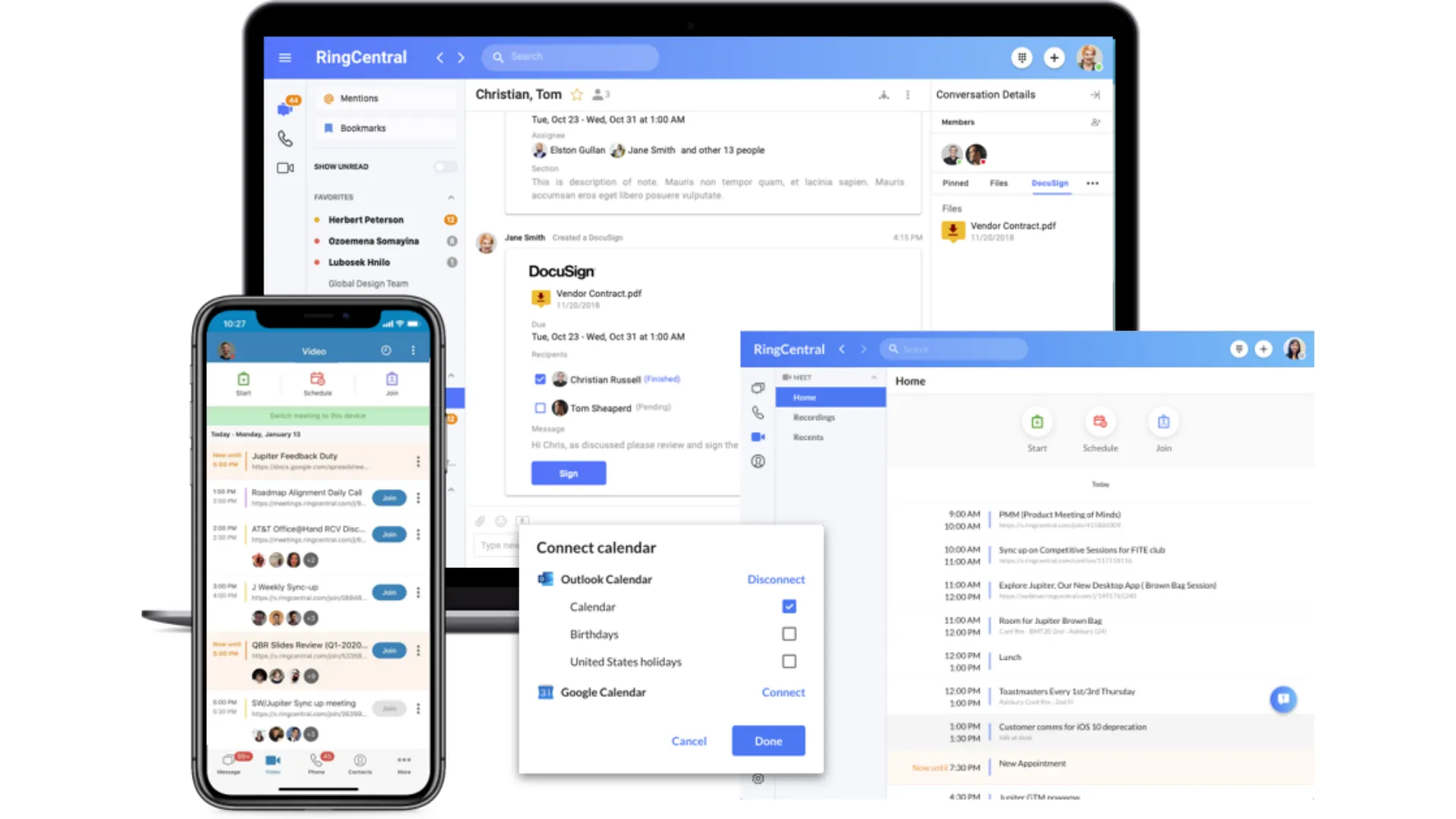
Over the years, the platform has grown far beyond internet calling. Today it combines voice, video meetings, SMS, fax, team messaging, AI powered meeting summaries, contact center capabilities, and hundreds of software integrations inside one unified workspace.
Its biggest advantage is maturity.
Thousands of businesses have built their communication stack around RingCentral over many years. Large organizations appreciate its extensive integration library, broad hardware compatibility, and worldwide coverage. Companies running Salesforce, HubSpot, Microsoft Teams, Zendesk, ServiceNow, Google Workspace, Microsoft 365, and dozens of other business applications rarely struggle to connect them.
For businesses comparing UCaaS platforms, RingCentral often appears near the top of every shortlist because it supports almost every communication workflow imaginable.
At the same time, all those capabilities create a platform that can feel overwhelming for smaller outbound sales teams. Organizations with only a handful of SDRs may never use a large percentage of what RingCentral offers.
That is where the buying decision becomes much more practical.
If your company needs enterprise communications first, RingCentral deserves serious consideration. If your priority is outbound prospecting, AI coaching, and booking meetings faster, there may be better options later in this list.
Why RingCentral Is a Good Alternative to 8x8
Companies comparing these two platforms usually arrive at the same conclusion.
Both target medium and enterprise businesses, both offer broad communication capabilities, and both continue expanding their AI functionality. The differences become easier to see once you look at daily operations rather than feature checklists.
Massive integration ecosystem
Businesses rarely operate with one application anymore.
Sales teams rely on CRM software, marketing automation, calendar platforms, customer support tools, document management systems, and analytics software every single day.
RingCentral supports more than 500 native integrations, significantly more than 8x8.
For organizations with an established software stack, this removes many of the compatibility concerns that appear during software migrations.
Public pricing makes budgeting easier
Many buyers dislike entering long sales conversations before learning subscription costs.
RingCentral publishes pricing for its primary business phone plans, making budgeting considerably easier during procurement.
8x8 frequently requires speaking with its sales team before businesses receive complete pricing information for higher level subscriptions.
Finance teams generally appreciate greater transparency early in the buying process.
Better suited for everyday business communications
Although both products include contact center software, RingCentral maintains a broader focus across general business communication.
Voice calls, internal collaboration, meetings, messaging, and administration receive equal attention.
8x8 leans much more heavily toward larger contact center environments that manage inbound customer service operations.
Companies wanting a complete business communication platform without making contact center workflows their primary focus often prefer RingCentral.
Stable performance across multiple devices
One area where RingCentral receives consistent praise is device continuity.
Employees can begin conversations from a desktop application, continue from a mobile phone, and access the same conversations across multiple devices without losing context.
Businesses with remote employees or hybrid work environments often value this consistency.
Familiar enterprise experience
Organizations already accustomed to enterprise software generally adapt to RingCentral fairly quickly.
Its administrative controls, reporting options, permissions, and integrations provide plenty of room for larger operations to expand over time.
Areas Worth Considering Before Switching
RingCentral improves on several aspects of 8x8, although it shares a few characteristics that buyers should understand before making a decision.
Customer support receives mixed feedback, particularly among smaller businesses that are not enterprise accounts.
The platform contains hundreds of settings, meaning first time administrators should expect a learning curve during deployment.
Unlimited calling also remains geographically limited, making international organizations evaluate their usage carefully before selecting a subscription.
For businesses asking 8x8 vs RingCentral vs Dialpad: which is the best business phone system?, RingCentral remains one of the safest choices for companies needing reliability, broad integrations, and mature communications infrastructure.
Sales organizations focused primarily on outbound prospecting, however, may benefit more from software designed around revenue generation rather than enterprise communications.
RingCentral Pricing
RingCentral keeps its primary pricing relatively straightforward.
Core, $30 per user each month
This entry plan includes unlimited domestic calling, business SMS, video meetings, and call recording. It provides the core communication features most organizations expect from a modern cloud business phone system.
Advanced, $35 per user each month
CRM integrations, advanced reporting, and more administrative capabilities become available at this level. Most sales organizations looking for deeper workflow automation begin with this subscription.
Ultra, $45 per user each month
This package adds webinar hosting, unlimited cloud storage, advanced analytics, and device management tools designed for larger organizations.
Additional services are available separately.
AI Receptionist starts at $39 each month for 100 included AI minutes.
RingCX Contact Center begins around $65 per agent each month for businesses requiring enterprise grade customer service operations.
3. Trellus, Best for Outbound Sales Teams That Want More Conversations, Better Coaching, and Faster Pipeline Growth
What is Trellus?
Most business phone systems begin with communication.
This platform begins with pipeline generation.
That difference becomes obvious within the first few minutes of using it.
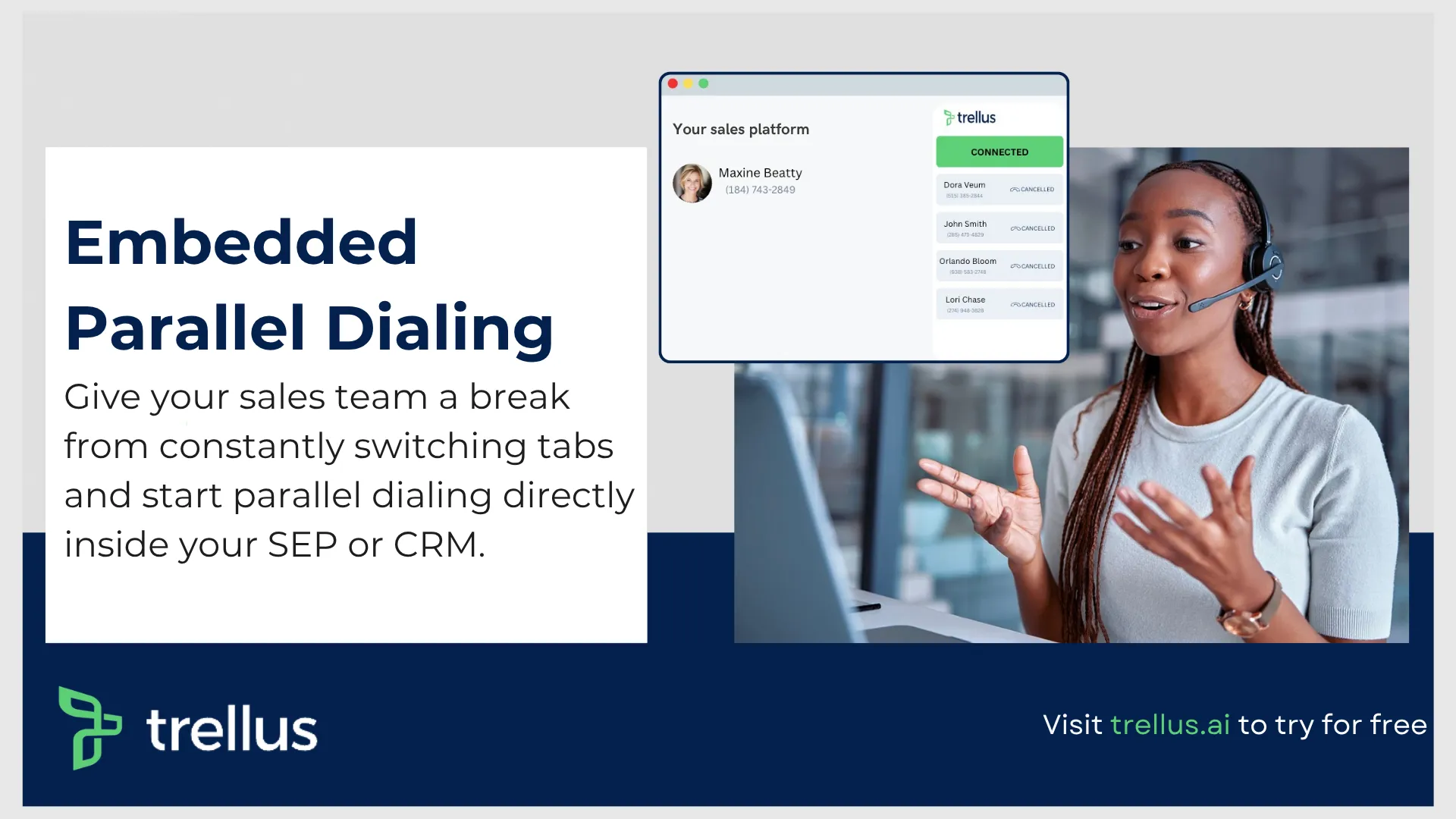
While traditional VoIP service providers concentrate on making calls, Trellus was built around helping sales representatives have more productive conversations every day. Calling, coaching, AI assistance, prospect research, and workflow automation all work together inside a single outbound selling environment.
Rather than asking representatives to jump between browser tabs, CRM records, spreadsheets, LinkedIn profiles, dialers, and note taking software, everything sits inside one workspace designed specifically for outbound prospecting.
For SDRs, account executives, recruiters, agencies, and revenue teams spending most of the day cold calling, this creates a much smoother workflow.
This is one of the biggest reasons many companies researching 8x8 alternatives are paying closer attention to AI focused outbound platforms rather than traditional enterprise phone systems.
Why It Is One of the Best 8x8 Alternatives for Modern Sales Teams
Comparing this platform with 8x8 is interesting because both solve completely different business problems.
8x8 was built to support enterprise communications across large organizations.
Trellus was designed to help sales teams generate revenue faster.
If outbound prospecting sits at the center of your business, several advantages become immediately noticeable.
Parallel dialing keeps representatives talking
One of the biggest productivity losses during cold calling comes from waiting.
- Waiting for unanswered calls.
- Waiting for voicemail.
- Waiting between numbers.
Parallel dialing removes much of that downtime.
Representatives can connect with multiple prospects at once, dramatically increasing the number of live conversations completed throughout the day without manually dialing every number.
For outbound teams measured on meetings booked rather than minutes logged, this creates a significant productivity improvement.
AI coaching improves every conversation
Representatives receive guidance while conversations are still happening, helping them respond more confidently when prospects raise pricing concerns, mention competitors, or ask difficult questions.
Managers also gain conversation intelligence that highlights coaching opportunities across the team without manually reviewing hundreds of recorded calls.
Growing organizations often find this capability far more valuable than traditional call recording alone.
AI practice calls shorten onboarding
Training new sales representatives has always consumed a large amount of management time.
Unlimited AI practice calls allow new hires to rehearse cold calls repeatedly before speaking with actual prospects.
Representatives can refine their pitch, improve objection handling, and build confidence without risking live opportunities.
Sales managers benefit because coaching becomes available at any time instead of depending entirely on scheduled role play sessions.
Built around outbound prospecting
Many traditional UCaaS platforms serve every department equally.
Outbound sales becomes only one small feature inside a much larger communications suite.
This workspace keeps prospecting front and center.
Power dialing, LinkedIn workflows, voicemail drops, AI research, conversation coaching, analytics, and outbound productivity all work together to reduce manual effort throughout the day.
For revenue teams asking Why are businesses switching from 8x8 to other VoIP providers?, this is one of the biggest answers.
Sales organizations increasingly want software that helps generate revenue rather than simply manage phone calls.
Business plan supports growing sales organizations
Larger teams receive even more value through the Business plan.
Sales managers gain customizable AI research, real time coaching models, team analytics, conversational intelligence, custom reporting, and AI driven performance insights.
Rather than measuring simple call volume, leadership can understand conversation quality, coaching opportunities, pipeline trends, and representative development across the organization.
That makes the platform suitable for scaling SDR teams that want more than a traditional cloud business phone system.
Who Should Consider It?
This platform fits particularly well for businesses that spend most of their day prospecting.
It is an excellent option for:
- SDR teams making high volumes of outbound calls.
- Sales agencies managing multiple client campaigns.
- Recruiters contacting candidates throughout the day.
- Startups building their first outbound sales motion.
- Revenue leaders looking for AI coaching alongside dialing productivity.
Companies searching for the Best 8x8 alternatives with contact center and CRM integration often evaluate enterprise platforms first, although outbound focused teams frequently discover they gain far more productivity from software purpose built for revenue generation.
It also deserves consideration among the Cheapest 8x8 alternatives for startups and growing teams because its pricing aligns closely with outbound selling value rather than charging for enterprise contact center functionality many smaller businesses never use.
Trellus Pricing
The pricing structure remains refreshingly straightforward.
Power, $99.99 per month
Designed for individual sellers, this plan includes power dialing across supported platforms, voicemail drop, five additional phone numbers with spam remediation, and LinkedIn inbox.
Parallel, $149.99 per month
Everything included in Power remains available, while adding multi line dialing, unlimited AI practice calls, voicemail drop, and eight additional phone numbers with spam remediation.
For representatives making large numbers of outbound calls every day, this plan delivers the highest productivity gains.
Business, Custom pricing
Built for growing revenue teams, this subscription includes customizable AI research, real time coaching, conversational intelligence, advanced reporting, AI modeling, and team analytics.
Organizations wanting a modern outbound sales workspace rather than another enterprise phone system will likely find the Business plan the most compelling option.
4. CloudTalk, Best for Scaling SMB Sales and Support Teams
What is CloudTalk?
As businesses grow, phone systems often become more difficult to manage.
New offices need phone numbers. Sales representatives need CRM synchronization. Managers want reporting. Customer support needs routing rules. Before long, a simple phone system turns into a collection of disconnected tools that require constant maintenance.
CloudTalk was built to solve exactly that problem.
The platform delivers an AI powered cloud business phone system designed for growing sales and customer support organizations that want enterprise level capabilities without hiring dedicated telecom specialists. Everything runs through a modern cloud based application, allowing teams to manage calls from almost anywhere while keeping customer information synchronized across the business.
Today, more than 5,500 businesses use CloudTalk to support outbound sales, inbound customer service, and international communication. Its focus remains firmly on helping small and mid sized companies scale operations without creating unnecessary complexity.
Unlike many traditional UCaaS platforms, CloudTalk places heavy emphasis on automation. Call routing, CRM updates, analytics, conversation intelligence, and outbound dialing work together to reduce repetitive administrative work throughout the day.
For companies comparing 8x8 alternatives, this creates a noticeably smoother experience during everyday operations.
Why CloudTalk Is a Strong Alternative to 8x8
Although both products offer business calling and customer communication tools, CloudTalk takes a more streamlined path that appeals to growing businesses.
Several capabilities stand out.
Automatic CRM synchronization reduces manual work
One of the biggest frustrations inside sales teams is updating CRM records after every conversation.
CloudTalk eliminates much of that manual effort.
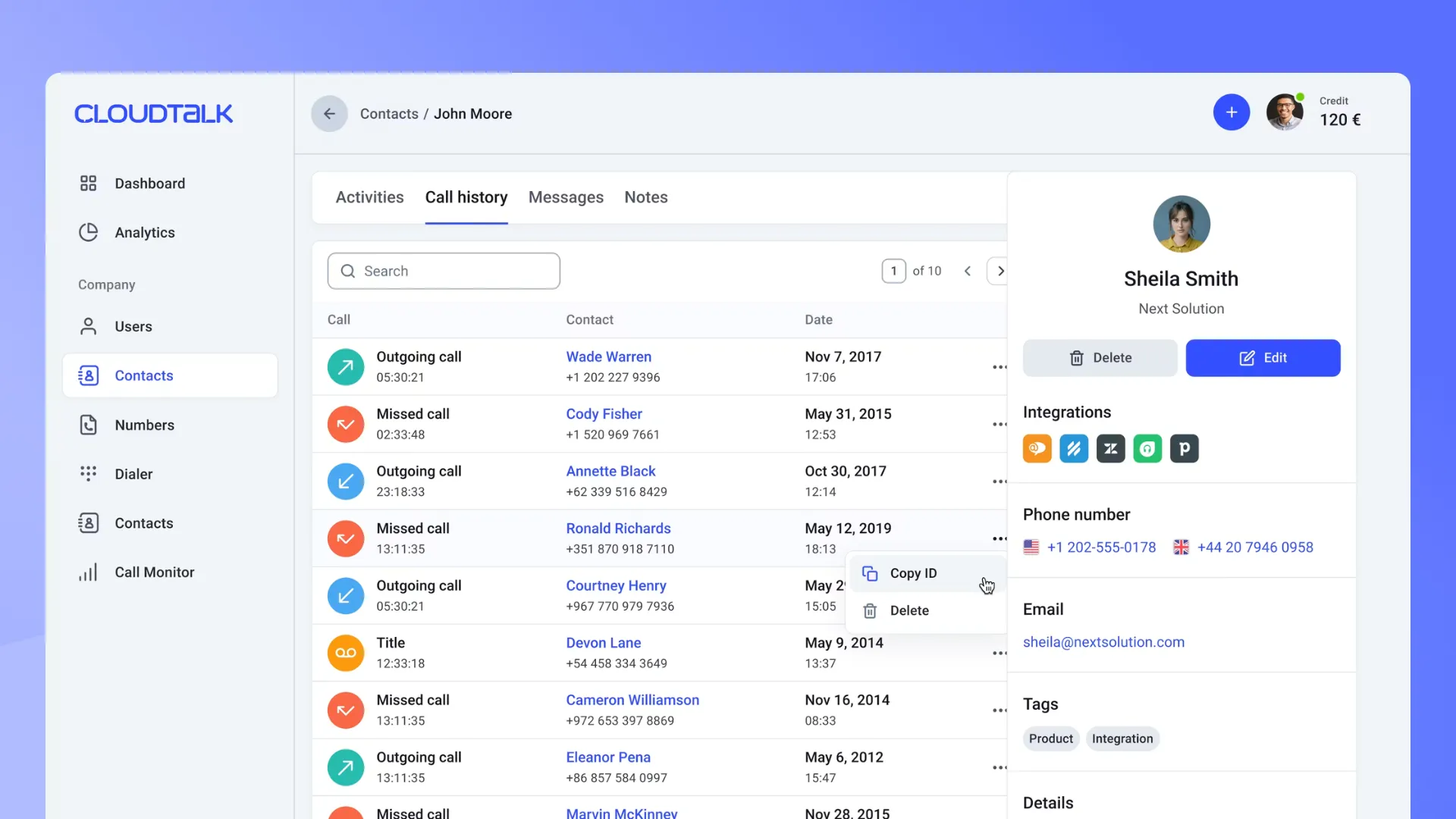
Phone calls, SMS conversations, voicemail recordings, and customer activity automatically synchronize with major CRM platforms like HubSpot and Salesforce, depending on the selected subscription.
Representatives spend less time entering notes and more time speaking with prospects.
Managers also benefit because reporting becomes more accurate when customer records update automatically.
Predictable pricing makes budgeting easier
Software costs can increase quickly when advanced reporting, routing, or analytics require expensive upgrades.
CloudTalk includes many operational tools from the beginning, allowing growing businesses to forecast software expenses with greater confidence.
For companies searching for Cheapest 8x8 alternatives for startups and growing teams, predictable pricing often becomes just as valuable as feature depth.
Better call quality for distributed teams
Voice quality plays an enormous role in outbound sales.
Dropped calls, echo, background interference, and connection delays damage first impressions with prospects.
CloudTalk operates across an intelligent multi carrier infrastructure designed to maintain stable voice quality throughout international calling sessions.
Businesses running distributed sales teams often appreciate the reliability this provides during high volume calling campaigns.
Built in dialing automation increases productivity
Outbound representatives lose valuable selling time dialing one number after another.
CloudTalk addresses this with Power Dialer and Smart Dialer functionality available on higher plans.
Representatives simply work through prepared prospect lists while the platform handles dialing automatically.
This keeps conversations flowing throughout the day and minimizes idle time between calls.
Human support remains available around the clock
Many businesses discover the importance of technical support only after something breaks.
CloudTalk provides twenty four hour assistance, with phone based technical support available for Expert plan customers.
When routing rules, number assignments, or system configuration require immediate attention, having access to experienced support personnel provides welcome peace of mind.
Conversation Intelligence without unpredictable AI costs
AI has become part of nearly every communication platform.
CloudTalk keeps pricing relatively straightforward.
Its Conversation Intelligence add on automatically transcribes calls, evaluates customer sentiment, and produces coaching insights for a flat monthly fee.
Managers can review team performance far more efficiently without listening to hours of recorded conversations.
For organizations researching the Best 8x8 alternatives with contact center and CRM integration, this combination of automation and predictable pricing makes CloudTalk a compelling option.
Pros and Cons of CloudTalk
Every phone system serves different business needs.
CloudTalk performs particularly well for companies expanding sales and customer support operations, although there are still a few areas worth considering before making the switch.
Pros
Large selection of international numbers
Businesses can purchase local, mobile, and toll free numbers across more than 160 countries, making it easier to establish a local presence while selling internationally.
Reliable CRM synchronization
Two way synchronization keeps customer records accurate across more than one hundred business applications, reducing duplicate work for representatives and managers alike.
Simple visual call flow builder
Complex routing no longer requires specialist telecom knowledge.
Managers can create phone menus and routing paths through an intuitive visual interface.
Transparent subscription pricing
CloudTalk avoids many of the hidden telecom charges businesses often encounter with older communication systems.
Budget forecasting becomes considerably easier.
Affordable AI conversation analysis
Conversation Intelligence remains available through a flat monthly subscription, making coaching costs predictable even as call volume increases.
Cons
No built in video meetings
Businesses looking for complete meeting functionality will still need a separate video conferencing platform.
Entry plan has regional calling limitations
The Starter plan focuses primarily on North America and Latin America for outbound coverage.
Organizations with broader international requirements may need higher subscriptions.
Parallel dialing requires an additional add on
Companies wanting advanced multi line dialing should account for the extra monthly cost during budgeting.
CloudTalk Pricing
CloudTalk offers four primary subscription levels.
Starter, $25 per user each month
Suitable for smaller teams needing dependable business calling with core communication features.
Essential, $29 per user each month
Introduces richer CRM integrations, reporting capabilities, and workflow automation.
Expert, $49 per user each month
Adds advanced dialing automation, twenty four hour phone support, Smart Dialer functionality, and expanded administrative controls.
Custom
Designed for larger organizations needing tailored deployments, enterprise support, and specialized communication requirements.
5. Dialpad, Best for Teams That Want Native AI Coaching During Live Calls
What is Dialpad?
Artificial intelligence has become one of the biggest selling points across today's business communications market.
Some providers add AI as an optional feature.
Dialpad built much of its platform around it.
The company combines voice, messaging, video meetings, contact center capabilities, and live AI assistance inside one modern business communication platform designed for growing sales organizations.
Its standout capability is simple.
Representatives receive guidance while conversations are taking place.
Rather than reviewing recordings several days later, managers can help improve sales performance during live customer interactions through AI generated coaching cues, automatic transcription, and conversation summaries.
For businesses evaluating modern VoIP service providers, Dialpad appeals to organizations placing AI productivity ahead of traditional telecom functionality.
Why Dialpad Is a Strong Competitor to 8x8
Many businesses researching 8x8 vs RingCentral vs Dialpad: which is the best business phone system? eventually discover that each platform serves a different audience.
Dialpad earns attention because it emphasizes coaching and productivity throughout every conversation.
Live coaching supports representatives while they are selling
When prospects ask difficult pricing questions or mention competing products, AI immediately surfaces relevant talking points inside the representative's screen.
This helps newer salespeople respond with greater confidence while reducing pressure on frontline managers.
Automatic summaries save valuable time
Sales representatives rarely enjoy writing call notes.
Dialpad automatically transcribes conversations and creates summaries that can be stored inside customer records.
Administrative work decreases, while CRM information remains current.
Unified communication inside one application
Voice calls, business messaging, video meetings, and texting all operate inside the same interface.
Employees no longer need several communication tools open throughout the day.
This creates a cleaner working environment, particularly for hybrid teams.
Clean interface speeds up onboarding
The software presents information clearly without overwhelming new employees.
Representatives generally become productive quickly because navigation remains straightforward.
Pros and Cons of Dialpad
Every AI focused communication platform includes compromises.
Understanding those trade offs helps businesses select software that matches their sales process.
Pros
Continuous live transcription
Every customer conversation is documented automatically, making follow up considerably easier.
No minimum seat requirements
Individual sales representatives and small businesses can subscribe without purchasing unnecessary licenses.
Simple modern interface
The application feels approachable even for employees who have never managed a business phone system before.
Cons
Monthly billing becomes expensive
Businesses avoiding annual contracts pay noticeably higher subscription prices.
Premium support requires higher plans
Round the clock assistance becomes available only after moving beyond the entry level subscription.
Advanced routing sits behind higher tiers
Organizations needing sophisticated routing logic will need one of the more expensive plans.
Dialpad Pricing
Dialpad keeps its pricing relatively accessible compared with several enterprise competitors.
Standard, $15 per user each month
Ideal for smaller teams beginning with cloud communications.
Pro, $25 per user each month
Introduces stronger integrations, richer reporting, and expanded collaboration tools.
Essentials, $39 per user each month
Designed for businesses needing additional AI functionality and customer engagement capabilities.
Advanced, $95 per agent each month
Built for larger contact center software environments requiring enterprise level management features.
6. Aircall, Best for Sales Teams Built Around Salesforce and HubSpot
What is Aircall?
Some business phone systems try to become your entire communication hub.
Aircall takes a different path.
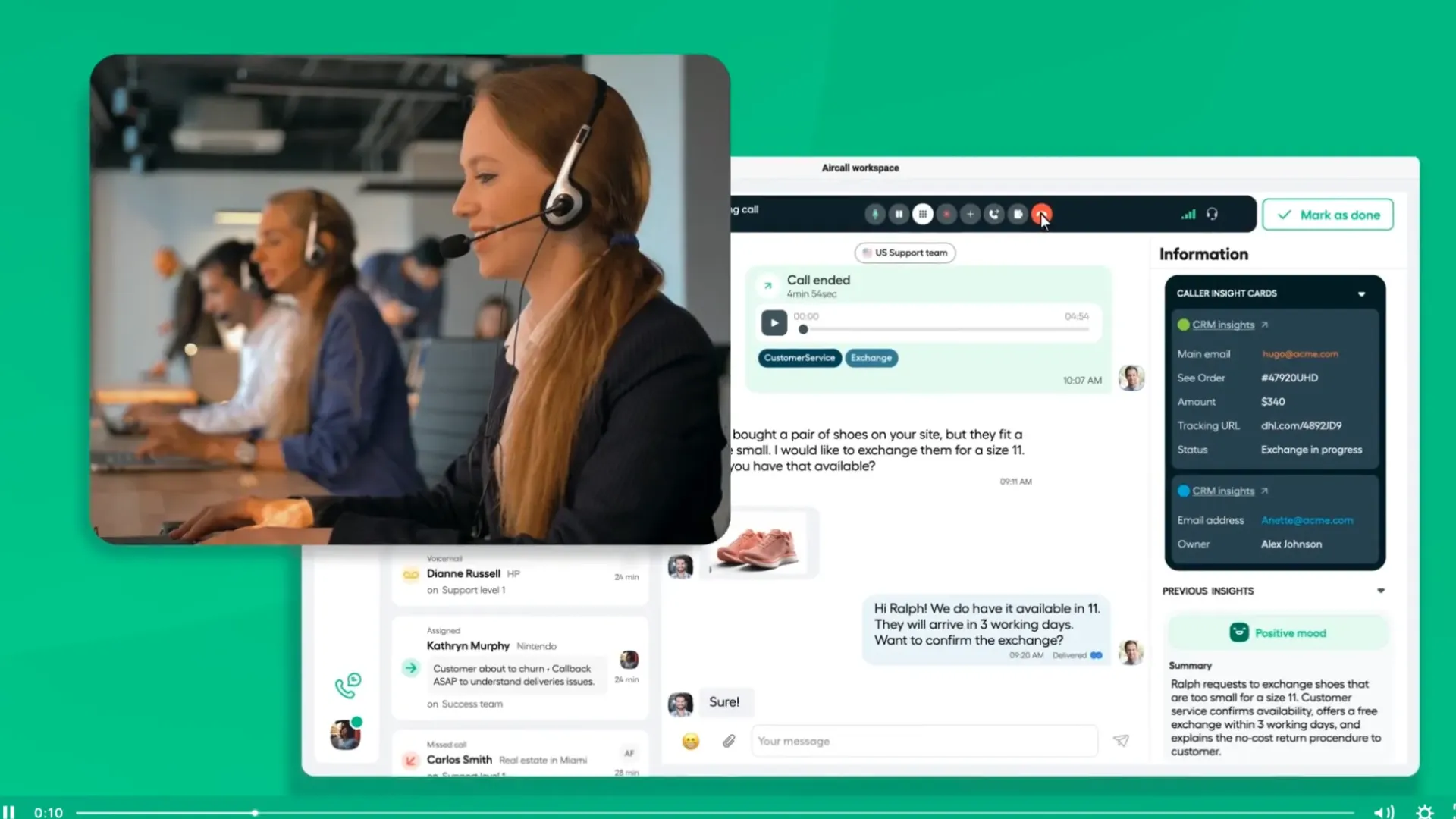
The platform was designed to sit inside the CRM your team already uses every day. Rather than asking sales representatives to switch between several applications, Aircall brings calling directly into platforms like Salesforce and HubSpot, allowing conversations, customer records, and follow up activities to stay connected from start to finish.
This makes it particularly appealing for small and mid sized sales organizations whose entire workflow revolves around their CRM.
The interface is clean, easy to learn, and free from many of the menus and administrative settings that make larger enterprise communication platforms feel intimidating.
For businesses comparing 8x8 alternatives, Aircall often stands out because representatives can become productive very quickly. Managers spend less time teaching employees how to use the software and more time coaching sales conversations.
Companies that simply want a dependable cloud business phone system with strong CRM connectivity frequently find Aircall easier to adopt than larger enterprise solutions.
Why Aircall Is a Strong Alternative to 8x8
Both Aircall and 8x8 provide business calling capabilities, although their priorities are very different.
8x8 delivers a broad enterprise communications suite.
Aircall concentrates on helping sales and customer success teams work faster inside their existing software ecosystem.
Several areas make this especially noticeable.
Phone calls become part of your CRM workflow
Sales representatives spend much of their day inside customer records.
Aircall brings incoming calls, recordings, notes, and customer history directly into the CRM, reducing unnecessary window switching throughout the day.
Everything remains connected, allowing representatives to focus on conversations rather than administration.
Fast deployment without specialist knowledge
Rolling out a phone system does not need to become a lengthy IT project.
Administrators can purchase numbers, assign them to team members, configure business hours, and begin taking calls without managing complicated telecom infrastructure.
Growing businesses appreciate being able to expand communication capacity quickly.
Easy learning curve
One reason many smaller companies move away from enterprise communication software is usability.
Aircall keeps its interface remarkably clean.
New employees generally understand the layout within a short period, allowing onboarding to move much faster than with many traditional UCaaS platforms.
Excellent fit for CRM driven sales teams
Organizations that already depend heavily on Salesforce or HubSpot gain the most value from Aircall.
Every conversation automatically contributes to a more complete customer record, helping managers maintain visibility across the sales pipeline.
For businesses asking What are the best 8x8 alternatives for small businesses?, Aircall frequently appears near the top because of its simplicity and dependable CRM connectivity.
Pros and Cons of Aircall
Every communication platform has its strengths and limitations.
Aircall performs particularly well for CRM centric organizations, although buyers should understand a few considerations before committing.
Pros
Automatic CRM updates
Call recordings, notes, customer interactions, and activity history synchronize automatically, reducing manual data entry.
Simple onboarding
Representatives can begin making calls almost immediately thanks to an intuitive interface with very little technical complexity.
Clean workspace
The application focuses on calling and messaging without overwhelming users with enterprise administration menus.
Strong Salesforce and HubSpot experience
Businesses already invested in these CRM platforms benefit from seamless workflow integration throughout the sales cycle.
Cons
Minimum user requirement
Aircall requires at least three users, making it less attractive for solo founders or individual consultants.
Additional phone numbers increase monthly costs
Organizations running multiple campaigns may need to purchase additional business numbers beyond their included allocation.
Power dialing requires higher subscriptions
Advanced outbound automation becomes available only after moving beyond the entry level plan.
Aircall Pricing
Aircall offers three primary subscription levels.
Essentials, $30 per user each month
This plan includes business calling, messaging, core integrations, and the communication features most smaller businesses require.
Professional, $50 per user each month
Designed for growing sales organizations needing richer analytics, workflow automation, and more advanced CRM capabilities.
Custom
Enterprise deployments receive tailored pricing based on communication requirements, team size, and implementation needs.
What Redditors, G2 and Capterra Users Are Saying About 8x8 Alternatives?
One of the best ways to evaluate business software is to read experiences from people who use it every day.
Marketing pages naturally emphasize product strengths.
Reddit discussions often highlight the practical issues companies encounter after deployment.
Across communities like r/sysadmin, r/VOIP, and IT focused discussion boards, administrators regularly compare enterprise phone systems, discuss migration experiences, and recommend better VoIP service providers for different business sizes.
A few themes appear repeatedly.
Customer support continues to frustrate many businesses
Support quality remains one of the most common complaints raised by long time 8x8 customers.
Several administrators describe situations where migration projects slowed because responses from technical support became inconsistent or difficult to obtain during critical deployment periods.
Many IT professionals mention that communication becomes frustrating when urgent routing or licensing issues require immediate attention.
As a result, alternatives like Nextiva, Zoom Phone, RingCentral, and CloudTalk are frequently recommended for businesses placing high value on responsive customer service.
Licensing surprises catch larger organizations off guard
Another discussion appears regularly among administrators managing larger contact centers.
Some businesses discover limitations around concurrent licensing only after expanding their operations.
During busy periods, agents attempting to begin their shifts may find themselves unable to log in because the maximum number of active users has already been reached.
Community members explain that these licensing structures are tied to legacy architecture, making capacity planning more difficult than many businesses expect.
Organizations planning significant growth often recommend reviewing licensing policies very carefully before committing to long term agreements.
Mobile experience receives mixed feedback
Several discussions mention that voice calling remains dependable, although the mobile application and SMS experience feel dated compared with newer competitors.
Businesses with fully remote sales teams increasingly expect seamless movement between desktop and mobile devices.
Many Reddit contributors feel newer communication platforms provide a smoother experience across different devices while offering more modern interfaces and stronger automation features.