.png)
Our Top Picks


AI BDR tools help outbound teams find accounts, prioritize prospects, fuel live conversations, automate follow-up, and coach reps. The right pick depends on your motion: phone-heavy calling, multichannel engagement, data-first prospecting, or custom AI personalization.
This guide compares eight platforms relevant to AI-assisted outbound in 2026: Trellus, Orum, Nooks, Outreach, Salesloft, Apollo.io, ZoomInfo Sales/Engage, and Clay. It’s written for sales leaders, frontline managers, RevOps, and founders deciding where AI should sit in the BDR workflow.
If you’re weighing the broader landscape of AI for prospecting, see the companion hub on AI SDR software and this sibling roundup of best AI SDR tools. “AI BDR” and “AI SDR” overlap; what matters is your workflow and where AI should create leverage.
What is an AI BDR tool?
An AI BDR tool augments business development reps with intelligence and automation to find, contact, qualify, and convert outbound prospects.
Common jobs supported:
•Building prospect lists and enrichment
•Researching accounts and contacts
•Prioritizing who to contact next
•Drafting or personalizing outreach and call notes
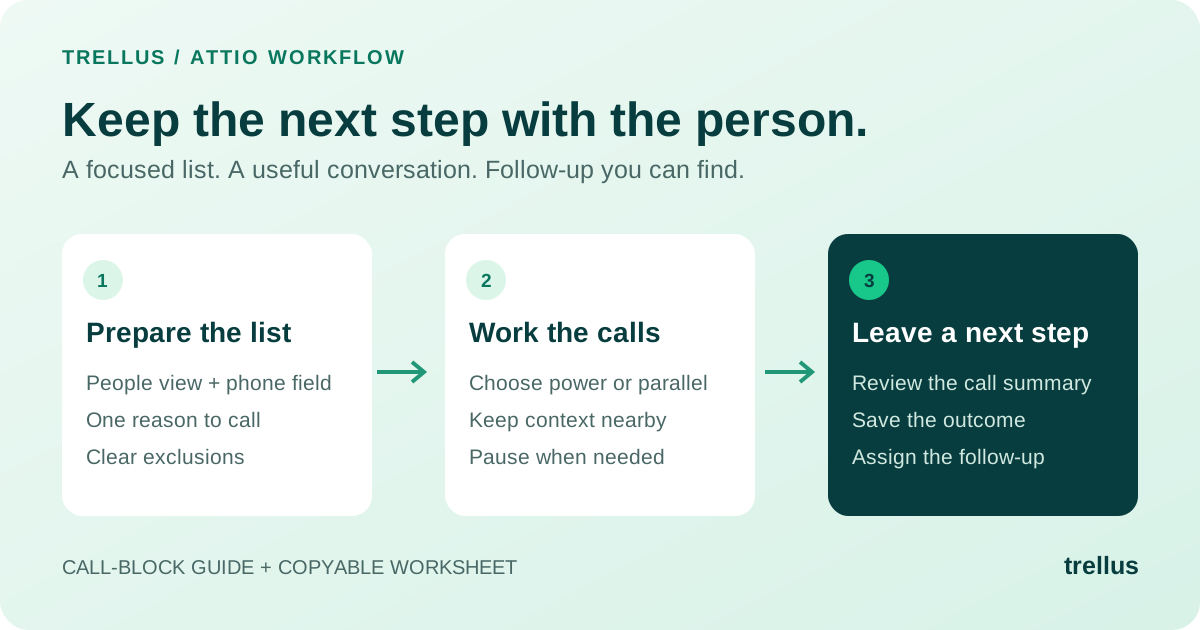
•Powering parallel dialing and structured call flows
•Prompting reps during live calls
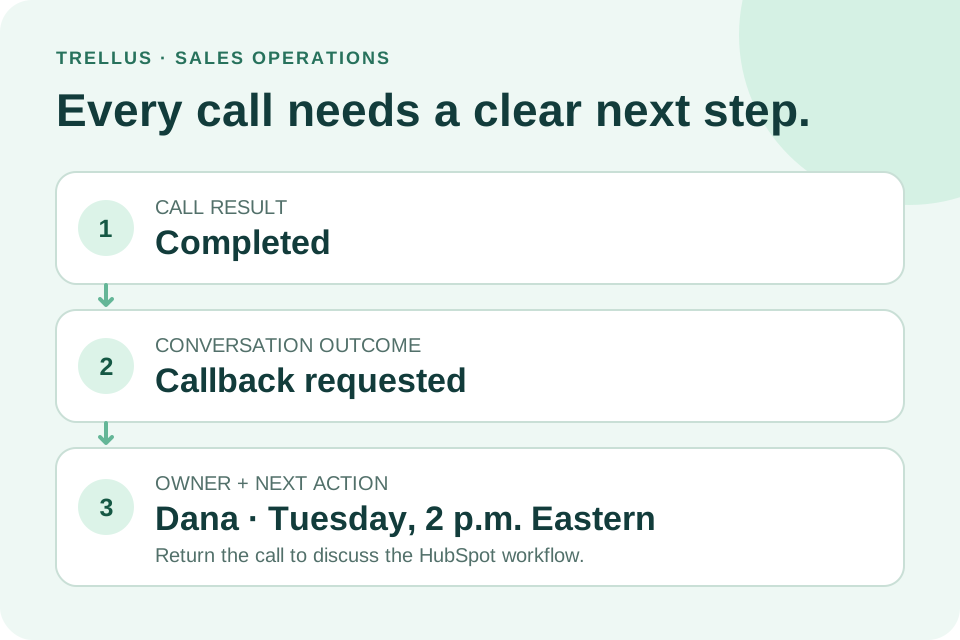
•Summarizing conversations and next steps
•Automating follow-up tasks
•Coaching reps based on behavior and outcomes
•Enabling AI voice or agentic workflows
For this article, “AI BDR tool” means software that supports outbound prospecting and pipeline creation—especially for calling, account research, sequencing, data, and rep coaching.
How to evaluate AI BDR software
Define the specific part of the BDR workflow you must improve before comparing vendors. Buy for workflow fit, not hype. Document your baseline (connects, qualified meetings, reply quality, ramp time, coaching capacity) so you can measure impact.
The 8 best AI BDR tools to consider in 2026
These platforms serve different jobs (calling, engagement, data, workflow). Your ideal stack may combine an engagement system, a calling layer, a data source, and a coaching workflow—or a leaner all-in-one for smaller teams. Always confirm current capabilities and packaging with the vendor.
1. Trellus
Trellus is designed for conversation-led outbound. It helps BDRs spend more time in live selling while receiving AI support before, during, and after calls. Publicly positioned capabilities include parallel dialing, real-time sales coaching, and AI voice agents.
Best fits when your team:
•Relies on calling as a primary channel
•Wants more connects without lowering call quality
•Prefers in-call guidance over only post-call review
•Needs manager visibility into talk tracks and coaching moments
•Is exploring AI voice for targeted workflows
•Seeks a practical AI layer for rep execution, not just data or email
What to verify:
•Current plan packaging and pricing
•Supported integrations and CRM field mapping
•Usage limits and onboarding requirements
•Internal policies for call recording, AI usage, and dialing rules by region
•Availability and guardrails for AI voice workflows
2. Orum
Orum is often shortlisted by teams aiming to increase live conversations via dialing. The core question is not just “Can reps dial faster?” but “Does it reliably create more qualified conversations while preserving data quality and compliance?”
Evaluate:
•Dialer modes and workflow options
•CRM/engagement integrations and data sync behavior
•AI assistance by plan
•Dispositions, notes, analytics, and manager visibility
•Regional dialing rules and compliance support
•Admin setup and rep onboarding
3. Nooks
Nooks appeals to teams that value collaborative calling, dialing rooms, and focused prospecting sessions. It can help standardize calling habits and surface coaching opportunities, which is useful for ramping reps and teams that want to institutionalize best practices.
Evaluate:
•Dialer and call workflow capabilities
•AI coaching or in-call assistance
•Manager views and rep performance insights
•CRM and engagement integrations
•Recording, transcription, and compliance controls
•Setup effort, adoption requirements, usage limits, and pricing
4. Outreach
Outreach is a sales engagement platform frequently chosen by mid-market and enterprise orgs needing sequences, governance, rep workflows, and reporting across teams. For BDRs, it can act as the engagement “OS” rather than a single-purpose tool.
Evaluate:
•AI-assisted messaging, prioritization, and workflow features
•Sequencing depth and task orchestration
•CRM integration quality and admin controls
•Reporting and attribution workflows
•Conversation intelligence or coaching options
•Governance and permissions
•Implementation timeline, enablement needs, and plan requirements for AI
5. Salesloft
Salesloft is a broad engagement platform used to manage prospecting tasks, multichannel sequences, calling, and coaching workflows. Many teams prefer embedding AI where reps already work.
Evaluate:
•Sequencing and engagement depth
•AI-assisted tasking, messaging, or prioritization
•Conversation intelligence and coaching capabilities
•CRM sync and field mapping
•Manager dashboards and scorecards
•Calling workflow maturity
•Implementation scope and packaging for AI/coaching features
6. Apollo.io
Apollo.io combines prospect data, enrichment, search, sequencing, and outreach. For lean teams, consolidating early-stage prospecting in one platform can be attractive—if data quality fits your ICP.
Evaluate:
•Contact/account coverage in your regions and segments
•Data freshness and accuracy
•Enrichment and filtering
•Sequencing and email functionality
•Dialer/calling options, if needed
•AI-assisted messaging or research
•CRM integrations and sync controls
•Plan limits, credits, and compliance/opt-out workflows
7. ZoomInfo Sales/Engage
ZoomInfo is commonly selected for contact and account data, enrichment, firmographic and signal intelligence, and go-to-market targeting. For BDRs, stronger upstream targeting can raise the quality of every touch.
Evaluate:
•Coverage for your ICP, geography, and personas
•Data accuracy and enrichment depth
•Account intelligence and signals/intent workflows
•CRM and engagement integrations
•Data governance and admin controls
•AI-supported research or prioritization
•Engagement functionality in your package
•Contract structure, usage terms, and support
8. Clay
Clay is a flexible workflow platform used by growth, RevOps, and outbound teams to build custom research, enrichment, and AI personalization flows. It excels when you can design and maintain processes.
Evaluate:
•Available data/enrichment sources and provider options
•AI research and personalization patterns
•Credit usage and cost controls
•CRM/engagement integrations
•Data quality monitoring and error handling
•Governance, access controls, and RevOps ownership
•Compliance for sourced data and AI-generated messaging
Best-fit summary by outbound use case
Select based on the bottleneck you must solve first.
AI BDR tool categories: compare like with like
“AI BDR software” spans distinct categories. Avoid cross-shopping tools that solve different problems.
•Calling and conversation tools: Dialing, live prompts, notes, coaching. Trellus, Orum, and Nooks are typical options. Trellus stands out for combining parallel dialing, live coaching, and AI voice exploration.
•Sales engagement platforms: Sequences, tasking, governance, reporting. Outreach and Salesloft are common choices at scale.
•Data and intelligence platforms: Accounts, contacts, enrichment, signals. ZoomInfo and Apollo.io help when targeting is the constraint.
•Workflow and personalization platforms: Data orchestration, research, AI-generated snippets. Clay is a flexible example that requires ownership.
•Coaching and enablement tools: If coaching is the primary gap, compare dedicated AI sales coaching tools alongside BDR platforms to avoid duplicative features.
Where AI helps BDR teams most
Apply AI to remove low-value work and strengthen high-value interactions.
•Prioritization: Analyze fit, signals, and engagement history to focus rep time on higher-probability accounts.
•Research: Summarize company context and triggers to reduce prep time. Guard against shallow, obvious “personalization.”
•Messaging: Draft emails, openers, responses, and follow-ups. Keep human review in the loop.
•Calling efficiency: Reduce manual dialing, repetitive notes, and voicemail waste. Tools like Trellus can be assessed where higher connect volume and in-call support both matter.
•Live conversation support: Real-time prompts for objections and discovery tighten call quality beyond post-call review.
•Follow-up and CRM hygiene: Auto-summarize, propose next steps, and create tasks—within clear RevOps rules to prevent CRM pollution.
How to build an AI BDR stack
Most teams need a concise stack mapped to jobs to be done:
•A data source for accounts and contacts
•Enrichment/research workflow
•Sequencing or engagement system
•Calling and conversation layer
•Coaching and manager visibility
•CRM sync and reporting
Some platforms span multiple layers. That can be efficient early but limiting later if a critical layer is underpowered.
Guidance by stage:
•Early-stage teams: Prioritize adoption and time to value. Prove the motion before adding enterprise complexity. Lean toward reliable data, practical calling, simple sequences, and focused AI assistance.
•Scaling teams: Prioritize repeatability, visibility, and coaching. Add live guidance, analytics, standardized workflows, and CRM governance. Involve leadership, frontline managers, RevOps, and legal/compliance.
•Enterprise teams: Prioritize governance, integration depth, permissions, reporting, and security. Pilot narrowly (region/segment/play), define success criteria up front, then scale.
Pricing models for AI BDR software
Common structures:
•Per-seat subscriptions
•Usage-based or credit-based consumption
•Platform fees and paid add-ons (AI, dialer, coaching, data)
•Enterprise contracts with custom terms
Don’t compare tools by headline price alone. A lower sticker may require more credits, add-ons, admin time, or companion tools. A higher price may be justified if it consolidates workflows and increases adoption.
Confirm before purchase:
•Which features are included in your plan vs. add-ons
•AI availability and limits
•Dialing, enrichment, or AI usage caps
•CRM integrations
•Implementation/onboarding fees
•Contract minimums and renewal terms
•Data retention, security, and support tiers
For Trellus, review current pricing and verify plan details for your workflow.
Implementation checklist for AI BDR tools
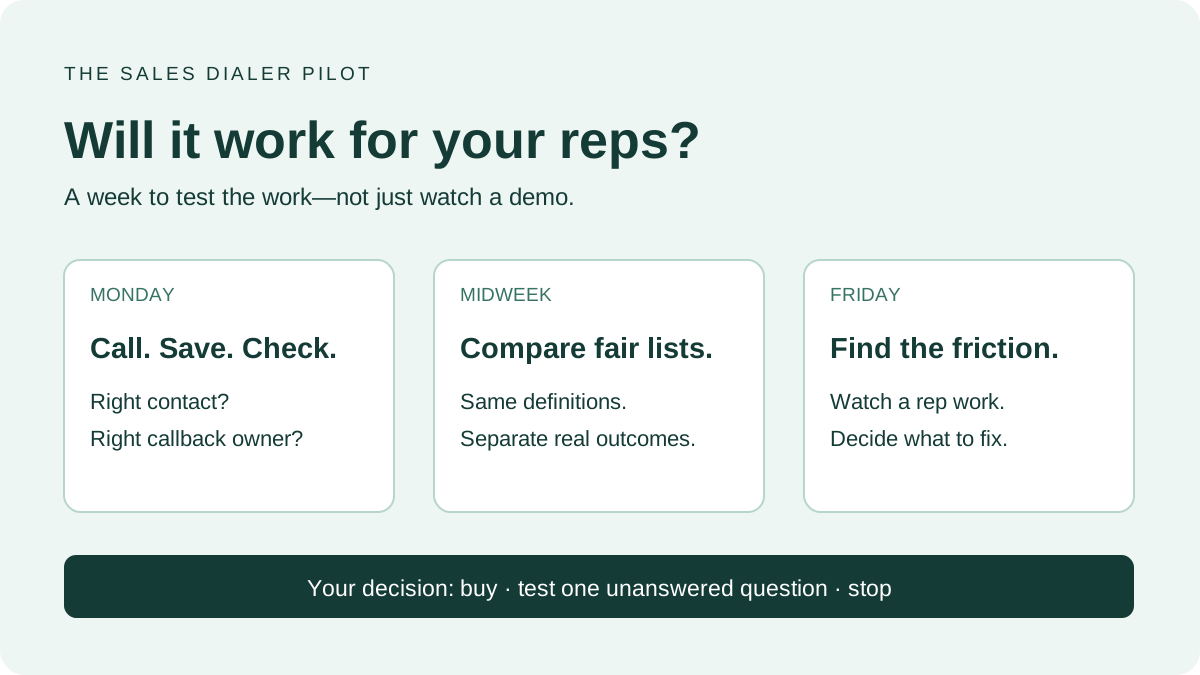
Start with a scoped pilot to de-risk rollout and get clean signal.
1.Define the workflowDocument the exact path the tool will support (target, enrich, task, dial with parallel modes, follow live prompts, log outcomes, send follow-up, sync CRM, review coaching weekly). Clear scope prevents vague expectations.
2.Set baseline metricsCapture calls per rep, connect rate, conversations per rep, meetings booked, show rate, qualified opportunity creation, positive reply rate, admin time, ramp time, and manager coaching time. Use metrics directionally; outbound depends on multiple variables.
3.Prepare data and CRM fieldsClean accounts/contacts, define required fields, and map how dispositions, notes, summaries, and tasks should sync. Align naming conventions and owners.
4.Train managers, not just repsManager adoption drives behavior change. Teach managers how to inspect call quality, coach from AI signals, reinforce workflows, and spot automation pitfalls.
5.Create governance rulesSpecify where AI drafts vs. sends, what requires human review, voice agent guardrails, call recording policy by region, and approved claims for messaging.
6.Review pilot resultsAssess usage consistency, workflow fit, admin savings, conversation quality, coaching visibility, CRM hygiene, and operational issues. Decide to expand, adjust, or stop based on evidence.
Common mistakes when buying AI BDR software
•Buying AI before defining the motion: Clarify ICP, triggers, messaging, and qualification first.
•Optimizing for activity instead of conversations: Measure qualified connects and conversion to next steps, not just volume.
•Ignoring manager workflow: Without manager leverage, adoption and impact fade.
•Overlapping tools without ownership: Audit the stack, consolidate where features duplicate, and assign clear owners.
•Trusting AI without review: Validate messaging, CRM updates, research, and summaries—especially in regulated or complex sales.
How to choose the right AI BDR tool
Anchor selection to your bottleneck:
•Too few live conversations: Evaluate Trellus, Orum, or Nooks.
•Weak data or targeting: Evaluate Apollo.io, ZoomInfo, or Clay.
•Need standardized engagement and governance: Evaluate Outreach or Salesloft.
•Coaching at scale: Compare platforms with real-time and post-call coaching; consider dedicated AI sales coaching tools if that’s the primary gap.
Run a real pilot with your accounts, sequences, CRM, and managers. Demos won’t reveal data or workflow friction. For a broader framework, see the Trellus guide to AI SDR tools.
Conclusion
AI BDR software can accelerate prospecting, sharpen targeting, strengthen calls, personalize outreach, and scale coaching—if matched to your workflow. Trellus is a strong pick for conversation-led teams that want AI-assisted dialing, live coaching, and optional AI voice workflows. Orum and Nooks focus on call productivity. Outreach and Salesloft cover engagement governance. Apollo.io and ZoomInfo strengthen data foundations. Clay enables flexible research and personalization.
Keep your process simple: define the bottleneck, shortlist by job to be done, verify plan details and integrations, pilot with clear metrics, and scale once reps and managers can prove fit.
Exploring AI for outbound calling, coaching, or human-led BDR workflows? Review the Trellus AI SDR guide, check current Trellus pricing, or request a demo to map Trellus to your motion.
FAQ
What is an AI BDR?
An AI BDR is a set of workflows and tools that use AI to help reps research accounts, prioritize contacts, write outreach, make calls, summarize conversations, and manage follow-up. The best systems assist reps rather than replacing human judgment.
What is the difference between an AI BDR and an AI SDR?
The terms overlap. BDR often focuses on outbound pipeline generation; SDR can include inbound qualification and outbound. In buying, AI BDR software typically centers on outbound calling, data enrichment, sequencing, and rep coaching.
What are the best AI BDR tools in 2026?
Evaluate Trellus, Orum, Nooks, Outreach, Salesloft, Apollo.io, ZoomInfo Sales/Engage, and Clay. Your best fit depends on whether you need calling efficiency, engagement governance, better data, personalization, coaching, or workflow automation.
Is Trellus an AI BDR tool?
Yes. Trellus supports AI-assisted outbound via parallel dialing, real-time coaching, and AI voice agents. Confirm current features, integrations, and availability on your plan before purchase.
Can AI BDR software replace human BDRs?
In most B2B motions, no. AI can automate research, drafting, summaries, and parts of voice workflows, but complex qualification, discovery, and trust-building still benefit from human reps.
How should a team pilot AI BDR software?
Pilot with one team or segment. Define the workflow, set baselines, prepare CRM fields, train managers and reps, set AI governance, then review results on both productivity and call quality.
What should buyers verify before choosing an AI BDR platform?
Confirm current capabilities, plan packaging, integrations, usage limits, AI availability, compliance support, data retention, onboarding, and contract terms. Don’t rely on outdated third-party comparisons.
.jpeg)

Power and parallel dialing in your CRM.