8 Best Sales Automation Solutions for Teams that Want to Scale
Compare 8 sales automation solutions, including Apollo, LinkedIn Sales Navigator, UpLead and HubSpot Sales Hub, on features, pros, cons and fit.
.jpeg)

On this page
Our Top Picks


Sales teams rarely struggle because they lack talented reps. More often, they struggle because every rep spends too much time doing work that never appears on the revenue dashboard.
One hour disappears updating CRM records. Another goes into writing nearly identical follow up emails. Meeting notes have to be copied into multiple systems. Contacts need enrichment before outreach can begin. Someone has to move opportunities from one stage to another, assign tasks, notify managers, and keep every customer record current.
Individually, none of these jobs feel particularly difficult. Together, they consume a significant portion of every selling day.
This is exactly why every growing company eventually starts looking for a reliable sales automation solution. Good automation removes repetitive work, keeps customer information synchronized across tools, and gives salespeople more time to build relationships and close deals.
Modern platforms have also moved far beyond simple workflow builders. AI can now summarize meetings, qualify prospects, recommend next actions, update CRM records, personalize emails, and trigger entire outreach campaigns without constant human supervision.
The result is a sales organization that spends less time managing software and more time speaking with buyers.
How We Picked These Sales Automation Solutions
No single platform works for every sales organization.
A five person startup has completely different requirements from a company running hundreds of outbound representatives across multiple regions. Some businesses simply need better CRM automation software. Others require sophisticated sales workflow automation spanning dozens of applications.
To create this list, we looked beyond feature pages and focused on how these platforms perform during everyday sales operations.
Automation depth
Some platforms automate one task at a time. Others can coordinate complete sales processes from lead capture to customer handoff.
We looked at how much manual work each platform can eliminate without creating unnecessary complexity. This includes email automation, CRM updates, lead routing, task creation, pipeline progression, AI recommendations, and multi step workflow support.
Integration capabilities
Even the best automation platform becomes frustrating when information gets trapped inside a single application.
We evaluated native integrations with Salesforce, HubSpot, Microsoft Dynamics, Gmail, Outlook, Slack, LinkedIn, and hundreds of commonly used revenue tools. Platforms with reliable two way synchronization scored much higher than tools requiring constant CSV imports.
Customization
Every sales team develops its own workflow over time.
Some organizations qualify leads differently. Others route inbound opportunities based on territory, industry, or company size. We looked at how much control each platform gives RevOps teams before technical limitations begin to appear.
Ease of setup
Automation should save time, not create weeks of configuration work.
We evaluated how quickly operational teams could launch meaningful workflows without engineering support. Platforms requiring dedicated administrators naturally involve more time and higher implementation costs.
Why Sales Automation Matters More Than Ever?
Research continues to show that salespeople spend surprisingly little time selling.
McKinsey estimates that more than 30 percent of sales related activities can already be automated. High performing representatives consistently spend far more time speaking with customers because administrative work consumes a much smaller portion of their day.
The benefits become even more visible inside larger organizations.
Seismic reported that its sales team recovered approximately 11.5 hours every week per representative after introducing ZoomInfo into daily workflows. Manual research, contact enrichment, and CRM updates became largely automated, allowing sellers to spend those recovered hours on conversations that generated revenue.
That is the value of modern sales force automation (SFA).
Rather than replacing salespeople, automation removes repetitive administrative work that contributes very little toward winning business.
For many companies, this also creates more consistent automated lead nurturing. Prospects receive timely follow ups, reminders are never forgotten, CRM records remain accurate, and managers gain much better visibility into pipeline health.
When paired with capable sales pipeline management tools, automation creates a much smoother buying experience from first touch through closed deal.
Best Sales Automation Tools at a Glance
The platforms below cover several different categories across modern revenue operations.
Some specialize in prospecting and enrichment.
Others focus on sales workflow automation, outbound engagement, CRM management, conversation intelligence, or complete revenue orchestration.
Choosing the right platform depends largely on your current sales process, team size, and operational maturity.
That also explains why many buyers ask questions such as What is a sales automation solution and how does it work?, Sales automation solution vs CRM: what is the difference?, and How to choose the right sales automation solution for your sales team before making a purchase decision.
The answers become much clearer once you understand what each platform was designed to accomplish.
1. Apollo

Brief Highlights For First Time Users
Apollo has become one of the most popular platforms among startups and growing sales teams because it combines several important functions inside one application.
Rather than purchasing separate software for prospecting, sequencing, contact management, and outbound calling, users receive a reasonably complete toolkit under one subscription.
For smaller companies, this reduces software costs while keeping everyday workflows much simpler.
Its contact database helps teams identify companies, decision makers, and verified business emails through detailed search filters. Once prospects have been selected, outreach campaigns can begin immediately using built in email sequences and outbound calling tools.
Apollo also synchronizes activity with popular CRM platforms, reducing manual updates throughout the sales process.
Companies searching for an affordable sales automation solution often begin their evaluation here because it covers multiple workflows without requiring a large technology stack.
Key features
Apollo offers a balanced collection of prospecting and engagement capabilities that support both outbound representatives and account executives throughout daily sales activities.
- Contact and company database with advanced filtering
- Built in email sequencing
- Outbound dialer
- Email engagement tracking
- Meeting scheduler
- Chrome extension for LinkedIn prospecting
- Salesforce and HubSpot integration
Pros
Apollo provides meaningful value for growing sales organizations that prefer managing prospecting and outreach from one central platform.
- Combines prospecting and engagement inside one application
- Generous free plan for individual users
- Reduces software costs through built in calling functionality
Cons
Although Apollo covers many everyday workflows, larger organizations may eventually outgrow several areas.
- Contact database is smaller than several enterprise providers
- Enterprise governance capabilities remain fairly limited
- AI functionality continues to evolve compared with dedicated AI first platforms
Best for
Small and mid market sales organizations looking for an affordable sales automation solution that combines prospecting, outreach, and CRM connectivity without purchasing multiple separate products.
2. LinkedIn Sales Navigator
Brief Highlights For First Time Users
Some opportunities begin with a cold email.
Others begin with a familiar name, a mutual connection, or perfect timing after someone changes jobs.
That is where LinkedIn Sales Navigator delivers the most value.
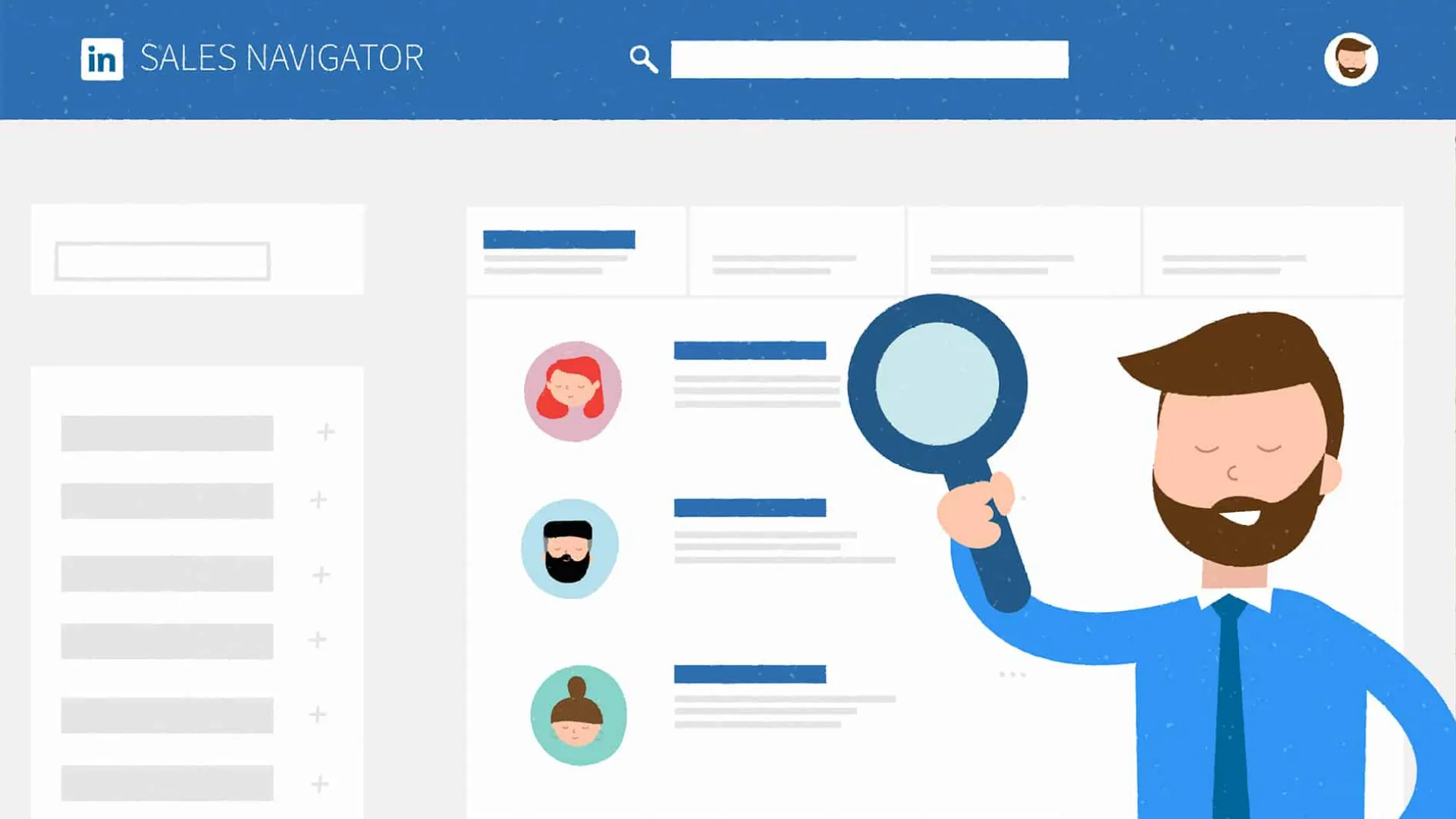
Rather than serving as another contact database, the platform gives sales teams access to LinkedIn's professional network with powerful search filters and relationship insights. It helps representatives identify the right decision makers, understand company changes, and discover warm introduction opportunities that would otherwise remain hidden.
Many account executives rely on it daily because buying decisions rarely happen in isolation. Decision makers move between companies, receive promotions, expand teams, and announce business priorities on LinkedIn long before those updates appear inside traditional databases.
While it is not a complete sales automation solution, it becomes much more valuable when connected with engagement platforms and CRM automation software that can trigger outreach after new buying signals appear.
For organizations focused on account based selling, relationship driven prospecting, and enterprise sales, Sales Navigator remains one of the most valuable research platforms available.
Key features
LinkedIn Sales Navigator provides tools designed to help sales teams discover prospects, monitor buying signals, and maintain visibility into important accounts throughout the sales cycle.
- Advanced search with more than fifty professional filters
- Lead and account recommendations
- InMail messaging
- Real time alerts for promotions, job changes, and company updates
- TeamLink for warm introductions
- CRM synchronization
- Saved searches with automated notifications
Pros
Relationship selling becomes much easier when representatives know who to contact and when meaningful changes happen inside target accounts.
- Access to LinkedIn's unmatched professional network
- TeamLink reveals introduction opportunities across your organization
- Job change alerts help create timely outreach opportunities
Cons
Sales Navigator performs exceptionally well as a research platform, although it still requires complementary software for complete outbound execution.
- Does not provide verified business emails or phone numbers natively
- Email sequencing is unavailable
- Multi channel outreach requires another platform
Best for
Account executives, enterprise sellers, and relationship focused sales teams looking to combine social selling with broader sales workflow automation platforms.
3. UpLead
Brief Highlights For First Time Users
Sales automation only works as well as the data flowing into it.
If inaccurate contact information enters your workflows, every automated email, CRM update, and outbound sequence becomes less effective.
That is exactly where UpLead earns its reputation.
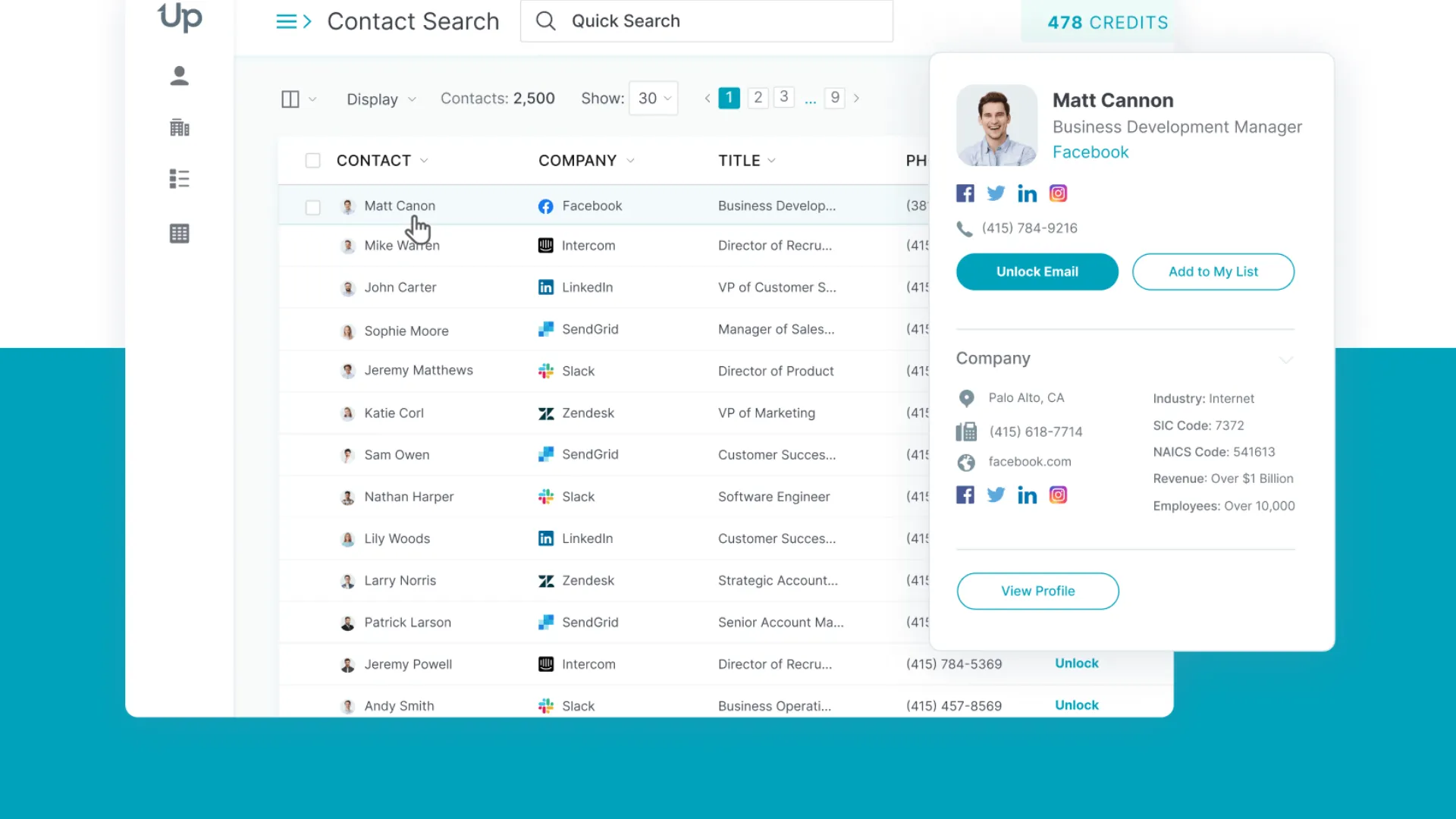
Rather than competing on database size alone, the platform emphasizes data quality through real time email verification before credits are consumed. This simple capability helps sales teams reduce bounce rates, improve deliverability, and avoid wasting credits on invalid records.
Search filters allow users to build highly targeted prospect lists based on company size, revenue, technologies, geography, industry, and buyer intent. Sales representatives can enrich contact records before exporting them into their preferred CRM or outreach platform.
For companies investing in automated lead nurturing, reliable data often delivers a bigger return than simply collecting larger prospect lists.
Although UpLead does not replace a complete sales automation solution, it supplies clean prospect data that strengthens every downstream workflow.
Key features
The platform focuses on helping outbound teams build higher quality prospect lists while keeping enrichment workflows straightforward.
- Real time email verification
- Technographic company data
- Buyer intent signals
- Bulk list exports
- Chrome extension
- API access
- CRM synchronization
Pros
Organizations that prioritize clean prospect data will appreciate the platform's emphasis on accuracy over volume.
- Email verification occurs before credits are used
- Credit based pricing minimizes wasted spending
- Easy interface with minimal learning curve
Cons
UpLead concentrates primarily on prospect data, so broader engagement capabilities require separate software.
- Smaller database than several enterprise providers
- Intent data coverage remains relatively limited
- No native email sequencing or outbound engagement tools
Best for
Small businesses, agencies, and outbound sales teams looking for dependable prospect data that supports larger sales force automation (SFA) initiatives.
4. HubSpot Sales Hub
Brief Highlights For First Time Users
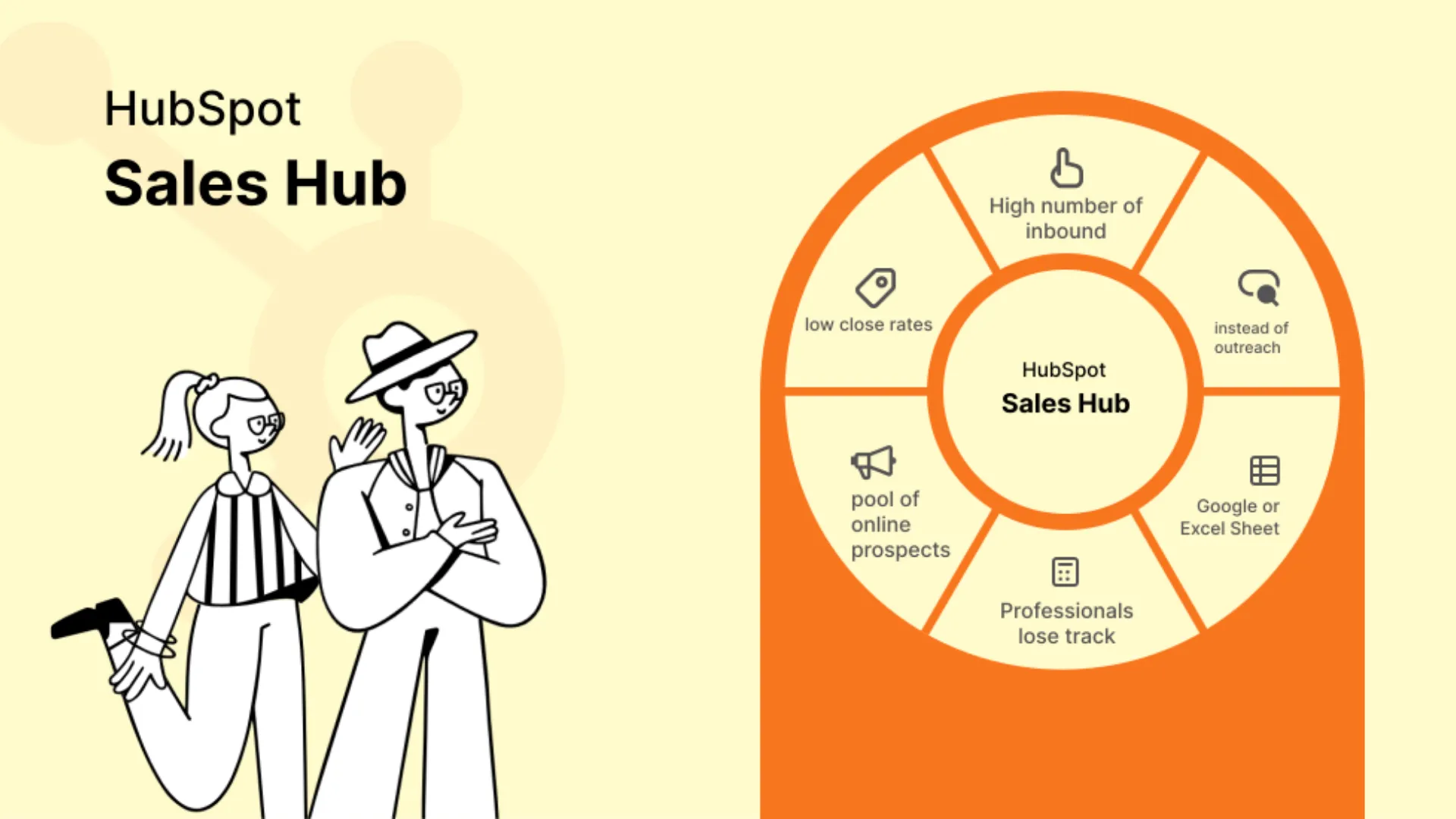
HubSpot Sales Hub has earned its popularity because it combines customer relationship management with automation in a way that feels approachable from the very beginning.
Many businesses start with spreadsheets, email inboxes, and calendar reminders. As customer conversations increase, keeping track of every opportunity becomes much harder. HubSpot helps organize those moving parts inside one connected workspace.
Every interaction, meeting, email, task, and deal becomes part of the customer record. Once automation rules are introduced, repetitive administrative work begins disappearing from daily operations.
For example, a prospect submitting a form can automatically become a CRM contact. A follow up email sequence can begin immediately. A sales representative receives a task reminder, the opportunity enters the correct pipeline stage, and management gains visibility without anyone updating multiple systems manually.
This is why HubSpot continues to rank among the most widely adopted CRM automation software platforms available today.
It also serves as an excellent foundation for businesses building long term sales pipeline management tools around one centralized CRM.
Key features
HubSpot combines CRM functionality with productivity features that support growing sales organizations from lead generation through closed deals.
- Contact management with customizable pipelines
- Email tracking and templates
- Automated email sequences
- Meeting scheduling
- Workflow automation
- Reporting dashboards
- Calendar synchronization
Pros
Companies looking for one connected ecosystem often find HubSpot easier to adopt than many enterprise CRM platforms.
- Excellent user experience
- Strong native CRM capabilities
- Powerful workflow automation for growing teams
- Extensive marketplace of integrations
Limitations
As organizations expand, many advanced capabilities become available only on higher subscription plans.
- Professional automation features require upgraded plans
- Onboarding fees increase implementation costs for many businesses
- Per user pricing grows steadily as teams expand
Best for
Growing organizations searching for CRM automation software that combines customer management, automated lead nurturing, reporting, and workflow automation inside one ecosystem.
5. Pipedrive
Brief Highlights For First Time Users
Not every sales organization needs an enterprise CRM with hundreds of configuration options.
Many teams simply want a pipeline that is easy to understand, easy to update, and capable of automating repetitive work without requiring months of setup.
Pipedrive was designed with exactly that philosophy.
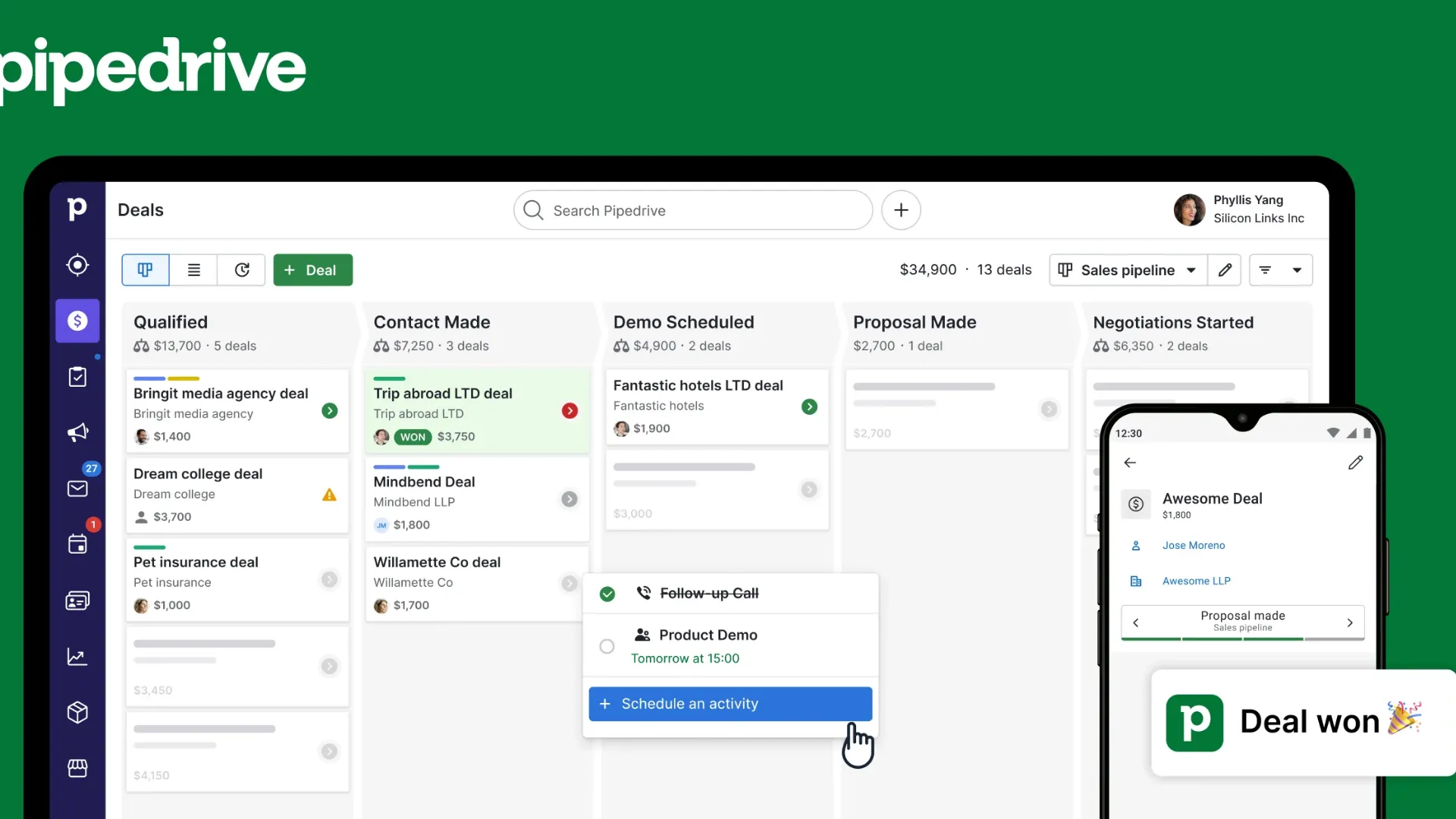
Its visual pipeline makes deal progression intuitive for representatives while giving managers a clear picture of pipeline health. Opportunities can be moved between stages with a simple drag and drop interface, while automation handles reminders, follow ups, notifications, and task creation behind the scenes.
Sales representatives spend less time updating CRM records because many routine actions happen automatically after predefined triggers.
As companies grow, these workflows become increasingly valuable. New leads can be assigned automatically, follow up emails can begin immediately, activities appear without manual scheduling, and opportunities continue moving through the sales process with far less administrative effort.
Businesses evaluating sales automation solution vs CRM: what is the difference? often discover that platforms like Pipedrive sit comfortably between both categories. It functions as a CRM while delivering meaningful workflow automation that removes repetitive operational work.
Key features
Pipedrive combines visual opportunity management with automation tools designed for everyday selling.
- Drag and drop sales pipelines
- Workflow automation
- Email sequences
- Activity reminders
- Sales reporting
- Integration marketplace
- AI assisted recommendations on higher plans
Pros
The platform balances ease of use with practical automation capabilities suitable for growing sales organizations.
- Very easy implementation
- Visual pipeline improves opportunity tracking
- Automation requires minimal technical knowledge
- Excellent adoption among sales representatives
Limitations
Organizations with highly customized enterprise workflows may eventually encounter platform limitations.
- Advanced automation is reserved for higher subscription tiers
- Entry level plans include limited workflow functionality
- Complex enterprise processes can outgrow available customization
Best for
Sales teams searching for intuitive sales pipeline management tools that combine CRM functionality with practical sales workflow automation without overwhelming users.
6. Trellus
Brief Highlights For First Time Users
Most sales automation platforms were designed to organize work after sales activity happens.
A rep sends an email, makes a call, books a meeting, then the software updates records, creates reminders, or moves opportunities through the pipeline.
That certainly saves time, but it only addresses one part of the selling process.
Modern outbound teams need support while conversations are happening, not just after the activity has already finished.
This is where Trellus takes a very different direction.
Rather than functioning only as another sales automation solution, the platform combines AI assisted outbound execution with workflow automation that helps representatives spend more time having productive conversations and far less time managing software.
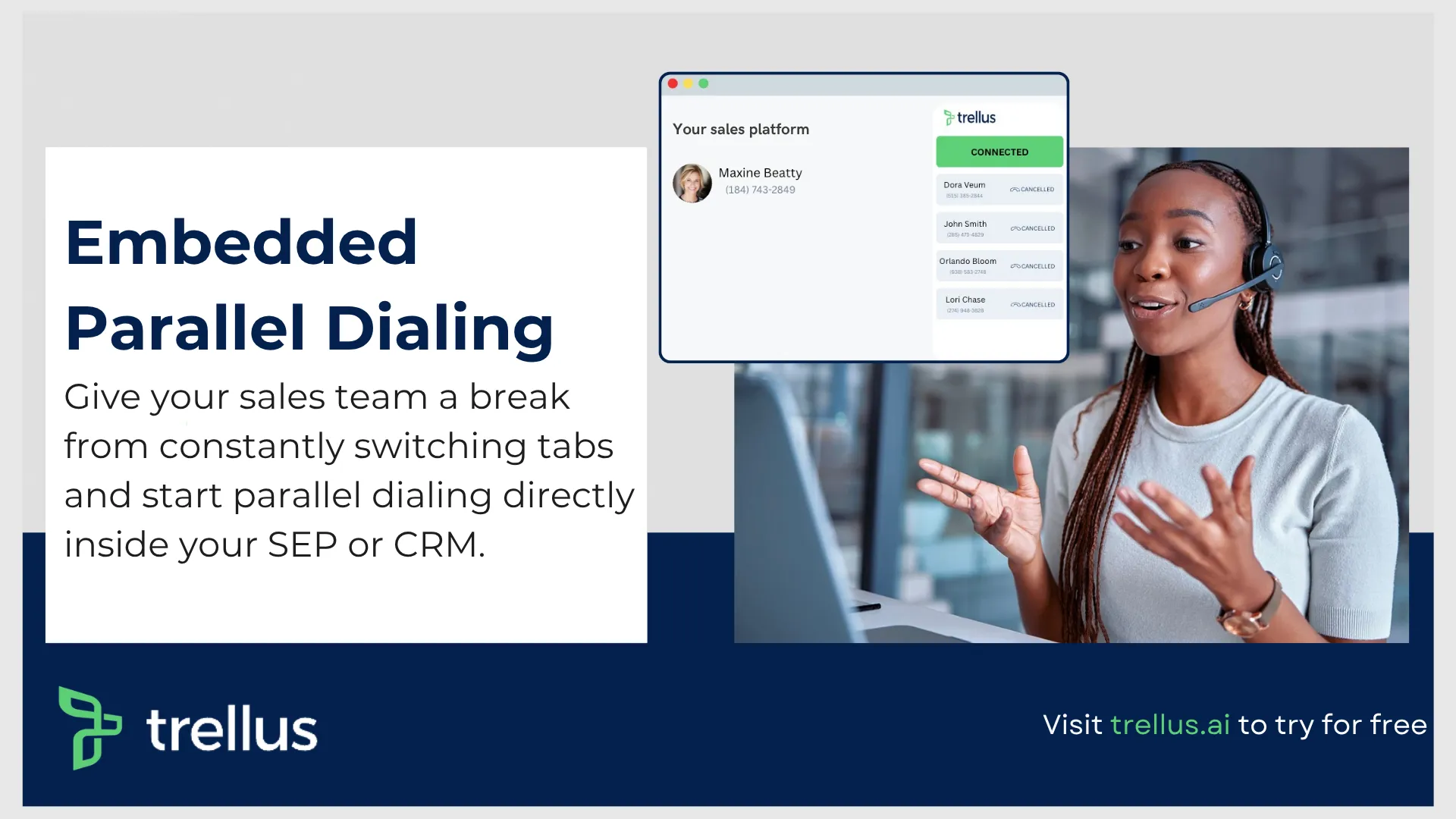
The workspace brings together prospect research, dialing, AI coaching, CRM synchronization, note generation, and workflow automation into one environment. Sales representatives no longer need to jump across multiple browser tabs searching for account information, copying meeting notes, or updating CRM fields after every interaction.
Everything remains connected inside a single workflow.
For outbound teams making hundreds of calls every week, those saved minutes quickly become several additional selling hours.
Another area where the platform stands out is preparation.
Before every conversation, representatives receive account context, company research, and prospect information without opening multiple databases. During calls, AI assists with note taking and conversation tracking. Once the discussion ends, CRM updates, summaries, and follow up information are ready almost immediately.
Companies investing heavily in outbound prospecting often discover that administrative work becomes one of the largest productivity drains inside the organization. Representatives spend time researching accounts, documenting conversations, updating CRM records, preparing follow ups, and switching between sales engagement software throughout the day.
Reducing those interruptions creates measurable productivity gains.
For organizations building a modern outbound motion, this becomes one of the more practical examples of sales workflow automation working alongside AI rather than simply replacing manual checklists with automated rules.
It also answers an increasingly common question from revenue leaders.
How does a sales automation solution improve rep productivity and revenue growth?
The answer comes down to reclaiming selling time.
When research, dialing, coaching, CRM updates, summaries, and follow up preparation happen inside one connected workflow, representatives can spend significantly more of their day speaking with prospects.
That creates more conversations, more qualified meetings, and ultimately more pipeline.
Key features
The platform combines outbound execution with AI powered productivity features that support representatives before, during, and after every customer conversation.
- AI assisted parallel dialing that helps representatives connect with more prospects during every calling session.
- Real time conversation coaching that provides suggestions and guidance while calls are taking place.
- Automatic call summaries that reduce manual note taking after meetings.
- CRM synchronization that keeps customer records updated without repetitive data entry.
- AI generated prospect research that surfaces useful company and buyer information before outreach begins.
- LinkedIn integration that keeps prospecting workflows connected without constant browser switching.
- Voicemail automation for faster outbound calling sessions.
- Detailed analytics covering conversations, coaching insights, activity levels, and productivity trends.
Pros
Sales organizations looking to increase outbound efficiency will find value across multiple stages of the prospecting process rather than only after activities have been completed.
- Reduces administrative work across research, note taking, and CRM updates.
- Keeps representatives inside one connected outbound workspace.
- AI coaching helps newer representatives improve much faster.
- Supports higher daily call volume without sacrificing conversation quality.
Cons
Like most specialized outbound platforms, there are a few considerations before deployment.
- Delivers the greatest value for outbound focused sales organizations.
- Teams with very little phone based prospecting may not benefit from every capability.
- Some advanced workflows require initial configuration to match existing sales processes.
Best for
Outbound SDR teams, business development organizations, inside sales teams, and revenue leaders looking for a modern sales automation solution that combines AI assistance, outbound execution, and sales force automation (SFA) into one streamlined workspace.
One reason many fast growing companies continue evaluating platforms like this is simple.
Traditional CRM systems store information.
Sales engagement platforms execute sequences.
Conversation intelligence platforms analyze calls.
This workspace connects those activities together so representatives spend less time moving between applications and more time creating opportunities.
If your organization is evaluating the best sales automation solutions for small and mid sized businesses in 2026, this deserves serious consideration, particularly for teams where outbound prospecting drives a large percentage of new pipeline.
7. Outreach

Brief Highlights For First Time Users
As sales organizations grow, managing outreach across dozens or even hundreds of representatives becomes much more complicated.
Email timing needs to stay consistent. Call tasks need to appear automatically. Prospects who reply should immediately exit active sequences. Managers need visibility into campaign performance, while RevOps teams need confidence that CRM data remains accurate.
Outreach was built to handle exactly those operational demands.
The platform serves as an enterprise sales engagement system that coordinates communication across multiple channels while keeping every interaction synchronized with your CRM. Email, phone calls, LinkedIn touches, follow up tasks, and engagement tracking all become part of one structured workflow.
This makes it particularly valuable for organizations running large outbound programs where consistency matters just as much as volume.
Conditional workflows allow campaigns to react to buyer behavior. Someone opening an email several times can receive a follow up call task. Prospects who book meetings automatically leave active sequences. Managers gain reporting across teams, campaigns, and individual representatives without manually compiling activity reports.
For larger organizations, this level of orchestration supports reliable automated lead nurturing while reducing repetitive operational work for both sellers and RevOps teams.
Key features
Outreach provides sophisticated engagement automation that supports enterprise outbound organizations operating at scale.
- Multi channel sequences with conditional workflow logic.
- Subject line and messaging experiments.
- Local presence dialing.
- Voicemail automation.
- Email engagement analytics.
- Conversation intelligence.
- Bi directional CRM synchronization.
- Team performance dashboards.
Pros
Organizations managing large outbound teams benefit from centralized execution and reporting across every customer touchpoint.
- Mature sequence automation.
- Powerful analytics for managers and RevOps teams.
- Reliable CRM synchronization across supported platforms.
Cons
Enterprise capability often comes with greater operational complexity.
- Initial implementation requires considerable planning.
- Pricing is designed primarily for larger organizations.
- Smaller sales teams may find many capabilities unnecessary.
Best for
Enterprise SDR organizations, global sales teams, and companies requiring advanced sales workflow automation across high volume outbound campaigns.
8. Reply
Brief Highlights For First Time Users
Not every sales team communicates through email alone.
Many buyers reply on LinkedIn, schedule meetings after receiving a text message, or continue conversations through WhatsApp. Managing those interactions manually becomes difficult as outbound volume increases.
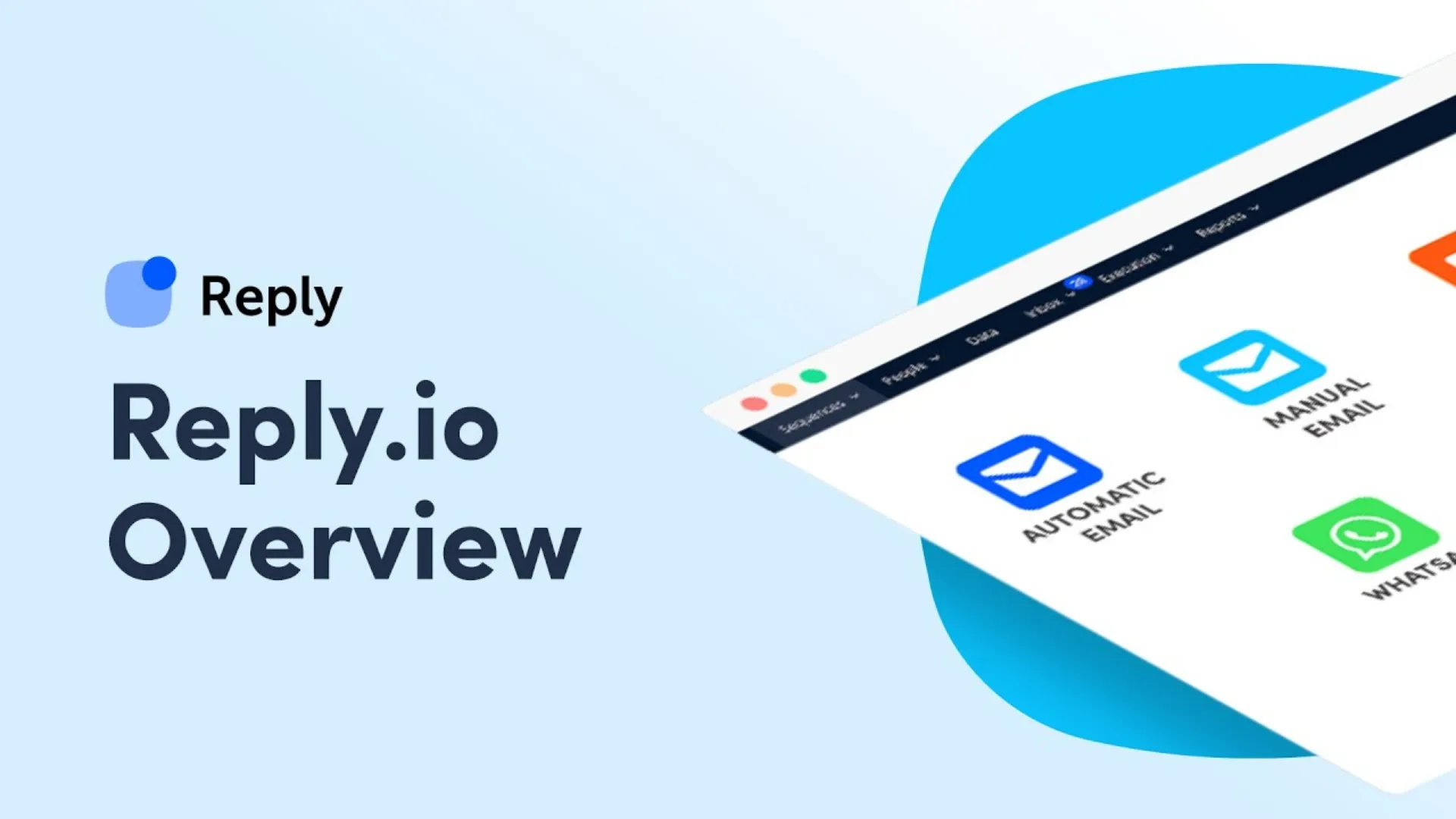
Reply was built to bring those communication channels together inside one platform.
Rather than asking representatives to manage separate tools for email, LinkedIn, calls, SMS, and messaging apps, the platform organizes every touchpoint into connected sequences. Reps can build outreach campaigns that move naturally across different channels while automation keeps conversations progressing.
Artificial intelligence also plays a meaningful role throughout the workflow. It helps generate email variations, personalize messaging, and create outreach that feels more relevant without requiring representatives to rewrite every email from scratch.
For organizations building consistent automated lead nurturing, this can reduce a significant amount of repetitive writing while helping teams maintain steady communication with prospects.
Another useful capability is built in email warm up. New outbound domains often struggle with inbox placement during the early stages of prospecting. Automated warm up gradually improves sender reputation, helping campaigns reach inboxes more consistently.
Combined with CRM synchronization and sequence templates, Reply offers a practical balance between automation, personalization, and ease of use.
Companies searching for a modern sales automation solution without enterprise level complexity often place it high on their evaluation list.
Key features
Reply combines outreach automation with communication channels that many traditional sales engagement platforms either limit or exclude.
- Multichannel outreach across email, LinkedIn, phone calls, SMS, and WhatsApp.
- AI generated email personalization.
- Email warm up for improved deliverability.
- Prebuilt outreach sequences.
- LinkedIn automation.
- Meeting scheduling.
- Team collaboration and shared sequence libraries.
Pros
Sales teams looking for broader communication coverage can automate outreach across several channels without relying on multiple platforms.
- Excellent multichannel communication support.
- AI assists with message personalization.
- Email warm up helps improve deliverability.
- Easier implementation than many enterprise engagement platforms.
Cons
Although Reply covers many outbound workflows, larger organizations may require more advanced governance capabilities.
- AI generated content occasionally benefits from manual editing.
- Enterprise controls remain lighter than some larger competitors.
- LinkedIn automation should always follow platform usage policies.
Best for
Growing outbound teams, agencies, startups, and mid market organizations looking for an affordable sales automation solution with multichannel engagement capabilities.
Over To You!
Sales automation has matured far beyond simple email sequences and scheduled reminders.
Modern platforms can research accounts, enrich contact records, update CRM fields, summarize meetings, recommend next actions, coordinate outreach across multiple channels, and support representatives throughout the entire customer journey.
At the end of the day, the best sales automation solution is the one that removes repetitive work, improves seller productivity, keeps customer data accurate, and gives every representative more time to do the one thing software can never replace, building meaningful conversations with buyers.