Our Top Picks


Imagine a rep opening Salesforce to 47 call Tasks. Ten are overdue, three are callbacks promised for this afternoon, and some have no usable phone number. “Work the queue” is not a plan yet. Before anyone dials, turn that pile into one short list with a clear stopping point and a place to put the result.
This guide is for a team that already uses Salesforce Tasks to decide who to call. If your team instead runs from a report or a Lead list view, start with the Salesforce dialing workflow; don't manufacture Tasks just to follow this article.
Start with a list you can actually finish
In Lightning, the Tasks tab offers views for work due today, open work and overdue work. A manager can also create a dedicated Task list view if the defaults mix call work with everything else. The exact fields and filters depend on your Salesforce setup (Salesforce: Start Using Tasks; Task list views).
If the Tasks tab isn't in your navigation, Salesforce's Lightning instructions start in the App Launcher: search for Tasks, open it, then use Create New View beside the current list view. Ask your admin for the right filters and columns if you can't create or edit a view. A useful call view needs the Task owner, due date, related record and enough phone context to decide whether the row is callable. A view named “Calls Today” that still contains email reminders won't save anyone time.
For a 45-minute block, select one owner and one reason to call. For example, a hypothetical renewal team could work due callbacks for current opportunities before touching general prospecting. Don't mix promised callbacks with brand-new outbound merely because both have a phone icon. The promise has a time attached.
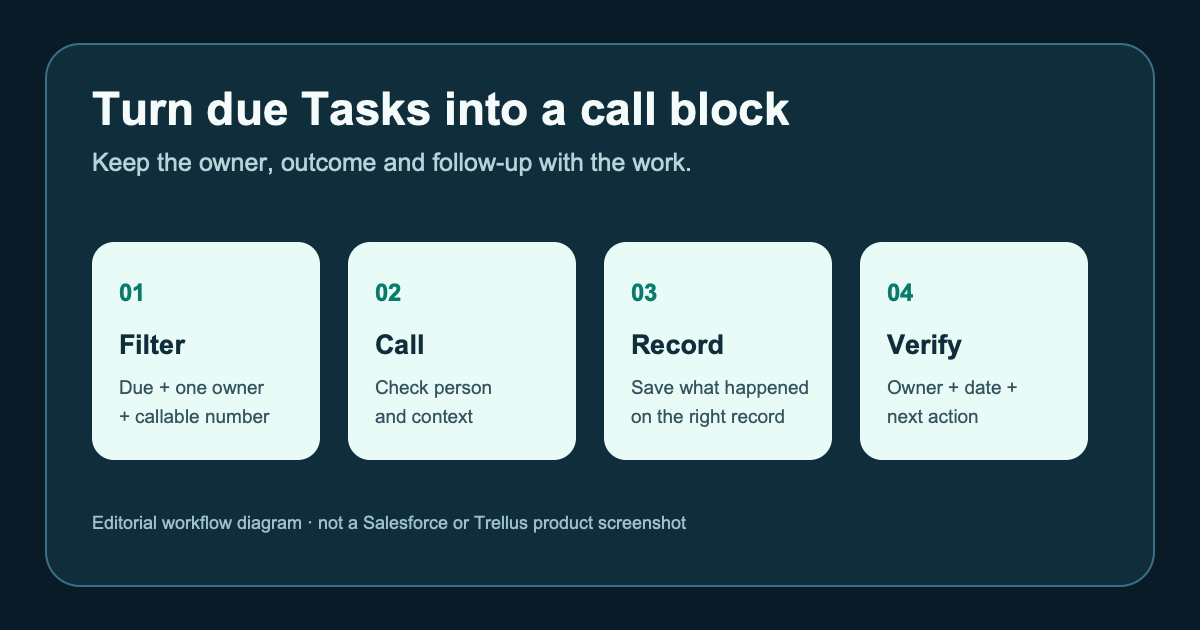
Check each row for a related Lead or Contact, a valid phone field, a due time, and enough context to open the call. If the row is missing a number or belongs to a different owner, fix the Task or route it back rather than counting it as a dialer failure. Check your team's do-not-call rules and local calling policy before starting.
Write down where this block ends. For example: the rep will work the eight due callbacks they own before 3 p.m., then reconcile those eight rows. That's more useful than a target of “make 50 dials,” which can reward repeated attempts while the promised callbacks stay untouched.
Copy this pre-block worksheet
- List name and filter: Example: “My due renewal call Tasks, today.” Everyone knows which work is in scope.
- Owner and window: One rep, 2:00–2:45 p.m. Stops the list from becoming an endless backlog.
- Phone field: The approved standard or mapped custom number. Avoids dialing a fax, stale alternate or unrelated contact.
- Reason for this call: One short sentence from the Task and record. Makes the opening relevant.
- Result choices: Connected, no answer, voicemail, wrong number, callback requested. Keeps the end-of-block report interpretable.
- Next-action rule: Who owns a callback, when it is due, and which record it belongs to. Prevents a conversation from becoming another orphan Task.
The row labels are a suggested planning tool, not a claim that every Salesforce org or dialer has identical dispositions. Match them to the fields your admin has actually configured.
Work the call, then close the loop
Treat the calling tool as something to test against this worklist, not as a reason to rebuild it. Take five representative Tasks into a pilot. Can a rep see the related person and approved phone field before dialing? After the call, is the original Task in the right state? Can another rep find the outcome and any promised callback on the right record? Test an invalid number and a required-field error as well as an ordinary conversation. Salesforce permissions and validation rules still decide what can save.
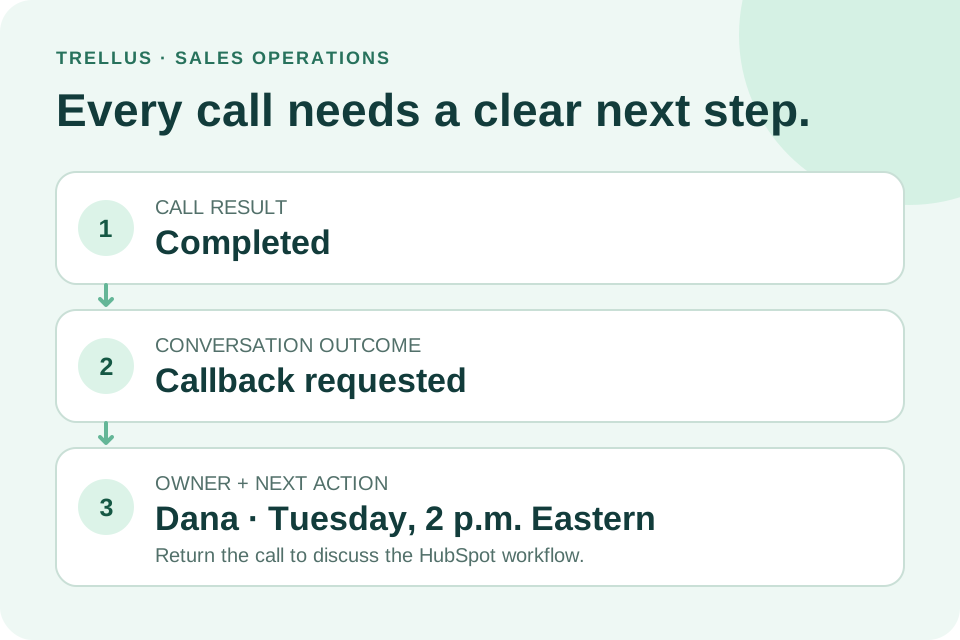
After each attempt, answer three questions: Did you reach the person? What happened? Who owns the next touch? “Called” alone is too thin if the prospect asked for Tuesday afternoon or gave a different number. On a no-answer attempt, follow your cadence rule rather than creating an immediate duplicate callback.
Here's a hypothetical five-task block. Two people answer; one asks for a callback next week, one is not interested. Two calls go unanswered, and one row has an invalid number. The block is not “five calls completed.” It is two conversations with distinct outcomes, two attempts awaiting the appropriate next step, and one data-cleanup item. The invalid number should not quietly return to tomorrow's dial list.
At the end of the block, compare the source Task view with saved call results and callback Tasks. Every selected row should have a defensible state: completed with an outcome, scheduled for a specific next touch, or removed from the callable list for a stated reason. If a Task remains open because Salesforce rejected a required field, resolve that error before using the block's numbers as a performance report.
You don't need a new dashboard to do this first check. Keep the original list open and sample the records that changed. If a callback is due next Tuesday, look for its owner and date in the next worklist—not just a note saying “follow up.” Salesforce gives each Task one owner at a time; reassigning it can make it disappear from the first rep's view. That is useful when deliberate and confusing when nobody checks who now owns the promise (Salesforce: Start Using Tasks).
When this approach is the wrong one
If your team already uses Salesforce Sales Engagement's Work Queue and native calling for both cadence and telephony, keep that workflow unless a measured gap justifies a change. If your calling audience comes from a curated report with different filters, use the report; don't copy rows into Tasks solely to make a new tool fit. And if the basic outcome or callback fields are inconsistent across your org, fix the data contract with your admin before asking reps to dial faster.
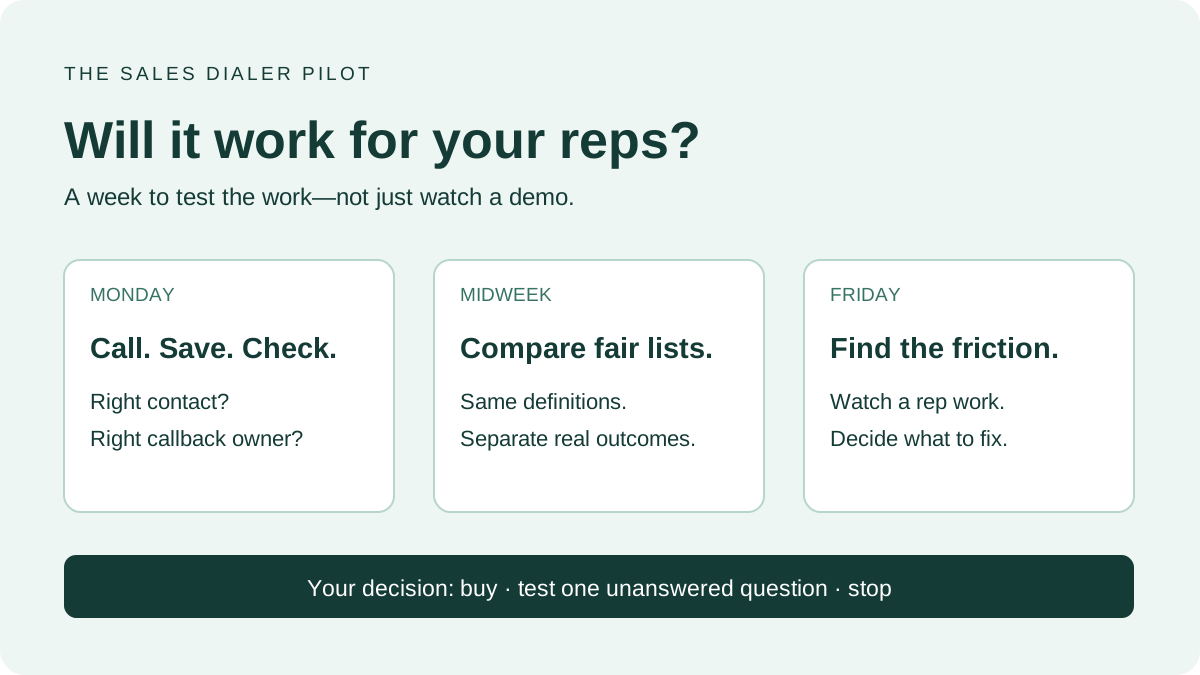
For teams that do want to call from the Salesforce worklist they already trust, see the Trellus Salesforce workflow. Bring one real, permissioned report, list view or due Task queue to a demo and check the returned activity against your own required fields. The page describes available Trellus workflows; this worksheet is a way to verify the one your team needs. To compare a short pilot fairly, use the sales-dialer pilot checklist with the same audience and outcome definitions on both sides.

Power and parallel dialing in your CRM.