
How to Make Calls From Pipedrive
What Pipedrive does and does not do for phone calls, the steps for each way to call from a contact, deal or People list, and what each route writes back to Pipedrive.
Trellus adds power and parallel dialing inside the CRM your team already uses. See pricing Book a demo
On this page
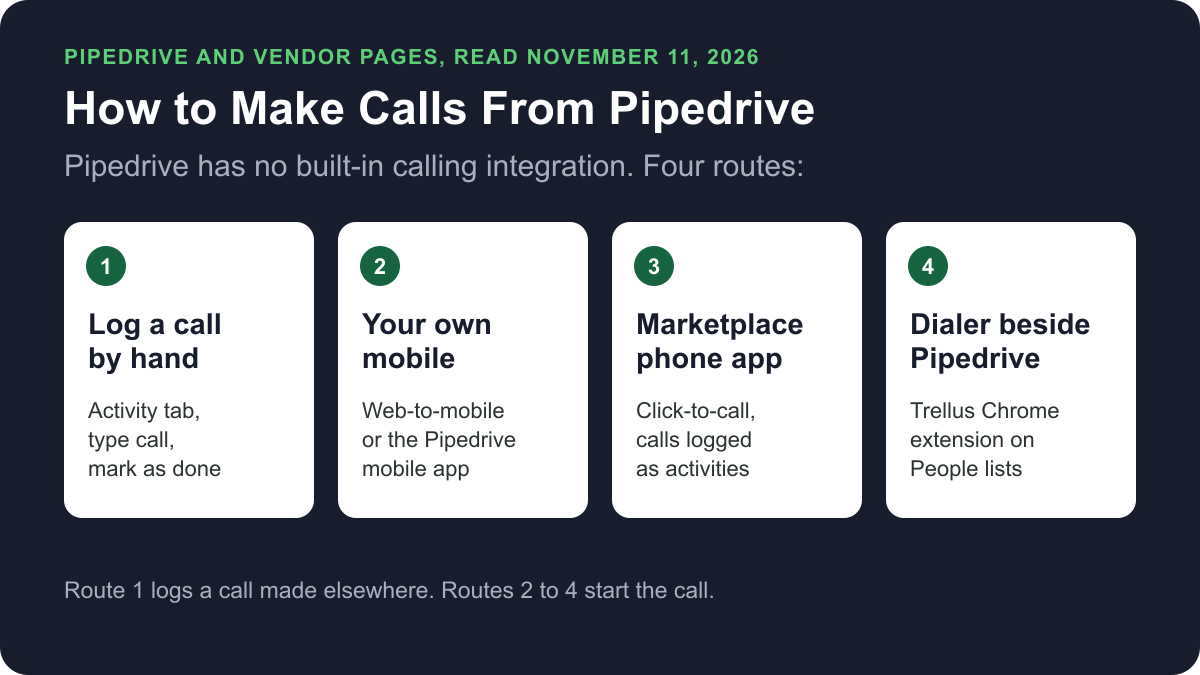
Pipedrive's help centre says it has no built-in calling integration. You can still call from it. Pipedrive can hand a call to your own mobile, a call-to link can open a phone app, and a Marketplace phone app can place the call inside Pipedrive. A dialer such as Trellus can call a list. Here is how each route works and what lands on the record.
Trellus publishes this guide and sells one of the routes below. Details about Pipedrive come from pipedrive.com and its help centre, and details about each phone app come from that vendor's own Pipedrive Marketplace listing, all opened on November 11, 2026. The steps are as those pages give them, and nothing was tested.
Ways to call from Pipedrive at a glance
| Route | What you need | How the call starts | What lands in Pipedrive |
|---|---|---|---|
| Log a call by hand | Any phone | On that phone. Nothing starts in Pipedrive | A call activity that you add and mark as done |
| Web-to-mobile | The Pipedrive mobile app with notifications on. Listed on all four plans | Click a number in the web app, then continue on your mobile | A call activity, from the call log prompt in the web app |
| Pipedrive mobile app | The iOS or Android app | Tap the phone icon on a lead, deal or contact | A call activity, when call logging is on |
| Call-to link | An admin sets the default calling app | Click a number. Your tel, callto, SIP or FaceTime handler opens | No logging is described for a plain link |
| Marketplace phone app | The vendor's own subscription | Click-to-call inside Pipedrive, or the vendor's dialer | Calls logged as completed activities |
| Trellus, a Chrome extension | Chrome and a Trellus plan | From a filtered People list or a Person record, in power or parallel mode | A note on the Person. No call activity and no callback |
What Pipedrive does natively today
Pipedrive's article How can I make calls in Pipedrive?, last updated September 3, 2026, says Pipedrive does not have a built-in calling integration. Pipedrive's call tracking page says Nova, its meeting intelligence tool, recaps conversations but does not place calls or provide phone numbers.
The Pipedrive pricing page showed four plans on November 11, 2026. Billed annually, Lite was US$14, Growth US$39, Premium US$59 and Ultimate US$79 per seat per month. Billed monthly, they were US$24, US$49, US$79 and US$99. Its comparison table lists web-to-mobile calls, automatic call logging and caller ID on all four plans.
Logging a call by hand
Pipedrive's Activities article lists call as a default activity type. To log a call you made on another phone:
- Open the detail view of the deal, person or organization and click the activity tab.
- Set the type to call. Fill in the title, the time, date and duration, and a note.
- Mark the activity as done.
Start a call on your mobile from the web app
Web-to-mobile starts the call in the Pipedrive web app and continues it on your own phone. Pipedrive's web-to-mobile article says the calls are charged on your usual phone bill. First install and update the Pipedrive mobile app and enable its notifications. On Android, also enable calling.
- In the web app, click a phone number saved under a contact, in the list view or the detail view.
- Check that the Phone tab is selected. Click Start the call from Pipedrive mobile app, then Start call.
- On your mobile, tap the notification from the Pipedrive app and continue the call there.
- When the call ends, the web app shows a call log. Add the call to an existing activity that is not done, or add a new call activity.
Call and log from the Pipedrive mobile app
These steps are from Pipedrive's mobile calling article. It says your standard network charge applies.
- Android only: in the device's Settings, open Apps, Pipedrive, Permissions, Telephone, and select Allow. This step is from the Android calling article.
- Open More, then Preferences. On iOS, review Caller ID and Call logging. On Android, open Calling, choose what handles the call (Cellular, WhatsApp, JustCall or Aircall) and turn on the logging options you want.
- Open a lead, deal or contact and tap the phone icon at the bottom.
- When the call ends, fill in the prompt. Tap Done on iOS or Save on Android. The call appears as a regular activity.
Click a number to open your phone app
Pipedrive's call-to syntax article covers links that pass a number to a phone app. Only admin users can configure it.
- Open the account menu in the top right corner. Go to Tools and apps, then Phone calls.
- Choose the default calling app: an installed Marketplace app, a SIP phone handler, Apple FaceTime, the tel or callto handler, or Custom.
- Click Save settings.
- To use another method for one call, hover over the phone number on a contact or deal and click the arrow icon. Pick the calling integration and click Start call.
The article describes no call logging for a plain tel or callto link. Log those calls by hand.
Phone apps in the Pipedrive Marketplace
Pipedrive's call tracking page names six telephony apps: Aircall, Kixie, JustCall, Ring.io, CloudTalk and CallHippo. It says each one logs calls as completed activities under the deals they belong to. The Communicate with leads collection in the Marketplace showed 223 apps on November 11, 2026.
What each vendor's listing says:
- CloudTalk: calls made and received without leaving Pipedrive, with recordings, tags and notes logged to deals. Dialer queues come from Pipedrive activity lists, for power or parallel dialing.
- Aircall: click-to-call from any deal or contact, and a Power Dialer for call lists. Every call and text logs as an activity.
- JustCall: calls and texts in a click, logged automatically, and a Sales Dialer action on the activity, deal and People lists.
- Kixie: click-to-call from Pipedrive, and a PowerDialer that dials up to 10 numbers at once. Calls, texts and dispositions are logged automatically.
Install steps differ by vendor. The CloudTalk listing gives these:
- Log in to CloudTalk. Click Account, then Integrations.
- Select the Pipedrive integration and click Add.
- Authorize the connection in Pipedrive. You are sent back to CloudTalk.
- Click Save, then wait a few minutes for contacts to sync.
Pipedrive says you can then set the app as the default calling app. Each app is a separate subscription billed by its vendor, and each listing links to the vendor's pricing page.
Power or parallel dial a People list with Trellus
Trellus is our product. It is a Chrome extension, installed from the Chrome Web Store. It adds power dialing and parallel dialing to filtered Pipedrive People lists and Person records. The steps below are from the Trellus for Pipedrive page.
- Add Trellus to Chrome from the Chrome Web Store.
- Open the filtered People list. Trellus continues through its pages without a CSV export. For a one-off call, open a Person record.
- Review the phone choices. Trellus removes duplicate values and identifies primary, work, mobile, home and other phone types.
- Choose power or parallel. The Trellus power dialer calls one number at a time. On an eligible plan, the Trellus parallel dialer calls up to five numbers at once.
- Save the call to the Person. The summary, disposition text, numbers, duration and Trellus transcript link return as a note on the Person.
Trellus writes a Person note. It does not create or complete a native Pipedrive call Activity, and it does not create a callback. It is a poor fit when every call must be a native Activity.
Power is $99.99 per seat per month and Power + Parallel is $149.99. Both are bought online with no seat minimum, and there is no free plan or free trial (see Trellus pricing). To choose a mode, read parallel dialer vs. power dialer.
Which route fits
For a few calls a day, Pipedrive's own tools are enough. Web-to-mobile calls and automatic call logging are listed on every plan, and the call goes on your usual phone bill. For a business number, recording or call routing, use a Marketplace phone app. For a long list, use a dialer. Our cold calling report has live answer and conversation rates by hour, weekday and dialing mode.
How calls end up on the record
- Logged by hand: a call activity on the linked deal, person or organization.
- Web-to-mobile: a call activity that is marked as done.
- Mobile app: a regular activity linked to the item's detail view.
- Marketplace phone apps: completed activities under the deal. Recordings and notes are as each listing states.
- Trellus: a note on the resolved Person with the summary, disposition text, called number, calling number, duration and transcript link. It does not fill Pipedrive's call-Activity reporting.
Recording and consent
Pipedrive's call tracking page puts notice and consent for recorded meetings on the meeting organizer, wherever the law requires them. Calls made through a phone app or dialer are recorded under that tool's settings. The cold calling laws by state hub lists recording consent, calling hours and do-not-call rules for each state, with the statute. This guide is not legal advice.
Troubleshooting
- A mobile call was not logged. Pipedrive says the number must be in the contact's default phone number field, not in notes or a custom field.
- No logging prompt on iPhone. Pipedrive says only outgoing calls made from the Pipedrive app can be logged on iOS.
- Android does not log incoming calls. Pipedrive says you must set Pipedrive as the default caller ID and spam app.
If calls connect but fewer people pick up, read why calls show Spam Likely.
Frequently asked questions
Can you make phone calls directly from Pipedrive?
Pipedrive's help centre says it has no built-in calling integration. You can start a call in the web app and continue it on your mobile with web-to-mobile, call from the Pipedrive mobile app, or install a calling app from the Pipedrive Marketplace. A dialer such as Trellus can also call People lists.
Does Pipedrive have a built-in dialer?
No. Pipedrive's help centre says it does not have a built-in calling integration, and its call tracking page says Nova does not place calls. Pipedrive points to Marketplace telephony apps such as Aircall, Kixie, JustCall and CloudTalk. Trellus, a Chrome extension, adds power and parallel dialing to filtered People lists.
How do I log a call in Pipedrive?
After a web-to-mobile call, the web app shows a call log that adds the call as an activity. The mobile app prompts you when call logging is on. By hand, open the deal, person or organization, click the activity tab, add a call activity and mark it as done.
Which Pipedrive plan do I need to make calls?
On November 11, 2026, the Pipedrive pricing page listed web-to-mobile calls, automatic call logging and caller ID on all four plans. Lite, the lowest, was US$14 per seat per month, billed annually. A Marketplace phone app or a dialer has its own subscription and price.
Can I power dial or parallel dial from Pipedrive?
Yes, with an added tool. The CloudTalk, Aircall, JustCall and Kixie listings in the Pipedrive Marketplace each describe a dialer. Trellus, a Chrome extension, power dials a filtered People list one number at a time, or parallel dials up to five numbers at once on eligible plans.
Sources
Every page below was read on November 11, 2026.
- Pipedrive help: How can I make calls in Pipedrive?, web-to-mobile calling, call-to syntax, mobile app calling, Android calling and Activities
- Pipedrive pricing and the Pipedrive call tracking page
- Pipedrive Marketplace, its Communicate with leads collection and the CloudTalk, Aircall, JustCall and Kixie listings
- Trellus: Trellus for Pipedrive and Trellus pricing