
How to Make Calls From Twenty CRM
What Twenty does and does not do for phone calls, the steps for each way to call from a record or a list, and what each route writes back to Twenty.
Trellus adds power and parallel dialing inside the CRM your team already uses. See pricing Book a demo
On this page
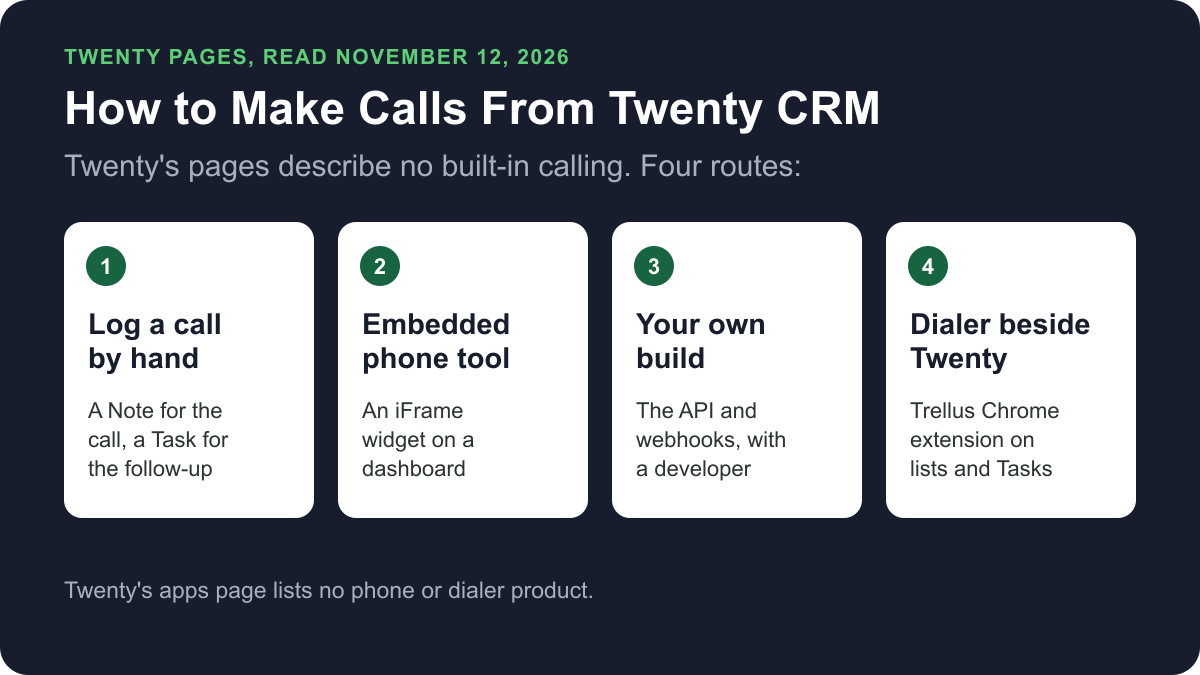
Twenty, the open-source CRM, has no phone or dialer that its own pages describe. None of the eight apps on its apps page is a phone or dialer product, and its documentation does not describe placing calls. You can still call from it. Call on another phone and log a Note, embed a phone tool in a dashboard, build a link with the API, or use a dialer such as Trellus on your lists. Here is how each route works and what lands on the record.
Trellus publishes this guide and sells one of the routes below. Details about Twenty come from twenty.com, its documentation and its GitHub repository, all opened on November 12, 2026. The steps are as those pages give them, and nothing was tested.
Ways to call from Twenty at a glance
| Route | What you need | How the call starts | What lands in Twenty |
|---|---|---|---|
| Log a call by hand | Any phone | On that phone. Nothing starts in Twenty | A Note or a Task that you add |
| Embedded phone tool | A phone tool with a web page, and a member who can manage security | In the tool's own page, inside an iFrame widget on a dashboard | The documentation describes no logging from an embed |
| Your own build | A developer, an API key and a phone system | In the phone system | The records your code writes through the API |
| Trellus, a Chrome extension | Chrome and a Trellus plan | From a People, Companies or Tasks list or a record, in power or parallel mode | A Note titled “Trellus call” and three fields. No callback Task |
What Twenty does natively today
Twenty's apps page listed eight apps on November 12, 2026: Call Recorder, People Data Labs, Last contact, Exa, Slack, Microsoft Teams, Fathom and Granola. None is a phone or dialer product (Twenty's apps page, checked November 2026). Call Recorder joins eligible meetings and records them. The Microsoft Teams, Fathom and Granola apps sync meeting recordings or transcripts into Twenty.
Twenty's documentation does not describe placing phone calls. It does describe where a number and a call note can live. The fields page lists a Phone field type, for phone numbers with a country code. The objects page lists five standard objects: People, Companies, Opportunities, Notes and Tasks.
In Twenty's GitHub repository, the Native integrations discussion collects candidate integrations by category. On November 12, 2026 its list had no phone or telephony category, and several replies asked for phone integrations.
The Twenty pricing page showed Pro at $9 per user per month and Organization at $39, billed yearly, with Enterprise from $50k a year. It says self-hosting the open source core is free, and that Cloud starts with a 30-day trial.
Call on another phone and log it by hand
With no phone built in, the plain route is to call on any phone and write the call down in Twenty. The objects page says Notes hold free-form notes that attach to People, Companies, Opportunities and other records. It says Tasks hold to-dos with a due date, an assignee and a completion status, linked to the same kinds of record. Twenty's record pages article lists Notes, Tasks and Timeline among the widgets on a record page.
- Open the Person or Company record and call the number in its phone field on your own phone.
- Add a Note to the record with the date, the number you called and the outcome.
- Add a Task with a due date for the follow-up, and assign it.
Twenty's documentation gives no call-logging steps of its own. These three steps use only the objects it describes.
Embed a phone tool in a dashboard
Twenty's widgets page says an iFrame widget embeds external tools and content in a dashboard. For an embed that needs the microphone, the page gives a security setting. Its example website is Aircall's workspace address. The dashboard steps are from Twenty's dashboards page.
- Go to Dashboards in the sidebar and click + New Record. Give the dashboard a name.
- Add an iFrame widget for the phone tool's web page.
- A member with permission to manage security opens Settings, General, Security, then Embedded website media access.
- Add the website's exact HTTPS origin and enable Microphone. Paths and wildcards are not accepted.
- Reload open Twenty tabs. Twenty says reloading ends active calls and recordings.
- On the embed, select Enable microphone and confirm the browser's prompts.
The page covers the embed and its microphone access. It does not say an embedded tool reads Twenty's phone fields or writes calls to Twenty records. Log those calls by hand unless the phone tool writes to Twenty itself.
Build your own link with the API and webhooks
Twenty's API page says each workspace has REST and GraphQL APIs generated from its own schema. Its Core API creates, reads, updates and deletes records. The webhooks page says Twenty sends an HTTP POST to your URL whenever a record is created, updated or deleted.
- Create an API key under Settings, Developers, API, + Create key. Copy it at once, because it is shown only once.
- Have your phone system, or a script beside it, write each call to Twenty through the API, for example as a Note on the person.
- To react to changes in Twenty, go to Settings, Developers, Webhooks. Click + Create webhook, enter a public URL and click Save.
This is a build for a developer, not a setting. The API page gives a limit of 100 requests per minute and 60 records per batch call. The pricing page lists 50 API calls per minute on Pro and 100 on Organization.
Power or parallel dial a Twenty list with Trellus
Trellus is our product. It is a Chrome extension, installed from the Chrome Web Store. It adds power dialing and parallel dialing to Twenty lists, and one-off calls from a record. The steps below are from the Trellus for Twenty CRM page.
- Add Trellus to Chrome from the Chrome Web Store. Workspaces at twenty.com addresses are supported. A workspace on your own domain, whether self-hosted or a custom domain on Twenty Cloud, needs Activate Everywhere site access turned on for the Trellus extension.
- Open a People, Companies or Tasks list. The Trellus control is in the list toolbar, and the call list is the current view with its filters. A Trellus setting lets a Companies list dial the linked people instead of the company records. For a one-off call, use the call icon in a record's header.
- Let Trellus read the phone fields. Trellus reads the primary and additional numbers of every phone field on the record, including custom phone fields.
- Choose power or parallel. The Trellus power dialer calls one number at a time. On an eligible plan, the Trellus parallel dialer calls up to five numbers at once.
- Save the call to the record. Trellus creates a Note titled “Trellus call” with the summary, start time, disposition, number called, duration, recording link and transcript link. The Note is linked to the record and, for a person, to their company.
Trellus also updates three fields on the person and company: Trellus last call, Trellus last outcome and Trellus last recording URL. Adding those fields the first time needs a Twenty user who is allowed to edit the data model. Lists of other objects, including custom ones, work when the object has a phone field or links to a person or company.
On a Tasks list, Trellus dials the person or company each Task is linked to. After the call is saved, Trellus can mark the Task done when the Task was open, is linked only to the record that was called, and has not changed since Trellus read it. A Task linked to several records is left for the rep.
Twenty's domain settings page says a workspace has a subdomain, such as yourcompany.twenty.com, and can be given a custom domain. The pricing page lists a custom domain on Organization and Enterprise. Those custom domains, and self-hosted Twenty, are where Activate Everywhere is needed.
Trellus has limits here. It does not create Twenty Tasks, and callbacks are saved in Trellus, not in Twenty. It uses the rep's signed-in Twenty session and Twenty's own API from the browser, so there is no API key to paste and no server-side sync. It is a poor fit when a callback has to appear as a Twenty Task.
Power is $99.99 per seat per month and Power + Parallel is $149.99. Both are bought online with no seat minimum, and there is no free plan or free trial (see Trellus pricing). To choose a mode, read parallel dialer vs. power dialer.
Which route fits
For a few calls a day, call on your own phone and add a Note. If the team already has a phone tool with a web page, an iFrame widget keeps it on a Twenty dashboard, though the documentation describes no logging from it. A team with a developer can write calls in through the API. For call lists, look at a dialer. Trellus dials People, Companies and Tasks views and writes a Note on the record, and callbacks stay in Trellus. Our cold calling report has answer and conversation rates by dialing mode, and best time to cold call has them by hour and weekday.
How calls end up on the record
- Logged by hand: a Note and, for a follow-up, a Task. Both are linked to the record.
- Embedded phone tool: nothing that Twenty's documentation describes. The widgets page covers the embed and its microphone access only.
- Your own build: the records your code creates through the API.
- Trellus: a Note titled “Trellus call”, linked to the record and, for a person, to their company. Three fields on the person and company are updated, and a Task can be marked done under the conditions above. No callback Task is created.
Recording and consent
Twenty's apps page says Call Recorder joins eligible meetings and records calls. Calls placed through a phone tool or a dialer are recorded under that tool's settings. The cold calling laws by state hub lists recording consent, calling hours and do-not-call rules for each state, with the statute. This guide is not legal advice.
Troubleshooting
- An embedded phone tool cannot use the microphone. Twenty says to add the website's exact HTTPS origin under Embedded website media access, with no paths or wildcards, and then reload open Twenty tabs.
- A call dropped after a settings change. Twenty says reloading a tab ends active calls and recordings. Change media permissions between calls.
- Trellus does not appear on your workspace. A workspace on your own domain needs Activate Everywhere site access turned on for the Trellus extension.
- The Trellus fields are missing. Adding them the first time needs a Twenty user who is allowed to edit the data model.
If calls connect but fewer people pick up, read why calls show Spam Likely.
Frequently asked questions
Can you make phone calls directly from Twenty CRM?
Not that Twenty's own pages describe. On November 12, 2026, none of the eight apps on Twenty's apps page was a phone or dialer product, and its documentation does not describe placing calls. You can call on another phone and log a Note, embed a phone tool in a dashboard, or use a dialer such as Trellus.
Does Twenty CRM have a dialer?
No dialer appears on Twenty's own pages. Its Call Recorder app joins eligible meetings and records them, and the apps page does not describe it placing calls. Trellus, a Chrome extension, adds power dialing and parallel dialing to People, Companies and Tasks lists in Twenty.
How do I log a call in Twenty CRM?
Twenty's documentation describes Notes and Tasks, not call logging. Add a Note to the Person or Company record with the date, number and outcome, and add a Task with a due date for the follow-up. Trellus saves each call as a Note titled “Trellus call” on the record.
How much does Twenty CRM cost?
On November 12, 2026, the Twenty pricing page listed Pro at $9 per user per month and Organization at $39 per user per month, billed yearly. It says self-hosting the open source core is free. A phone tool or a dialer has its own subscription and price.
Can I power dial or parallel dial from Twenty CRM?
Yes, with an added tool. Trellus power dials a People, Companies or Tasks list one number at a time, or parallel dials up to five numbers at once on eligible plans. Callbacks are saved in Trellus, and Trellus does not create Twenty Tasks.
Does Trellus work with self-hosted Twenty?
Workspaces at twenty.com addresses are supported. A Twenty workspace on your own domain, whether self-hosted or a custom domain on Twenty Cloud, needs Activate Everywhere site access turned on for the Trellus extension.
Sources
Every page below was read on November 12, 2026.
- Twenty: the apps page and the pricing page
- Twenty documentation: objects, fields, record pages, dashboards, widgets, domain settings, API and webhooks
- Twenty on GitHub: the Native integrations discussion
- Trellus: Trellus for Twenty CRM and Trellus pricing