
What Is an AI SDR? A Practical Guide for Sales Teams in 2026
Learn what an AI SDR is, how it works, where it fits in outbound sales, and how teams should evaluate AI SDR software in 2026.

.png.lossless.webp)
On this page
Our Top Picks


An AI SDR is software that automates or augments parts of the sales development workflow—research, outreach, calling, qualification, follow-up, and CRM updates. It is most effective as an assistive layer that gives human reps leverage: less time on repetitive work, more time on high-judgment conversations.
This guide explains what AI SDRs are, how they work, where they fit, what they should and should not do, and how to evaluate platforms. If you are comparing tools, see Trellus’s buyer guide to AI SDR software.
What is an AI SDR?
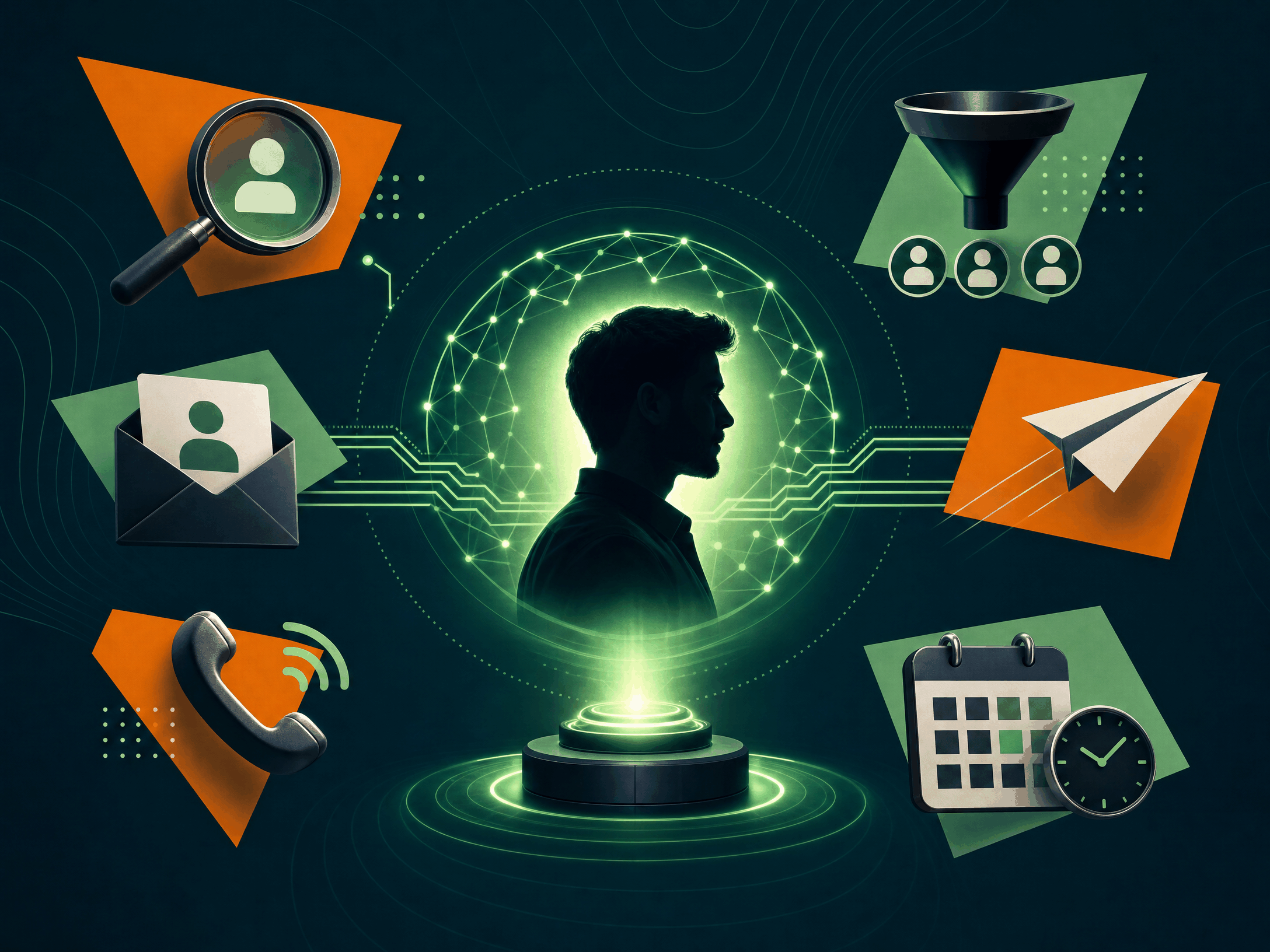
An AI SDR applies artificial intelligence to SDR tasks across prospecting and early-funnel engagement. It can research accounts, prioritize leads, draft messages, support calls, summarize conversations, qualify replies, and keep systems up to date.
Simple definition: An AI SDR is software that helps sales teams find, contact, qualify, and follow up with potential buyers more efficiently.
Think leverage, not replacement. Humans still own strategy, ICP and messaging judgment, complex discovery, objection handling, relationship building, and deal progression.
Why AI SDRs matter in 2026
Hitting pipeline targets is harder: response rates are lower, data is messy, and leaders expect personalization without losing volume. AI SDRs emerged to reduce manual work while preserving relevance and compliance.
Common adoption drivers:
•Excessive manual research
•Slow speed to lead on inbound or intent-driven prospects
•Inconsistent follow-up and logging
•Low connect rates on phone
•New reps needing structure during live conversations
•Limited manager visibility into calls, messaging, and next steps
AI does not fix a weak list or unclear messaging. With sound data, guardrails, and process, it improves speed and consistency.
AI SDR meaning: what the term includes and excludes
Vendors use “AI SDR” to describe everything from autonomous agents to assistive dialers. Ignore labels; evaluate the workflow.
What it may include:
•Account/contact research
•Lead scoring or prioritization
•Email and message drafting
•Call prep, talk tracks, and live suggestions
•Dialing support; voicemail and call summaries
•Objection-handling recommendations
•Reply classification, qualification, and routing
•CRM updates, task creation, and follow-up generation
What it typically does not replace:
•ICP and territory design
•Messaging strategy and legal review
•Enterprise discovery and negotiation
•Relationship management and sales leadership judgment
For broader workflow design, see our guide to AI for sales prospecting.
How an AI SDR works
AI SDRs blend data inputs, models, workflow automation, human review, and integrations.
A common flow:
1.Input data: accounts, contacts, history, CRM fields, intent, notes.
2.Interpretation: summarize context; classify fit and urgency.
3.Recommendation or execution: draft messages, suggest call angles, trigger tasks, log notes.
4.Human review: reps or managers approve or edit where judgment matters.
5.Learning loop: replies, connects, meetings, and dispositions inform updates.
They work best when teams define audiences, guardrails, approval points, and success metrics.
AI SDR vs. human SDR vs. traditional sales automation
AI SDRs sit between human judgment and rule-based automation—able to interpret and draft, but still needing constraints.
Adoption is strongest when AI complements the team rather than replacing the motion.
What tasks can an AI SDR handle?
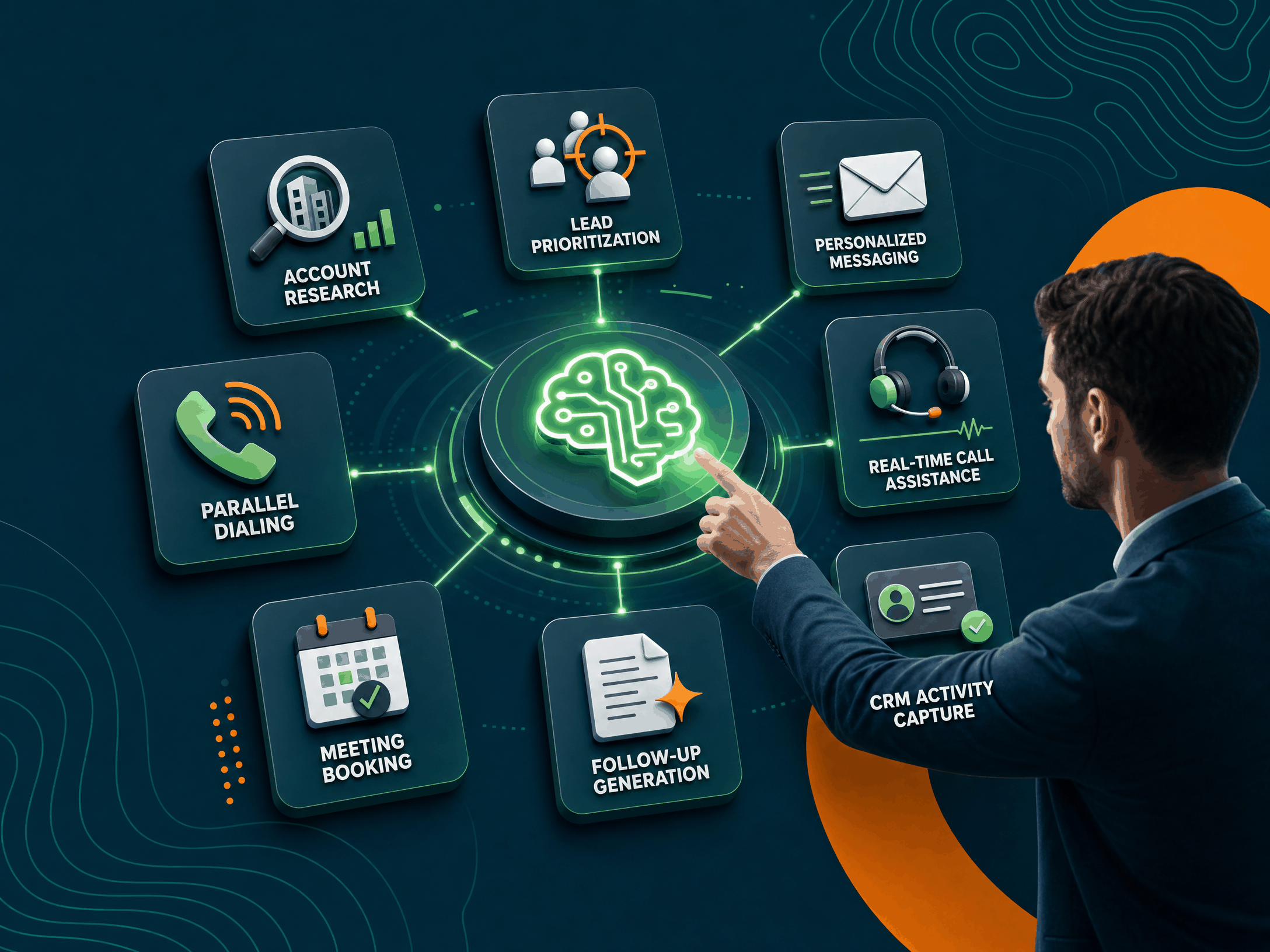
Capabilities vary by platform. Verify current features before buying.
Prospect and account research
AI summarizes company context, likely pain points, relevant triggers, and suggested openers. Reps should validate details before referencing them.
Lead prioritization
Models rank accounts based on fit and engagement signals. Compare AI rankings to real outcomes to catch bias or gaps.
Message drafting and personalization
AI drafts first touches, follow-ups, objection replies, and LinkedIn notes. Use approved frameworks and require rep review—especially when referencing a prospect’s business.
Calling support
AI helps with call prep, dialing workflows, talk tracks, live prompts, summaries, and next steps. Useful for new reps and coaching. For the broader assistant category, see our guide to AI sales assistants.
Qualification and routing
AI classifies replies, detects intent or objections, and recommends AE routing. Keep human checks for complex deals.
CRM updates and admin
AI generates summaries, fills fields, creates tasks, and standardizes dispositions. Cleaner data improves follow-up and reporting.
What an AI SDR should not do without oversight
Increase governance as autonomy increases. Be cautious about allowing AI to:
•Send large volumes of unreviewed personalized outreach
•Make unsupported claims or reference unverified prospect details
•Handle sensitive data without proper controls
•Ignore consent, opt-out, or regional communication rules
•Make qualification or routing decisions with no review
•Update critical CRM fields without auditability
•Represent itself unclearly in buyer-facing interactions
Start human-in-the-loop; expand autonomy only after quality is proven.
Where AI SDRs fit in the sales organization
•Outbound SDRs: Research, call prep, drafting, prioritization, follow-up discipline.
•Inbound qualification: Faster response, summarization of form context, routing, and next-step recommendations.
•BDRs: Multichannel orchestration similar to SDRs.
•AEs: Pre-meeting research, follow-up drafting, and expansion prospecting (with more account nuance).
•Sales managers: Summaries and conversation insights to target coaching.
Benefits and limitations of AI SDRs
Benefits:
•Faster prospect preparation
•More consistent follow-up and documentation
•Better manager leverage via summaries and insights
•Smoother onboarding with prompts and structure
•Reduced admin through automated logging
Limitations:
•Highly dependent on data quality and list fit
•Risk of generic or inaccurate messaging without strong prompts
•Potential misinterpretation of context; reps must verify key details
•Requires intentional workflow and guardrails to perform well
How to evaluate an AI SDR platform
Start with your motion, not vendor labels.
1) What workflow are you improving first?
Pick a clear bottleneck: slow call prep, inconsistent follow-up, incomplete CRM notes, delayed inbound response, or limited coaching visibility. A focused use case makes measurement straightforward.
2) Does the platform match your channel mix?
Tools often lean email-heavy, call-heavy, or multichannel. If the phone is central, assess call prep, dialing support, live prompts, summaries, and coaching workflows. For email, review personalization controls, approvals, deliverability, and reply handling.
3) How much autonomy do you want?
Assistive models keep reps in control; more autonomous models execute steps directly. More autonomy can speed results but demands tighter governance and monitoring.
4) Can managers inspect and improve the workflow?
Avoid black boxes. Managers should see recommendations, approvals, and outcomes; they need levers for experimentation, QA, and coaching.
5) How does it fit your existing stack?
Confirm current integrations with your CRM, sales engagement, dialer, data providers, calendar, and conversation intelligence. Depth matters: surface-level syncs won’t support full workflows.
For a broader selection framework, see how to choose AI SDR software.
AI SDR implementation: a practical rollout plan
Step 1: Define the target use case
Choose one workflow (e.g., “improve cold call preparation”). Establish a baseline: prep time, call volume, connect rate, common objections, CRM gaps.
Step 2: Create guardrails
Document approved value props, sensitive claims requiring sign-off, allowed data sources, and actions that require human review.
Step 3: Pilot with a small team
Select a few reps and one manager. Prioritize users who will follow the process and give actionable feedback.
Step 4: Review quality, not just quantity
Inspect message samples, call recordings, qualification notes, and CRM updates. More activity is not success if relevance declines.
Step 5: Expand gradually
Scale to adjacent use cases only after the first workflow is stable. Update prompts, playbooks, and permissions as you learn.
Common AI SDR use cases
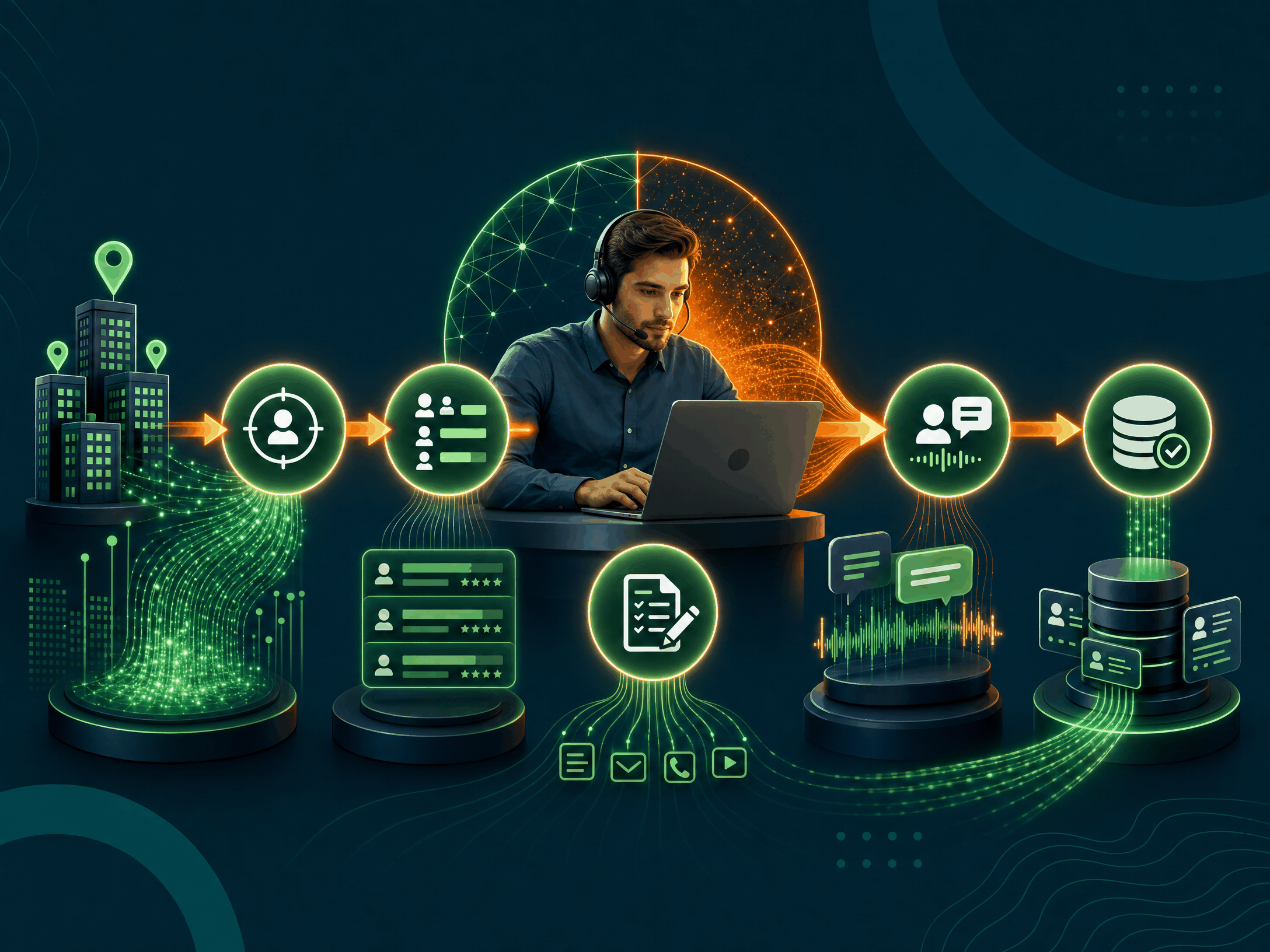
•Cold outbound: Draft first touches, call openers, and structured follow-ups. Works best with a clear ICP and high-quality lists.
•Speed to lead: Summarize inbound context, elevate high-fit accounts, and recommend immediate next steps.
•Re-engagement: Surface dormant accounts, summarize past interactions, and draft context-aware re-openers.
•Event follow-up: Segment attendees, tailor follow-ups, and prioritize call lists. Keep human review due to varied intent.
•Coaching and enablement: Use summaries and insights to spot skill gaps and reinforce best practices.
What makes a good AI SDR workflow?
A strong workflow answers:
1.Who should be contacted?
2.What information can AI use?
3.What action happens next?
4.Where does human review occur?
5.How will success be measured?
Specificity reduces risk. Example: “For Tier 2 accounts, AI drafts a first-touch email using approved value props plus CRM industry and account notes. Reps must review before sending. Managers audit reply quality weekly.”
How AI SDRs affect SDR roles
AI shifts the role from manual execution to judgment and conversation quality. High performers get better at:
•Editing AI drafts and validating insights
•Choosing channels and timing
•Running stronger live conversations
•Interpreting buyer intent and advancing next steps
•Giving feedback that improves prompts and workflows
•Using data to refine outreach
Managers should coach how reps use and override AI—and whether AI is improving buyer interactions.
AI SDR metrics to track
Avoid activity-only dashboards. Blend leading and lagging indicators:
•Research/prep time
•Quality conversations
•Connect-to-meeting conversion
•Positive reply rate and reply quality
•Follow-up completion and speed to lead
•CRM completion rate and data accuracy
•Meeting show rate
•Qualified pipeline sourced
•Manager-reviewed call/message quality
Questions to ask vendors
•Which SDR workflows are supported today?
•Which features are assistive vs. autonomous?
•How does the platform use CRM and activity data?
•What integrations are available now?
•Can managers control approved messaging and prompts?
•Can reps review and edit AI-generated outreach before sending?
•How are call notes, summaries, and dispositions created?
•What reporting and QA tools do managers get?
•How are opt-outs, consent, and regional rules handled?
•What data trains or improves the system?
•What implementation support is included?
•How should we measure success in the first 30–90 days?
Request a demo using realistic data to confirm workflow fit.
Where Trellus fits
Trellus is built for teams adopting AI-assisted outbound—especially where live calling, rep execution, and coaching matter. Explore the Trellus SDR to support a sales development motion that keeps reps focused on conversations while AI assists with repetitive or time-sensitive tasks.
As with any platform, confirm current features, integrations, onboarding needs, and plan details before purchase. Fit depends on team size, channel mix, process, and desired autonomy.
Conclusion
An AI SDR helps teams research, reach out, qualify, follow up, and keep systems current. It is a leverage layer—not a replacement—for human SDRs. Start with a specific workflow, define guardrails, run a focused pilot, and measure quality as well as speed.
Ready to explore whether Trellus fits your motion? Learn more about the AI SDR platform, try the interactive demo (no signup), or request a demo.
FAQ
What is an AI SDR?
Software that uses AI to assist with SDR tasks such as research, outreach, call support, qualification, follow-up, and CRM updates.
What does AI SDR stand for?
Artificial intelligence sales development representative—usually software that performs or assists with parts of the SDR workflow.
Is an AI SDR the same as a human SDR?
No. Humans provide judgment, empathy, discovery, and relationship building. AI assists with repetitive and data-heavy tasks.
Can an AI SDR make cold calls?
Some platforms support calling workflows (prep, dialing assistance, prompts, summaries, or AI voice interactions). Verify exact capabilities and compliance before use.
Will AI replace SDRs?
AI may automate tasks, but most B2B teams still need human sellers for strategy, judgment, and conversations. Treat AI as a productivity and consistency layer.
What is the difference between an AI SDR and an AI sales assistant?
An AI SDR focuses on prospecting and early qualification. An AI sales assistant is broader, supporting SDRs, AEs, managers, and other sales tasks.
How should a team start using an AI SDR?
Pick one use case, define guardrails, run a small pilot, review quality, and expand after results are consistent.
What should buyers verify before choosing an AI SDR tool?
Current features, integrations, data handling, compliance controls, reporting, implementation support, and plan details.