Our Top Picks


If your reps spend more time logging calls, copying contacts, and chasing follow ups than actually selling, you already understand the problem sales automation solves.
So what is sales automation? In plain terms, it's the use of software to handle the repetitive, rules based tasks inside your sales process: data entry, activity logging, follow up reminders, lead routing, and pipeline updates.
This is done to ensure that your team can spend its hours on conversations that move revenue. It's the quiet engine behind modern outbound, and understanding what sales automation is (and what it isn't) is the first step to buying the right tools.
The category is broad, and that's exactly why "what is sales automation software" trips people up. It spans everything from a single email sequence to a full sales force automation system baked into your CRM.
This detailed post breaks down the definition, the core software categories your team can actually use, and where a purpose built execution layer like Trellus fits. By the end, you'll know which type of automation to prioritize first.
What Is Sales Automation? A Working Definition

Sales automation is the practice of delegating manual, repeatable sales tasks to software so that reps, managers, and revenue operations teams can focus on strategy, relationships, and closing. It sits at the intersection of your CRM, your outreach tools, and your data: orchestrating the handoffs between them without a human clicking every button.
It helps to separate two closely related terms people often conflate.
Sales force automation (SFA) usually refers to the CRM native features; contact management, opportunity tracking, quote generation, and forecasting; that automate the record keeping side of selling. When people ask "what is sales force automation in CRM" or "what is a sales force automation system," this is the layer they mean: the system of record that keeps deals, accounts, and activities organized.
Broader sales automation, meanwhile, extends beyond the CRM into outreach, dialing, and engagement. And "what is sales and marketing automation" points to the shared workflows — like lead handoffs and nurture campaigns that connect both teams.
Think of SFA as the database backbone and sales automation as everything that acts on it.
According to McKinsey, a significant share of the tasks that make up a typical sales role can be automated with current technology, which is why leaders increasingly treat automation as a capacity lever, not a nice to have.
In the end, we’d say that the long term objective isn't to replace sellers; it's to give each one the reach of several.
The Core Software Categories Your Team Can Use
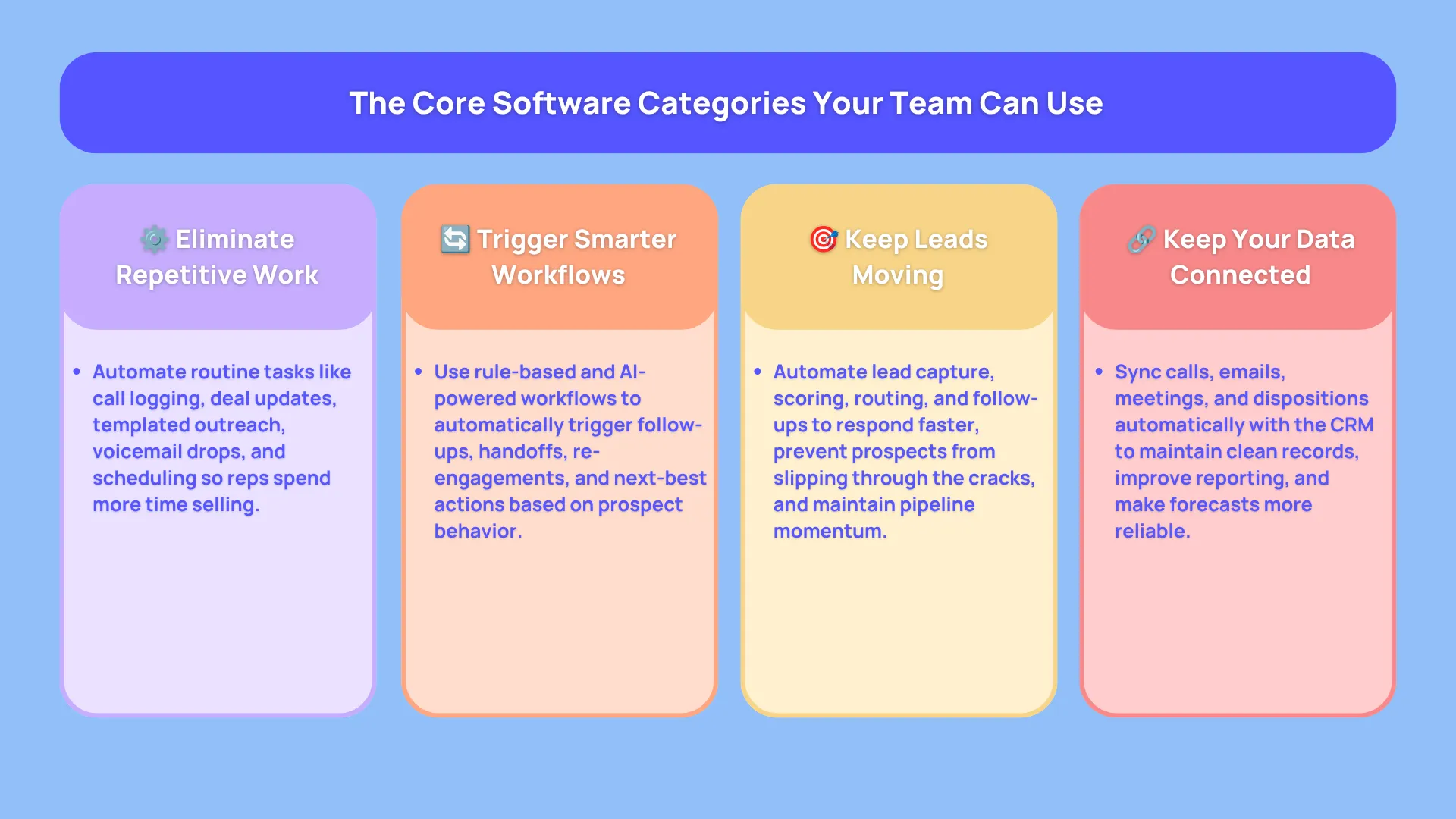
Not all automation does the same job. When you're evaluating platforms, it helps to think in categories, because most tools specialize in one or two of them. Below are the five buckets that matter most for outbound and pipeline building teams.
1. Repetitive Task Elimination and Process Streamlining
This is the foundation: automating the small, high frequency actions that eat a rep's day. Logging a call, updating a deal stage, sending a templated intro, dropping a voicemail, or scheduling the next touch: none of these require judgment, yet collectively they consume hours.
Repetitive task elimination hands them to software, so reps stay in the flow of selling. If you want to go deeper on the toolset here, our roundup of intelligent sales automation tools covers the platforms built specifically to remove this friction.
The payoff is compounding. Shaving even a few minutes off every account touch translates into dramatically more selling time across a quarter, and it's the single fastest way to lift SDR efficiency without adding headcount.
2. Workflow Based Activity Triggering
The next tier is smarter: instead of automating one task, you automate the sequence of tasks based on rules.
A reply triggers a task for the AE. A demo no show triggers a re engagement email. A closed won deal triggers a handoff to onboarding. This is workflow based activity triggering — "if this, then that" logic applied to your entire pipeline.
Modern engagement tools take triggering further with signals and timing. AI sequencing layers machine learning on top of these rules, adapting which channel and message fire next based on how a prospect behaves.
That's the difference between a rigid cadence and one that reads the room. For a full picture of how this orchestration lives inside a modern stack, a sales engagement platform is the system most teams standardize on.
3. Lead Management and Follow Up Automation
Speed to lead and follow up discipline are where deals are quietly won or lost. Lead management automation captures inbound leads, scores and routes them to the right rep instantly, and enrolls them in the correct nurture path — no manual triage.
Follow up automation then makes sure no prospect goes cold: reminders, sequenced touches, and re engagement triggers keep the conversation alive across the weeks a B2B cycle actually takes.
This matters because most sales require multiple touches, yet many reps stop after one or two. Automating the follow up cadence removes the human tendency to give up early. Pairing lead automation with strong automated sales prospecting tools means the top of your funnel stays full while the middle keeps moving.
4. Data Entry and CRM Synchronization Automation
Ask any rep what they hate most, and CRM data entry is near the top. It's also where pipeline data quietly rots.
Data entry and CRM synchronization automation captures activities — calls, emails, meetings, dispositions and writes them back to the CRM automatically, keeping your system of record clean without manual logging.
This category is the connective tissue of the whole stack. When your dialer, your email tool, and your CRM stay in sync automatically, forecasts get more accurate, and managers stop chasing reps for updates.
Clean, synchronized data is also what makes everything downstream — reporting, best RevOps tools, and revenue intelligence — actually trustworthy. Bad data in, bad decisions out; automation is how you keep the inputs honest.
5. Sales Productivity Enhancement and Error Reduction
The final category is about quality, not just speed. Automation reduces the human errors that creep in under pressure: the mistyped phone number, the follow up that fell through the cracks, the wrong template sent to the wrong segment.
Through efffective standardization of routine, software frees mental bandwidth for the parts of selling that genuinely need a human: discovery, objection handling, and negotiation.
This is also where AI has changed the game. The broader role of AI in sales development has shifted automation from "does the task" to "improves the task": surfacing the next best action, coaching reps live, and scoring conversations so teams learn faster.
Productivity automation and error reduction, done well, don't just make reps faster; they make them better.
Where Trellus Fits: Automating the Conversation Layer
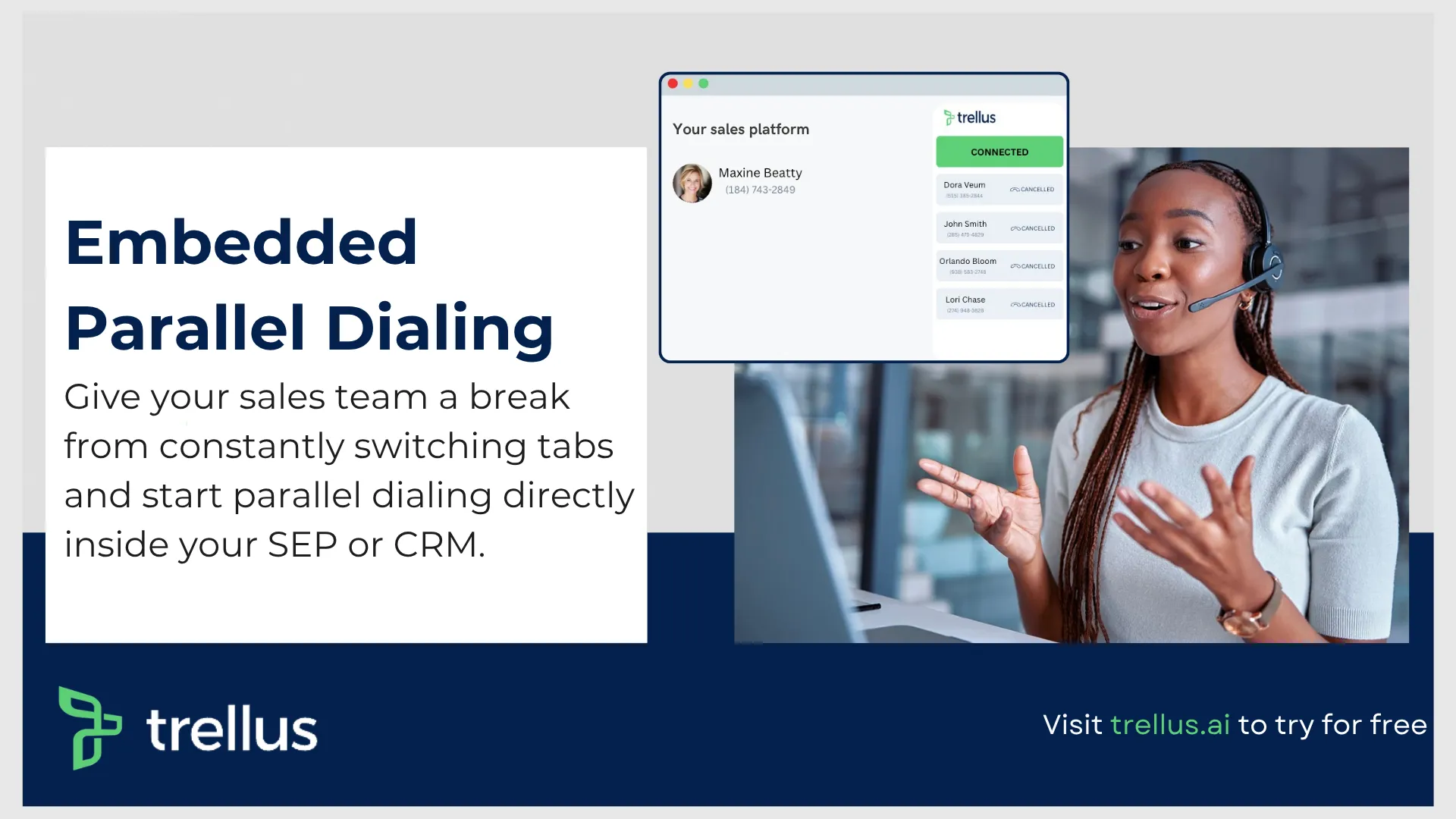
Most sales automation lives in email, data, and CRM records. But the highest leverage sales activity: the live phone conversation is where automation has historically lagged. That's the gap Trellus fills.
It is an AI powered sales acceleration and coaching platform whose signature product is an embedded parallel
dialer that runs inside the sales tools your reps already use — Salesloft, Outreach, Apollo, HubSpot, and Salesforce through a Chrome extension. No context switching into a separate app.
On the automation front, Trellus covers several categories at once: its parallel dialer places calls across up to five lines simultaneously to multiply live connects, automated voicemail drop removes a repetitive task, and every call auto logs back to your SEP or CRM.
That's data entry and sync automation working in the background. Layer on real time AI coaching, AI voice agents that double as 24/7 practice partners, and automatic scoring of 100% of calls (not samples), and you get productivity enhancement plus error reduction on the exact activity most tools ignore.
Best for: SDR/BDR and AE teams running high volume outbound calling who want automation to live inside their existing workflow, plus remote and hybrid teams that need live coaching and visibility through the Virtual Sales Floor.
If your bottleneck is connect rate and call quality, this is your layer. For a wider view of options, our guide to outbound sales automation tools puts Trellus in context alongside the field.
Pricing (current, promo framing):
• Power — $99.99/mo: power dialing, voicemail drop, 5 phone numbers, and the LinkedIn tool. Best for individuals.
• Parallel — $149.99/mo: everything in Power plus multi line parallel dialing, unlimited AI practice calls, and 8 phone numbers. Best for individual high volume callers.
• Business — custom pricing: everything in Parallel plus customizable AI research, team analytics, custom reporting, and AI modeling. Best for teams.
Pros: embedded so there's zero context switching; parallel dialing multiplies connect rate; real-time AI coaching and 100% call scoring; broad SEP/CRM integrations; an aggressive price point.
Cons (honest caveats): Trellus is a calling and conversation execution layer, not a full CRM or a B2B contact database: pair it with your data provider and SEP.
Parallel dialing rewards good list hygiene and TCPA/DNC discipline, and it's a younger brand than some incumbents. Automation amplifies whatever process you feed it, so clean lists matter.
How to Kick Off a Campaign on Trellus
Getting a first dialing session live takes only a few steps:
1. Install the Trellus Chrome extension and sign in.
2. Connect your SEP or CRM (Apollo, Salesloft, Outreach, HubSpot, or Salesforce).
3. Load a call list or open an existing cadence or sequence step that has calls due.
4. Choose your dialing mode (power or parallel), set the number of lines, and pick a pre recorded voicemail for automatic drop.
5. Turn on real time AI coaching and select the talk track and battle cards for the campaign.
6. Start the dialing session; Trellus auto logs calls, dispositions, and notes to your CRM.
7. Review the AI call scores and Sales Floor analytics after the blitz to coach and iterate.
The whole loop — dial, connect, coach, log, run without your reps leaving the tool they already work in. That's automation applied where it changes the number that matters most: booked meetings.
How to Choose the Right Sales Automation Software The Easy Way?
With the categories clear, choosing gets simpler.
Start by naming your single biggest bottleneck. Is it dirty CRM data? Prioritize data entry and sync automation. Leads slipping through the cracks? Lead management and follow up automation. Reps buried in busywork? Repetitive task elimination. Low connect rates on the phone?
A dialer first execution layer.
A few practical guardrails:
• Buy for your workflow, not against a feature list. The best automation is the one reps actually adopt because it lives where they already work. Tools that force a new tab or a new login tend to get abandoned.
• Insist on two way CRM sync. Automation that doesn't write clean data back to your system of record creates more cleanup than it saves.
• Mind compliance. Higher volume automation — especially dialing — carries TCPA and DNC obligations. Salesforce's State of Sales research consistently shows teams balancing productivity gains against the need to keep outreach trusted and compliant.
• Start with one category and expand. Teams that try to automate everything at once stall. Nail follow up or dialing first, prove the lift, then layer on the next category.
Sales automation isn't a single purchase; it's a stack you assemble deliberately, one bottleneck at a time.
Frequently Asked Questions
What is sales automation in simple terms?
Sales automation is using software to handle the repetitive, rules based parts of selling — logging activity, sending follow ups, routing leads, syncing the CRM — so reps can spend more time in live conversations. It's about removing busywork, not replacing sellers.
What is the difference between sales automation and sales force automation?
Sales force automation (SFA) usually refers to CRM native features like contact management, opportunity tracking, and forecasting — the record keeping backbone.
Sales automation is broader, extending into outreach, dialing, and engagement that act on that data. In short, SFA is the system of record; sales automation is everything that runs on top of it.
What is sales and marketing automation?
It's the set of shared, automated workflows that connect sales and marketing, lead scoring, nurture campaigns, and handoffs, so a prospect moves smoothly from a marketing touch to a sales conversation without manual triage between the two teams.
Does sales automation replace salespeople?
No. Automation absorbs the low judgment tasks so reps can focus on discovery, objection handling, and closing.
Some of the most effective teams use automation to give each seller more reach and better coaching, not to cut the human out of the deal.
Where should a team start with sales automation?
Start with your single biggest bottleneck. For most outbound teams, that's either follow up discipline or phone connect rate. Automate one category, prove the productivity lift, then expand; rather than trying to automate the entire process at once.
Putting It Together
So, what is sales automation in essence?
It's the software layer that hands repetitive, rules based sales work to machines: task elimination, workflow triggering, lead and follow up management, CRM sync, and productivity enhancement with fewer errors, so your team can do the human work that actually closes deals.
Understood category by category, it stops being a buzzword and becomes a practical roadmap: find your bottleneck, automate it, measure the lift, repeat.
For high volume calling teams, the fastest win is automating the conversation layer itself.


Power and parallel dialing in your CRM.