
How to Make Calls From Bitrix24
What Bitrix24's own telephony and automatic dialer do, the steps for each way to call a customer or a list, the plans involved, and what each route writes back to Bitrix24.
Trellus adds power and parallel dialing inside the CRM your team already uses. See pricing Book a demo
On this page
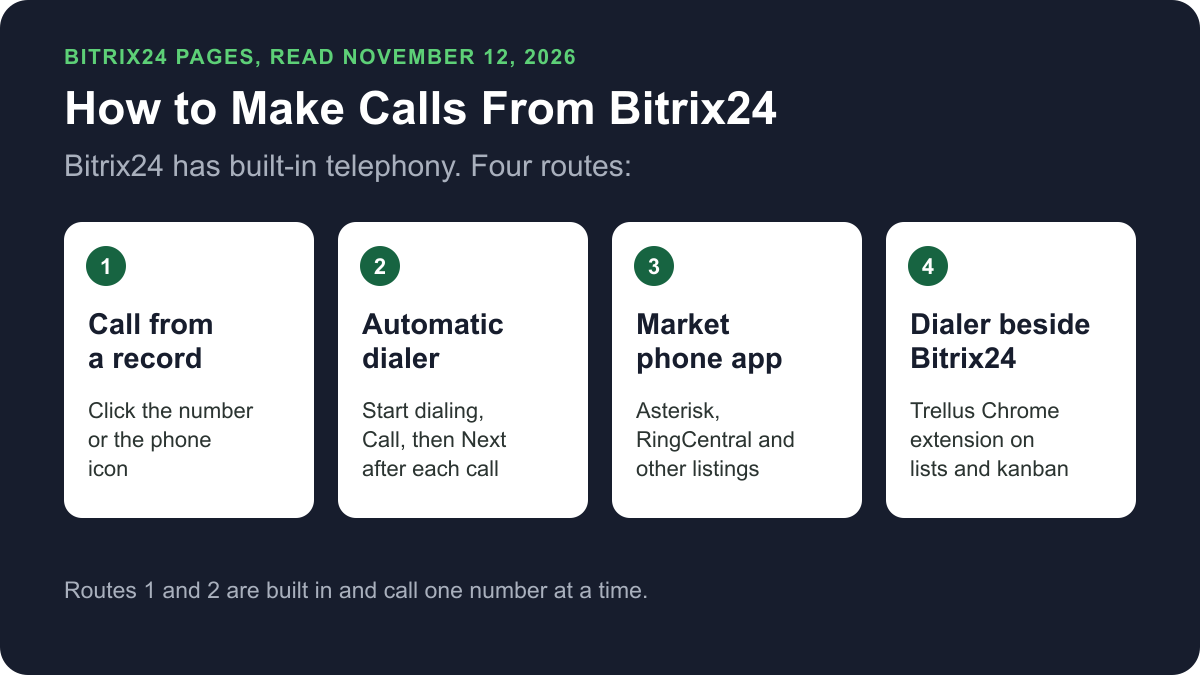
Bitrix24 has its own telephony. Once a number or a PBX is connected, you can call a customer from a CRM record or the kanban, and the automatic dialer works through a list one call after another. Market phone apps, and dialers such as Trellus, add more ways to call a list. Here is how each route works and what lands on the record.
Trellus publishes this guide and sells one of the routes below. Details about Bitrix24 come from bitrix24.com, its Helpdesk and its Market, all opened on November 12, 2026. The steps are as those pages give them, and nothing was tested.
Ways to call from Bitrix24 at a glance
| Route | What you need | How the call starts | What lands in Bitrix24 |
|---|---|---|---|
| Call from a CRM record | Bitrix24 telephony, on a paid plan | Click the phone number, the phone icon or the Call button on the timeline | The call, in the record's timeline |
| Automatic dialer | Telephony, and a plan that includes the dialer | Choose contacts, click Start dialing, then Call, then Next after each call | A result and status for each contact, plus any comment |
| Mobile app | The Bitrix24 mobile app | Menu, CRM, Call, then Call using Bitrix24 | The article does not say |
| Voice broadcasting | Telephony, and a plan that includes it | A Marketing campaign plays a message. No rep is on the call | The article does not say |
| Market phone app | A paid plan and the app's phone service | The app's own integration | As each listing states |
| Trellus, a Chrome extension | Chrome, a Trellus plan and an account at a bitrix24.com address | From a CRM list, a kanban stage or a record, in power or parallel mode | A completed call activity. No callback task |
What Bitrix24 does natively today
Bitrix24's telephony FAQ, last updated October 6, 2026, says telephony lets you call customers from the CRM, record conversations and keep the communication history in one place. It gives three ways to connect it:
- Rent a number. You pay for the rental and for outgoing calls. The FAQ says payments go to the number provider, Voximplant, and incoming calls are free.
- Connect a PBX with the SIP connector. You pay your PBX operator for calls. After 60 free test minutes, outgoing calls and forwarding need a SIP connector license.
- Connect a PBX through an app from the Bitrix24 Market.
The FAQ gives no per-minute rate. It says the rental price for a number is shown inside the account, under CRM, Customers, Contact Center, Telephony, Rent a number.
The Bitrix24 pricing page prices plans per organization, not per seat. On November 12, 2026 it showed Basic at US$69 a month billed monthly, or US$49 billed annually, for 5 users. Standard was US$144 or US$99 for 50 users, and Professional was US$289 or US$199 for 100 users. Basic lists Telephony integration. The page's own FAQ says Telephony and Market apps are available only on the paid plans.
Call a customer from a CRM record
These steps are from Bitrix24's article Make and answer calls in Bitrix24, last updated October 5, 2026. Connect telephony first.
- Open the customer form in the CRM.
- Click the phone number, the phone icon, or the Call button in the activity form on the timeline.
- To call without opening the form, click the phone icon in the kanban view.
- The call form opens. If a phone is connected, the call goes through the phone by default. Click the phone button to switch the call to the browser.
For a number that is not in the CRM, click the phone icon in the chat panel to open the dialer. Enter the number and click Call. The telephony FAQ says to rent a local number for outgoing calls and to select it under Telephony, Connection, Telephony settings, General settings, Default number settings.
Call from the Bitrix24 mobile app
The same article covers the mobile app.
- Open the customer form in the mobile app.
- Go to Menu, CRM, Call, then Call using Bitrix24.
- To call without opening the form, tap the phone icon in the kanban view and select Call using Bitrix24.
The article says Call goes through your mobile operator, and Call using Bitrix24 goes through Bitrix24 telephony.
Work through a list with the automatic dialer
Bitrix24's article Automatic dialer in CRM, last updated October 5, 2026, says you can call multiple customers from a list of contacts, companies, leads or deals. It says to set up telephony first, and to check that the automatic dialer is available on your plan. Its steps use the Contacts list:
- Go to CRM, open Customers and select Contacts.
- Choose the contacts to call. You can apply filters or select all.
- Click Start dialing.
- In the pop-up, click Call.
- After each call, click Next to move to the next contact.
After a call, choose a result next to the contact, and set a status or postpone the call. To keep a note, click Comment, enter it and click Save. You can also click Deal or Invoice to create one from the call.
That is one call after another: the rep clicks Call, records the result and moves to the next contact (Automatic dialer in CRM, Bitrix24 Helpdesk, checked November 2026). The article does not describe calling several numbers at once.
To call a list later, or to hand it to another rep, the article gives these steps:
- Select the contacts and click Select action.
- Choose Schedule bulk dialing and click Apply.
- Set the date, time, subject and responsible user, then click Save.
The call activity then appears under CRM, More, My activities.
Voice broadcasting is a campaign, not a live call
Bitrix24 also has voice broadcasting and audio calls. Its article on them, last updated October 6, 2026, describes a campaign under Marketing. Bitrix24 calls a customer segment and plays your text converted to speech, or an MP3 recording you upload. No rep is on the call.
The article says text to speech is a paid add-on, charged to the telephony account. It also says Bitrix24 places no more than five of these calls at a time, then waits 15 minutes before the next five.
Phone apps in the Bitrix24 Market
The Telephony category of the Bitrix24 Market lists phone integrations. On November 12, 2026 its listings included:
- Asterisk Integration: a direct integration of Bitrix24 and Asterisk through the REST API.
- RingCentral Telephony: make and receive RingCentral calls inside Bitrix24.
- TwiCall: Twilio telephony: incoming and outgoing calls using TwiCall.
- USCallCenter24 AI: telephony for the US, Canada and 40 more countries. Its listing title names predictive dialing.
Each of these showed a Free label on the category page. Check each listing for what the phone service behind it costs and what it logs. The pricing page says Market apps are available only on the paid plans.
Power or parallel dial a list or kanban stage with Trellus
Trellus is our product. It is a Chrome extension, installed from the Chrome Web Store. It adds power dialing and parallel dialing to Bitrix24 CRM lists and kanban stages, and one-off calls from a record. The steps below are from the Trellus for Bitrix24 page.
- Add Trellus to Chrome from the Chrome Web Store.
- Open the list or kanban stage. On a list of leads, deals, contacts or companies, the Trellus control sits beside Bitrix24's view buttons. On a kanban board, each stage column has its own Trellus button, and the call list is that stage's cards. For a one-off call, open a record as a page or in the side panel and use the call button in the record toolbar.
- Let Trellus read the numbers. Trellus uses the phone numbers saved on the record. A deal with none uses the linked contact's. When a record has several numbers, all are kept and the first is treated as the primary.
- Choose power or parallel. The Trellus power dialer calls one number at a time. On an eligible plan, the Trellus parallel dialer calls up to five numbers at once.
- Save the call to the record. Trellus adds one completed call activity, titled “Trellus call” with the contact's name. It holds the direction, the start and end time, and a description with the summary, disposition, number called, duration and a transcript link.
The call list is the records the page is showing. To call further down a list, load more records in Bitrix24 and start again. Trellus saves the activity through Bitrix24's own interface in the rep's signed-in browser. There is no API key and nothing to install in Bitrix24, and the same call is not saved twice.
For an incoming call, Trellus searches leads, contacts and companies for the caller's number. It shows a record only when exactly one matches, and the rep can open it in a side panel.
Trellus has limits here. It runs only on Bitrix24 accounts whose address ends in bitrix24.com. Bitrix24's status page lists 18 account domain zones, among them .eu, .de and .uk, and Trellus does not run on those or on self-hosted Bitrix24. It does not create a Bitrix24 task or a planned activity for a callback, and it does not complete Bitrix24 tasks. The activity has no recording link. Trellus has no do-not-call handling specific to Bitrix24. It is a poor fit when a callback must become a Bitrix24 task automatically.
Power is $99.99 per seat per month and Power + Parallel is $149.99. Both are bought online with no seat minimum, and there is no free plan or free trial (see Trellus pricing). To choose a mode, read parallel dialer vs. power dialer.
Which route fits
For a few calls a day, click the number on the record. For a list that one rep works through in order, Bitrix24's automatic dialer is built in where your plan includes it, and it records a result for each contact. For more than one line at a time, look at a dialer. Trellus parallel dials lists and kanban stages on bitrix24.com accounts and saves each call as a completed activity, with no callback task. Our cold calling report has answer and conversation rates by dialing mode, and best time to cold call has them by hour and weekday.
How calls end up on the record
- Calls from a record: Bitrix24's timeline article says the communication history with a client is saved in the timeline of the CRM item. It lists outgoing and incoming calls among the events the timeline tracks.
- Incoming and missed calls: the telephony FAQ says the CRM creates an activity in the client's form for each one.
- Automatic dialer: a result and status for each contact. A comment appears in the contact timeline, and a deal you create appears under the contact's Deals tab.
- Trellus: one completed call activity titled “Trellus call” with the contact's name. It holds the direction, start and end time, summary, disposition, number called, duration and a transcript link. There is no recording link and no callback task.
Recording and consent
The telephony FAQ says Bitrix24 telephony can record conversations. Calls made through a Market app or a dialer are recorded under that tool's settings. The cold calling laws by state hub lists recording consent, calling hours and do-not-call rules for each state, with the statute. This guide is not legal advice.
Troubleshooting
- The call goes to your desk phone. Bitrix24 says calls use a connected phone by default. Click the phone button in the call form to switch the call to the browser.
- The call date on the record looks wrong. Bitrix24 says closing a call activity records the closing date. Open the history in the CRM form and find the event labeled Call created.
- A long call ends by itself. Bitrix24 says the maximum call duration is one hour.
- A dialer comment was not saved. Bitrix24 says to add the comment only after the call is completed.
If calls connect but fewer people pick up, read why calls show Spam Likely.
Frequently asked questions
Can you make phone calls directly from Bitrix24?
Yes. Bitrix24 has its own telephony. After you rent a number or connect a PBX, click a phone number in the customer form, the phone icon, or the Call button on the timeline. The Bitrix24 pricing page says telephony is available only on the paid plans.
Does Bitrix24 have a power dialer?
Bitrix24 calls it the automatic dialer. In a CRM list you choose the contacts, click Start dialing, click Call, and click Next after each call. That is one call at a time. Bitrix24's Helpdesk says to check that the automatic dialer is available on your plan.
How much does it cost to make calls in Bitrix24?
On November 12, 2026, the Bitrix24 pricing page listed Basic at US$69 per organization per month, billed monthly, for 5 users. Calls cost extra. With a rented number you pay for the rental and for outgoing calls, and Bitrix24 says incoming calls are free.
How are calls logged in Bitrix24?
Bitrix24's Helpdesk says the communication history with a client is saved in the timeline of the CRM item, and it lists outgoing and incoming calls among the tracked events. The automatic dialer also records a result and status for each contact. Trellus adds a completed call activity to the record.
Can you parallel dial in Bitrix24?
Bitrix24's automatic dialer article describes one call after another, and it does not describe calling several numbers at once. One Market listing names predictive dialing in its title. Trellus parallel dials a Bitrix24 list or kanban stage, up to five numbers at once on eligible plans, on accounts at a bitrix24.com address.
Sources
Every page below was read on November 12, 2026.
- Bitrix24 Helpdesk: Make and answer calls in Bitrix24, Automatic dialer in CRM, FAQ: Telephony, Timeline in CRM item form and voice broadcasting and audio calls
- Bitrix24 plans and pricing and the Bitrix24 status page
- Bitrix24 Market: the Telephony category
- Trellus: Trellus for Bitrix24 and Trellus pricing