
How to Make Calls From Outreach
What Outreach's own dialer does, the steps for each way to call from a Prospect, a call task or a sequence, and what each route writes back to Outreach.
Trellus adds power and parallel dialing inside the CRM your team already uses. See pricing Book a demo
On this page
Outreach has its own dialer. With Outreach Voice turned on, you can call from a Prospect's profile, the toolbar or a call task, and work call tasks in a row with Sequential Dialing. Outreach can also use RingCentral, Dialpad or Zoom Phone as its voice service, and its Marketplace lists third-party dialers. A dialer such as Trellus can power or parallel dial your call tasks. Here is how each route works and what lands in Outreach.
Trellus publishes this guide and sells one of the routes below. Details about Outreach come from outreach.ai, support.outreach.io and marketplace.outreach.io, and details about each vendor come from that vendor's own Marketplace listing, all opened on November 17, 2026. The steps are as those pages give them, and nothing was tested. To compare the products, see Outreach auto dialers and the Outreach dialer vs. Trellus.
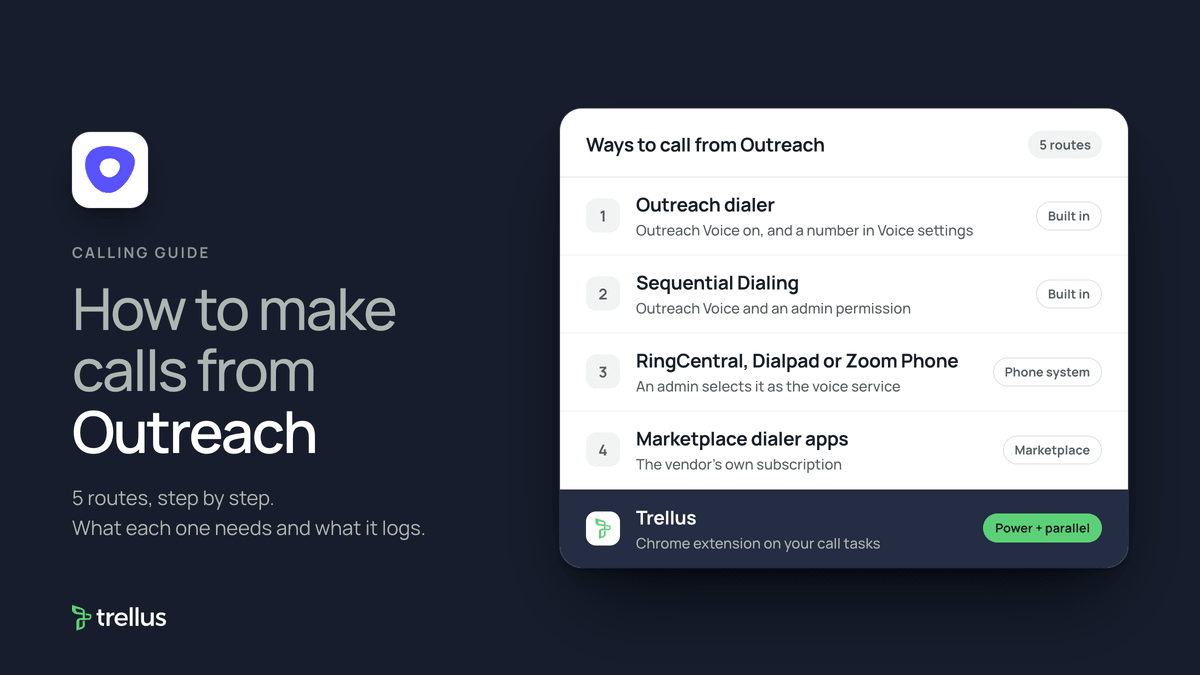
Ways to call from Outreach at a glance
| Route | What you need | How the call starts | What lands in Outreach |
|---|---|---|---|
| Outreach dialer | Outreach Voice turned on by an admin and a phone number in your Voice settings | Click a Prospect's number, the toolbar phone icon or the number in a call task | A call log with a disposition, notes and a recording if you keep one |
| Sequential Dialing | Outreach Voice and an admin permission | Select two or more call tasks and click Start sequential dialing | Each attempt logged. A task completes when no numbers remain |
| RingCentral, Dialpad or Zoom Phone | An admin selects that voice service. Each user connects an account | The provider's dialer opens inside Outreach | A call log in Outreach. Recordings come from the provider |
| Marketplace dialer apps | The vendor's own subscription | It varies: click-to-call, or the vendor's app working your call tasks | As each listing states |
| Trellus, a Chrome extension | Chrome and a Trellus plan | From your Outreach call tasks, in power or parallel mode | Disposition, purpose, recording link and task completion |
What Outreach does natively today
Outreach's Voice pricing page says the option to enable an integrated sales dialer is included in the Outreach platform. You pay for usage: minutes and phone numbers, pay-per-use or on a calling plan. A standard plan includes 1,000 minutes per user per month.
An admin turns calling on under Administration, Org Info, Voice, and chooses the voice service, as the org voice settings article describes. Each user then adds a number, per the phone number article:
- Hover over your initials at the bottom left and click Personal Settings.
- In the Voice tile, click Phone Numbers.
- Click Add personal phone number and verify it by a code on a call, or click Purchase new phone number.
- Complete the prompts and save.
Call a Prospect with the Outreach dialer
These steps are from Outreach's article on making and logging calls.
- Open the Prospect's profile and click the number. Or click the phone icon in the menu bar and type a number.
- Click Call, then confirm or decline the two-party recording notification.
- Talk, or click the Voicemail icon, pick a voicemail drop and click Leave Voicemail and Hang Up.
- Log the call. The call log opens after the call, or click the notepad icon during it.
Calls run through your computer by default, so allow the microphone in Chrome. Outreach also offers phone-based dialing: it rings your desk or mobile phone, then connects the Prospect. The dialing methods article says the quality and the cost are higher, and the pricing page says these calls use double the minutes. Local Presence picks a number with the Prospect's area code. Select A number with the prospect's area code under Personal Settings, Voice, Phone Numbers.
The Outreach mobile app runs call tasks and manual calls through Outreach Voice. Outreach Everywhere, the Chrome extension, can call tel numbers in Salesforce or Gmail once Auto-detect phone numbers is on.
Run sequence call steps as call tasks
A Phone Call step creates a call task when a Prospect reaches it. From Outreach's call step article:
- Open the sequence and click Add Step.
- Select Phone Call as the step type and set the interval.
- Put the voicemail script in the Task Note field and click Save.
To work a call task, open Tasks, filter Type is Call, open the task and click the Prospect's number. Outreach does not count a call task as completed until a disposition is assigned. An admin can set a Ruleset to skip call steps for Prospects with no valid number.
Dial call tasks back to back with Sequential Dialing
Sequential Dialing calls each of a Prospect's numbers in turn, one line at a time, then moves to the next call task. An admin grants the permission Use sequential dialing in call tasks. From Outreach's Sequential Dialing article:
- Admin, once: go to Administration, Calls, Dispositions. Edit a disposition and select Sequential dialing - no voicemail left.
- From your home page or task list, select at least two call tasks.
- Click Start sequential dialing, then the play icon. Dialing pauses when someone answers.
- Log with Log call and continue, Log call only, or Log call and complete.
Outreach advises letting the dialer hang up on its own when nobody answers. Clicking Hang Up pauses dialing.
Use RingCentral, Dialpad or Zoom Phone as the voice service
An admin picks the voice service in the org voice settings. Switching away from Outreach Voice deactivates purchased numbers and deletes recordings after ten days.
- RingCentral: click the Click here to configure your voice provider banner, then Connect, sign in and Authorize. Call from a Prospect's number or the toolbar, then click Log. The RingCentral FAQ says calls made in the RingCentral desktop app or on desk phones will not show in Outreach.
- Dialpad: open the Voice tab under your user name, click Connect and Allow. The Dialpad article says a Dialpad Talk or Sell account is needed.
- Zoom Phone: the listing describes click-to-call and automatic logging. Outreach says you need the Zoom Phone for Outreach Chrome extension.
Dialer apps in the Outreach Marketplace
The Voice category listed 12 apps on November 17, 2026, including Aircall, ConnectAndSell, Koncert, Orum, PhoneBurner, Quack and Salesfinity. What some listings say:
- Aircall: click-to-call on any Outreach contact's number and automatic call logging. Call tags can trigger the next sequence step.
- Orum: call tasks from sequence steps appear as a Smartlist in Orum, where the rep power dials or parallel dials them.
- ConnectAndSell: works Outreach call tasks in ConnectAndSell sessions. Outreach's setup article says to click Verify Credentials in ConnectAndSell, then Authorize.
- Salesfinity and Quack: parallel dialers that log calls back to Outreach.
Each app is a separate subscription billed by its vendor.
Power or parallel dial Outreach call tasks with Trellus
Trellus is our product. It is a Chrome extension, installed from the Chrome Web Store and not from the Outreach Marketplace. The steps below are from the Trellus for Outreach page.
- Add Trellus to Chrome from the Chrome Web Store.
- Open the call tasks. Keep the filters and task order your team already chose.
- Start Trellus there. The queue keeps the Prospect, task, sequence, step and phone context.
- Power or parallel dial. The Trellus power dialer calls one number at a time. On an eligible plan, the Trellus parallel dialer calls up to five lines at once.
- Use Outreach outcomes. Select your team's disposition and purpose, then log and complete the task.
Completing a call task needs a valid disposition. If Outreach cannot save the outcome, Trellus flags it for review. A follow-up call task needs a Prospect, an assigned owner and the call-task settings in your workspace.
Power is $99.99 per seat per month and Power + Parallel is $149.99. Both are bought online with no seat minimum, and there is no free plan or free trial (see Trellus pricing). Watch the Outreach walkthrough, or read parallel dialer vs. power dialer.
Which route fits
If your team already has Outreach Voice, the built-in dialer may be enough. It covers click-to-call, call tasks, voicemail drop, Local Presence and recording, and Sequential Dialing removes clicks between tasks. If your company runs on RingCentral, Dialpad or Zoom Phone, make it the voice service. To call several lines at once, add a parallel dialer. Our cold calling report has live answer rates by hour, weekday and dialing mode.
How calls end up on the record
- Outreach dialer: a call log with the disposition, purpose and notes, linked to the Prospect and any opportunity, plus a recording if you keep it. Calls placed on a phone outside the dialer are not logged.
- Logged by hand: click the Calls icon, then Log call. Outreach says it takes the current date and time.
- RingCentral, Dialpad and Zoom Phone: a call log in Outreach, with recordings from the provider.
- Marketplace apps: as each listing states.
- Trellus: dialed and rep numbers, timing, a note or summary, the recording URL when allowed, disposition, purpose, Prospect and sequence context, and task completion.
Recording and consent
To record outgoing calls, check Automatically record outgoing calls under Personal Settings, Voice, Call Recording, per the recording article. Admins can block recording for listed area or country codes. Outreach notes that consent laws follow where the person is, not their area code, and that Kaia makes no announcement. The cold calling laws by state hub lists recording consent rules for each state, with the statute. This guide is not legal advice.
Troubleshooting
- Clicking a number opens a call log instead of dialing. Outreach says no number is selected. Choose one under Personal Settings, Voice, Phone Numbers.
- No audio. Allow the microphone from the lock icon in Chrome's address bar, then reload.
- A number in a custom field is not clickable. Custom fields are plain text. Type the number into the dialer.
- You cannot place a new call. Your admin may require every call to be logged first.
If fewer people pick up, read why calls show Spam Likely.
Frequently asked questions
Does Outreach have a built-in dialer?
Yes. The Outreach dialer runs on Outreach Voice, which an admin turns on. Outreach says the option is included in the platform, and you pay for minutes and phone numbers. It opens from the toolbar, a Prospect's number or a call task.
How do I make a call from an Outreach call task?
Open Tasks, filter Type is Call, open the task and click the Prospect's number. After the call, choose a disposition and log it. A call task is not completed until it has a disposition.
Can Outreach dial call tasks automatically?
Yes, one line at a time. Sequential Dialing calls each of a Prospect's numbers, then moves to the next call task. For several lines at once, Marketplace apps such as Orum, Salesfinity and Quack, or Trellus, can parallel dial call tasks.
Can I use RingCentral or Zoom Phone with Outreach?
Yes. An admin selects RingCentral, Dialpad or Zoom Phone as the voice service, and each user connects an account. Switching away from Outreach Voice deactivates purchased numbers and deletes recordings after ten days.
Does Kaia work on phone calls?
Only on recorded Outreach Voice calls, for users with a Kaia license, per the Kaia for Voice FAQ. It adds live transcription, notes and action items. Outreach can also import Nooks and Orum call recordings into Kaia when an admin turns that on.
Sources
Every page below was read on November 17, 2026.
- Outreach support: making and logging calls, dialing methods, phone numbers, org voice settings and the mobile app
- Outreach support: Sequential Dialing, sequence call steps, call recording and Kaia for Voice
- Outreach support: RingCentral, Dialpad and ConnectAndSell
- Outreach Voice pricing
- Outreach Marketplace Voice category and its Aircall, Orum, ConnectAndSell, Salesfinity, Quack and Zoom Phone listings
- Trellus: Trellus for Outreach and Trellus pricing