
How to Make Calls From Salesforce
What Sales Dialer, Salesforce Voice and Open CTI softphones each do today, the steps for each way to call from a record, list or report, and what each route writes back to Salesforce.
Trellus adds power and parallel dialing inside the CRM your team already uses. See pricing Book a demo
On this page
Salesforce has three ways to put a phone call inside the CRM: its Sales Dialer add-on, Salesforce Voice, and softphones from telephony partners that use Open CTI. Sales Dialer and Open CTI are both scheduled for retirement, and Salesforce points to Salesforce Voice instead. You can also log a call made on any phone, or call a report or list view with a dialer such as Trellus. Here is how each route works and what lands on the record.
Trellus publishes this guide and sells one of the routes below. Details about Salesforce come from salesforce.com, Salesforce Help, Trailhead and AppExchange, and details about each vendor come from that vendor's own AppExchange listing, opened on November 17, 2026. The steps are as those pages give them, and nothing was tested. To compare dialers, see the Salesforce auto dialers guide.
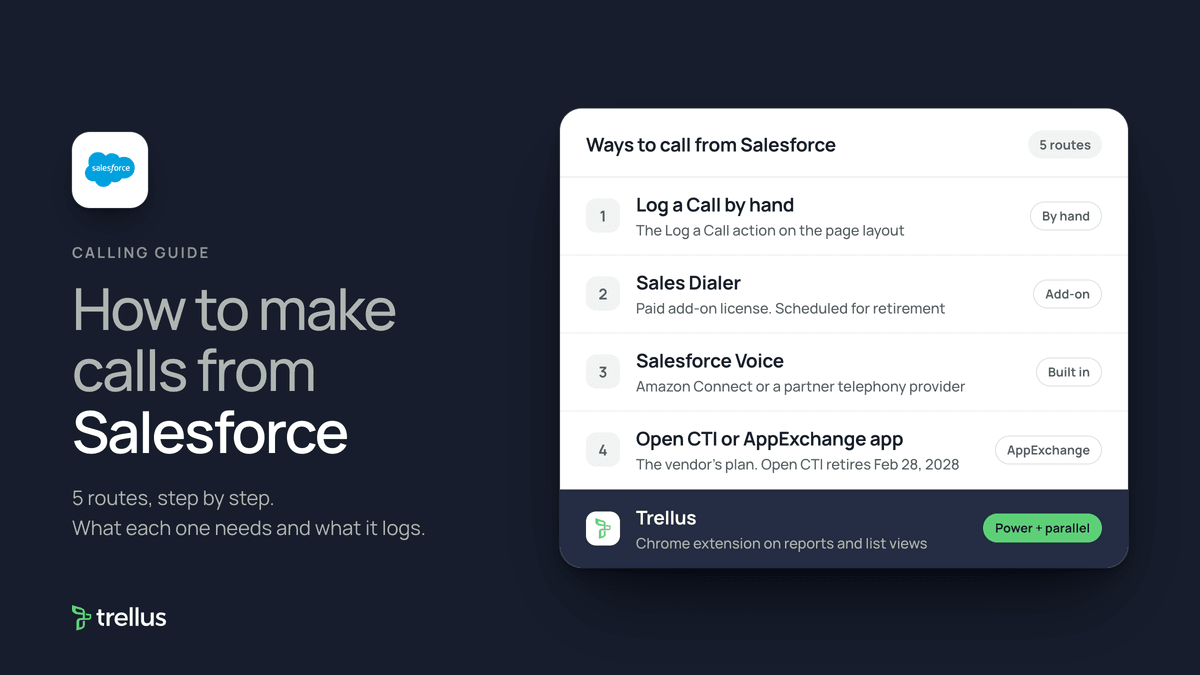
Ways to call from Salesforce at a glance
| Route | What you need | How the call starts | What lands in Salesforce |
|---|---|---|---|
| Log a Call by hand | The Log a Call action on the page layout | On any phone. Nothing starts in Salesforce | A completed Task in the activity timeline |
| Sales Dialer | A paid add-on license, Lightning Experience on desktop. Scheduled for retirement | Click a phone number field. The call panel opens in the utility bar | A call log on the related record, with Auto-log |
| Salesforce Voice | Amazon Connect or a partner telephony provider, and Voice permission sets | Dial in the Omni-Channel utility or click a phone number | A Voice Call record. With Sales Engagement, a task too |
| Open CTI or AppExchange phone app | An AppExchange package and the vendor's plan. Open CTI retires February 28, 2028 | Click-to-dial into the vendor's softphone | Tasks or activities, as each listing states |
| Trellus, a Chrome extension | Chrome and a Trellus plan | From a report, Lightning list view or due call Tasks, in power or parallel mode | A Task with disposition and summary, and a dated callback Task |
Log a call made on any phone
Salesforce's article Log a Call button, published September 22, 2026, says Log a Call creates a completed task. In Lightning Experience it sits in the Activities component of most records, and in the Chatter publisher on cases and work orders.
- Open the lead, contact, account or opportunity.
- In the Activities component, click Log a Call. Choose a record type if your org uses task record types.
- Fill in the call fields, such as the subject, and click Save.
- The call appears under past activity in the timeline. For a follow-up, choose Create a Follow Up Task from the call's actions.
If Log a Call is missing, an admin edits the object's page layout and drags Log a Call into the Salesforce Mobile and Lightning Experience Actions section.
Call with Sales Dialer
Salesforce's Sales Dialer page lists it for Sales Cloud and Service Cloud in Essentials, Professional, Enterprise, Performance and Unlimited editions, as an add-on license for an additional cost. The same page says Sales Dialer is scheduled for retirement, gets no new features, and recommends moving to Salesforce Voice.
Set it up, as an admin
- Check for licenses. In Setup, open Company Information and look for Dialer Outbound User and Dialer Inbound User under Permission Set Licenses.
- From Setup, open Dialer Settings and enable Dialer. Optionally turn on voicemail, prioritized call lists and voicemail drop.
- In App Manager, edit a Lightning app. On the Utility Items tab, click Add Utility Item and select Dialer.
- For each user, assign the Dialer Outbound and, if available, Dialer Inbound permission sets.
Make a call, as a rep
- From your personal settings, open Dialer Settings, click Find Now, pick a country and area code, and assign yourself a number. You cannot change it yourself later.
- Click a phone number field on a contact, a lead or a list view. The call panel opens in the utility bar.
- Take notes in the call panel. Select Auto-log to add the call details to the activity timeline.
Salesforce's calling guidelines say outgoing calls go to the United States, not including Puerto Rico, and Canada only. Its limitations page says call lists can hold leads, accounts, person accounts and contacts, and use the standard Phone field. Records with Do Not Call selected have one-click calling turned off.
Call with Salesforce Voice
Salesforce Voice, formerly Service Cloud Voice, runs calls through Amazon Connect or a partner telephony provider, per Get to Know Salesforce Voice. Salesforce Voice for Sales gives each rep a direct number for inbound and outbound calls, and Salesforce says it needs a telephony configuration using Amazon Connect. The rep steps, from Answer and Make Calls:
- Have the Salesforce Voice Contact Center Rep permission set. Use the latest Chrome, Firefox or Edge, in one tab only.
- In the Omni-Channel utility, set your presence status so you can make and receive calls.
- On the Phone tab, enter the number and click Call, or click a phone number hyperlink, as Salesforce describes for Service Cloud. Salesforce suggests the +country code format.
- Click End Call to hang up.
With Sales Engagement and Salesforce Voice together, reps click-to-dial records from a cadence, My List or the Work Queue. When the call wraps up, the cadence step is marked complete and a task is created. Salesforce lists Sales Engagement as included in Performance, Einstein 1 and Unlimited editions, and an extra cost in Professional and Enterprise.
Partner softphones and AppExchange phone apps
Salesforce's Set Up a Call Center page says most call centers are created by installing a package from AppExchange. An admin assigns users to the call center, and a user must belong to one to see the softphone. Salesforce's Open CTI retirement article says Open CTI is in maintenance mode, no new implementations can be started, and it stops working after February 28, 2028.
The Telephony category on AppExchange, which now carries the AgentExchange name, showed 114 results on November 17, 2026. What four vendors' listings say:
- Aircall: click-to-dial from any record in an embedded softphone. Calls, voicemails and SMS log as a Task or Activity with a recording link and AI summary. Listed at $50 per user per month.
- Dialpad: calling inside Salesforce, with calls, transcripts and notes logged automatically. It is for Dialpad Pro and Enterprise customers.
- Kixie PowerCall & SMS: 1-click dialing and a multi-line PowerDialer that dials up to 10 numbers at once. Calls, SMS and voicemails log automatically. Listed from $35 per user per month.
- RingEX by RingCentral: in-app calling and SMS with click-to-dial, automatic call logging and screen pops. A paid RingCentral add-on is required.
Install steps differ by vendor, and each app is billed by its vendor.
Power or parallel dial a report or list view with Trellus
Trellus is our product. It is a Chrome extension, installed from the Chrome Web Store, that works from Lightning reports, object list views, due call Tasks and selected record pages. The steps below are from the Trellus for Salesforce page.
- Add Trellus to Chrome from the Chrome Web Store.
- Open the worklist. Start from a report, a Lightning list view for Contacts, Leads, Accounts or Opportunities, or your due call Tasks.
- Confirm phone mapping. Trellus uses standard and approved custom phone fields, excludes fax fields and respects mapped do-not-call data.
- Choose power or parallel. The Trellus power dialer calls one record at a time. On an eligible plan, the Trellus parallel dialer calls up to five lines at once.
- Return the activity. Save the call Task with the disposition and summary, and create a record-linked callback when needed.
Numbers marked Do Not Call, and people marked Do Not Contact in Salesforce, are held back. By default Trellus dials only between 8 AM and 6 PM in each prospect's local time. Your Task permissions, required fields and validation rules still govern what Salesforce saves.
Power is $99.99 per seat per month and Power + Parallel is $149.99. Both are bought online with no seat minimum, and there is no free plan or free trial (see Trellus pricing). Watch the Salesforce walkthrough, or read how to turn Salesforce call Tasks into a call block. To choose a mode, read parallel dialer vs. power dialer.
Which route fits
For a handful of calls, Log a Call on your usual phone is enough. If your org already has Sales Dialer, Salesforce is adding nothing new to it. For telephony run inside Salesforce, Salesforce points to Salesforce Voice. For long lists from a report or list view, use a dialer. Our cold calling report has live answer and conversation rates by hour, weekday and dialing mode.
How calls end up on the record
- Logged by hand: a completed Task in the activity timeline of the record.
- Sales Dialer: with Auto-log, a call log on the record when the number matches an existing record. If it does not, Salesforce creates a task but no record-linked call log. Recordings are saved as files.
- Salesforce Voice: a Voice Call record. With Sales Engagement, a task is created when the rep closes the call record.
- AppExchange phone apps: Tasks or activities, as each listing states.
- Trellus: a Salesforce Task with a subject, summary, transcript or recording link when available, disposition and the Contact or Lead, plus the available related record. It can complete the source call Task and create a dated callback Task.
Recording and consent
Salesforce's Sales Dialer limitations page says that, if the law requires it, users must tell the person they call about monitoring or recording and stop on request. In Salesforce Voice, reps can pause a recording with the Recording button. Partner apps record under their own settings. The cold calling laws by state hub lists recording consent, calling hours and do-not-call rules for each state, with the statute. This guide is not legal advice.
Troubleshooting
- Calls connect but are not logged. Salesforce says Sales Dialer users need the Edit Task permission, which some profiles lack.
- Long calls are not logged. Calls in inactive tabs that run past your org's session timeout are not logged properly. Keep the tab active or ask an admin to change session settings.
- Log a Call fails with task record types. Salesforce's Dialer prerequisites say to assign the Log a Call quick action to a task record type.
- A rep has Dialer and another softphone. Salesforce says Dialer users cannot also be in a call center or hold Salesforce Voice permission sets. Deselect the Call Center field for Dialer users.
If calls connect but fewer people pick up, read why calls show Spam Likely.
Frequently asked questions
Can you make phone calls directly from Salesforce?
Yes, with an add-on or integration: Sales Dialer, Salesforce Voice, or a telephony vendor's AppExchange package. Without one, you call on another phone and use Log a Call. Trellus, a Chrome extension, can also call from reports and list views.
Is Salesforce Sales Dialer being retired?
Salesforce's help pages say Sales Dialer is scheduled for retirement and that no new features or enhancements are being added. Salesforce points to its Active Product and Feature Retirements page for the end-of-life date, and recommends moving to Salesforce Voice.
What is the difference between Sales Dialer, Salesforce Voice and Open CTI?
Sales Dialer provisions numbers and makes calls directly from Salesforce. Open CTI connects a third-party phone system and retires on February 28, 2028. Salesforce recommends Salesforce Voice in place of both, with calls carried by Amazon Connect or a partner provider.
How do I log a call in Salesforce?
Open the record and click Log a Call in the Activities component. Fill in the call details and click Save. Salesforce creates a completed task that shows in the activity timeline. Sales Dialer can log calls automatically when Auto-log is selected.
Can I power dial or parallel dial from Salesforce?
Sales Dialer has call lists, and Sales Engagement puts calls in a Work Queue. The Kixie listing on AppExchange describes dialing up to 10 numbers at once. Trellus, a Chrome extension, power dials Salesforce reports, list views and due call Tasks one record at a time, or parallel dials up to five lines at once on eligible plans.
Sources
Every page below was read on November 17, 2026.
- Salesforce Help, Sales Dialer: overview, calling guidelines, prerequisites, limitations, enabling, utility bar, permission sets and assigning a number
- Salesforce Help, Voice and Open CTI: Get to Know Salesforce Voice, Voice for Sales, Answer and Make Calls, Voice with Sales Engagement, Set Up a Call Center and Open CTI retirement
- Salesforce Help: Log a Call button and Sales Engagement
- AppExchange: the Telephony category and the Aircall, Dialpad, Kixie and RingEX by RingCentral listings
- Trellus: Trellus for Salesforce and Trellus pricing